
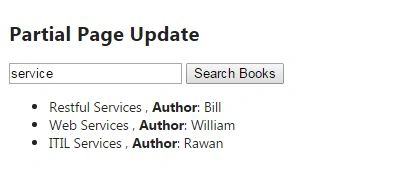
Ajax allow web pages to exchange data asynchronously with the server in order to update specific portions of the page rather reloading its entire content. This will enhance the responsiveness and performance of the web applications. ASP.NET MVC affords multiple approaches to implement this behavior by requesting or submitting data to partial pages. In this article, we will talk about two approaches to accomplish: Unobstrusive Ajax and JQuery Ajax.
Firstly, we will start creating the project and all the code needed to implement the asynchronous behavior. After that we will start explaining both the approaches:
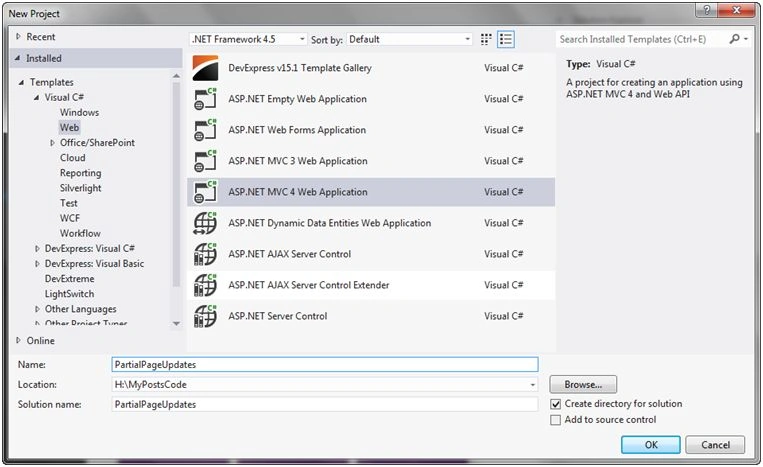
Step 1: Create a new ASP.NET MVC project:
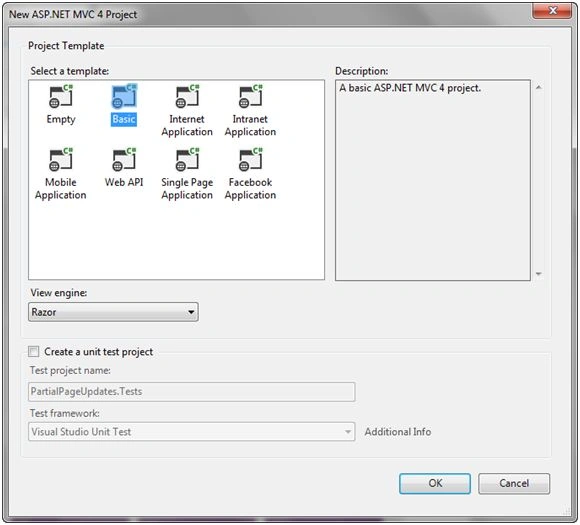
Step 2: Select a Basic Project Template:
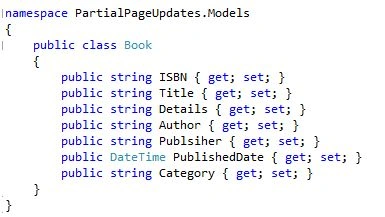
Step 3: Add a new class Book to your Models
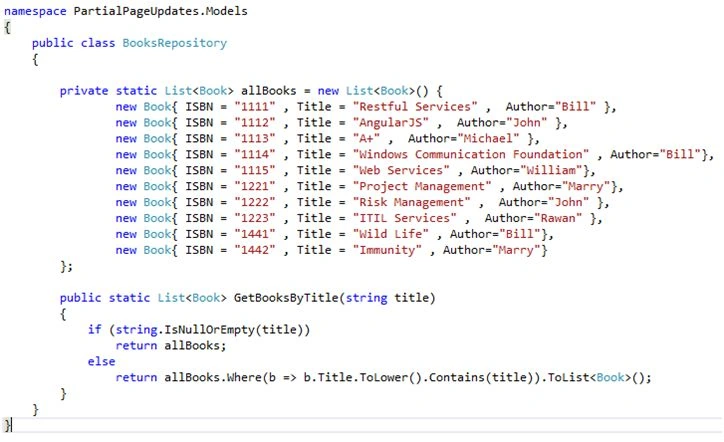
Step 4: Create the BooksRepository (it’s an in-memory repository that keeps all our library of books, from where we will retrieve our sample data)
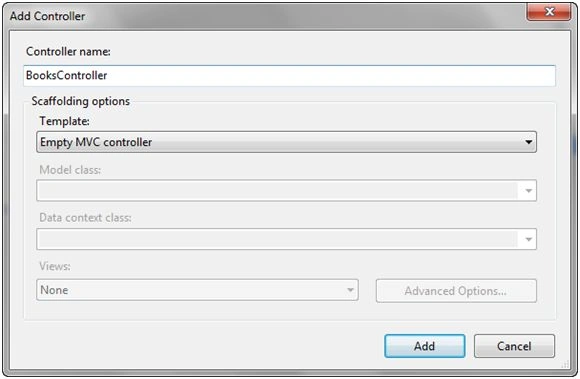
Step 5: Add New Controller: BooksController (in the Controllers folder)
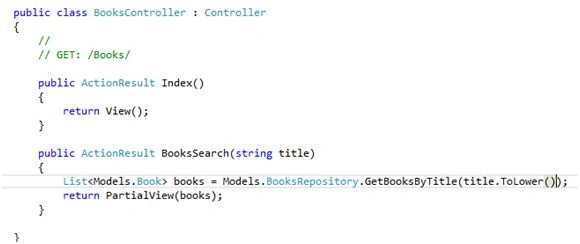
Step 6: Create the action “BooksSearch” that will search for books and return our partial view:
Step 7: Create a new folder which will hold our views “Books” in the “Views” Folder.
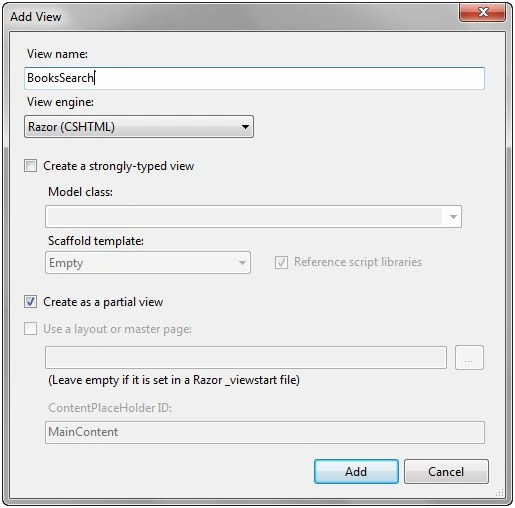
Step 8: Create the partial view “BooksSearch” (with the same name of our action method). The Ajax functions will call this partial view to update a portion of the page and avoid the browser refreshing the entire html document.
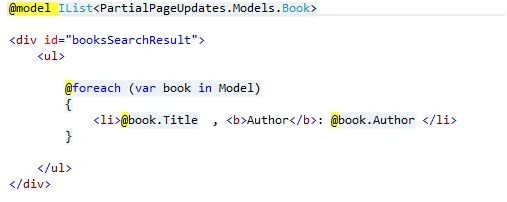
Step 9: Add the html that will show the books resulting from searching the partial view “BooksSearch”.
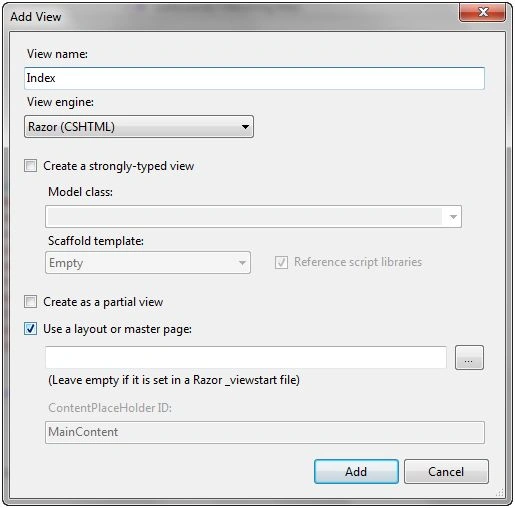
Step 10: Add an “Index” view (in Views \ Books folder) that will contain our asynchronous search functionality:
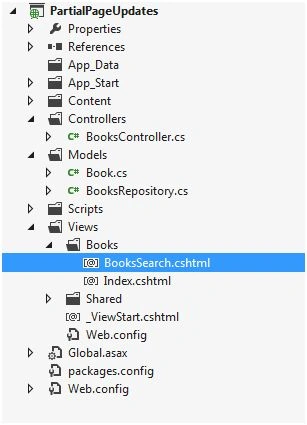
Step 11: The Solution Project will look like the following screenshot,
Now returning back to the “Index”view to implement the search functionality using the two approaches:
Using Unobtrusive Ajax
This approach allows us to use a strategy known as progressive enhancement which focuses on the delivery of content. It follows the same practice ASP.NET MVC which is separation of concern by trying to separate the markup responsible for the view from JavaScript code. It make Ajax calls through the built-in helper methods which eliminates the need to add blocks of JavaScript code in our Views and makes source code cleaner, readable and improves the performance since the browser needs only the downloadable js library (which can be cached).
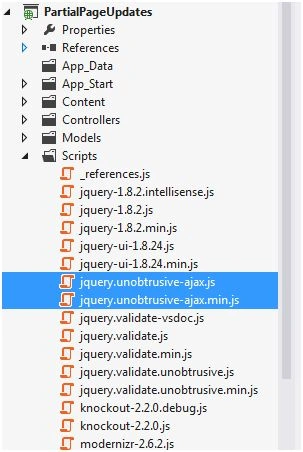
Step 1: Install the “jquery.unbrotusive-ajax” using Visual Studio NuGet Manager and if it doesn’t exist (By default MVC 4 includes it in the Scripts folder)
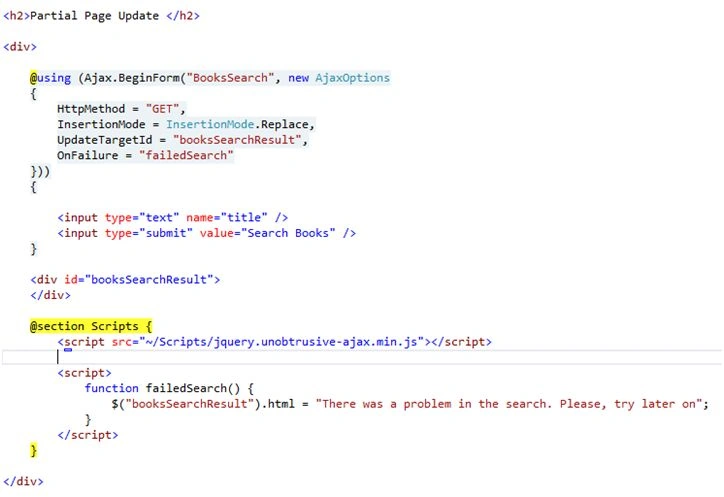
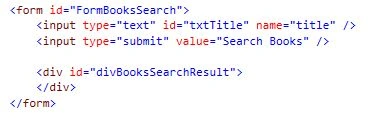
Step 2: In the Index view which resides in Views / Books, we will implement the functionality using Ajax.BeginForm that will perform asynchronous request to the server. This method take several arguments:

ASP.NET MVC Partial Updates Using Unobtrusive Ajax And JQuery
Join the conversation! Your thoughts help the community grow.
Sign in to leave a comment
It is the same account you read, post and publish with — and you will come straight back to this page.

Paul SpauldingPosted Jun 2, 2017, 12:12 PM
For the Ajax.Begin form approach, if each book title is a link to a details page about the book, how do you save the results so if the back button is pressed, you get the same list again?
Gowtham RajamanickamPosted Apr 9, 2016, 9:34 AM
Good one..
Manoj KallaPosted Jan 10, 2016, 6:03 AM
nice one
Ankit BansalPosted Jan 10, 2016, 2:47 AM
nice one..keep sharing..
Raja TPosted Jan 9, 2016, 6:28 AM
Nice,Thanks for sharing
Santhakumar MunuswamyPosted Jan 9, 2016, 1:57 AM
Thanks for nice article. Keep it up
Karthikeyan KPosted Jan 9, 2016, 1:15 AM
Good one...