

Introduction
In this article, we are going to learn how we can access the S3 bucket in a Private subnet EC2 Instance. So before diving in, let's learn the basic terms first.
S3 Bucket
S3 Stands for Simple Storage Service and it is a cloud storage service available in AWS. Basically S3 in Amazon has two entities, objects and buckets. Objects are stored inside buckets and every organization needs a file system to store their unstructured files, that's why AWS introduced a file system called S3
Private Subnet instance
It can not be accessible from the internet directly which means nobody can enter this subnet directly. Generally, we put database servers and S3 buckets in private instances and they can access via a NAT gateway that resides in public subnets.to use the NAT gateway we require VPC, and I already explained in my last article how we can create a private subnet EC2 instance here
Let's start with creating an S3 bucket.
How to Create S3 Bucket in AWS
It works like this. You upload an image in the traditional way, create a file uploading this, and store it into an S3 bucket which can be accessed anywhere in the world from any device.
By default, the maximum number of buckets that can be created per account is 100, and bucket names have to be globally unique as buckets can be accessed using URLs so it is recommended to create a bucket that follows some naming conventions. let's create an S3 bucket in AWS.
Step 1
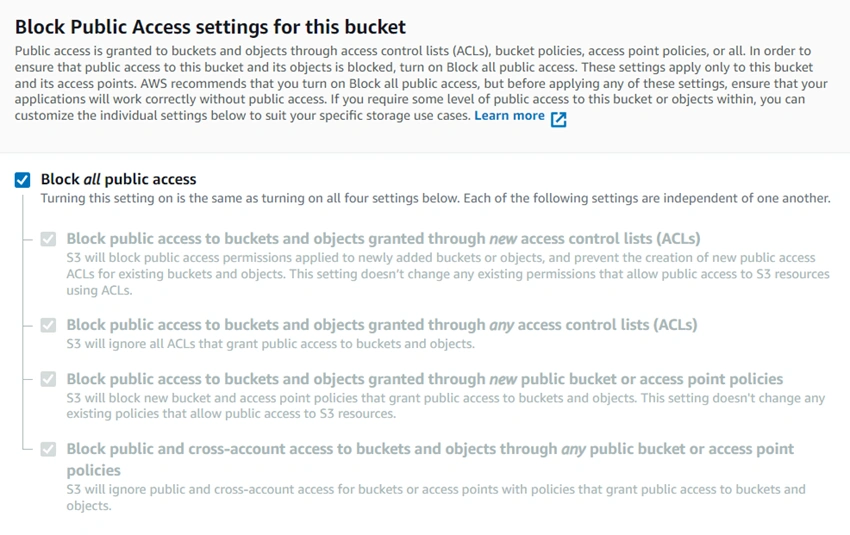
Search the S3 bucket in the main search bar and a page is open under Amazon S3 -> buckets, click on create bucket button and give the unique name to the bucket, and select the AWS region where you want to put the S3 bucket. you can also select the existing bucket if you want to apply the same setting to this bucket.
Step 2
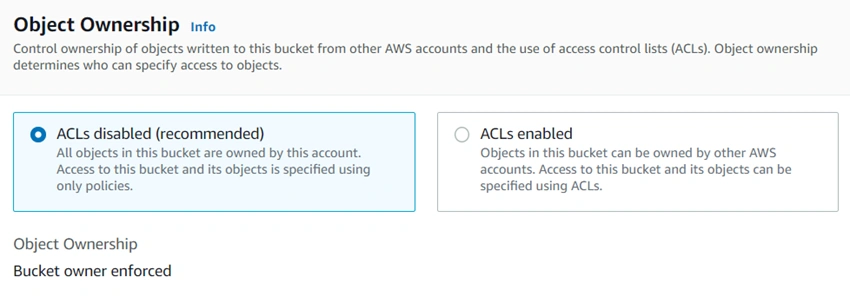
Next option is the Account control list(ACL) option- if you want to allow this bucket to be used by other AWS accounts also then you can enable the ACLs otherwise continue with the default option
Step 3
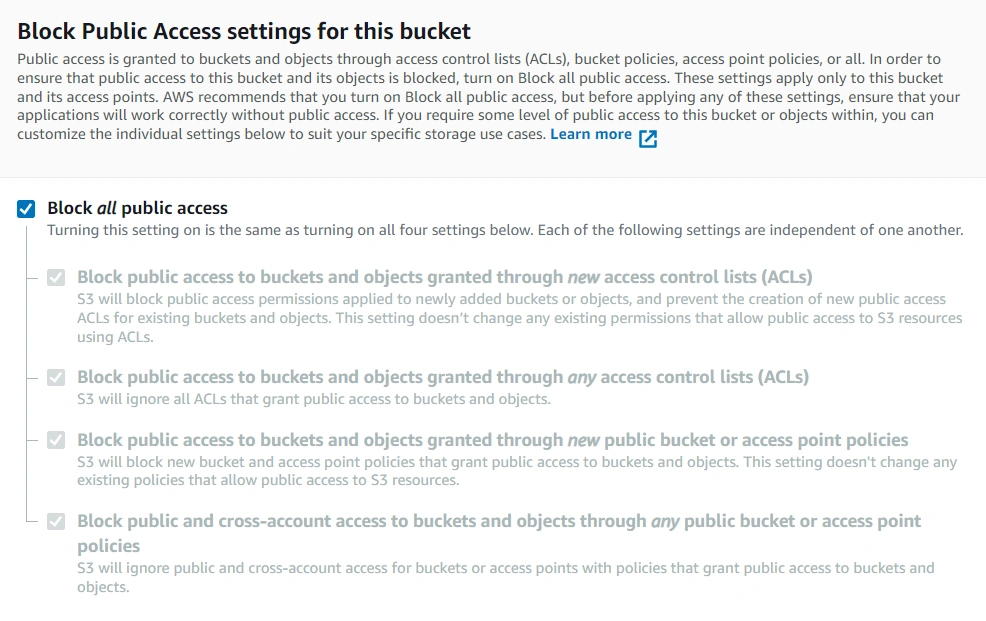
Here, there are options to select the further public access, it is recommended to block all public access but sometimes if you enable ACLs then you have further access options here as of now we block all public access and continue
Step 4
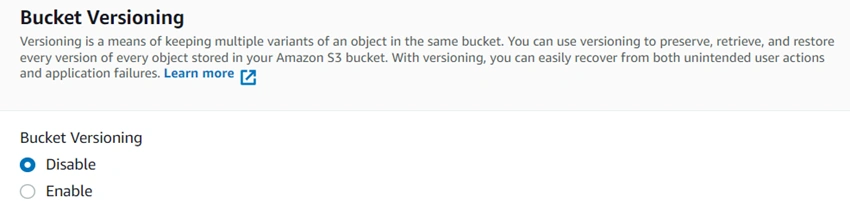
The bucket Versioning option is also available where you can keep multiple versions of an object in the bucket. This is used to restore the earlier version of file if you upload a newer version of an object unintentionally.
Step 5
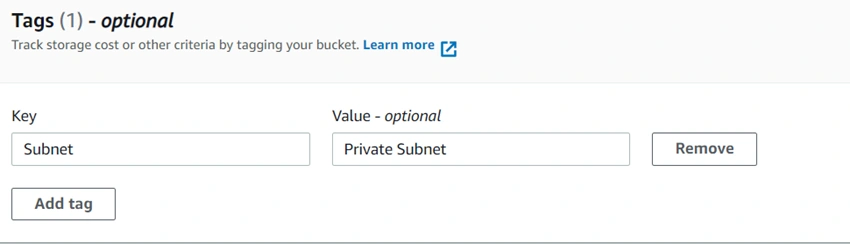
You can tag your bucket to remember the purpose of the bucket. I create a tag that this bucket is for a private subnet like this you can give any tag.



Join the conversation! Your thoughts help the community grow.