
What is News Feed?
News feed is one of the best feature in SharePoint. You can check the colleague’s status and post up-to-date. SharePoint newsfeed is where you can see what your co-workers are doing throughout your work day and share ideas and observations as they occur to you. Depending on your newsfeed settings, the feed may also send emails to you to notify the events, such as when someone mentions you in a post, and it may show your activities, such as when you’ve started following someone. You control email notifications and your activities you want to share with others.
Steps to add News feed:
Here are the steps to achieve the news feed web part on SharePoint page,
Step 1: Go to SharePoint site and open the page where you need to add the news feed,
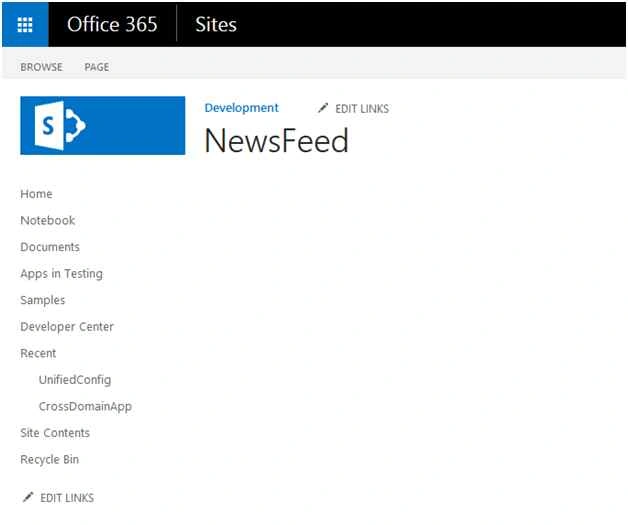
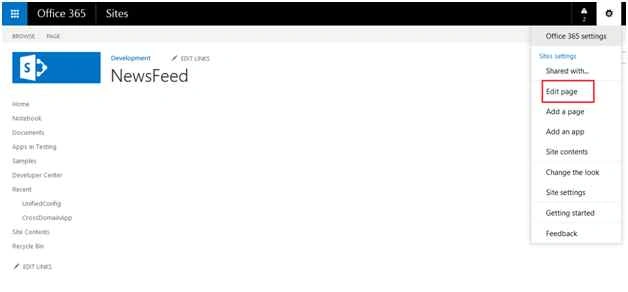
Step 2: Then edit the page using gear menu as in the following screenshot:
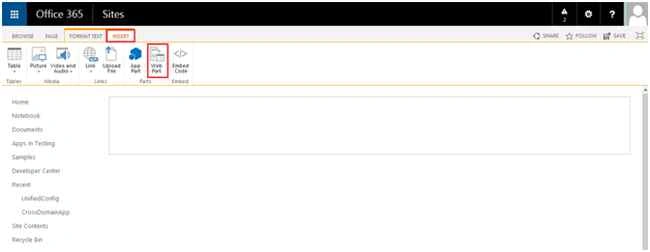
Step 3: On that page click on insert from top ribbon and select “Web Part”,
Step 4: Then choose site feed web part from “Site Collaboration” Categories.
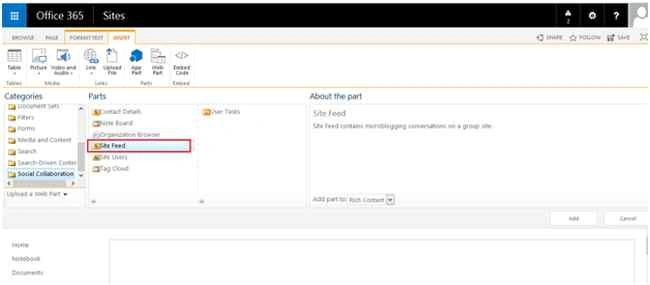
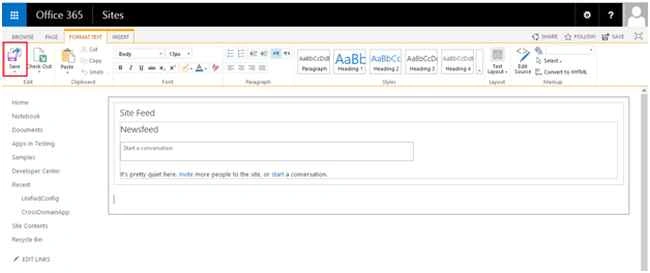
Step 5: Save the page and once you click OK button, the news feed web part will be added to your page.
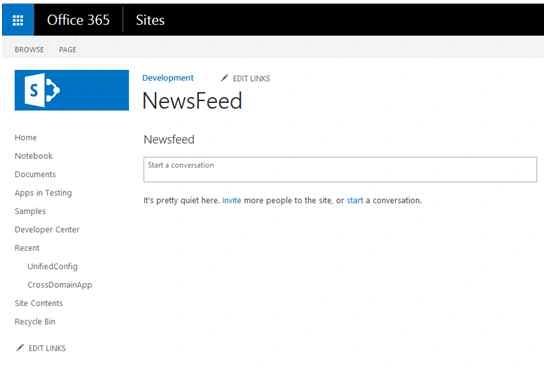
Step 6: Finally news feed web part will be added successfully on the page.
Summary
In this article we have explored how to add the news feed web part in SharePoint site.

Add Newsfeed Web Part In SharePoint Site Page
Join the conversation! Your thoughts help the community grow.
Sign in to leave a comment
It is the same account you read, post and publish with — and you will come straight back to this page.
Steven BackstromPosted Oct 24, 2019, 10:54 AM
When I add SiteFeed Web part,I am not getting "Start a Conversation" box and the page has been checked in.
yekula RajaPosted Oct 18, 2019, 12:54 AM
Nice Article
Deepika KPosted Jul 16, 2018, 7:19 AM
When I add SiteFeed Web part,I am not getting "Start a Conversation" box.Do I need to Add anything else?
Santhakumar MunuswamyPosted Sep 5, 2015, 4:01 AM
Thanks for nice share
Mohammed IbrahimPosted Sep 4, 2015, 5:29 PM
nice
Sumit JoshiPosted Sep 4, 2015, 11:45 AM
Thanks for share.
Sumit DeshmukhPosted Sep 4, 2015, 8:04 AM
Nice Article
Pankaj Kumar ChoudharyPosted Sep 4, 2015, 6:49 AM
Nice Explain...........
Ankit BansalPosted Sep 4, 2015, 5:04 AM
thanks for sharing...
Karthikeyan KPosted Sep 4, 2015, 4:33 AM
Good one..Thanks for sharing