Introduction
In this article we will learn how to create an admin panel. In this panel we have a content link where we can manage the contents. Here admin can add the contents, update the contents and as well as delete the contents. When adding contents we use fckeditor. Paging facilities are also provided for the contents. We have provided a password change link for the admin to change the password.
Table Structure
-- phpMyAdmin SQL Dump
-- version 2.10.1
-- http://www.phpmyadmin.net
--
-- Host: localhost
-- Generation Time: Jun 24, 2012 at 11:14 AM
-- Server version: 5.0.45
-- PHP Version: 5.2.5
SET SQL_MODE="NO_AUTO_VALUE_ON_ZERO";
--
-- Database: `Work`
--
-- --------------------------------------------------------
--
-- Table structure for table `admin`
--
CREATE TABLE `admin` (
`id` int(11) NOT NULL auto_increment,
`uid` varchar(255) NOT NULL,
`pass` varchar(255) NOT NULL,
PRIMARY KEY (`id`)
) ENGINE=MyISAM DEFAULT CHARSET=latin1 AUTO_INCREMENT=2 ;
--
-- Dumping data for table `admin`
--
INSERT INTO `admin` (`id`, `uid`, `pass`) VALUES
(1, 'admin', 'admin');
-- --------------------------------------------------------
--
-- Table structure for table `content`
--
CREATE TABLE `content` (
`id` int(11) NOT NULL auto_increment,
`page_title` varchar(1000) NOT NULL,
`details` longtext NOT NULL,
PRIMARY KEY (`id`)
) ENGINE=MyISAM DEFAULT CHARSET=latin1 AUTO_INCREMENT=4 ;
--
-- Dumping data for table `content`
--
INSERT INTO `content` (`id`, `page_title`, `details`) VALUES
(1, 'Home', '<p>This is home page</p>'),
(2, 'Contact Us', '<p>This is contact us page</p>'),
(3, 'About us', '<p>This is about us page</p>');
Let's move to the coding part.
config.php
<?php
$sDbHost = 'localhost';
$sDbName = 'Work';
$sDbUser = 'root';
$sDbPwd = '';
$dbConn = mysql_connect ($sDbHost, $sDbUser, $sDbPwd) or die ('MySQL connect failed. ' . mysql_error());
mysql_select_db($sDbName,$dbConn) or die('Cannot select database. ' . mysql_error());
?>
index.php(inside admin folder)
<?php session_start();
include_once("config.php");
if(isset($_POST["submit"]))
{
$uname=$_POST["uname"];
$pass=$_POST["pass"];
$sql="select * from admin where uid='".$uname."' and pass='".$pass."'";
$res=mysql_query($sql);
$rs=mysql_fetch_assoc($res);
if(mysql_num_rows($res)>0)
{
$_SESSION["log"]="true";
echo "<script>location.href='home.php'</script>";
}
else
{
echo "<script>location.href='index.php?inv_usr=yes'</script>";
}
}
if($_REQUEST["qs"]=="logout")
{
$_SESSION["log"]="";
}
?>
<!DOCTYPE HTML PUBLIC "-//W3C//DTD HTML 4.01 Transitional//EN" "http://www.w3.org/TR/html4/loose.dtd">
<html>
<head>
<title>Admin Area</title>
<meta http-equiv="Content-Type" content="text/html; charset=iso-8859-1">
<link href="adminimages/site.css" rel="stylesheet" type="text/css">
<style type="text/css">
<!--
.style2 {
font-family: Verdana, Arial, Helvetica, sans-serif;
font-size: 18px;
color: #000000;
font-style: italic;
}
.style3 {color: #000000}
-->
</style>
</head>
<body bgcolor="#CCCCCC">
<script type="text/javascript" src="tooltip/wz_tooltip.js"></script>
<center>
<center>
<p class="tahoma12-n">
<?php if($_GET['inv_usr'] == 'yes')
{
echo "<strong>Invalid Username or Password</strong>";
}
?>
</cenetr>
</p>
<div class="tahoma12-n" style="height:140px;"><center></cenetr></div>
<table width="335" border="0" cellpadding="0" cellspacing="0">
<tr>
<td colspan="3"><img src="adminimages/loginheader.jpg" width="334" height="51"></td>
</tr>
<tr>
<td width="48" bgcolor="#F5ECC3"><img src="adminimages/access.png" width="48" height="48"></td>
<td width="261" bgcolor="#F5ECC3" valign="top"><table width="100%" height="121" border="0" cellpadding="3" cellspacing="1" >
<form name="frmlogin" action="index.php" method="post">
<input type="hidden" name="time">
<tr >
<td height="29" colspan="2" align="center" class="header2 style2">Login Here </td>
</tr>
<tr >
<td width="40%" align="left" class="tahomaheader style3" >User Name </td>
<td width="60%" align="left"><input name="uname" autocomplete="off" class="ip" type="text" size="25" onmouseover="Tip('Enter Your User Name')" onmouseout="UnTip()"></td>
</tr>
<tr >
<td height="27" align="left" class="tahomaheader style3">Password</td>
<td align="left"><input name="pass" type="password" autocomplete="off" class="ip" size="25" onmouseover="Tip('Enter Your Password')" onmouseout="UnTip()"></td>
</tr>
<tr >
<td align="right" colspan="2"><input type="submit" name="submit" value=" Login ">
</td>
</tr>
</form>
</table></td>
<td width="26" bgcolor="#F5ECC3"> </td>
</tr>
<tr>
<td colspan="3"><img src="adminimages/loginfooter.jpg" width="333" height="53"></td>
</tr>
</table>
</center>
</body>
</html>
home.php
<?php include("session_config.php"); ?>
<!DOCTYPE HTML PUBLIC "-//W3C//DTD HTML 4.0 Transitional//EN">
<HTML><HEAD><TITLE>Control Panel</TITLE>
<META http-equiv=Content-Type content="text/html; charset=windows-1252">
<LINK href="Control%20Panel_files/cpstyle.css" type=text/css rel=stylesheet>
<META content="MSHTML 6.00.6000.16809" name=GENERATOR>
<style type="text/css">
<!--
.style1 {font-weight: bold}
.style7 {
color: #00CCFF;
font-size: 24px;
}
.style8 {
color: #666666;
font-weight: bold;
}
-->
</style>
</HEAD>
<BODY>
<TABLE height="100%" cellSpacing=0 cellPadding=0 width=800 align=center border=1 bordercolor="#00CCFF">
<TBODY>
<TR>
<TD vAlign=top align=middle><table cellspacing=0 cellpadding=0 width="100%" align=center border=0>
<tbody>
<tr>
<td class=headingtext valign=top align=left width="100%" bgcolor=#ffffff height="60px">
<div style="padding-left:15px; padding-top:15px"><u>Administrator Control Panel</u></div></td>
</tr>
<tr>
<td align="center">
<span class="style1">
<a href="home.php">Home</a> |
<a href="content.php">Contents</a> |
<a href="password_change.php">Change Password</a> |
<a href="index.php?qs=logout">Logout</a></span></td>
</tr>
<tr>
<td valign=center align=middle width="100%" bgcolor=#ffffff>
</td>
</tr>
<tr>
<td width="100%" bgcolor="#999999" height="22px" align="left"><span class="style7">Content Manage System</span></td>
<tr>
<tr>
<td class=smalltext valign=top align=center width="100%" bgcolor=#ffffff height=550 style="padding-top:40px">
<span class="headingtext">Welcome to Admin Panel </span>
<tr>
<tr>
<td valign="bottom"><table width="100%" border="0" cellspacing="0" cellpadding="0">
<tr>
<td height="22" align="center" valign="middle" bgcolor="#FFFFFF" class="smalltext">Content Management System 2012. All Rights Reserved.</td>
</tr>
</table></td>
<tr>
</tr>
</tbody>
</table>
</TD>
</TR></TBODY></TABLE>
</BODY>
</HTML>
content.php
<?php
include("session_config.php");
include("config.php");
if(isset($_GET['task']) && trim($_GET['task'])=="delete")
{
$del="delete from content where id='".$_GET['id']."'";
mysql_query($del) or die(mysql_error());
}
?>
<!DOCTYPE HTML PUBLIC "-//W3C//DTD HTML 4.0 Transitional//EN">
<HTML><HEAD><TITLE>Control Panel</TITLE>
<META http-equiv=Content-Type content="text/html; charset=windows-1252">
<LINK href="Control%20Panel_files/cpstyle.css" type=text/css rel=stylesheet>
<META content="MSHTML 6.00.6000.16809" name=GENERATOR>
<style type="text/css">
<!--
.style1 {font-weight: bold}
.style7 {
color: #00CCFF;
font-size: 24px;
}
.style8 {
color: #FFFFFF;
font-weight: bold;
}
.style9 {
color: #666666;
font-weight: bold;
}
-->
</style>
</HEAD>
<BODY>
<TABLE height="100%" cellSpacing=0 cellPadding=0 width=800 align=center border=1 bordercolor="#00CCFF">
<TBODY>
<TR>
<TD vAlign=top align=middle><table cellspacing=0 cellpadding=0 width="100%" align=center border=0>
<tbody>
<tr>
<td class=headingtext valign=top align=left width="100%" bgcolor=#ffffff height="60px">
<div class="style9" style="padding-left:15px; padding-top:15px"><u>
Administrator - Control Panel</u></div></td>
</tr>
<tr>
<td align="center">
<span class="style1">
<a href="home.php">Home</a> |
<a href="content.php">Contents</a> |
<a href="password_change.php">Change Password</a> |
<a href="index.php?qs=logout">Logout</a></span></td>
</tr>
<tr>
<td valign=center align=middle width="100%" bgcolor=#ffffff>
</td>
</tr>
<tr>
<td width="100%" bgcolor="#999999" height="22px" align="left"><span class="style7">Manage Contents</span></td>
</tr>
<tr>
<td class=smalltext valign=top align=center width="100%" bgcolor=#ffffff height=550>
<table width="100%" border="0" cellspacing="0" cellpadding="0">
<tr>
<td align="right" background="add_new.php" style="padding-top:10px; padding-right:10px; padding-bottom:10px"><table width="10%" border="0" cellpadding="0" cellspacing="0" bgcolor="#FFFFFF" >
<tr bgcolor="#999999">
<td width="46%" align="center">Add</td>
<td width="54%" align="center">Show</td>
</tr>
<tr bgcolor="#CCCCCC">
<td align="center"><a href="add_new.php"><img src="adminimages/add.png" width="25" height="25" border="0"></a></td>
<td align="center"><a href="content.php"><img src="adminimages/view.png" width="25" height="25" border="0"></a></td>
</tr>
</table></td>
</tr>
</table>
<table width="100%" border="1" align="center" cellpadding="1" cellspacing="1" bordercolor="#999999">
<?php
//********************PAGINATION*********************
if (isset($_GET['pageno']))
{
$pageno = $_GET['pageno'];
}
else
{
$pageno = 1;
}
$query = "SELECT count(*) FROM content order by id asc";
$result = mysql_query($query) or trigger_error("SQL", E_USER_ERROR);
$query_data = mysql_fetch_row($result);
$numrows = $query_data[0];
//3. Calculate number of $lastpage
//This code uses the values in $rows_per_page and $numrows in order to identify the number of the last page.
$rows_per_page = 18;
$lastpage = ceil($numrows/$rows_per_page);
//4. Ensure that $pageno is within range
//This code checks that the value of $pageno is an integer between 1 and $lastpage.
$pageno = (int)$pageno;
if ($pageno > $lastpage)
{
$pageno = $lastpage;
}
if ($pageno < 1)
{
$pageno = 1;
}
//5. Construct LIMIT clause
//This code will construct the LIMIT clause for the sql SELECT statement.
$limit = 'LIMIT ' .($pageno - 1) * $rows_per_page .',' .$rows_per_page;
//$query = "SELECT * FROM user $limit";
//$result = mysql_query($query) or trigger_error("SQL", E_USER_ERROR);
?>
<tr>
<td colspan="3" bgcolor="#666633" align="center"><font color="#FFFFFF"><?php echo $_GET["qs"];?></font></td>
</tr>
<tr>
<td width="84%" bgcolor="#666633"><span class="style8">Page Title</span></td>
<td width="8%" bgcolor="#666633"><span class="style8">Edit</span></td>
<td width="8%" bgcolor="#666633"><span class="style8">Remove</span></td>
</tr>
<?php
if($_REQUEST["cnt"]!="")
{
$count=$_REQUEST["cnt"];
$cntprev=$count-2;
}
else
{
$count=1;
}
$str="select * from content order by id asc $limit";
$row=mysql_query($str);
while($res=mysql_fetch_assoc($row))
{
?>
<tr bgcolor="#CCCCCC">
<td><font color="#0000FF"><?php echo $res["page_title"]; ?></font></td>
<td align="center"><a href="content_edit.php?task=edit&id=<?php echo $res['id'];?>"><img src="adminimages/edit.png" width="25" height="25" border="0"></a></td>
<td align="center"><a href="content.php?task=delete&id=<?php echo $res['id'];?>" onClick="return confirm('Are you sure you want to delete this record?');"><img src="adminimages/ddelete.gif" width="25" height="25" border="0"></a></td>
</tr>
<?php }?>
<tr>
<td height="20" colspan="3" align="center" bgcolor="#666633">
<?php
if ($pageno == 1)
{
echo " FIRST PREV ";
}
else
{
echo " <a href='{$_SERVER['PHP_SELF']}?pageno=1&cnt=1'>FIRST</a> ";
$prevpage = $pageno-1;
echo "<a href='{$_SERVER['PHP_SELF']}?pageno=$prevpage&cnt=".$cntprev."'>PREV</a> ";
}
echo "(Page $pageno of $lastpage)";
if ($pageno == $lastpage)
{
echo " NEXT LAST ";
}
else
{
$nextpage = $pageno+1;
echo " <a href='{$_SERVER['PHP_SELF']}?pageno=$nextpage&cnt=$count'>NEXT</a> ";
echo " <a href='{$_SERVER['PHP_SELF']}?pageno=$lastpage&cnt=$numrows'>LAST</a> ";
}
?></td>
</tr>
</table>
<tr>
<tr>
<td valign="bottom"><table width="100%" border="0" cellspacing="0" cellpadding="0">
<tr>
<td height="22" align="center" valign="middle" bgcolor="#FFFFFF" class="smalltext">Content Management System 2012. All Rights Reserved.</td>
</tr>
</table></td>
<tr>
</tr>
</tbody>
</table>
</TD>
</TR></TBODY></TABLE>
</BODY>
</HTML>
add_new.php
<?php
include("session_config.php");
include("config.php");
include_once("../fckeditor/fckeditor_php4.php");
?>
<!DOCTYPE HTML PUBLIC "-//W3C//DTD HTML 4.0 Transitional//EN">
<HTML><HEAD><TITLE>Control Panel</TITLE>
<script language="javascript" type="text/javascript">
function validate()
{
if(document.getElementById("page_title").value=="")
{
alert("Page title can not be Blank !!");
document.getElementById("page_title").focus();
return false;
}
return true;
}
</script>
<META http-equiv=Content-Type content="text/html; charset=windows-1252">
<LINK href="Control%20Panel_files/cpstyle.css" type=text/css rel=stylesheet>
<META content="MSHTML 6.00.6000.16809" name=GENERATOR>
<style type="text/css">
<!--
.style1 {font-weight: bold}
.style7 {
color: #00CCFF;
font-size: 24px;
}
.style8 {color: #FFFFFF}
.style9 {
color: #333333;
font-weight: bold;
}
.style10 {
color: #666666;
font-weight: bold;
}
-->
</style>
</HEAD>
<BODY>
<TABLE height="100%" cellSpacing=0 cellPadding=0 width=800 align=center border=1 bordercolor="#00CCFF">
<TBODY>
<TR>
<TD vAlign=top align=middle><table cellspacing=0 cellpadding=0 width="100%" align=center border=0>
<tbody>
<tr>
<td class=headingtext valign=top align=left width="100%" bgcolor=#ffffff height="60px">
<div class="style10" style="padding-left:15px; padding-top:15px"><u>Web
Administrator - Conrol Panel</u></div></td>
</tr>
<tr>
<td align="center">
<span class="style1">
<a href="home.php">Home</a> |
<a href="content.php">Contents</a> |
<a href="password_change.php">Change Password</a> |
<a href="index.php?qs=logout">Logout</a></span></td>
</tr>
<tr>
<td valign=center align=middle width="100%" bgcolor=#ffffff> </td>
</tr>
<tr>
<td width="100%" bgcolor="#999999" height="22px" align="left"><span class="style7">Manage Contents</span></td>
<tr>
<tr>
<td class=smalltext valign=top align=right width="100%" bgcolor=#ffffff height=550 >
<table width="100%" border="0" cellspacing="0" cellpadding="0">
<tr>
<td align="right" style="padding-top:10px; padding-right:10px; padding-bottom:10px"><table width="10%" border="0" cellpadding="0" cellspacing="0" bgcolor="#FFFFFF" >
<tr bgcolor="#999999">
<td width="46%" align="center">Add</td>
<td width="54%" align="center">Show</td>
</tr>
<tr bgcolor="#CCCCCC">
<td align="center"><a href="add_new.php"><img src="adminimages/add.png" width="25" height="25" border="0"></a></td>
<td align="center"><a href="content.php"><img src="adminimages/view.png" width="25" height="25" border="0"></a></td>
</tr>
</table></td>
</tr>
</table>
<?php
if($_REQUEST["Submit"]==" Add ")
{
$sql="select page_title from content where page_title='".$_REQUEST["page_title"]."'";
$row=mysql_query($sql);
if(mysql_num_rows($row)>0)
{
$msg="This Page is already exist";
}
else
{
$title=$_REQUEST["page_title"];
$details=str_replace("'"," ",$_REQUEST["message"]);
$str="insert into content(page_title,details)values('".$title."','".$details."')";
mysql_query($str);
$msg="Saved Successfully";
}
}
?>
<form action="add_new.php" method="post" name="Add New" onSubmit="return validate();">
<table width="100%" border="0" cellspacing="0" cellpadding="0">
<tr bgcolor="#666633"></tr>
<tr bgcolor="#666633">
<td colspan="2" height="25"><span class="heading3 style8"><strong>Basic Details</strong></span></td>
</tr>
<tr bgcolor="#FFCCFF">
<td width="24%" height="30"><span class="style9">Page Title</span></td>
<td width="76%"><input type="text" name="page_title" size="96"></td>
</tr>
<tr bgcolor="#666633">
<td colspan="2" height="20"><span class="heading3 style8"><strong>Descriptive details</strong></span></td>
</tr>
<tr>
<td colspan="2" align="center">
<?php
$sBasePath = "../fckeditor/";
$oFCKeditor = new FCKeditor('message') ;
$oFCKeditor->BasePath = $sBasePath ;
$oFCKeditor->ToolbarSet = "Basic" ;
//$oFCKeditor->Value =$rs["message"];
$BOX_BLOG_RTE=$oFCKeditor->CreateHTML();
echo $BOX_BLOG_RTE;
?></td>
</tr>
<tr bgcolor="#666633">
<td colspan="2" align="center"><font color="#FF0000"><strong><?php echo $msg; ?></strong></font></td>
</tr>
<tr bgcolor="#FFFFFF">
<td colspan="2" align="center"><input type="submit" name="Submit" value=" Add " />
<input name="Button" type="button" class="button" id="Submit" onClick="window.location='content.php';" value="Cancel" /></td>
</tr>
</table>
</form>
<tr>
<tr>
<td valign="bottom"><table width="100%" border="0" cellspacing="0" cellpadding="0">
<tr>
<td height="22" align="center" valign="middle" bgcolor="#FFFFFF" class="smalltext">Content Management System 2012. All Rights Reserved.</td>
</tr>
</table></td>
<tr> </tr>
</tbody>
</table>
</TD>
</TR></TBODY></TABLE>
</BODY>
</HTML>
content_edit.php
<?php
include("session_config.php");
include("config.php");
include_once("../fckeditor/fckeditor_php4.php");
$id=$_GET["id"];
?>
<?php
if($_REQUEST["Submit"]=="Update")
{
$mesg=str_replace("'",'"',$_REQUEST["message"]);
$str="update content set page_title='".$_REQUEST["page_title"]."',details='".$mesg."' where id='".$_REQUEST["hiddenID"]."'";
mysql_query($str);
//echo $str;
//exit;
$U_mesg="Updated Successfully";
echo "<script>location.href='content.php?qs=$U_mesg'</script>";
}
?>
<!DOCTYPE HTML PUBLIC "-//W3C//DTD HTML 4.0 Transitional//EN">
<HTML><HEAD><TITLE>Control Panel</TITLE>
<script language="javascript" type="text/javascript">
function validate()
{
if(document.getElementById("page_title").value=="")
{
alert("Page title can not be Blank !!");
document.getElementById("page_title").focus();
return false;
}
if(document.getElementById("message").value=="")
{
alert("Add Content !!");
//document.getElementById("address").focus();
return false;
}
return true;
}
</script>
<META http-equiv=Content-Type content="text/html; charset=windows-1252">
<LINK href="Control%20Panel_files/cpstyle.css" type=text/css rel=stylesheet>
<META content="MSHTML 6.00.6000.16809" name=GENERATOR>
<style type="text/css">
<!--
.style1 {font-weight: bold}
.style7 {
color: #00CCFF;
font-size: 24px;
}
.style8 {
color: #666666;
font-weight: bold;
}
.style9 {color: #FFFFFF}
-->
</style>
</HEAD>
<BODY>
<TABLE height="100%" cellSpacing=0 cellPadding=0 width=800 align=center border=1 bordercolor="#00CCFF">
<TBODY>
<TR>
<TD vAlign=top align=middle><table cellspacing=0 cellpadding=0 width="100%" align=center border=0>
<tbody>
<tr>
<td class=headingtext valign=top align=left width="100%" bgcolor=#ffffff height="60px">
<div class="style8" style="padding-left:15px; padding-top:15px"><u>Web
Administrator - Conrol Panel</u></div></td>
</tr>
<tr>
<td align="center">
<span class="style1">
<a href="home.php">Home</a> |
<a href="content.php">Contents</a> |
<a href="password_change.php">Change Password</a> |
<a href="index.php?qs=logout">Logout</a></span></td>
</tr>
<tr>
<td valign=center align=middle width="100%" bgcolor=#ffffff> </td>
</tr>
<tr>
<td width="100%" bgcolor="#999999" height="22px" align="left"><span class="style7">Manage Contents</span></td>
<tr>
<tr>
<td class=smalltext valign=top align=right width="100%" bgcolor=#ffffff height=550 >
<table width="100%" border="0" cellspacing="0" cellpadding="0">
<tr>
<td align="right" style="padding-top:10px; padding-right:10px; padding-bottom:10px">
<table width="10%" border="0" cellpadding="0" cellspacing="0" bgcolor="#FFFFFF" >
<tr bgcolor="#999999">
<td width="46%" align="center">Add</td>
<td width="54%" align="center">Show</td>
</tr>
<tr bgcolor="#CCCCCC">
<td align="center"><a href="add_new.php"><img src="adminimages/add.png" width="25" height="25" border="0"></a></td>
<td align="center"><a href="content.php"><img src="adminimages/view.png" width="25" height="25" border="0"></a></td>
</tr>
</table></td>
</tr>
</table>
<?php
$sql="SELECT * FROM content where id='".$id."'";
$rows=mysql_query($sql) or die(mysql_error());
//echo $sql;
//exit;
while($result= mysql_fetch_assoc($rows))
{
?>
<form action="content_edit.php" method="post" name="Content Edit" onSubmit="return validate();">
<table width="100%" border="0" cellspacing="0" cellpadding="0">
<tr bgcolor="#666633"></tr>
<tr bgcolor="#666633">
<td colspan="2" height="25"><span class="heading3"> <input type="hidden" name="hiddenID" value="<?php echo $result["id"];?>" /></span></td>
</tr>
<tr bgcolor="#666633">
<td colspan="2" height="25"><span class="heading3 style9"><strong>Basic Details</strong></span></td>
</tr>
<tr bgcolor="#FFCCFF">
<td width="24%" height="30"><strong>Page Title</strong></td>
<td width="76%">
<input type="text" name="page_title" size="96" value="<?php echo $result["page_title"];?>"></td>
</tr>
<tr bgcolor="#666633">
<td colspan="2" height="20"><span class="heading3 style9"><strong>Descriptive details</strong></span></td>
</tr>
<tr>
<td colspan="2" align="center">
<?php
$sBasePath = "../fckeditor/";
$oFCKeditor = new FCKeditor('message') ;
$oFCKeditor->BasePath = $sBasePath ;
$oFCKeditor->ToolbarSet = "Basic" ;
$oFCKeditor->Value =$result["details"];
$BOX_BLOG_RTE=$oFCKeditor->CreateHTML();
echo $BOX_BLOG_RTE;
?></td>
</tr>
<tr bgcolor="#666633">
<td colspan="2" align="center"> </td>
</tr>
<tr bgcolor="#FFFFFF">
<td colspan="2" align="center"><input type="submit" name="Submit" value="Update" />
<input name="Button" type="button" class="button" id="Submit" onClick="window.location='content.php';" value="Cancel" /></td>
</tr>
</table>
<?php } ?>
</form>
<tr>
<tr>
<td valign="bottom"><table width="100%" border="0" cellspacing="0" cellpadding="0">
<tr>
<td height="22" align="center" valign="middle" bgcolor="#FFFFFF" class="smalltext">Content Management System 2012. All Rights Reserved.</td>
</tr>
</table></td>
<tr> </tr>
</tbody>
</table>
</TD>
</TR></TBODY></TABLE>
</BODY>
</HTML>
password_change.php
<?php
include("session_config.php");
include("config.php");
?>
<!DOCTYPE HTML PUBLIC "-//W3C//DTD HTML 4.0 Transitional//EN">
<HTML><HEAD><TITLE>Control Panel</TITLE>
<script language="javascript" type="text/javascript">
function validate()
{
if(document.getElementById("old_uname").value=="")
{
alert("Old User Name Can not be Blank !!");
document.getElementById("uname").focus();
return false;
}
if(document.getElementById("new_uname").value=="")
{
alert("Enter New User Name !!");
document.getElementById("new_uname").focus();
return false;
}
if(document.getElementById("pass").value=="")
{
alert("Password Can not be Blank !!");
document.getElementById("pass").focus();
return false;
}
if(document.getElementById("cpass").value=="")
{
alert("Confirm Password Can not be Blank !!");
document.getElementById("cpass").focus();
return false;
}
if(document.getElementById("pass").value!=document.getElementById("cpass").value)
{
alert("Password Mismatch");
document.getElementById("cpass").focus();
return false;
}
return true;
}
</script>
<META http-equiv=Content-Type content="text/html; charset=windows-1252">
<LINK href="Control%20Panel_files/cpstyle.css" type=text/css rel=stylesheet>
<META content="MSHTML 6.00.6000.16809" name=GENERATOR>
<style type="text/css">
<!--
.style1 {font-weight: bold}
.style7 {
color: #00CCFF;
font-size: 24px;
}
.style9 {
color: #FF6666;
font-weight: bold;
}
.style12 {
color: #666666;
font-weight: bold;
}
.style14 {color: #CC0033; font-weight: bold; }
-->
</style>
</HEAD>
<BODY>
<TABLE height="100%" cellSpacing=0 cellPadding=0 width=800 align=center border=1 bordercolor="#00CCFF">
<TBODY>
<TR>
<TD vAlign=top align=middle><table cellspacing=0 cellpadding=0 width="100%" align=center border=0>
<tbody>
<tr>
<td class=headingtext valign=top align=left width="100%" bgcolor=#ffffff height="60px">
<div class="style12" style="padding-left:15px; padding-top:15px"><u>
Administrator - Control Panel</u></div></td>
</tr>
<tr>
<td align="center">
<span class="style1">
<a href="home.php">Home</a> |
<a href="content.php">Contents</a> |
<a href="password_change.php">Change Password</a> |
<a href="index.php?qs=logout">Logout</a></span></td>
</tr>
<tr>
<td valign=center align=middle width="100%" bgcolor=#ffffff> </td>
</tr>
<tr>
<td width="100%" bgcolor="#999999" height="22px" align="left"><span class="style7">Manage Password </span></td>
<tr>
<tr>
<td class=smalltext valign=top align=center width="100%" bgcolor=#ffffff height=550><table width="100%" border="0" cellspacing="0" cellpadding="0">
<tr>
<td align="right" style="padding-top:10px; padding-right:10px; padding-bottom:10px"> </td>
</tr>
</table>
<?php
if($_POST["Submit"]=="Update")
{
$old_user_name=$_REQUEST["old_uname"];
$new_user_name=$_REQUEST["new_uname"];
$qry="select uid from admin where uid='".$old_user_name."'";
//echo $qry;
//exit;
$res=mysql_query($qry);
$num_rows=mysql_num_rows($res);
//echo $num_rows;
//exit;
if($num_rows > 0)
{
$sql="update admin set uid='".$new_user_name."',pass='".$_REQUEST["pass"]."' where id=1";
//echo $sql;
//exit;
mysql_query($sql);
$msg="Password Updated Successfully";
}
else
{
$msg="You Have Entered Invalid User Name";
}
}
?>
<form action="password_change.php" method="post" name="change Password" onSubmit="return validate();">
<table width="47%" border="1" cellspacing="0" cellpadding="0">
<tr>
<td colspan="2" align="center"><?php echo $msg;?></td>
</tr>
<tr bgcolor="#666666">
<td colspan="2"><span class="style7">Change Password</span></td>
</tr>
<?php
$str="select * from admin where id=1";
$row=mysql_query($str);
while($res=mysql_fetch_assoc($row))
{
?>
<tr>
<td width="47%" height="24" bgcolor="#CCCCCC"><span class="style14">Old user name </span></td>
<td width="53%" bgcolor="#CCCCCC">
<input type="text" name="old_uname" size="30"> </td>
</tr>
<tr>
<td width="47%" height="24" bgcolor="#CCCCCC"><span class="style14">New user name </span></td>
<td width="53%" bgcolor="#CCCCCC">
<input type="text" name="new_uname" size="30"> </td>
</tr>
<tr>
<td bgcolor="#CCCCCC"><span class="style14">New Password</span></td>
<td bgcolor="#CCCCCC"><input type="password" name="pass" size="30"></td>
</tr>
<tr>
<td bgcolor="#CCCCCC"><span class="style14">Confirm Password </span></td>
<td bgcolor="#CCCCCC"><input type="password" name="cpass" size="30"></td>
</tr>
<?php } ?>
<tr bgcolor="#666666">
<td colspan="2" align="center"><input type="submit" name="Submit" value="Update" /></td>
</tr>
</table>
</form>
<tr>
<tr>
<td valign="bottom"><table width="100%" border="0" cellspacing="0" cellpadding="0">
<tr>
<td height="22" align="center" valign="middle" bgcolor="#FFFFFF" class="smalltext">Content Management System 2012. All Rights Reserved.</td>
</tr>
</table></td>
<tr> </tr>
</tbody>
</table>
</TD>
</TR></TBODY></TABLE>
</BODY>
</HTML>
session_config.php
<?php session_start();
if($_SESSION["log"]!="true")
{
echo "<script>location.href='index.php'</script>";
}
?>
index.php(outside admin folder)
<?php include("config.php"); ?>
<!DOCTYPE HTML PUBLIC "-//W3C//DTD HTML 4.0 Transitional//EN">
<HTML>
<HEAD>
<TITLE>Admin panel</TITLE>
<META http-equiv=Content-Type content="text/html; charset=iso-8859-1">
<STYLE type=text/css>
BODY {
BACKGROUND-REPEAT: repeat; BACKGROUND-COLOR: #CCFFFF}
</STYLE>
<LINK href="index_files/induc.css" type=text/css rel=stylesheet>
<STYLE type=text/css>
.style1 {
COLOR: #cc0000
}
#notice {
Z-INDEX: 1; LEFT: 375px; WIDTH: 422px; POSITION: absolute; TOP: 201px; HEIGHT: 99px; BACKGROUND-COLOR: #ffffff
}
a:link {
color: #FFFFFF;
text-decoration: none;
}
a:visited {
text-decoration: none;
color: #FFFFFF;
}
a:hover {
text-decoration: underline;
color: #000000;
}
a:active {
text-decoration: none;
color: #FFFFFF;
}
.style2 {color: #FFFFFF}
.style3 {FONT-SIZE: 11px; FONT-FAMILY: Verdana, Arial, Helvetica, sans-serif; LETTER-SPACING: 0.02em; font-weight: bold;}
.style4 {FONT-SIZE: 11px; FONT-FAMILY: Verdana, Arial, Helvetica, sans-serif; LETTER-SPACING: 0.02em; font-weight: bold; color: #FFFFFF; }
.style5 {
color: #0000FF;
font-weight: bold;
}
.style6 {
font-size: 16px;
font-weight: bold;
}
.style7 { color: #FFFFFF;
font-family: Verdana;
font-size: 11px;
font-weight: normal;
text-decoration: none;
}
</STYLE>
</HEAD>
<BODY leftMargin=0 topMargin=0 MARGINHEIGHT="0" MARGINWIDTH="0">
<TABLE cellSpacing=0 cellPadding=0 width=812 align=center bgColor=#ffffff
border=0>
<TBODY>
<TR>
<TD width=21><IMG height=21 src="index_files/topcorner1.gif" width=21></TD>
<TD background=index_files/up.gif> </TD>
<TD width=21><IMG height=21 src="index_files/topcorner2.gif"
width=21></TD></TR>
<TR>
<TD background=index_files/lside.gif> </TD>
<TD>
<TABLE cellSpacing=0 cellPadding=0 width=770 align=center bgColor=#ff6600
border=0>
<TBODY>
<TR>
<TD bgcolor="#3D7FEF"> <TABLE cellSpacing=0 cellPadding=0 width="100%" border=0>
<TBODY>
<TR>
<TD width=205 bgColor=#9c9a9c><img height=132 alt=""
src="index_files/topbanne.jpg" width=205></TD>
<TD vAlign=top width=565>
<TABLE cellSpacing=0 cellPadding=0 width="100%" border=0>
<TBODY>
<TR>
<TD bgColor=#3D7FEF><IMG height=100 alt=""
src="index_files/toprighte1.jpg" width=565></TD>
</TR>
<TR>
<TD background=index_files/backg_top.gif height=32>
<TABLE cellSpacing=0 cellPadding=0 width="100%"
border=0>
<TBODY>
<TR>
<TD width="70%">
<MARQUEE class="redbod style1"
scrollDelay=150>
Welcome to Main page
</MARQUEE></TD>
<TD class=forbody2 width="30%">
<DIV align=center>
<SCRIPT language=javascript
src="index_files/date.js"></SCRIPT>
</DIV></TD>
</TR>
</TBODY>
</TABLE></TD>
</TR>
</TBODY>
</TABLE></TD>
</TR>
</TBODY>
</TABLE></TD>
</TR>
<TR>
<TD vAlign=top>
<TABLE cellSpacing=0 cellPadding=0 width="100%" border=0>
<TBODY>
<TR>
<TD vAlign=top width=205 bgColor=#3D7FEF>
<TABLE cellSpacing=0 cellPadding=0 width="100%" border=0>
<TBODY>
<TR>
<TD height=187 colspan="3" vAlign=top bgColor=#3D7FEF><TABLE cellSpacing=0 cellPadding=0 width=180
align=center border=0>
<TBODY>
<?php
$str="select * from content";
//echo $str;
$row=mysql_query($str);
while($res=mysql_fetch_assoc($row))
{
?>
<TR>
<TD class=button><DIV align=left>
<A class=link href="index.php?qs=cont_show&pageid=<?php echo $res["id"];?>"><?php echo $res["page_title"];?></A></DIV></TD>
</TR>
<?php } ?>
</TBODY>
</TABLE></TD>
</TR>
<TR>
<TD colspan="3"> </TD>
</TR>
<TR>
<TD width="22%"> </TD>
<TD width="58%"><div align="center" class="redbod style2">Last updated </div></TD>
<TD width="20%"> </TD>
</TR>
<TR>
<TD> </TD>
<TD><div align="center"><span class="style2">[<?php echo date("d-m-y"); ?></span><span class="style2">]</span></div></TD>
<TD> </TD>
</TR>
</TBODY></TABLE></TD>
<TD vAlign=top bgcolor="#FFFFFF">
<TABLE cellSpacing=0 cellPadding=0 width="100%" border=0>
<TR>
<TD>
<table width="100%" height="759" border="0" cellpadding=" 0" cellspacing=" 0">
<tr>
<td height="674" valign="top" bgcolor="#FFFFFF" style="padding-left:10px; padding-right:10px">
<table width="100%" border="0" cellspacing=" 0" cellpadding=" 0">
<?php
if($_REQUEST["qs"]=="cont_show")
{
$_SESSION["ses"]="1";
$cont="select * from content where id='".$_GET["pageid"]."'";
//echo $cont;
//exit;
$cont_row=mysql_query($cont);
$cont_res=mysql_fetch_assoc($cont_row);
?>
<tr>
<td valign="top">
<?php
echo "<font color='#3D7FEF'>"."<b>"."Site Map >".$cont_res["page_title"]."</b>"."<font>"."<br>"."<br>";
echo $cont_res["details"];
?> </td>
</tr>
<?php } ?>
<?php
if($_SESSION["ses"]=="")
{
$cont="select * from content where id='1'";
//echo $cont;
//exit;
$cont_row=mysql_query($cont);
$cont_res=mysql_fetch_assoc($cont_row);
?>
<TR>
<td>
<?php
echo "<font color='#4A2E0F'>"."<b>"."Site Map >".$cont_res["page_title"]."</b>"."<font>"."<br>"."<br>";
echo $cont_res["details"];
?></td>
</TR>
<?php
}
?>
</table> </td>
</tr>
</table> </TD></TR></TBODY></TABLE></TD>
</TR></TBODY></TABLE></TD></TR>
<TR bgColor=#ffffff>
<TD bgColor=#3D7FEF height=25> </TD>
</TR>
<TR bgColor=#ffffff>
<TD bgColor=#3D7FEF height=25>
<DIV class=smallbluebold align=center></DIV></TD></TR>
<TR bgColor=#ffffff>
<TD bgColor=#3D7FEF>
<TABLE cellSpacing=0 cellPadding=0 width="100%" border=0>
<TBODY>
<TR>
<TD vAlign=bottom align=left width=10><IMG height=10
src="index_files/cornerwhite_lower_left.gif" width=10></TD>
<TD bgcolor="#3D7FEF">
<DIV class=forbody2 align=center>
<DIV align=center></DIV>
</DIV></TD>
<TD vAlign=bottom align=right width=10><IMG height=10
src="index_files/cornerwhite_lower_right.gif"
width=10></TD>
</TR>
</TBODY>
</TABLE></TD>
</TR></TBODY></TABLE></TD>
<TD background=index_files/rside.gif> </TD></TR>
<TR>
<TD><IMG height=20 src="index_files/downcorner1.gif" width=21></TD>
<TD background=index_files/down.gif> </TD>
<TD><IMG height=20 src="index_files/downcorner2.gif"
width=21></TD></TR></TBODY></TABLE>
</BODY></HTML>
Output
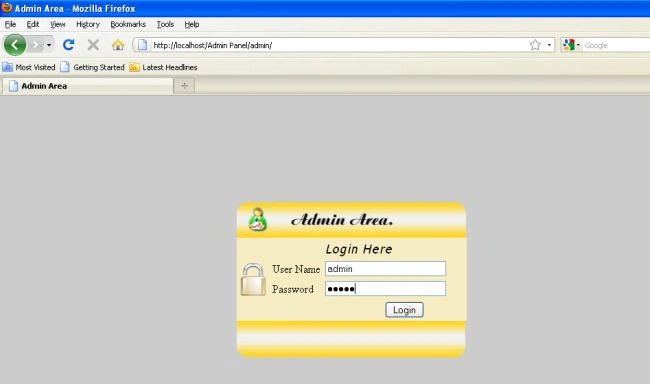
http://localhost/Admin Panel/admin/
Login page for admin
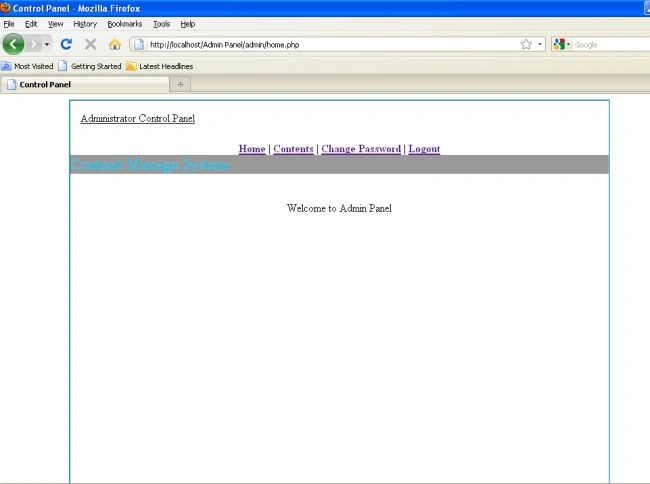
After successful login
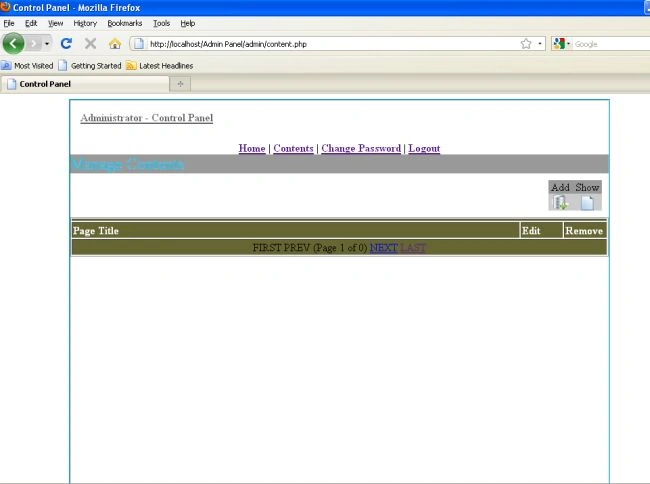
No contents available
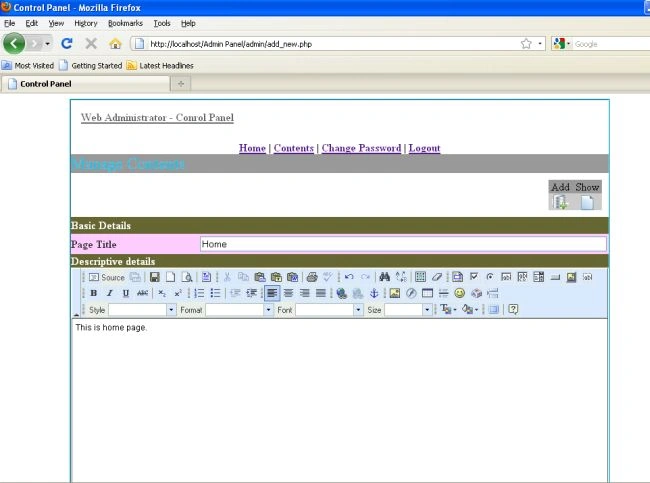
Inserting content
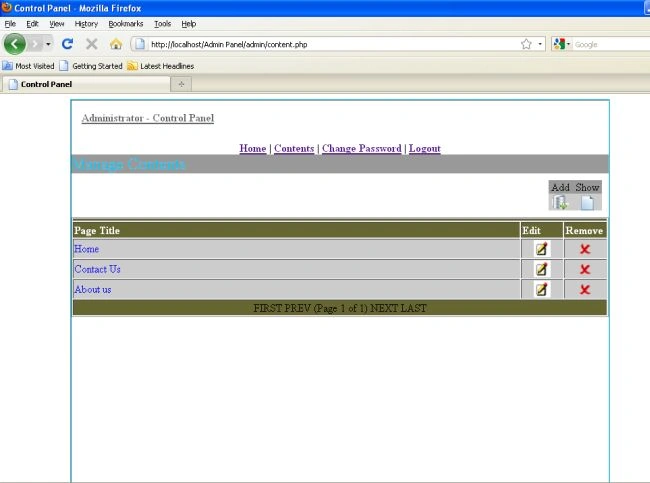
After inserting three contents (Home, Contact us and About us)
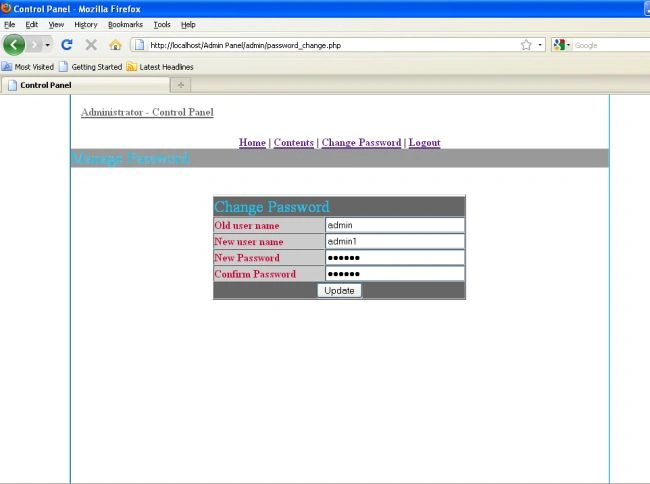
Changing password of admin
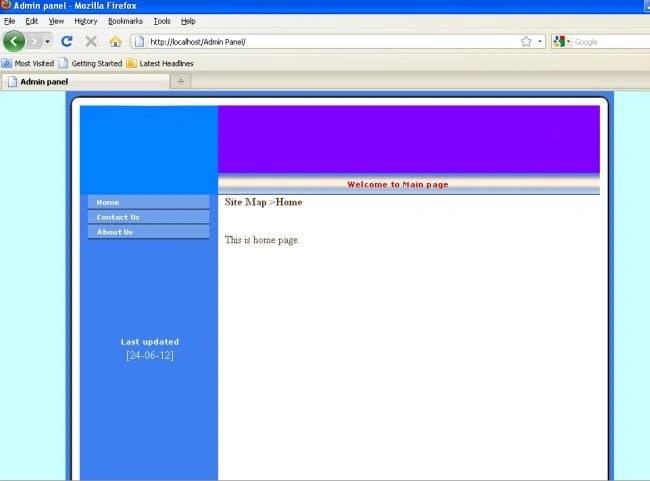
http://localhost/Admin Panel/
After clicking Home link
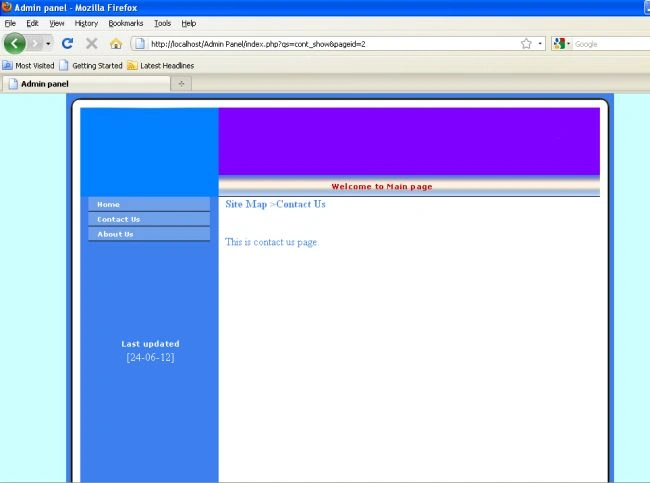
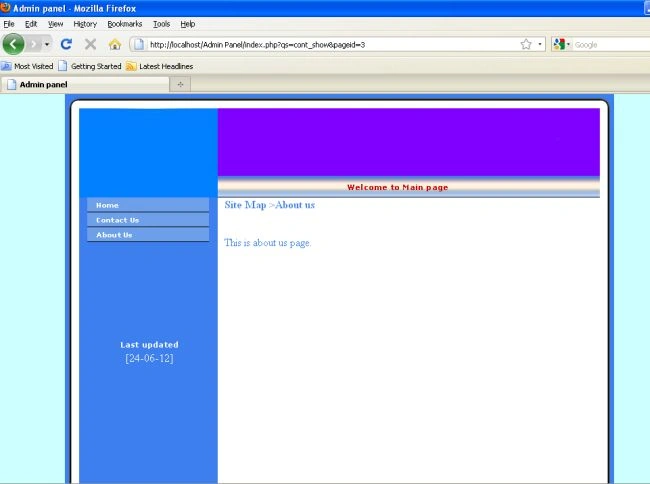
After clicking Contact Us link
After clicking About Us link
Conclusion
So here we have learned how to create an admin panel in PHP.


Kishan KumarPosted May 5, 2018, 5:30 AM
Very good code....
daooji kataraPosted Jun 29, 2015, 7:11 AM
code id not currect
Florin CatalinPosted Apr 16, 2015, 1:09 PM
sss
Pavitar ThukralPosted Jan 24, 2015, 5:05 AM
fckeditor is not working in google chrome
Marocains SuédePosted Jan 10, 2015, 1:32 PM
i will try it thanks
smanimania smanimaniaPosted Nov 27, 2013, 3:19 AM
what are the user name and password for admin area? thank you
isaac NsambaPosted Aug 11, 2013, 9:15 AM
thanks
cocoPosted Apr 24, 2013, 8:30 PM
Hello! thank you for the article! I'm noob in php, I want to ask you if I can use this in a real site or have sercurity issues?
Ashutosh MahantaPosted Jan 31, 2013, 12:50 PM
i can downloaded the admin panel .But i can't login here because there is no details of the username and password please tell me what is the username and password, please reply me fast.
Raheel YousufPosted Jan 18, 2013, 11:49 AM
Where is Database
Raheel YousufPosted Jan 18, 2013, 11:49 AM
Where is Database
prakash kumarPosted Dec 15, 2012, 10:47 AM
very nice tut, can you guide me how to add, delete, update images.
shafeekPosted Dec 11, 2012, 7:06 AM
yan marle
shafeekPosted Dec 11, 2012, 2:50 AM
wel come
shafeekPosted Dec 11, 2012, 2:49 AM
frhgdfh
nutan tPosted Aug 23, 2012, 3:46 AM
admin panel is not connected why
nutan tPosted Aug 23, 2012, 3:37 AM
thank you
aran mohanPosted Jul 4, 2012, 12:22 AM
I faced this error: Cannot select database. Unknown database 'Work' using Ubuntu precise, /opt/lampp/lampp service, but my other php file work.
gautam duttaPosted Jun 30, 2012, 1:42 AM
very useful article....
Craig FrancisPosted Jun 26, 2012, 6:40 AM
Please look into: - SQL injection. - Password hashing. - HTML injection. - Avoiding table based layouts in the HTML (ref CSS). - Perhaps using the header('Location: ...'); function (followed by an exit()). - Making the website work without JavaScript support (progressive enhancement). - Passing some kind of HTML validation, with accessibility checks (W3C / WAI / etc). - Enabling PHP reporting of errors ("undefined variables" helps to find issues).
RemoPosted Jun 25, 2012, 9:40 AM
This code has some major security issues! I highly recommend that you read something about "SQL Injections" as soon as possible.
Vineet Kumar SainiPosted Jun 25, 2012, 5:14 AM
Very Useful Article. When user registration in any website then they can access information of our websites. I want user can't access all information till that admin activate user's account after registration ? Please tell me sir ?