

What is Directive?
- Directives play an important role in Angular 2 projects, when we displaying the templates or html pages in our project. By using this we can easily manipulate our Dom layout.
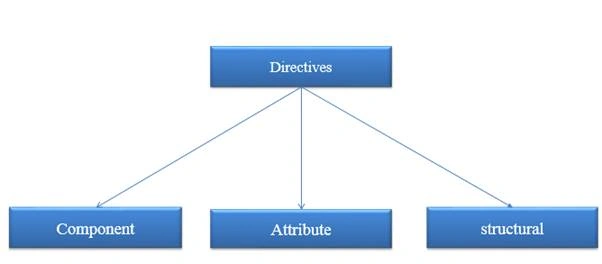
- In Angular 2, there are three types of directives those are component directive, attribute directive and structural directive
Classification of Directives
What is Component directive?
- Component directive, is nothing but a simple class which is decorated with the @component decorator.
- In Angular 2 ,Normal typescript class will become a Component class once it has been decorated with @component decorator
- It is mainly used to specify the html templates.
- It is most commonly used directive in angular project
- If you need more info on angular component, then kindly refer here: need to add
Built In Component Directive @component
@component decorator provides additional metadata that determines how the component should be processed, instantiated and used at runtime
Simple Example
@component
File name app.component.ts
- import { Component } from "@angular/core";
- //decorator
- @Component({
- selector: 'my-App',
- template: '<h1>{{name}}</h1>'
- })
- export class AppComponent {
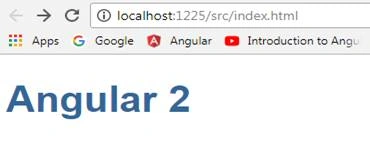
- name: string = "Angular 2"
- }
File name index.html
- <!DOCTYPE html>
- <html>
- <head>
- <title>Angular QuickStart</title>
- <base href="/src/">
- <meta charset="UTF-8">
- <meta name="viewport" content="width=device-width, initial-scale=1">
- <link rel="stylesheet" href="styles.css">
- <!-- Polyfill(s) for older browsers -->
- <script src="/node_modules/core-js/client/shim.min.js"></script>
- <script src="/node_modules/zone.js/dist/zone.js"></script>
- <script src="/node_modules/systemjs/dist/system.src.js"></script>
- <script src="systemjs.config.js"></script>
- <script>
- System.import('main.js').catch(function(err){ console.error(err); });
- </script>
- </head>
- <body>
- <!--Here is the selector mapped-->
- <my-app>Loading AppComponent content here ...</my-app>
- </body>
- </html>
Output
What is attribute directive?
- It is mainly used to change/modify the behavior of the html element.
- As the name tells, it is used to change the attributes of the existing html element. In Angular 2 there are many built in attribute directives. Some of the useful ones are NgClass, NgStyle
Built-In Attribute Directive: NgStyle, NgClass
NgStyle
NgStyle directive is similar to one of data binding technique called style binding in angular, but the main difference is, NgStyle used to set multiple inline styles for html element.
NgClass
It is similar to NgStyle attribute but here it is using class attribute of the html element to apply the style.
Simple Example
NgStyle
File Name app.component.ts
- import { Component } from '@angular/core';
- @Component({
- selector: 'my-app',
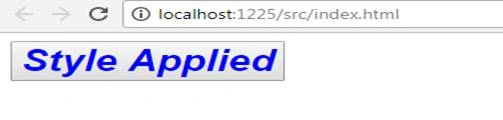
- template: ` <button style='color:blue' [ngStyle]="ApplyStyles()">Style Applied</button>
- `
- })
- export class AppComponent {
- isBold: boolean = true;
- fontSize: number = 30;
- isItalic: boolean = true;
- ApplyStyles() {
- let styles = {
- 'font-weight': this.isBold ? 'bold' : 'normal',
- 'font-style': this.isItalic ? 'italic' : 'normal',
- 'font-size.px': this.fontSize
- };
- return styles;
- }
- }
Output
Simple Example
NgClass
File Name app.component.ts
- import { Component } from '@angular/core';
- @Component({
- selector: 'my-app',
- template: `
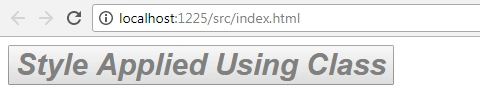
- <button class='colorClass' [ngClass]='applyClasses()'>Style Applied Using Class</button>
- `,
- styles: [`
- .boldClass{
- font-weight:bold;
- font-size : 30px;
- }
- .italicsClass{
- font-style:italic;
- }
- .colorClass{
- color:grey;
- }
- `]
- })
- export class AppComponent {
- applyBoldClass: boolean = true;
- applyItalicsClass: boolean = true;
- applyClasses() {
- let classes = {
- boldClass: this.applyBoldClass,
- italicsClass: this.applyItalicsClass
- };
- return classes;
- }
- }
Output
- Structural directives are responsible for HTML layout. They shape or reshape the DOM's structure, typically by adding, removing, or manipulating elements.
- To say in simple words, unlike Attribute Directive which we see above, Structural directive is used to add or remove the Dom Element itself in the Dom Layout, whereas attribute directives are used to just change the attribute or appearance of the Dom element.
- Structural directives are easy to recognize by using an asterisk (*)
Built-in structural directive - NgIf, NgFor, and NgSwitch
- NgIf is used to create or remove a part of DOM tree depending on a condition.
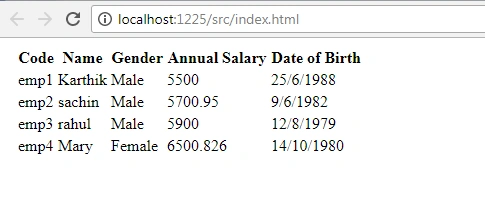
- NgFor is used to customize data display. It is mainly used for display a list of items using repetitive loops
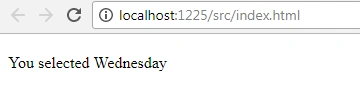
- NgSwitch is like the JavaScript switch It can display one element from among several possible elements, based on a switch condition. Angular puts only the selected element into the DOM.
Simple Example
NgIf
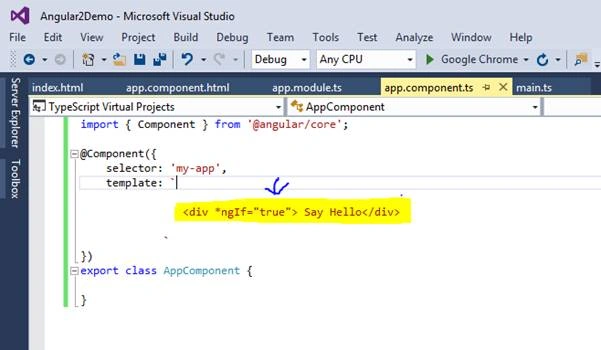
Output
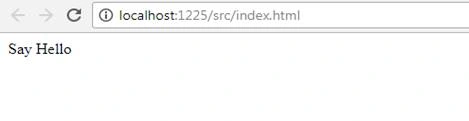
Negative If ngif= false then it won’t show the output, you will see the
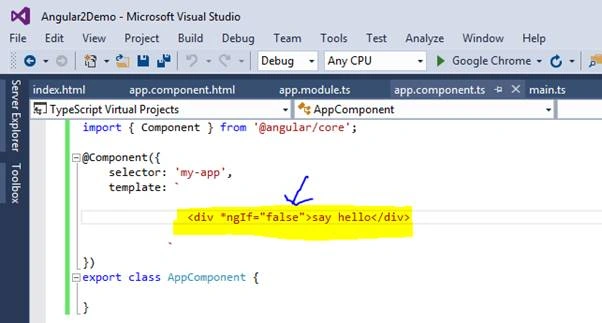
Output
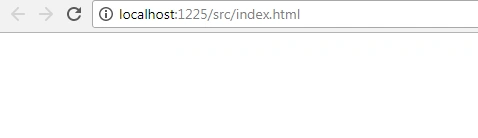
Example
NgFor
FileName app.component.ts
- import { Component } from '@angular/core';
- @Component({
- selector: 'my-app',
- templateUrl: 'app/app.component.html',
- })
- export class AppComponent {
- employees: any[] = [
- {
- code: 'emp1', name: 'Karthik', gender: 'Male',
- annualSalary: 5500, dateOfBirth: '25/6/1988'
- },
- {
- code: 'emp2', name: 'sachin', gender: 'Male',
- annualSalary: 5700.95, dateOfBirth: '9/6/1982'
- },
- {
- code: 'emp3', name: 'rahul', gender: 'Male',
- annualSalary: 5900, dateOfBirth: '12/8/1979'
- },
- {
- code: 'emp4', name: 'Mary', gender: 'Female',
- annualSalary: 6500.826, dateOfBirth: '14/10/1980'
- },
- ];
- }
FileName app.component.html
- <!DOCTYPE html>
- <html>
- <head>
- <title></title>
- <meta charset="utf-8" />
- </head>
- <body>
- <table>
- <thead>
- <tr>
- <th>Code</th>
- <th>Name</th>
- <th>Gender</th>
- <th>Annual Salary</th>
- <th>Date of Birth</th>
- </tr>
- </thead>
- <tbody>
- <tr *ngFor='let employee of employees'>
- <td>{{employee.code}}</td>
- <td>{{employee.name}}</td>
- <td>{{employee.gender}}</td>
- <td>{{employee.annualSalary}}</td>
- <td>{{employee.dateOfBirth}}</td>
- </tr>
- <tr *ngIf="!employees || employees.length==0">
- <td colspan="5">
- No employees to display
- </td>
- </tr>
- </tbody>
- </table>
- </body>
- </html>
Output
NgSwitch
File Name app.component.ts
- import { Component } from '@angular/core';
- @Component({
- selector: 'my-app',
- template: `<h2>{{title}}</h2>
- <p *ngIf="showElement">Show Element</p>
- <div [ngSwitch]="inpvalue">
- <p *ngSwitchCase="1">You selected Monday</p>
- <p *ngSwitchCase="2">You selected Tuesday</p>
- <p *ngSwitchCase="3">You selected Wednesday</p>
- <p *ngSwitchDefault>Sorry Invalid selection!!</p>
- </div>`
- })
- export class AppComponent {
- inpvalue: number = 3;
- }
Output
Additional Note about @Directive
IF we want create a custom attribute, then we can mark a normal class as an Angular 2 directive with the help of a @Directive decorator.
Difference between Component, Attribute and Structural Directives?
| Component | Attribute Directive | Structural Directives |
| Component directive is used to specify the template/html for the Dom Layout | Attribute directive is used to change/modify the behaviour of the html element in the Dom Layout | Structural directive used to add or remove the html Element in the Dom Layout, |
| Built in @component | Built in NgStyle, NgClass | Built in *NgIf,*NgFor,*NgSwitch |
Conclusion
In Angular 2, using the advantages of directives we can implement many things in our project easily. Hope the above was useful, kindly let me know your thoughts or feedback.
Karthik ElumalaiPosted Oct 26, 2017, 12:17 AM
Thank you very much for your valuable feedbackArvind Singh Baghel
Arvind SinghPosted Oct 26, 2017, 12:09 AM
Good one................