

This series of articles, based on my previous working notes, discusses the main feature of the application security protection. The procedure is a security checking automation to figure out the potential security issues and give the developer a chance to fix them. My previous Security series of articles, such as Example Of Cross-Site Scripting, Reflected, was based on the security scanning tools to detect issues and to indicate the possible security vulnerabilities and solutions.
- Application Security (1), in General
- Application Security (2), Static Code Scanning --- Fortify
- Application Security (3), Open Source Security --- Sonatype --- this article
- Application Security (4), Dynamic Web Scanning --- WebInspect
A - Introduction
This article's topic list is
- A - Introduction
- B - Sonatype Overview
- C - Sonatype Scanning and Reporting
- D - Sonatype CI/CD
- E - Sonatype Major Source
- F - Sonatype Credentail Setup
These contents were from my learning notes.
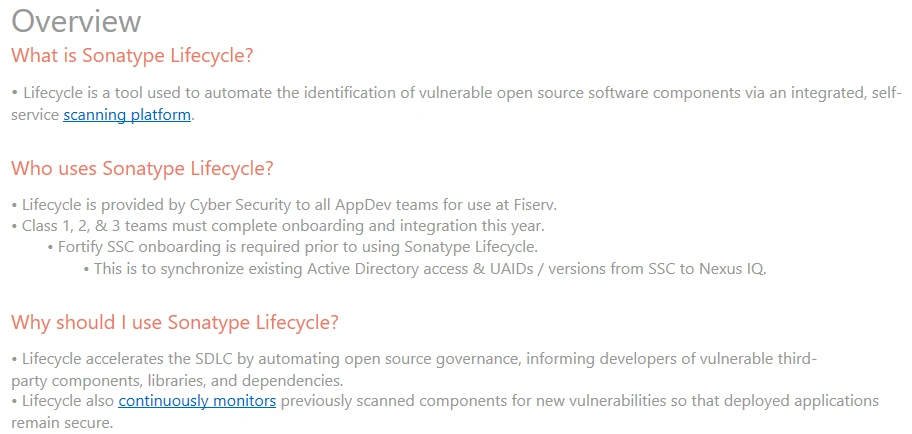
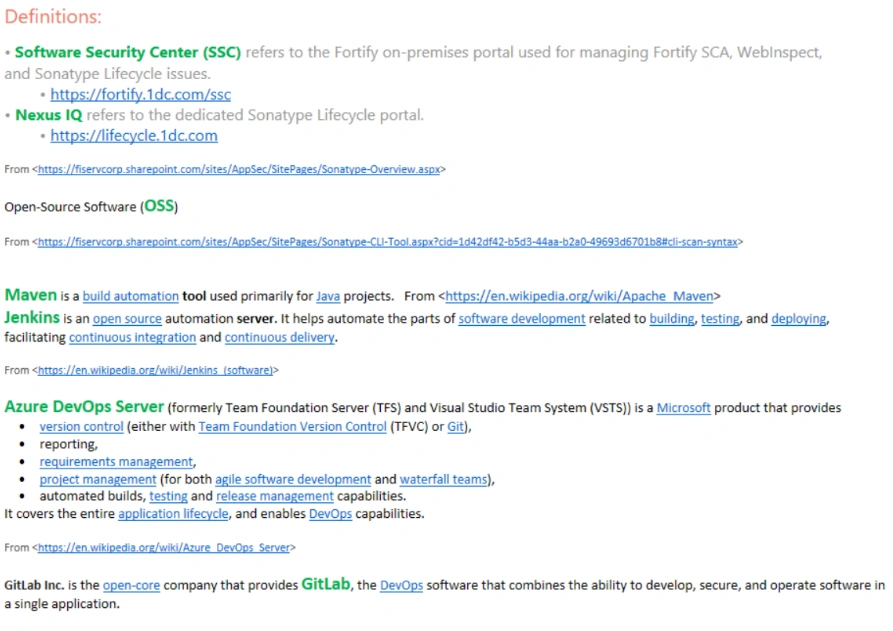
B - Sonatype Overview
C - Sonatype Scanning and Reporting
Scanning:
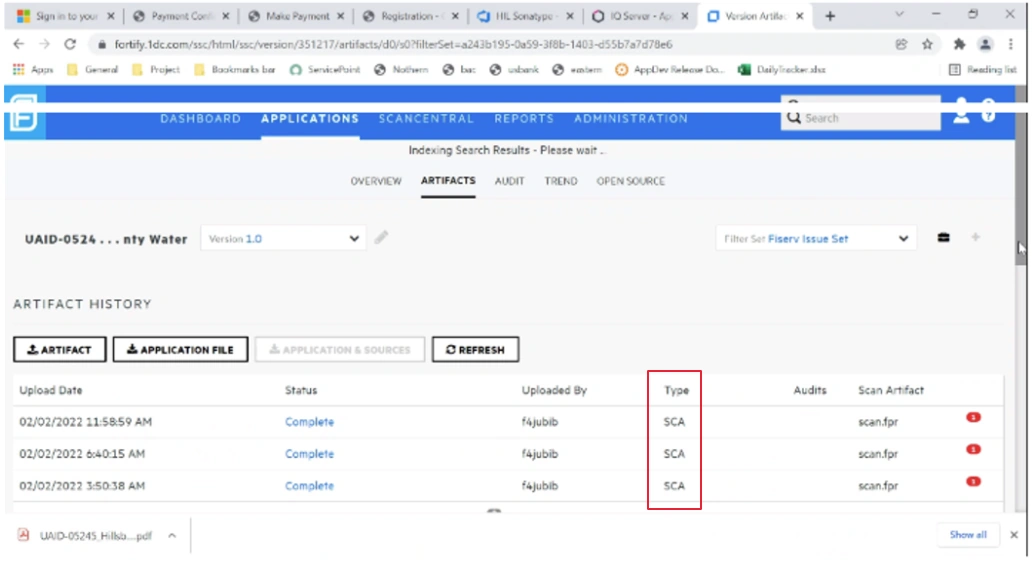
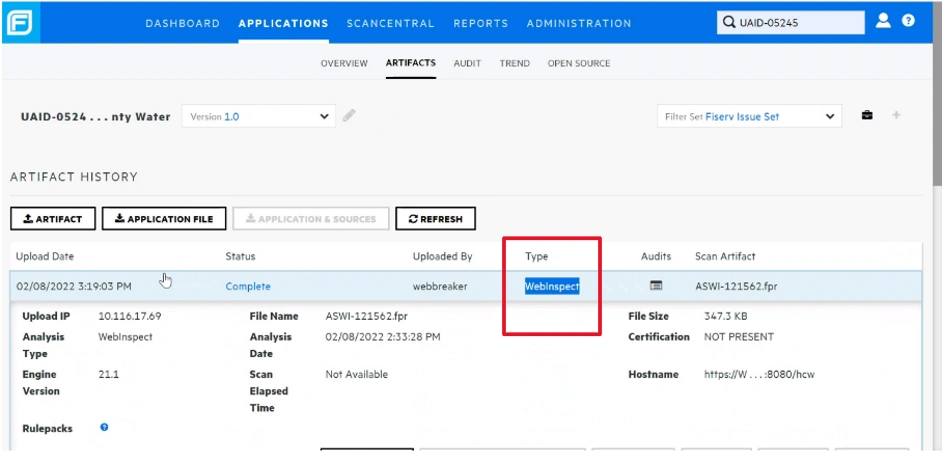
We use the same scanner as Fortify uses, while the types indicate:
- SCA (Static Code Analysis) --- Fortify
- OSS (Open Source Security) --- Sonatype
- DAST (Dynamic App Sec Testing) --- WebInspect
Fortify Scanning (SCA):
WebInspect Dynamic Scanning:
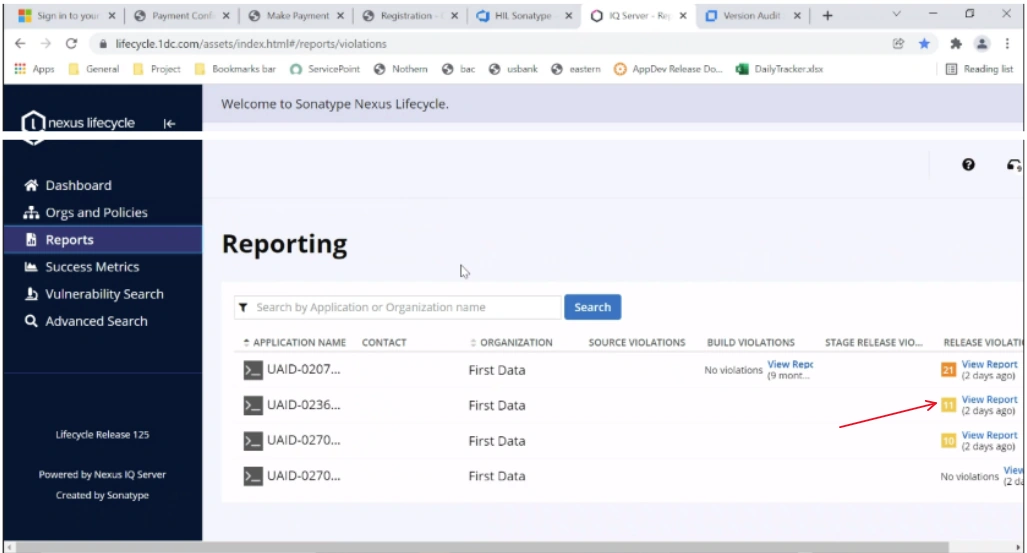
Sonatype Reporting:
The reporting interface is from Sonatype associated with the ananlysis and reporting tools. Click view Report will go to the detailed Report Result.
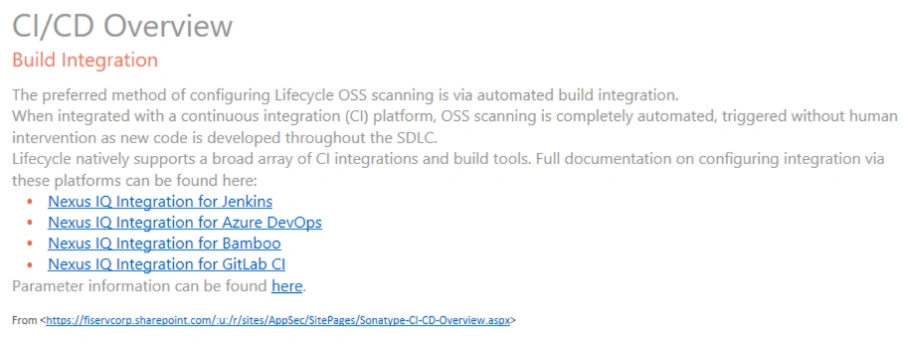
D - Sonatype CI/CD
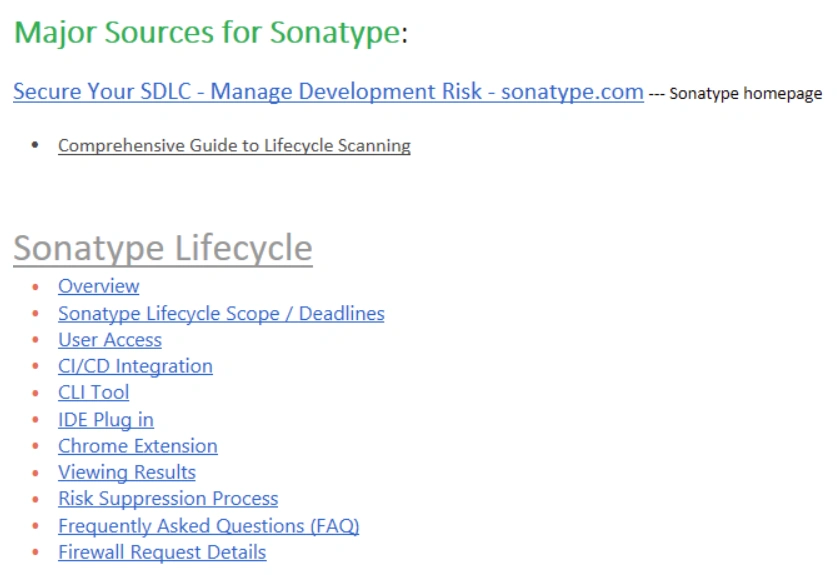
E - Sonatype Major Source
F - Sonatype Credential setup
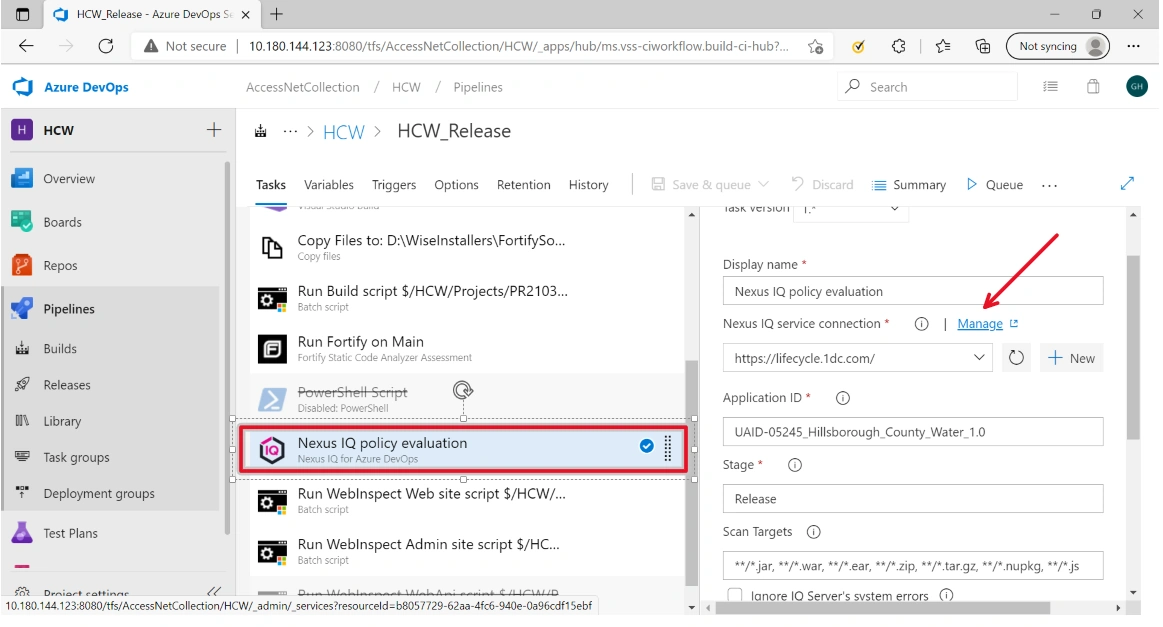
From within DevOps => Pipelines => Choose a Specific Project Pipeline => Edit:
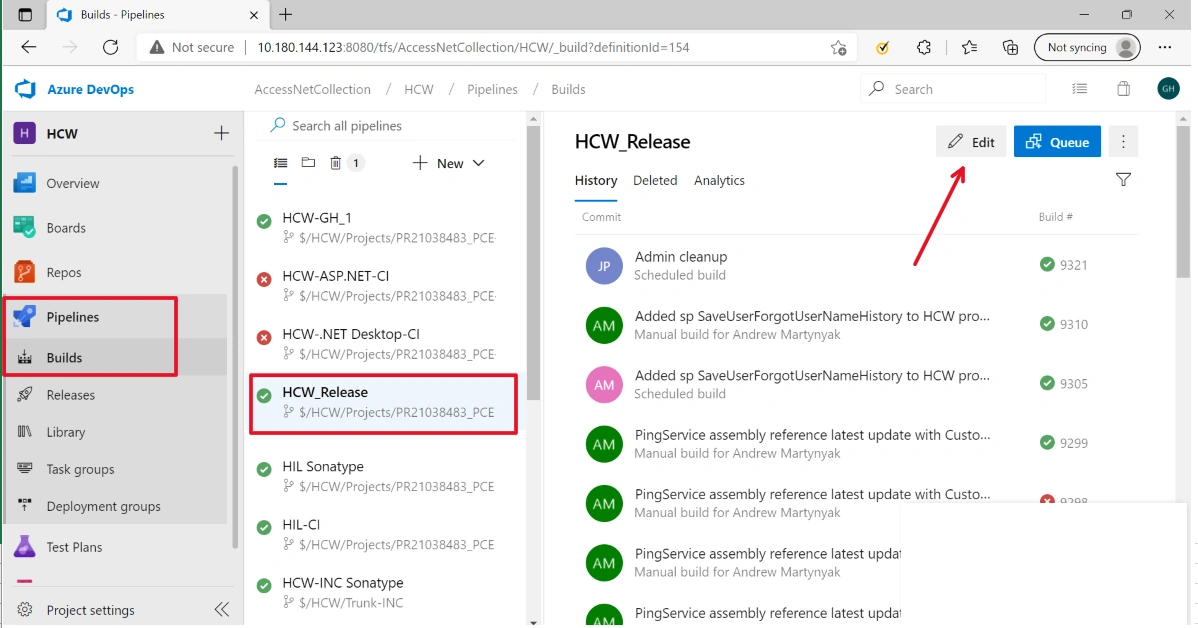
In the Task page => Choose Sonatype (Nexus IQ policy evaluation) => Click Manage
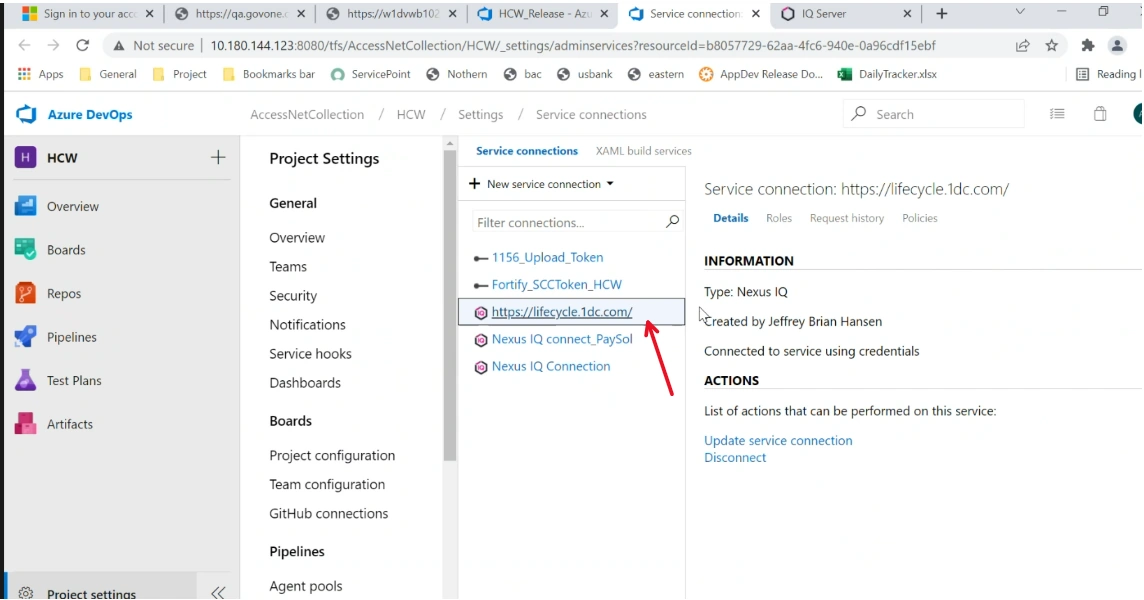
Click an existing Sonatype link:
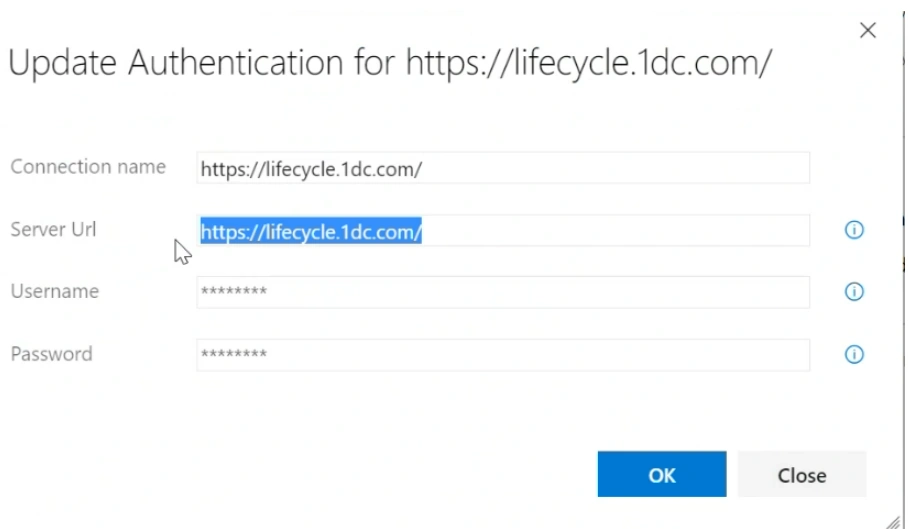
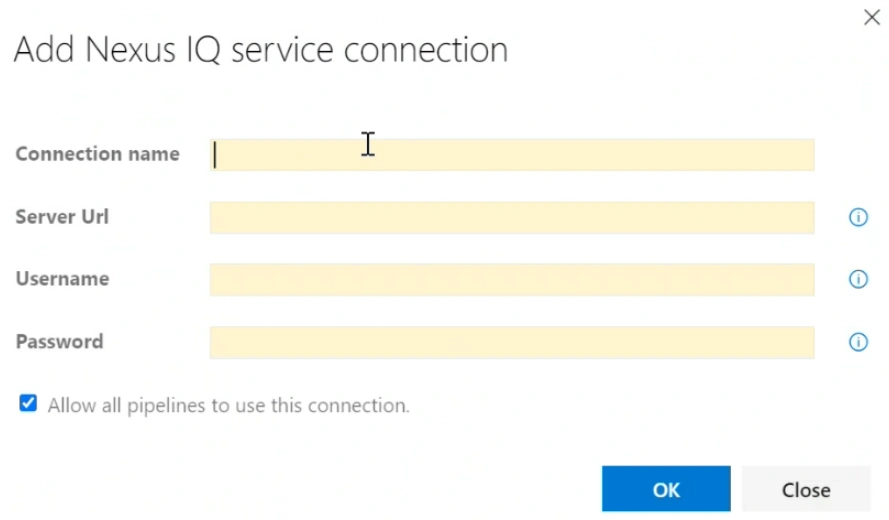
Give credentials:
For a new connector:
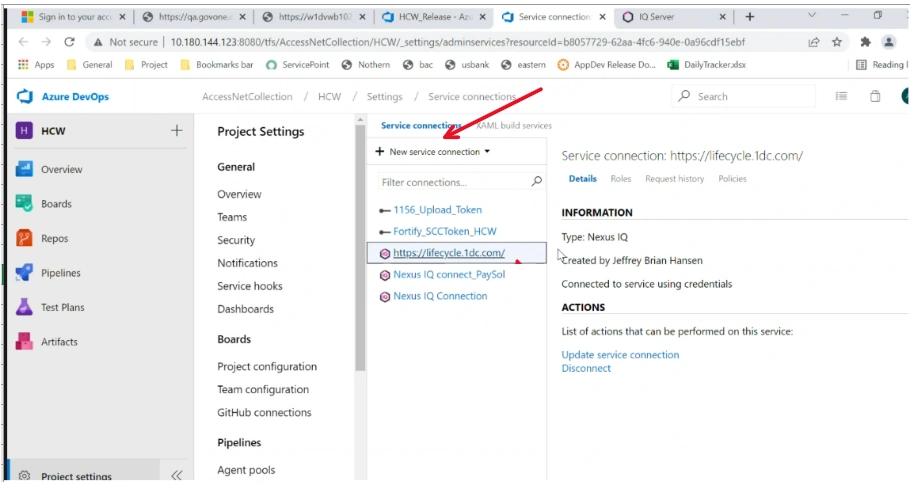
We have:
References:
Join the conversation! Your thoughts help the community grow.