

Introduction
In this article, I will tell you how to apply "Go to Bottom" and "Go Up" with a click of Anchors in an application.
We often create single-page applications that are in great demand at the present time. In these applications, you might need a functionality by which the user can go to a different part of a page just by clicking on the link and not by scrolling. To do this kind of functionality, you can use AngularJS.
Now, I will create an application that will help you to create such an application.
Step 1. First of all, you need to add an external Angular.js file to your application, "angular.min.js".
For this, you can go to the AngularJS official site or download my source code and then fetch it, or you can click on this link and download it: ANGULARJS.
After downloading the external file, you need to add it to the Head section of your application.
<head runat="server">
    <title></title>
    <script src="angular.min.js"></script>
</head>
Step 2. Now, after adding the external JS file, the first thing you need to do is to add ng-app in the <HTML> Tag; otherwise, your application will not run.
<html ng-app xmlns="http://www.w3.org/1999/xhtml">
Now, I will create a simple application that will help you understand this feature.
First I will create a JavaScript function, this is the heart of this article. All the things will be described in this function.
<script>
    function x($scope, $location, $anchorScroll) {
        $scope.goDown = function () {
            $location.hash('down');
            $anchorScroll();
        };

        $scope.goUp = function () {
            $location.hash('up');
            $anchorScroll();
        };
    }
</script>
Here I have created a function named "x", but today in the function $location and $anchorScroll are also used along with $scope. $location service parses the browser address bar and makes the URL available to your application.
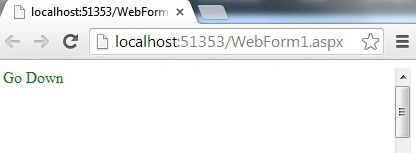
Then I created a function that will help the user to go down just with the click of a link, this function is named "goDown". In this function a hash method is used with location, you can't change the "hash" method with any other variable name, it's fixed, and this has the method id of control that is passed to be followed on the click of the anchor.
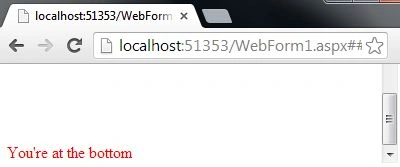
Similarly, I have created a function that will help the user to go up, here also the hash method is used and in this method, the name of the control is passed that is to be followed when clicking the anchor.
Nilesh JadavPosted Oct 6, 2015, 3:38 AM
Great sir
raju saratkarPosted Oct 6, 2015, 3:21 AM
thanx...i downloaded..I removed some parts of it.Now it's working...
raju saratkarPosted Oct 6, 2015, 2:58 AM
this is showing on console
raju saratkarPosted Oct 6, 2015, 2:58 AM
angular.min.js:202
raju saratkarPosted Oct 6, 2015, 2:57 AM
Uncaught SyntaxError: Unexpected token <
raju saratkarPosted Oct 6, 2015, 2:03 AM
The code is not working. Only goDown is showiing but it's also not clickable and not happening anything.