
Normally we create a website and host it in IIS and it can be used with http. In order to apply https, we need to create a self signed certificate (which is for development purposes only and not production deployments) and bind it with the website. So let's see how we can do this.
To start with we will create a new ASP.NET application and host it in IIS, as normal hosting. So we have a website which is configured to be used on http only. Check out the settings below:
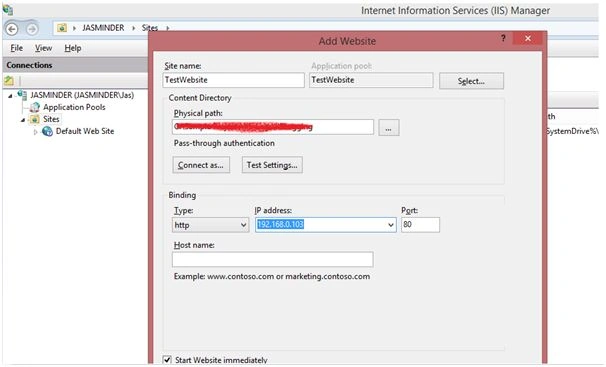
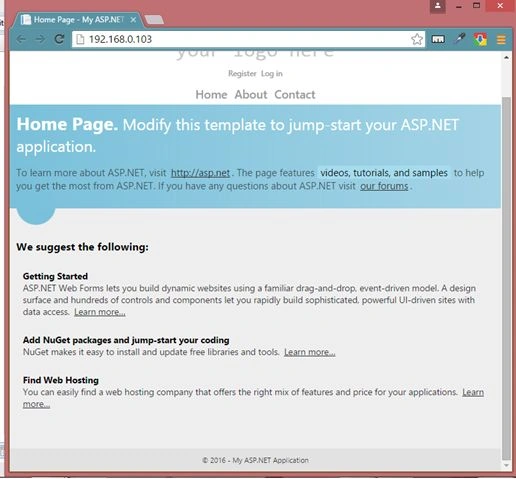
Now the application is hosted and we can browse it.
Now in order to apply HTTPShttps, we need to create a self signed certificate and we can easily do it in the IIS itself. Note that this certificate generation process is only for development purpose. For production purposes we cannot use this certifcate.
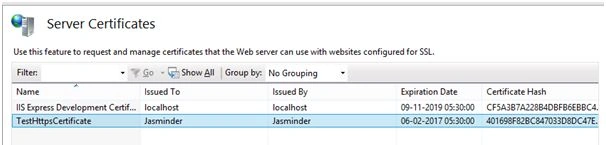
To generate the test certificate, select the Root node of the IIS and select "Server Certificates" option on the right panel.
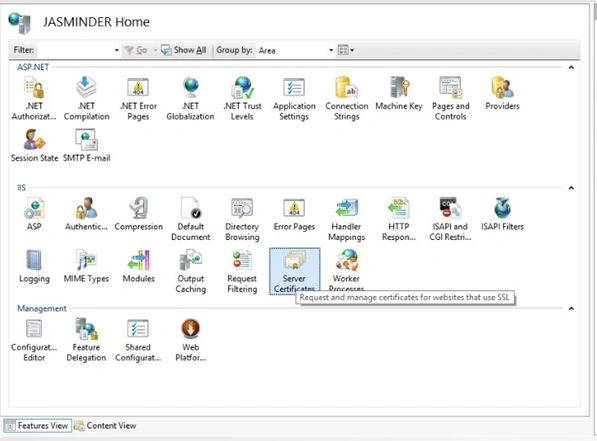
In the right most panel, select the option: "Create Self-Signed certificate." This will open a pop-up to generate the certificate .
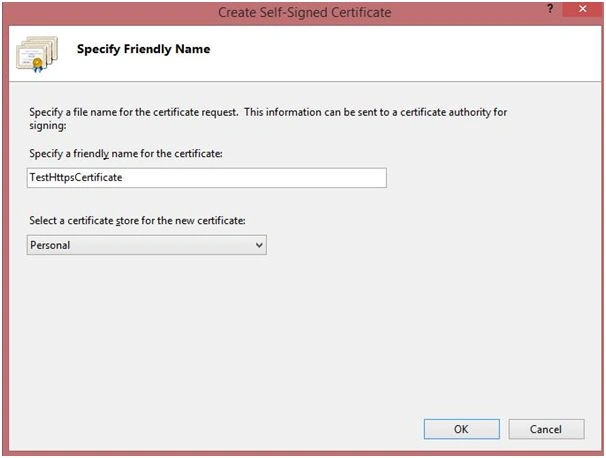
Specify a name for the certificate and Click "Ok" and the certificate will be generated and will be available in the list:
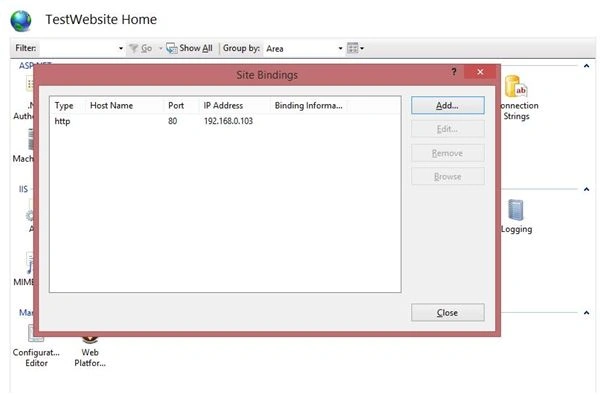
Now, go to your website and select "Bindings." Select "Add Binding" option.
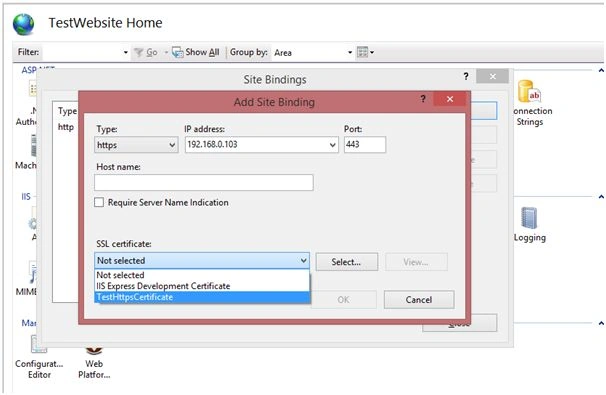
Select the "Type" as "https" and select the "SSL Certificate" as the one we created above. Click "Ok" and it's done.
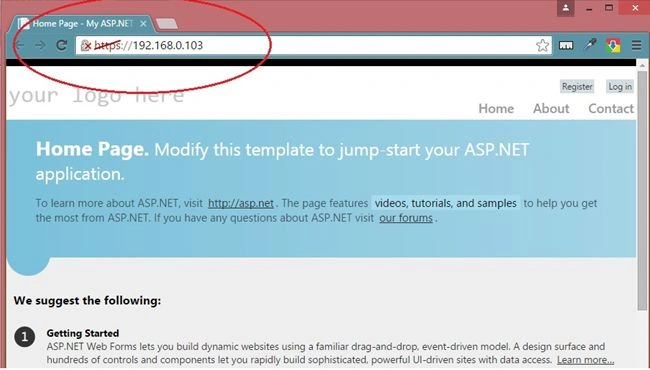
Restart the website and browse it using the "https" binding. Being a "Self signed certificate" the user will be presented with a warning message to continue to website, by the browsers. Click continue and the website it configured to use "https."
Happy coding.

Setting HTTPS On Your Website
Join the conversation! Your thoughts help the community grow.
Sign in to leave a comment
It is the same account you read, post and publish with — and you will come straight back to this page.
Prakash ChasiyaPosted Feb 26, 2018, 11:20 PM
Nice. Thank you.
Kuppurasu NagarajPosted Apr 11, 2016, 1:49 PM
Nice Sharing
Jithil JohnPosted Mar 7, 2016, 7:01 AM
Good one
Mohammed IbrahimPosted Mar 6, 2016, 9:56 AM
nice
Kirtan ParmarPosted Mar 6, 2016, 1:40 AM
nice...its really helpful
Ankit BansalPosted Mar 6, 2016, 1:00 AM
Good one..Kindly create more articles on IIS..
KeyurPosted Mar 6, 2016, 12:48 AM
Good share...
Humayun Kabir MamunPosted Mar 5, 2016, 10:53 PM
Nice...
Rajeev PunhaniPosted Mar 5, 2016, 8:15 PM
Nice.
Sonu ChaudharyPosted Mar 5, 2016, 12:08 PM
Good one
Vignesh ManiPosted Mar 5, 2016, 9:09 AM
Good
Ibrahim ErsoyPosted Mar 5, 2016, 9:09 AM
Great job! Thank you for sharing your information
Praveen KumarPosted Mar 5, 2016, 8:13 AM
Nice!
Asfend YarPosted Mar 5, 2016, 6:43 AM
what about red cross on https ??? What is the purpose of that sign ??