

Introduction
Here are some interesting features in Windows 10 "Apps & Features."
Step 1
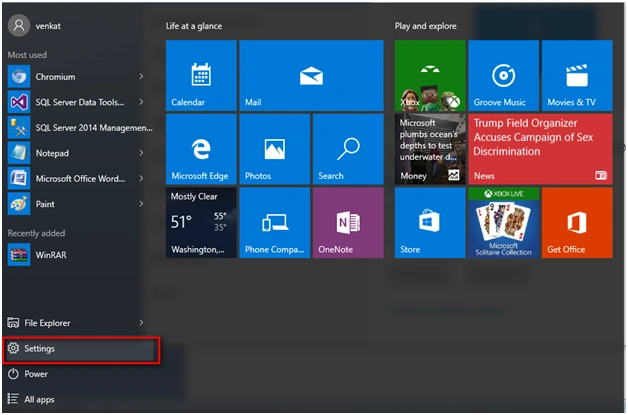
Go to the Settings option in Windows 10.
Step 2
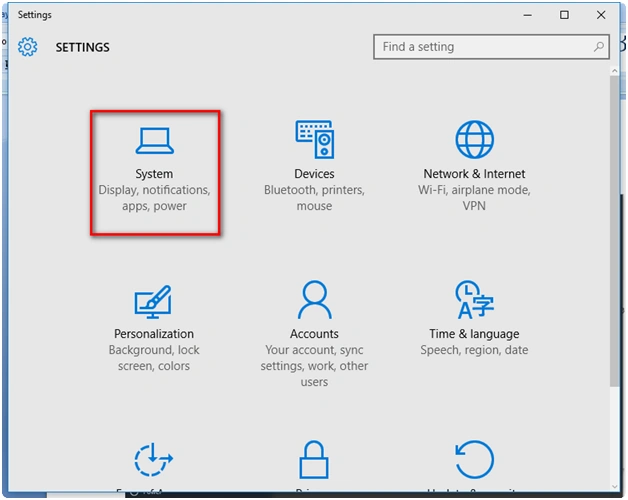
Go to the "System" tab under settings in Windows 10.
Step 3
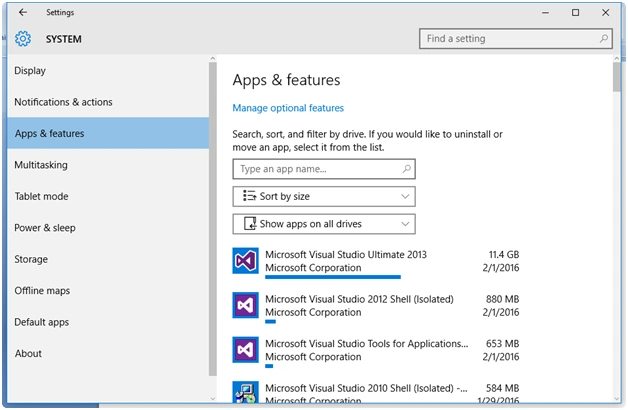
Under Settings, go to the "Apps & features" option. Here's the screenshot:
Step 4
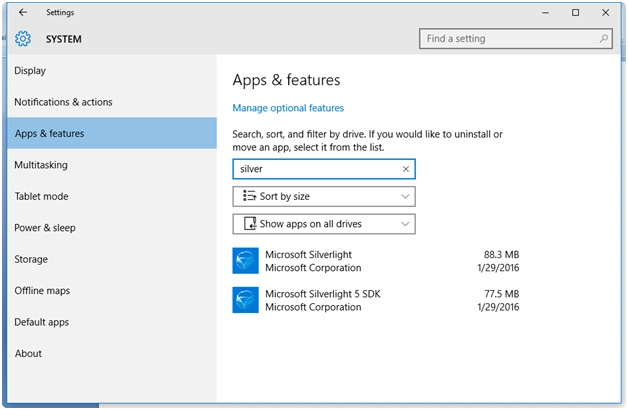
Windows 10 provides an option of searching the application installed. I am searching with the keyword "silver."
Step 5
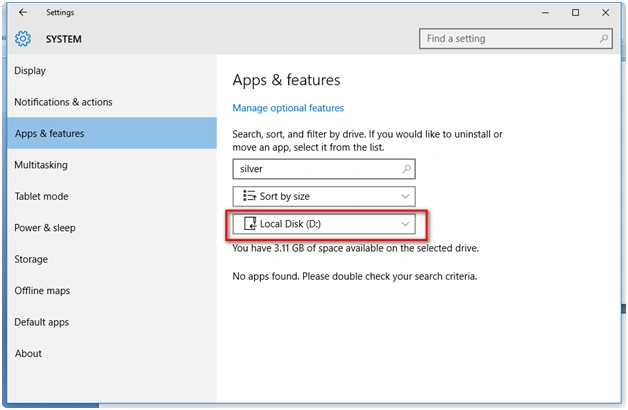
We are able to search the apps installed in a specific drive too.
Step 6
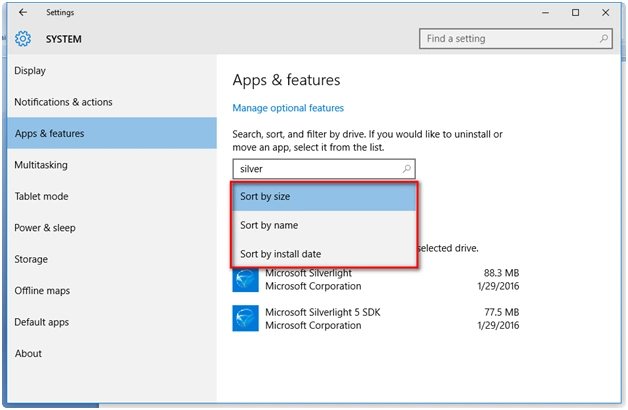
Sorting option provides me an option for the following:
- Sort by size
- Sort by name
- Sort by install date
Step 7
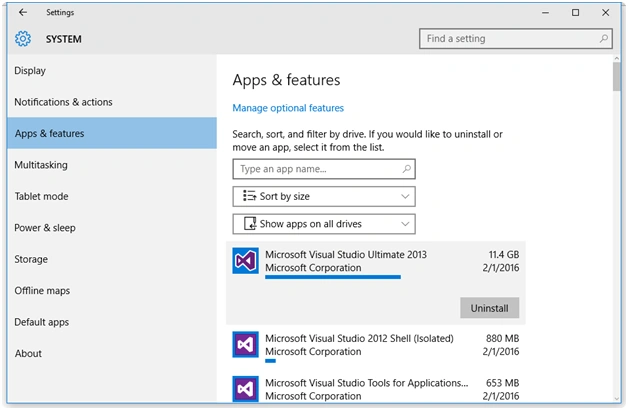
Once the apps are searched the option for uninstallation is provided.
Read more articles on Windows 10:
Summary
In this article, we learned about Windows 10 'Apps and Features' Options.
Sibeesh VenuPosted Feb 8, 2016, 12:10 AM
Nice Share
Kumaresh RajalingamPosted Feb 7, 2016, 7:24 AM
Nice share
Vignesh ManiPosted Feb 6, 2016, 6:11 PM
Nice
Shubham KumarPosted Feb 6, 2016, 4:35 AM
just tell me one thing why windows 10 not showing the chrome installation in panel