

Introduction
In Amazon Web Services (AWS), each instance launched within a Virtual Private Cloud (VPC) is assigned a private IP address. By default, AWS dynamically assigns private IPs from the subnet's CIDR block. However, in some cases, you might want to assign a static private IP to ensure consistent communication between resources. This article explains how to assign a static private IP to an instance during its launch process.
What is a Static Private IP?
A static private IP is a fixed IP address manually assigned to an instance within a subnet’s CIDR range. Unlike dynamically assigned IPs, a static private IP ensures that the instance retains the same internal IP, even if stopped and restarted. This is particularly useful for use cases such as.
- Configuring application dependencies.
- Establishing predictable internal communication within a VPC.
- Avoiding reconfiguration of dependent systems.
Steps to Assign a Static Private IP While Launching an Instance
Step 1. Log in to the AWS Management Console.
- Open the AWS Management Console.
- Navigate to the EC2 Dashboard.
- Click on Launch Instance to begin the setup wizard.
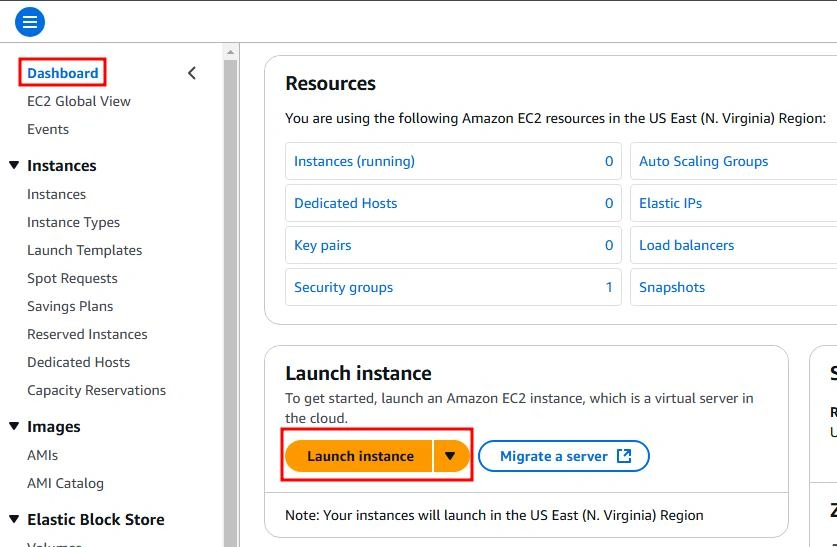
Step 2. Configure Instance Details.
Configure the instance details by selecting the instance name, choosing the appropriate AMI image, and specifying the instance type based on your requirements. You can follow these steps in my article, 'How to Launch Your First EC2 Instance,' for detailed information, except for the network settings.
Step 3. Specify a Static Private IP.
In the Network Settings section, choose the appropriate VPC and Subnet. The subnet determines the range of IP addresses (CIDR block) available for the instance. Ensure the IP falls within the CIDR block of the selected subnet. To choose a subnet, you need to edit the network settings.
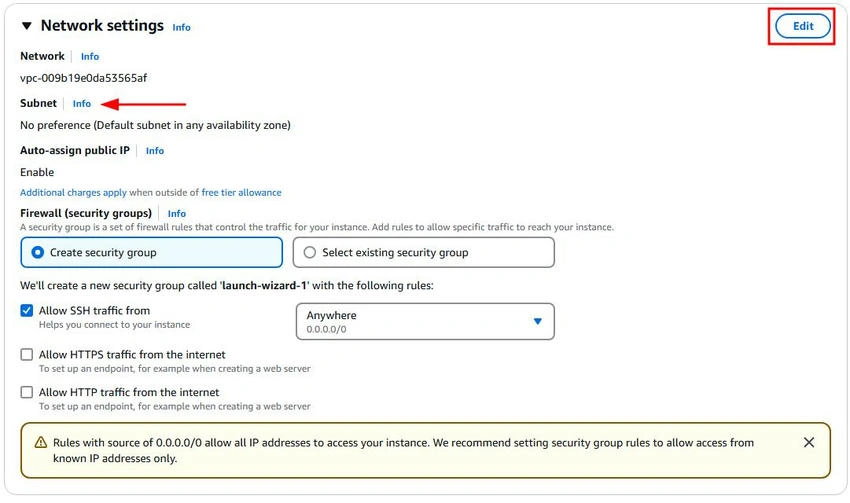
Once a subnet is selected, you'll have the option to access Advanced Network Configuration (or the equivalent option).
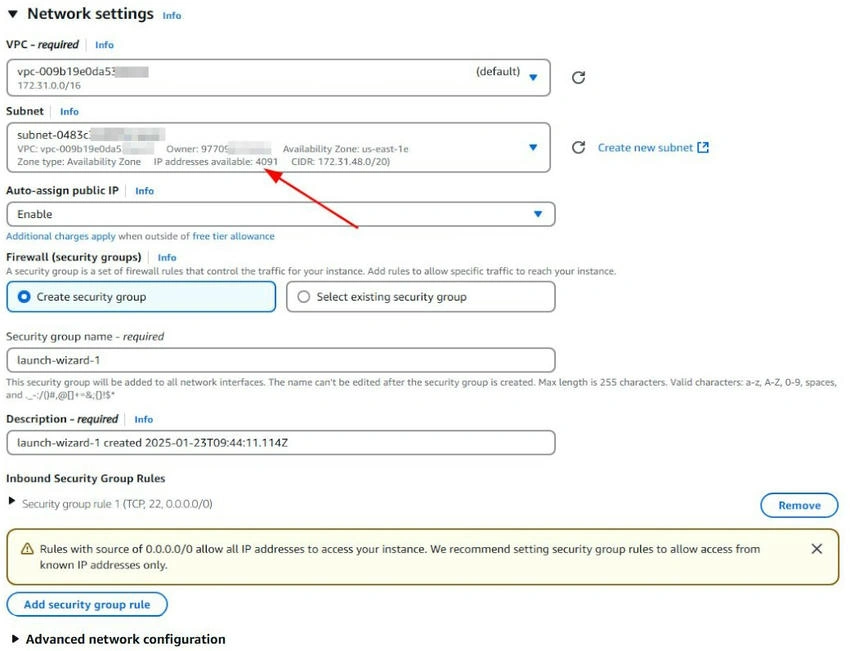
In the Advanced Network Configuration section for assigning a static private IP. Here is what you should choose when assigning a static private IP.
- Primary IP: Enter the desired static private IP, for example, 10.0.0.60. Make sure this IP is within the available IP range of the selected subnet and is not already in use.
- Security Groups: Choose or create a security group that matches your instance requirements (e.g., open ports, protocols, etc.).
- Delete on Termination: Set this to Yes if you want the network interface to be deleted when the instance is terminated. Otherwise, select No to retain the interface.
- Network Interface: Leave this as a New interface, as you are setting up a new instance with its primary interface.
- Other fields like Secondary IP, IPv6 IPs, and ENA Express can be left as default unless you have a specific requirement.
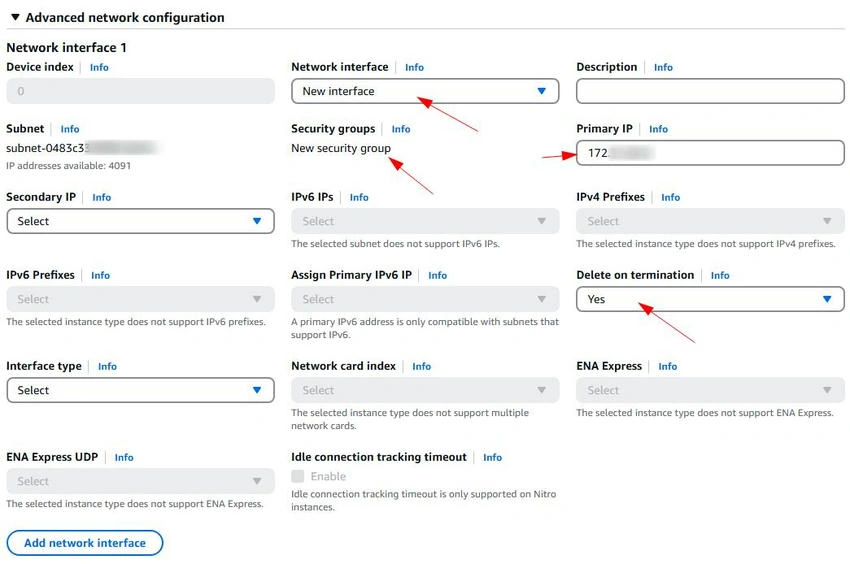
Step 4. Complete the Launch Process.
Finish configuring the instance (e.g., storage, tags, security groups) and launch it.

Once the instance is running, it will have the specified static private IP.
Conclusion
Assigning a static private IP to an AWS instance during the launch process ensures predictable and consistent communication within a VPC. By following the steps outlined above, you can configure your instances to use specific private IPs, simplifying network configurations and reducing the risk of IP conflicts in dynamic environments.
Join the conversation! Your thoughts help the community grow.