

Many times as a programmer we have to work with address fields; rather than giving a simple textbox you can make it more user friendly by using Google API. We can create an auto address complete field using google API.
Here we will use Google API for auto complete Address field in our ASP.NET MVC 5 application.
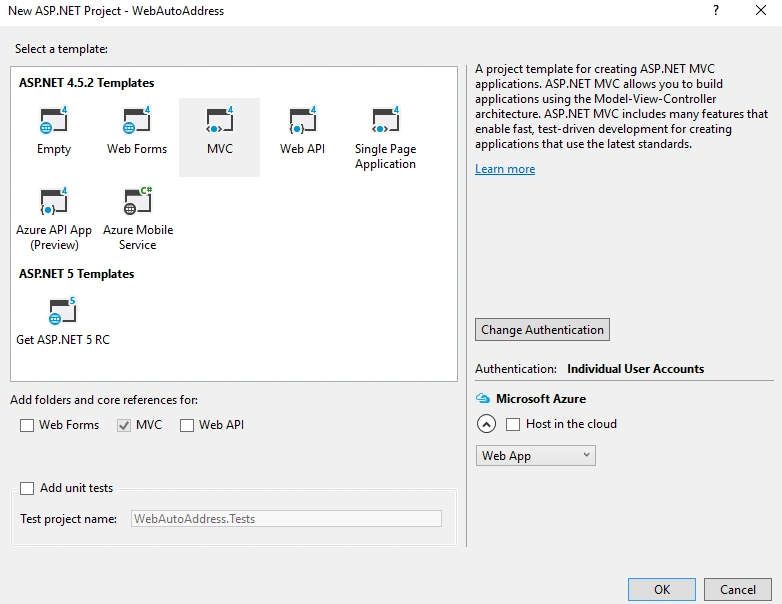
Step 1: Let's create an ASP.NET MVC application, select MVC template and click on OK.
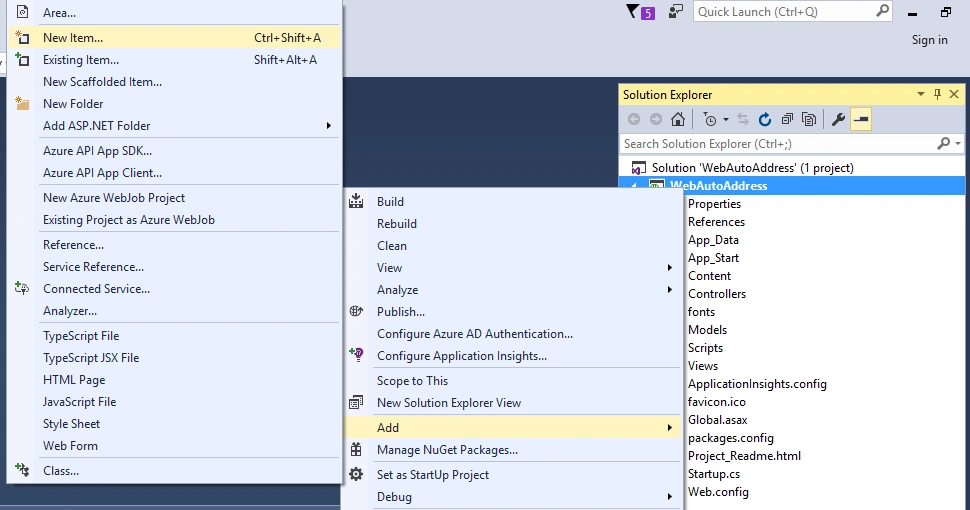
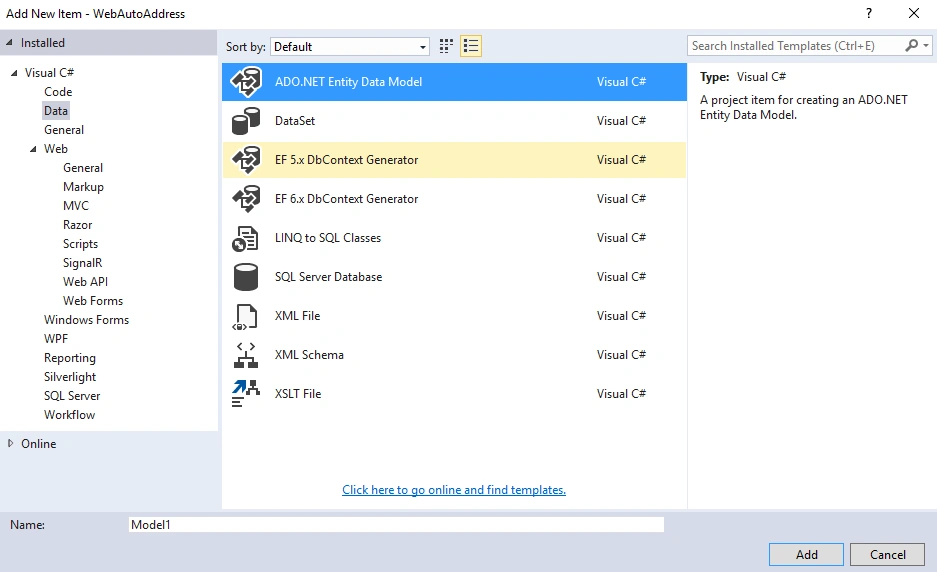
Step 2: Right click on Project, click Add, then New Item. Go to Data, select ADO.NET Entity Data Model and give name Model1.
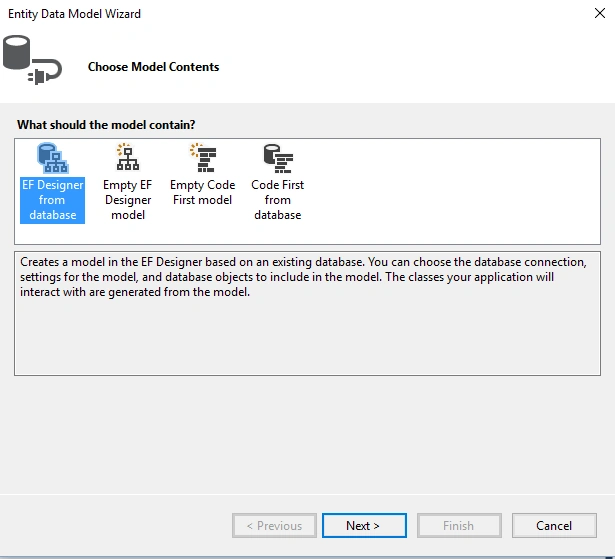
Step 3: Select 'EF Designer from database' and click on Next.
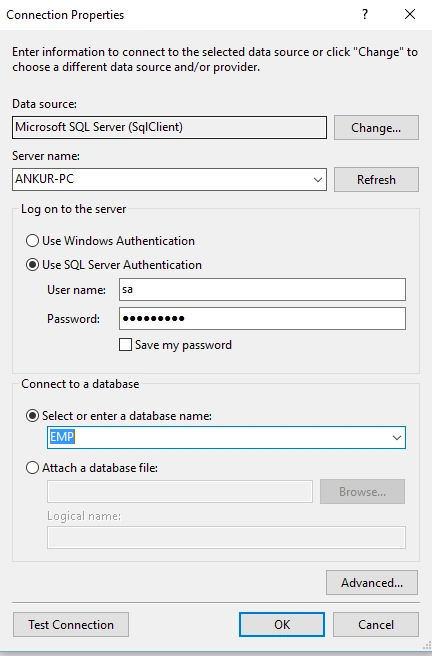
Step 4: From the Connection Properties select your Database, Enter User Id and Password to make a connection with Employee data table.
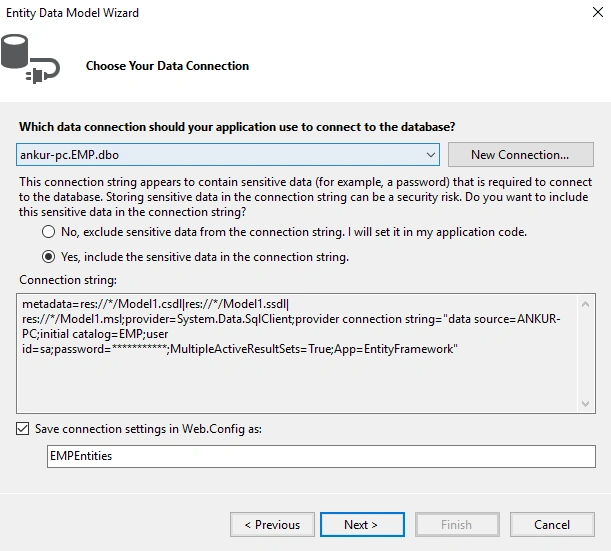
Step 5: From the next dialog, click on 'Yes' and then Next, it will generate the connection string in web.config file.
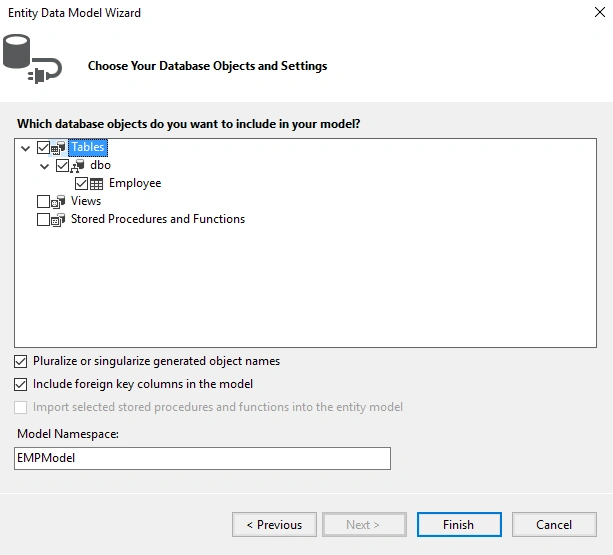
Step 6: Select your Database Object and Settings, select Table Employee and click Finish
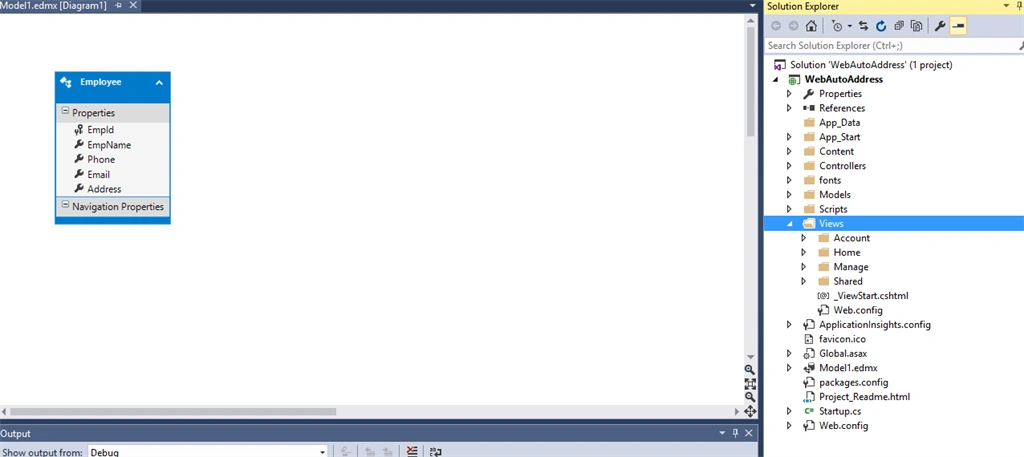
It will create your Model.edmx, now build your application.
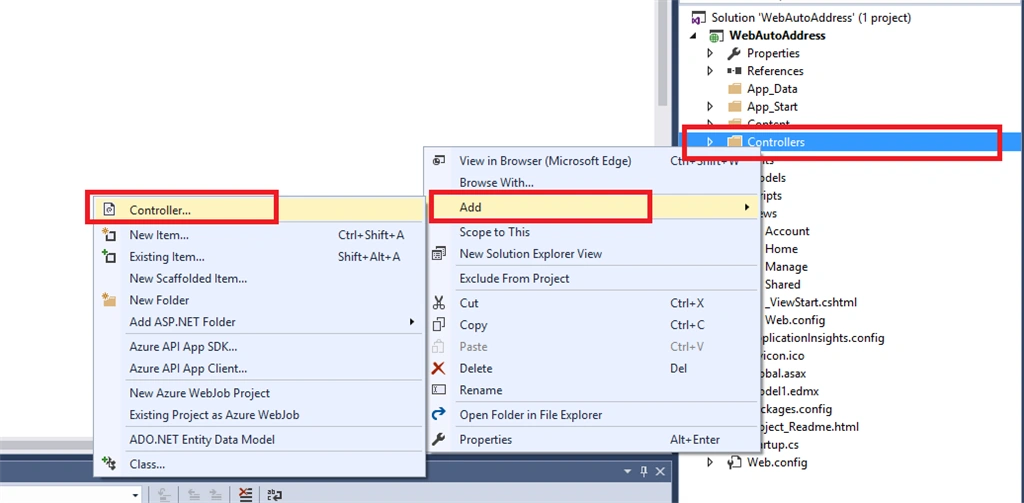
Step 7: Now right click on Controllers, Add, then click Controller.
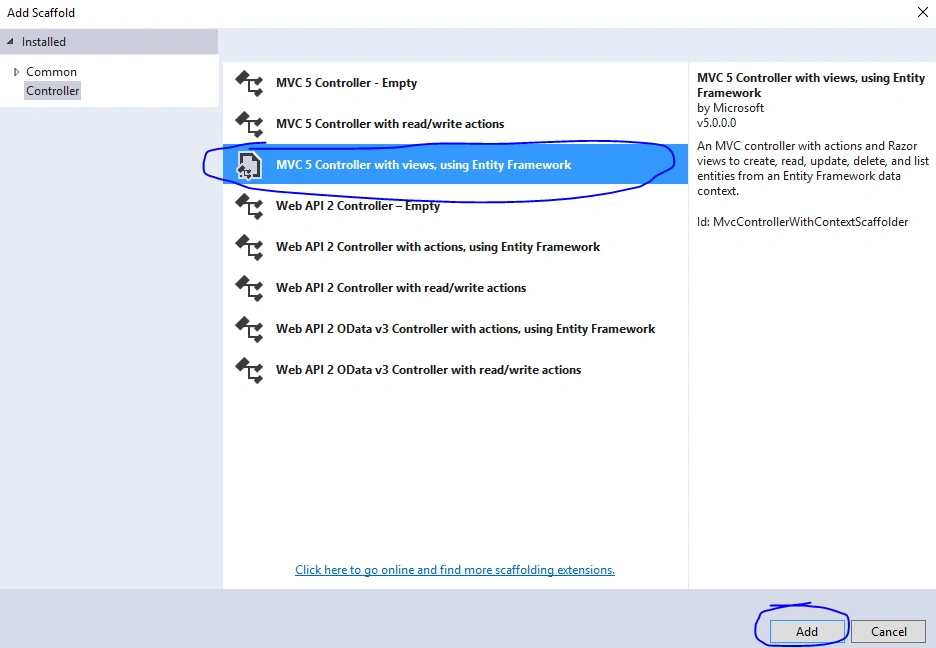
Step 8: Select MVC 5 Controller with views, using Entity Framework.
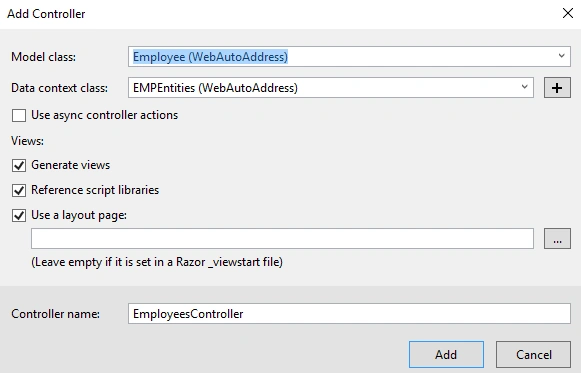
Step 9: From the next dialog, select Employee Model class, and select EmpEntities from Data context class and click OK
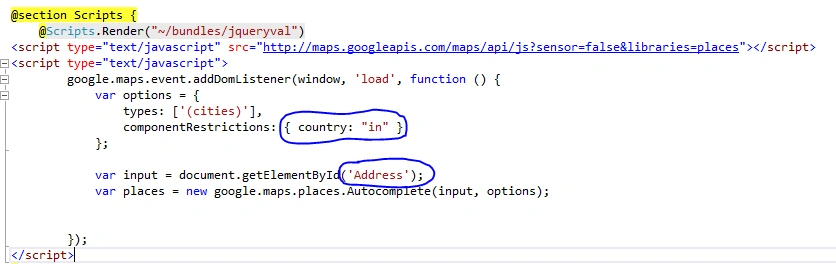
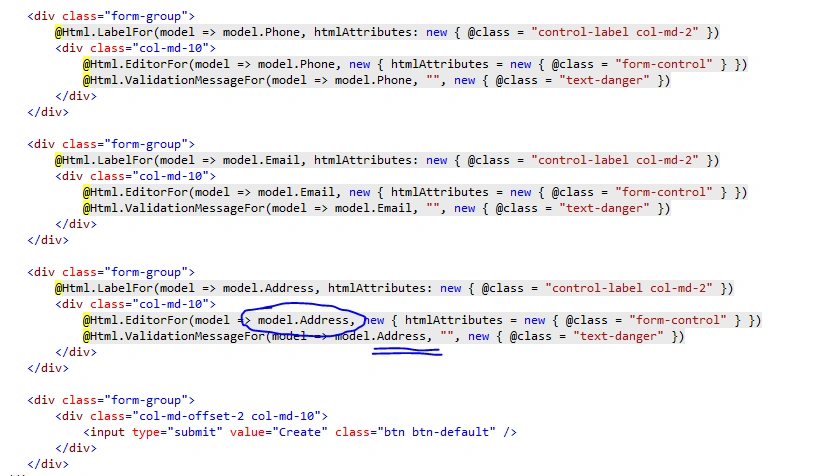
Step 10: Scaffolding will create your views: Create, Edit, View, Delete etc. Now open the Create.cshtml file and add THE following script in @section Scripts
- <script type="text/javascript" src="http://maps.googleapis.com/maps/api/js?sensor=false&libraries=places"></script>
- <script type="text/javascript">
- google.maps.event.addDomListener(window, 'load', function () {
- var options = {
- types: ['(cities)'],
- componentRestrictions: { country: "in" }
- };
- var input = document.getElementById('Address');
- var places = new google.maps.places.Autocomplete(input, options);
- });
- </script>
- In componentRestrictions you can set the Search Restrictions to country specific, so here it will display only India(in)'s Address, and
- In getElementbyId we can pass the model's field name which is Address Field.
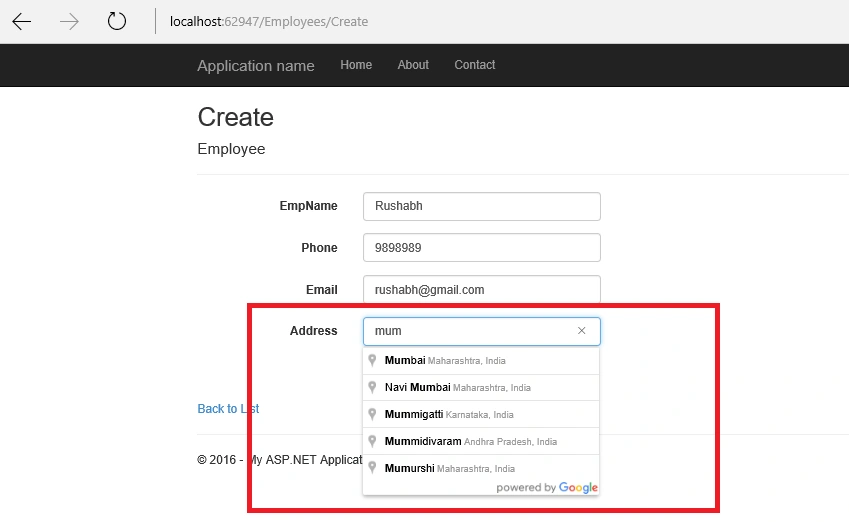
Step 11: Save your changes and run your application, now start typing address in Address textbox and it will auto suggest the address to user.
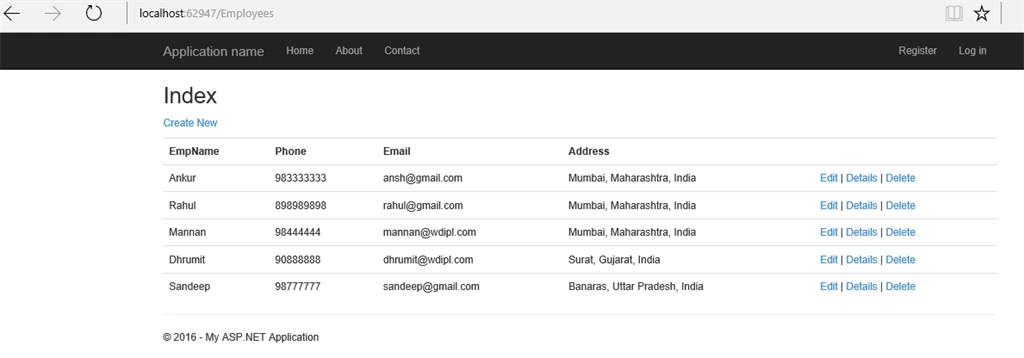
You can add the same script in Edit.cshtml also to make sure the auto address suggestion works in Edit mode also.
I hope you liked this article.
Read more articles on ASP.NET:
Amir NavedPosted Sep 11, 2019, 6:18 AM
Google Page is not loading
ahsan juttPosted Jul 8, 2018, 2:34 AM
Yes its working if i want to take full address instead of cities. Like also name of town or village inside city.
ahsan juttPosted Jul 8, 2018, 2:17 AM
If i want pakistan address then what should i do?
Julius MansveltPosted Apr 18, 2018, 2:27 PM
Can you share the source code?
ritu cdPosted Jan 8, 2018, 12:23 AM
When I use this code then show in output - something went wrong. what I do???
tzvi kaidanovPosted Oct 3, 2017, 9:26 AM
Https://developers.google.com/maps/documentation/javascript/error-messages#missing-key-map-error
Byron PatherPosted Oct 3, 2016, 6:25 PM
I tried implementing the above code. however, when i run the application and go to enter address, the textbox becomes grey and it says "oops something went wrong" in the textbox for address. Any reasons why this is happening?
Byron PatherPosted Oct 3, 2016, 6:24 PM
Hi all,
Sr KarthigaPosted Oct 3, 2016, 9:53 AM
Nice one
Gene KochanowskyPosted Oct 3, 2016, 8:43 AM
Too bad it doesn't work.
Ankur MistryPosted Apr 9, 2016, 2:45 AM
Thank you all
MannanPosted Apr 9, 2016, 2:44 AM
nice share
Sirisha KPosted Mar 19, 2016, 3:57 PM
nice
Sonu ChaudharyPosted Mar 16, 2016, 3:20 AM
good
Ankur MistryPosted Mar 16, 2016, 12:26 AM
thank you
Raja TPosted Mar 16, 2016, 12:25 AM
Nice,Thanks for sharing..
kalu singh raoPosted Mar 15, 2016, 7:29 AM
Nice...
Mohammed IbrahimPosted Mar 15, 2016, 6:23 AM
nice
Ankur MistryPosted Mar 15, 2016, 2:15 AM
thank you
Shridhar SharmaPosted Mar 15, 2016, 1:48 AM
nice share
Ankur MistryPosted Mar 14, 2016, 7:51 PM
Thank you all
Vignesh ManiPosted Mar 14, 2016, 5:42 PM
Good
Ammar ShaukatPosted Mar 14, 2016, 4:45 PM
awesome work bhai
Sridhar SharmaPosted Mar 14, 2016, 4:26 PM
Very Nice article :)
Sthitaprajnya Debasis NayakPosted Mar 14, 2016, 3:02 PM
Super !!!
Shaili DashoraPosted Mar 14, 2016, 2:11 PM
Nice one
Kashif SohailPosted Mar 14, 2016, 1:16 PM
great article indeed
Ankur MistryPosted Mar 14, 2016, 10:48 AM
thank you all
Rushabh ParekhPosted Mar 14, 2016, 10:48 AM
This is was very Important nice article
Debasis SahaPosted Mar 14, 2016, 10:16 AM
Good One..
Saillesh PawarPosted Mar 14, 2016, 10:00 AM
Great Ankur Sir. Thanks for sharing
Sr KarthigaPosted Mar 14, 2016, 8:56 AM
good explanation
Sr KarthigaPosted Mar 14, 2016, 8:56 AM
Nice one
Shivendra Mani MishraPosted Mar 14, 2016, 7:48 AM
Good Article..
sejal patelPosted Mar 14, 2016, 7:41 AM
Excellent Article Ankur... Keep it up.
Former memberPosted Mar 14, 2016, 7:29 AM
good article..