

Introduction
- We have the following two types of development servers for building, deploying and testing ASP.NET web applications:
- The ASP.NET Development Server that comes with Visual Studio
- The IIS Web Server that comes with Windows
- IIS Express has features of both of the servers mentioned above so now it is easier to build and run ASP.NET sites and applications.
- IIS Express is the default web server for web application projects in Visual Studio 2012 and Visual Studio 2013.
- IIS Express works on Windows XP and higher operating systems
- IISExpress provides the IIS 7.x developer feature-set.
- IISExpress works on all operating sytems.
- IISExpress does not require an admin account to debug/run applications using the developement IDE.
- IISExpress can be installed along with the IIS webserver and ASP.NET development server without any issues.
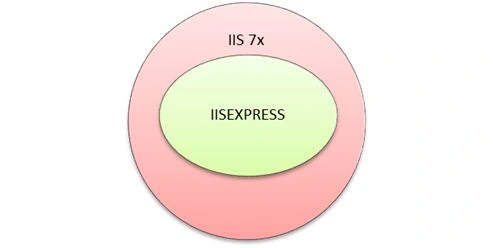
- IIS Express is derived from IIS 7 and above and supports the core features of IIS.
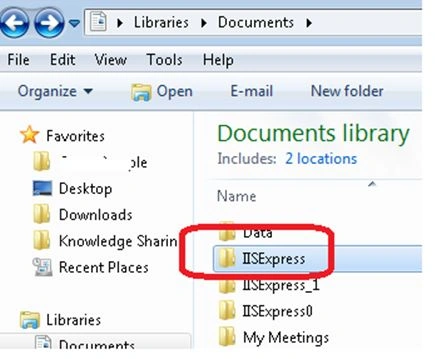
Path of IISExpress
IISExpress can be found in systems at the following path:
USERS\devesho\My Documents\IISExpress
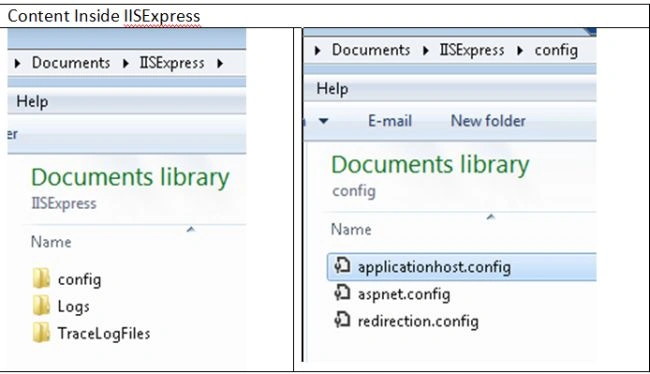
Content of IISExpress folder
An important folder is Config with the following:
- Applicationhost.config
- Aspnet.config
- Redirection.config
Applicationhost.config file
The Applicationhost.config file is the heart of IISExpress. It can be found at the location specified above.
To understand the applicationhost.config file let’s create a sample web application.
Sample Application
- A sample application has the name TestIISEXPRESS
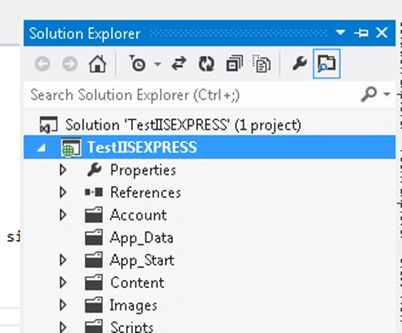
- After creating a sample application in the step above, the path of the virtual directory will be created on applicationhost.config.
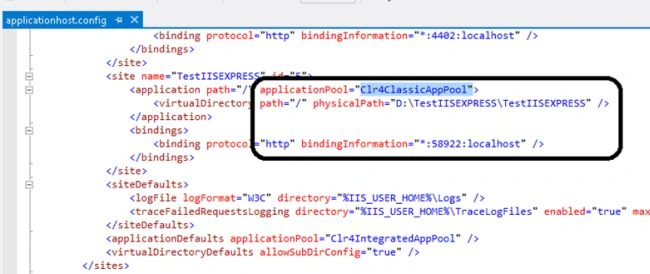
The corresponding Virtual directory at applicationhost.config: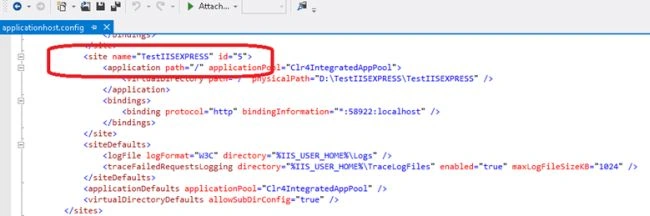
- Setting IISExpress from Project properties.
We can set IISExpress as a default server using project properties.
We can choose a Radio Button as shown in the screen below.
For VS2012 this is the default setting.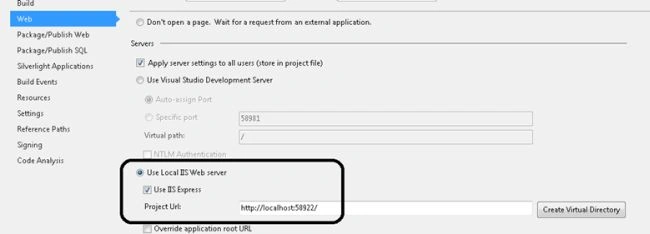
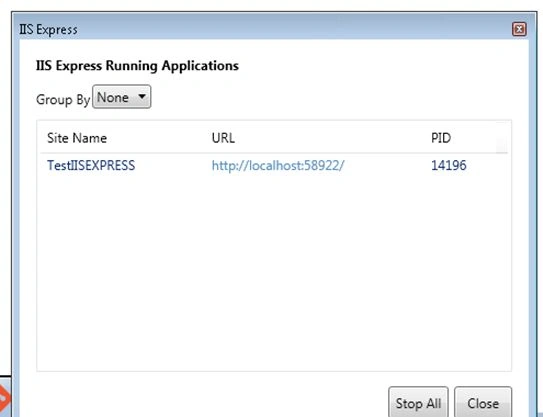
- IISExpress on right tray
After setting IISExpress as a default server and running the application using F5, we would find the following in the right tray of the system.
- After clicking on "Show All Applications":
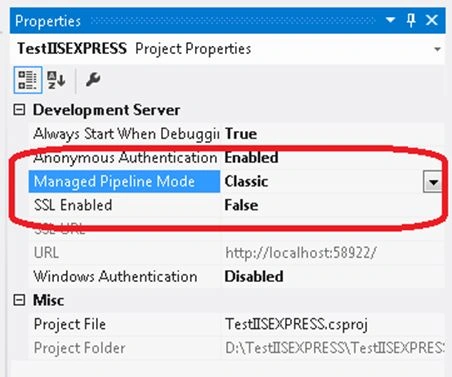
- Project setting using F4:
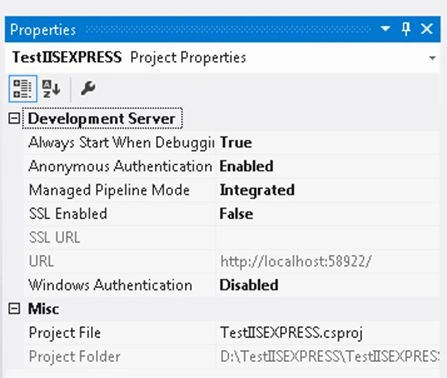
- Let’s change the settings for Managed Pipeline Mode from “ Integrated “ to “classic” as in the following:
- Corresponding changes automatically occur in the applicationhost.config. file as in the following:
More details of applicationhost.config file
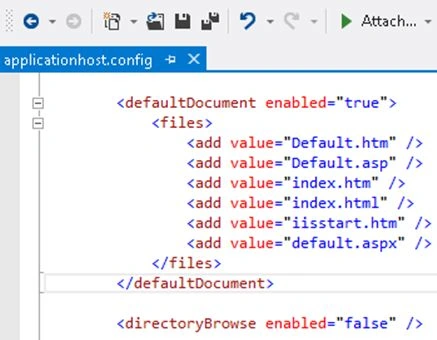
- Default document setting:
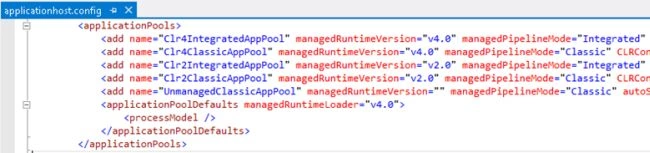
- Managing Application pool
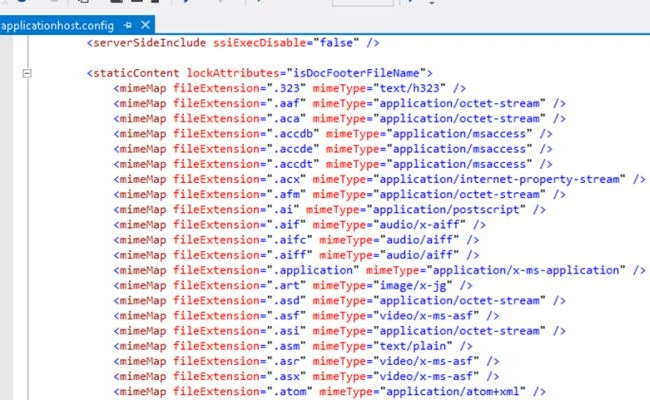
- Setting MIME types
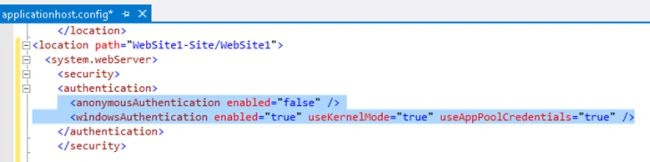
- Security Settings
Conclusion
I have explained the basics of IISExpress and it is very easy to work with it.
Devesh OmarPosted Feb 6, 2014, 4:22 AM
Thanks Sam for this question...Actually we have separate installer for IISExpress as well.....so i think it is a product.....for more details we can explore at : http://www.microsoft.com/en-us/download/details.aspx?id=1038
Sam HobbsPosted Feb 5, 2014, 1:24 PM
Are you sure that "IIS Web Server" is a product? I think it is a feature of IIS and the Visual Studio Development Server. I think some people will be confused by the implication that "IIS Web Server" is a product.