

Here are the steps
Open SharePoint team site.
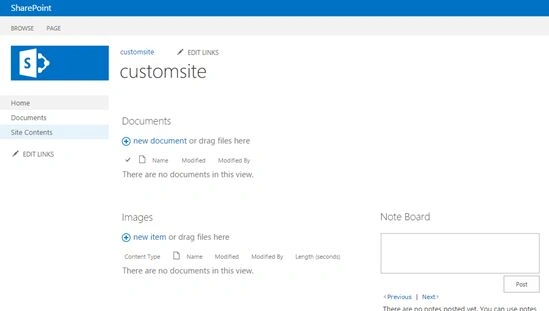
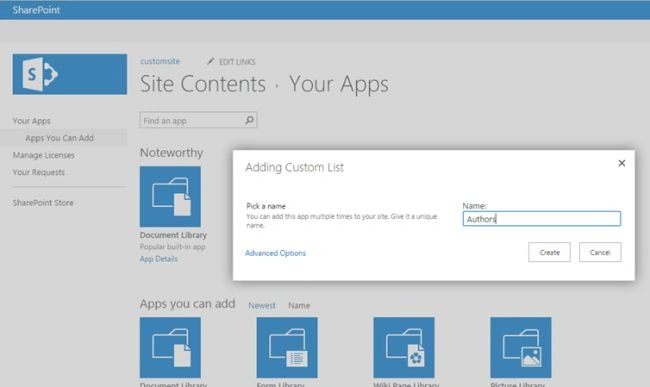
Create a new list For example: “Authors”.
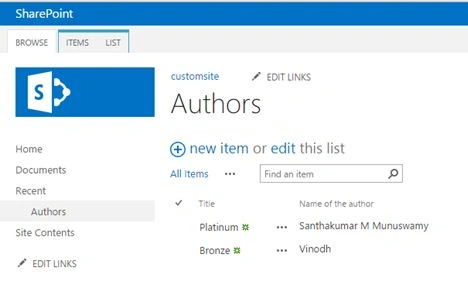
Create a custom column named “Name of the author”.

Now add some information into the list.
Open Microsoft Visual Studio.
Create a new SharePoint 2013 Empty Project.
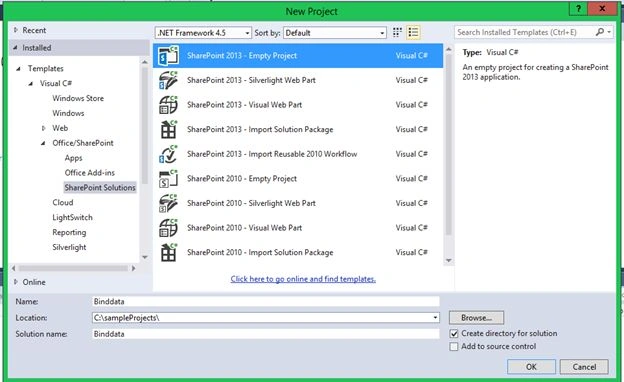
Add a new visual Webpart into it.
ASPX Code:
Create a new list For example: “Authors”.
Create a custom column named “Name of the author”.
Now add some information into the list.
Open Microsoft Visual Studio.
Create a new SharePoint 2013 Empty Project.
Add a new visual Webpart into it.
ASPX Code:
- <asp:DropDownList ID="drpbind" runat="server" AutoPostBack="true">
- </asp:DropDownList>
- Using microsoft.SharePoint;
- protected void Page_Load(object sender, EventArgs e)
- {
- if (!Page.IsPostBack)
- {
- using(SPSite site = new SPSite("http://winserver/sites/customsite/"))
- {
- using(SPWeb web = site.OpenWeb())
- {
- SPList list = web.Lists["Authors"];
- drpbind.DataSource = list.Items;
- drpbind.DataValueField = "Title";
- drpbind.DataTextField = "Title";
- drpbind.DataBind();
- }
- }
- }
- }
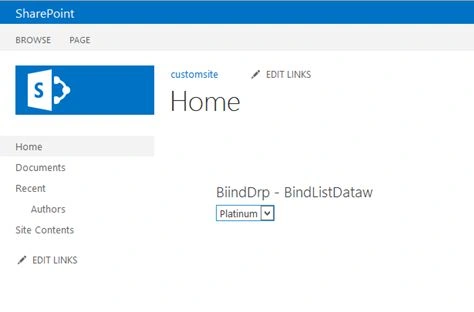
Final result:
Ramakrishna BasagallaPosted Nov 12, 2015, 5:44 AM
Good one
Rajkiran SwainPosted Nov 6, 2015, 8:05 AM
Nice
Priyaranjan K SPosted Oct 6, 2015, 1:11 PM
Good One ..
Sibeesh VenuPosted Oct 6, 2015, 9:44 AM
Nice Share
Harshad PansuriyaPosted Oct 6, 2015, 8:44 AM
Nice one
Vinodh NarayananPosted Oct 6, 2015, 8:34 AM
Thanks a lot anit
Vinodh NarayananPosted Oct 6, 2015, 8:34 AM
Thanks a lot
Anit KumarPosted Oct 6, 2015, 4:37 AM
Good One!!
Ankit BansalPosted Oct 6, 2015, 3:14 AM
nice..
Vinodh NarayananPosted Oct 6, 2015, 1:41 AM
@santhakumar munuswamy Thanks a lot sir.
Sandeep VemulaPosted Oct 6, 2015, 1:01 AM
please dont write this kind of very very simple articles. write articles some thing different and new concepts, users also learn new things
Santhakumar MunuswamyPosted Oct 5, 2015, 11:49 PM
Nice Share
Vinodh NarayananPosted Oct 5, 2015, 10:54 PM
Thanks a lot Nilesh Jadav
Nilesh JadavPosted Oct 5, 2015, 9:27 PM
Great Work sir !