

Introduction
How many of us know that Blazor WebAssembly applications have offline support?. They can convert our Web Application into a Desktop or Mobile Application, and that is called a Progressive Web Application (PWA). In this article, we will discuss how to convert our WebAssembly Application into a Progressive Web Application (PWA), how do a PWA application works, PWA limitations, when to use PWA.
What are Progressive Web Apps (PWA)
In simple words, PWA is an enhanced version of Web Applications. PWA gives extra capabilities like Offline Usage, Push Notifications and most importantly, we can install it as a normal app on mobile and desktop. PWA is trying to bridge the gap between native and web apps. PWA is a Web Technology
Creating PWA with Blazor WebAssembly
- Start Visual Studio 2019 and select Create a new project
- Choose Blazor App as a project template.
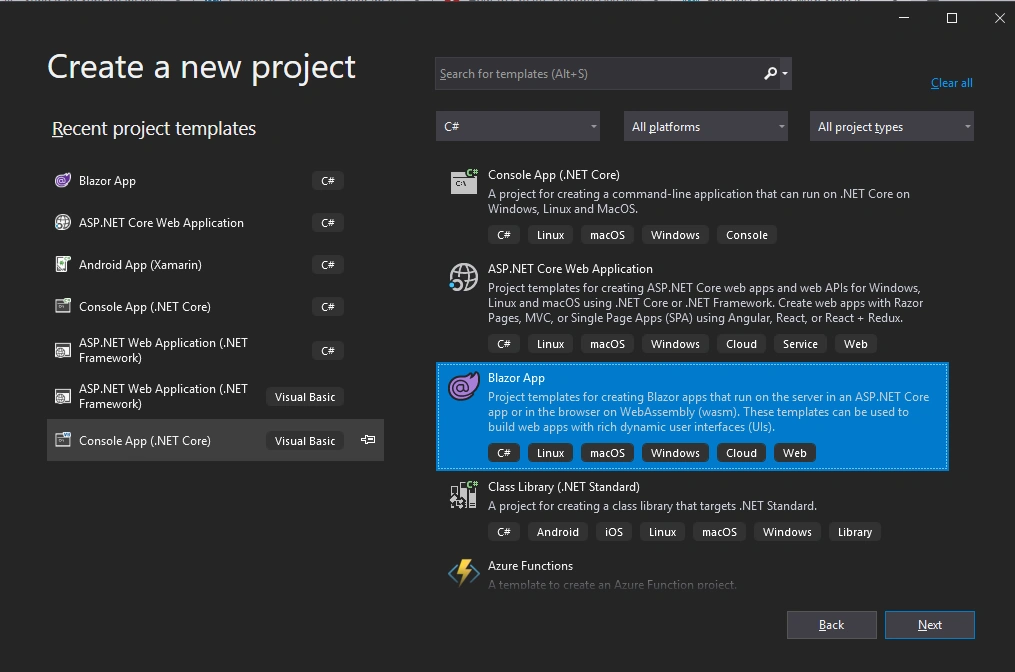
Fig.1 Choose Blazor App as a project template
- Save the project in the location by giving proper names
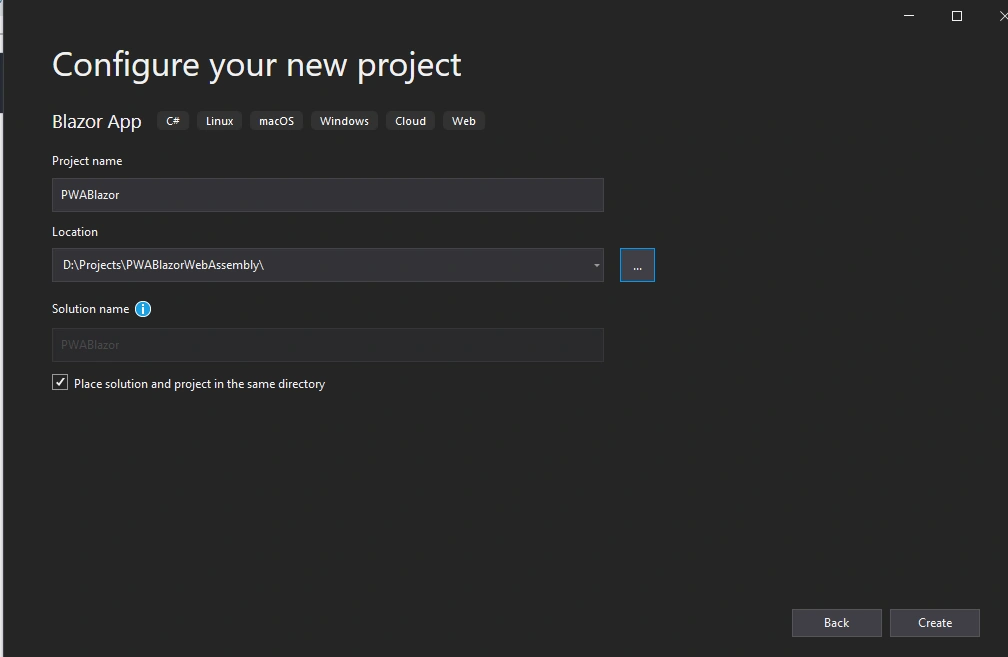
Fig. 2 Save the project in a location
- In the next step choose Blazor WebAssembly App, from the option. In order to create PWA, we need to choose Blazor WebAssembly App, since PWA always does not have a server. We also need to enable the Progressive Web Application as shown below. By enabling, it will turn our Blazor WebAssembly Application into a Progressive Web Application.
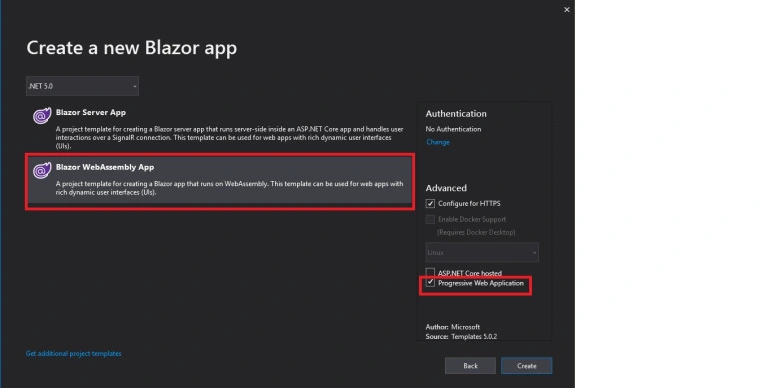
Fig. 3 Choose Blazor WebAssembly and Enable the Progressive Web Application Option
- Click Create button and now we have successfully created our project
Project Structure
If you are already familiar with Blazor WebAssembly project structure, nothing has changed under Pages and Shared folders, and also nothing much changed in _Imports.razor, App.razor and Program.cs files as well.
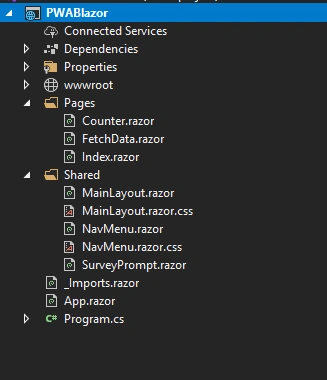
The place we do have changes in files for PWA is under the wwwroot folder
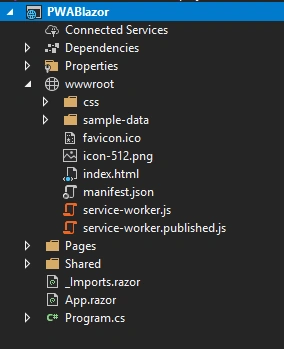
We can see four new files as icon-512.png, manifest.json, service-worker.js, and service-worker.published.js
icon-512.png
The Desktop Icon for our application, which is the default blazor icon
manifest.json
This JSON file is the root heart of the PWA. This is an industrial standard life. In this file we will declare and setup the PWA.
- {
- "name": "PWABlazor",
- "short_name": "PWABlazor",
- "start_url": "./",
- "display": "standalone",
- "background_color": "#ffffff",
- "theme_color": "#03173d",
- "icons": [{
- "src": "icon-512.png",
- "type": "image/png",
- "sizes": "512x512"
- }]
- }
The above code is a few pieces of code in the manifest.json file. We can modify and add more data to this file. Now, let's run this code and see What’s happening, after that we will go through each node in this file.
Run the application and make sure IIS Express is selected because we need unique ports to run PWA.
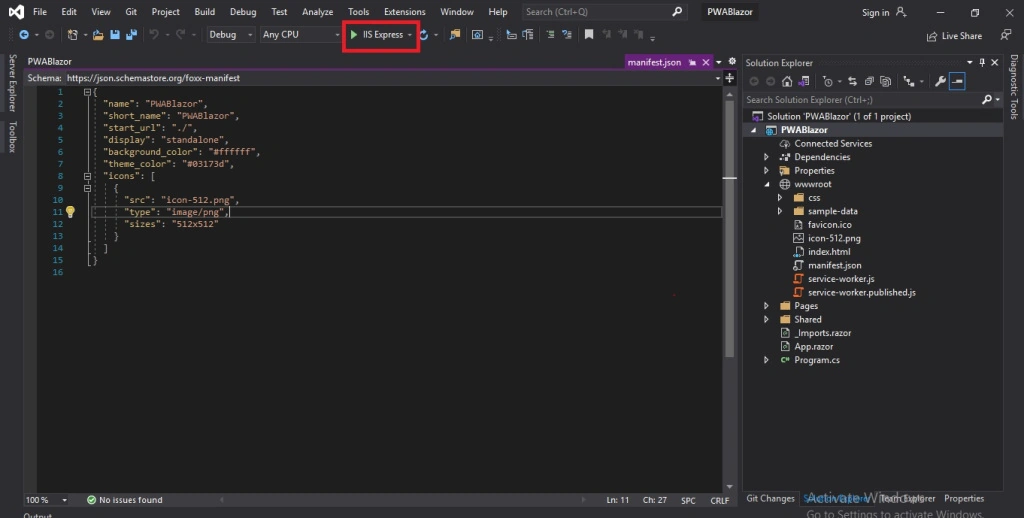
After running, the application still looks like a normal Blazor application. The difference is tiny. If we look into the URL, you can see an Icon as plus for the first time (If the current PWA is not installed before). Once we click that plus icon, it prompts us to Install this application, and once installed, it looks like the Desktop application. See Fig.6 and Fig.7

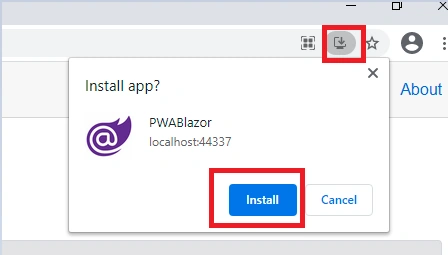
Once we clicked install, as said before, the browser application will be closed and a desktop application will be opened.
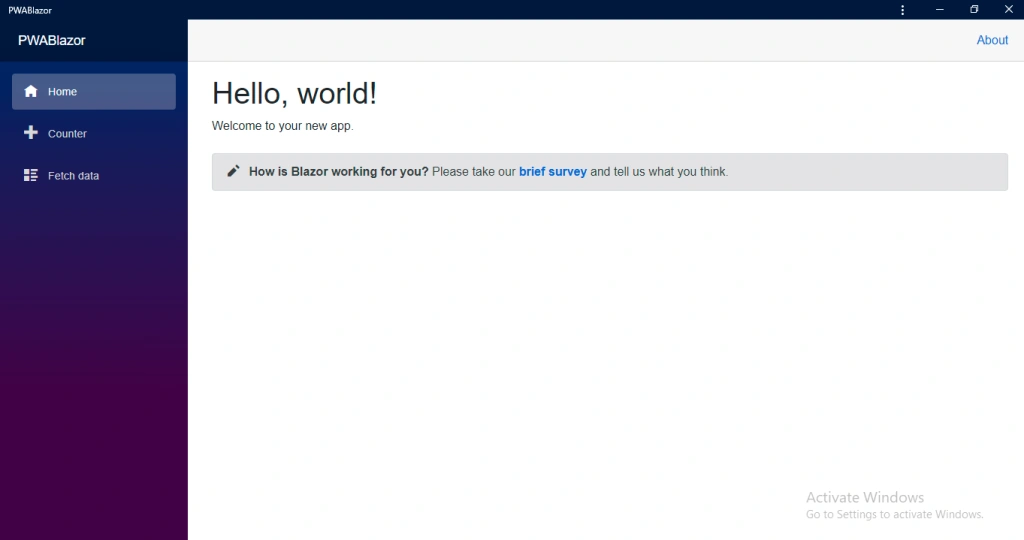
Demo

This is our same Blazor application, but it is running as PWA. It does not have any browser URL, navigational bars and it just looks like a desktop application. And if we move to our Desktop, we can see an icon of blazor (icon-512.png), a shortcut icon of our application. By clicking this icon, we can go to our PWA application and it treats as a Desktop application.
Now let's discuss the JSON nodes in the manifest.json
- name – Display name of the Application
- short_name – The short name of our application
- start_url – Denotes the Root Directory
- background_color – We can set the background color of the application
- theme_color – Sets theme color of the application
- icons – The desktop icon of our application
index.html
How the browser denotes the current application is a PWA or not?. Those details are from this file. If we look into the file, there are few entries in this file.
- <linkhref="manifest.json"rel="manifest"/>
When this code is included, the browser populate the web as PWA
- <linkrel="apple-touch-icon"sizes="512x512"href="icon-512.png"/>
When this code is included, an icon will be created in the desktop, if we install the application
- <script>navigator.serviceWorker.register('service-worker.js');</script>
The service-worker.js is a special kind of JavaScript file, that we are going to use to aid in our PWA’s functioning i.e., how our Progress Web Application works, it being the one that is going to cache our application. So during offline access, it will show the cache data
When to create PWA
First thing first, Progressive Web Application does not go into an app store or something like that it's not the same thing as an app. It's kind of intermediate steps i.e., It's not a Website or not a Mobile App or not a Desktop app. It sits in the middle. But there are more benefits to a PWA.
- When we can provide data even in the offline
- When your application to be used frequently without typing URL when you are developing the application as a Startup or in a small organization.
Conclusion
In this article, we had a discussion on how to create a PWA in Blazor and its purpose. I assume you all found it useful. Please share your feedback in the comments section.
Divyansh GuptaPosted Apr 7, 2023, 4:58 AM
I have a fully built Blazor server Application so I want to add PWA to it so is there any way to do that ?? I am using visual studio 2022.
Ronald AbellanoPosted Apr 12, 2022, 2:27 PM
Why my Blazor wasm PWA does not have the download function from the browser? But the browser have send, qr and read aloud.