

Please go through the Part 1 first.
In my previous article I talked about why MVP is required, how it overcomes the problem of cluttered UI code and Unit Testing.
In this article we will go step-by-step and see how ASP.Net MVP applications can be developed.
What are we developing?
We are about to develop a customer screen with the 2 functionalities:
- Allow adding new customers with details like, Customer Type (Gold, Silver or Normal), Customer Code (must be a 5-letter string), Amount and Age.
(All are compulsory fields.)
- Shows the existing customer in a grid in the following format:
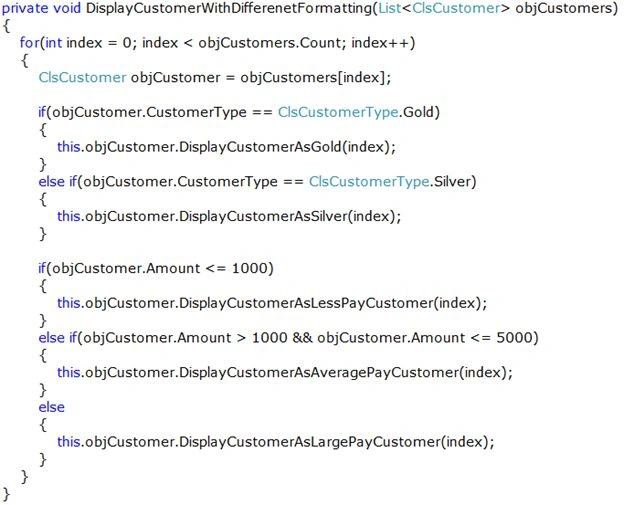
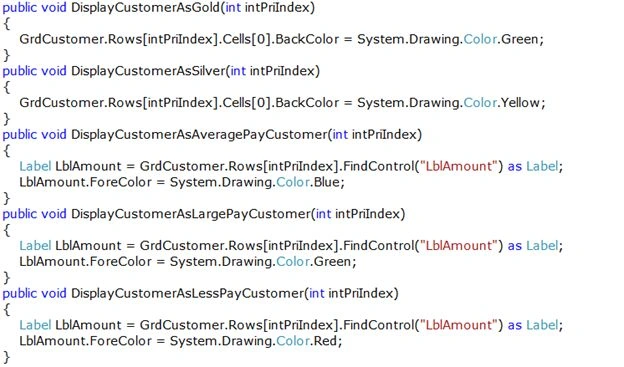
a. Show them in a green color if they are gold, in yellow if silver.
b. The Amount will be shown in green if it's more than 5000, in blue if between 1000 and 5000 and in red if below 1000.
The output should look like this: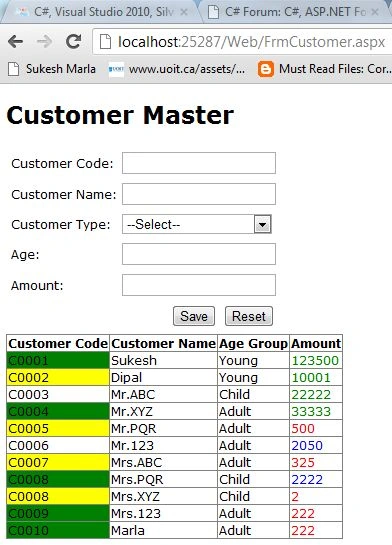
Development
- Every software development starts with database development.
Create a Customer Table as follows: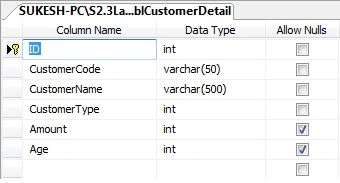
- Let's create a Visual Studio solution with four folders
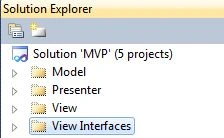
Let's start with the code development.
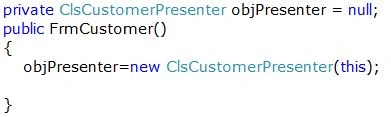
- From where to start? Model, Presenter or View? As the name suggests the Model comes first.
1. Model
a. Entities
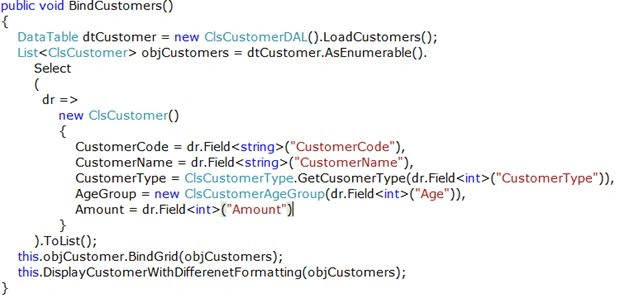
A class with set and get properties to represent an in memory representation of data.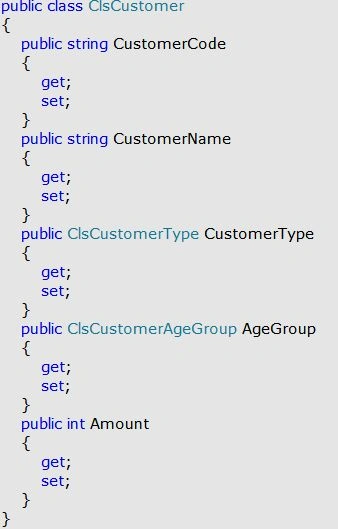
b. Data Access Layer
It will talk to the database and does the necessary tasks.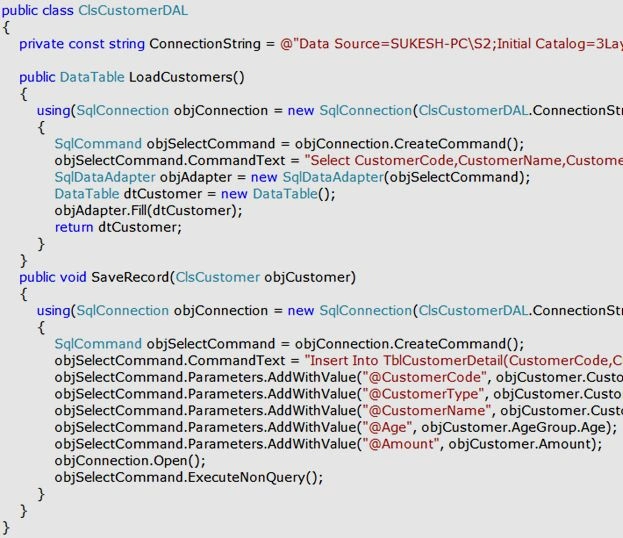
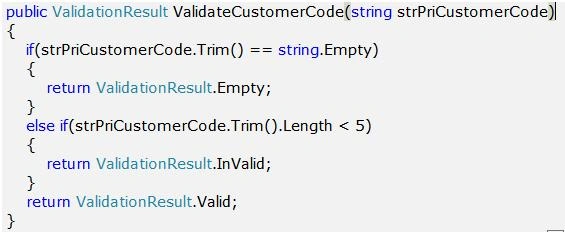
c. Business Access Layer
Faisal ShahPosted May 23, 2014, 1:16 PM
Nice
Sukesh MarlaPosted Oct 12, 2012, 5:25 AM
Carlos for demos i used static variable in DAL, we will replace it with databse like SQL
Carlos MartinezPosted Oct 12, 2012, 12:14 AM
I understand all reading this article XD http://www.c-sharpcorner.com/UploadFile/SukeshMarla/3-tier-architecture-using-Asp-Net/ again niceee!
Carlos MartinezPosted Oct 11, 2012, 10:57 PM
Very very nice, but I not understand the actual DAL code :( public class ClsCustomerDAL { static DataTable objCustomers = null; static ClsCustomerDAL() { objCustomers = new DataTable(); objCustomers.Columns.Add(new DataColumn("CustomerCode", typeof(string))); objCustomers.Columns.Add(new DataColumn("CustomerName", typeof(string))); objCustomers.Columns.Add(new DataColumn("CustomerType", typeof(int))); objCustomers.Columns.Add(new DataColumn("Amount", typeof(int))); objCustomers.Columns.Add(new DataColumn("Age", typeof(int))); } // Is like write the database and save's on the fly?
Sukesh MarlaPosted Aug 26, 2012, 11:27 AM
thanks akkiraju , ever comment is important as it motivates more.
Akkiraju IvaturiPosted Aug 25, 2012, 11:22 PM
Just now I have downloaded your code to see how you have done. Its impressive. (Another good comment :))
ShivprasadPosted Aug 23, 2012, 11:16 PM
Nice work
Akkiraju IvaturiPosted Aug 23, 2012, 10:59 PM
Nice article. (Good comments rt :))... Keep it up!!!