

Introduction and Background
A team of software developers would all be willing to write a great amount of documentation because after all it is the document that provides their users a resource from where they can get some help. But if your team believes in Agile development methodologies, then you are better off left with programming and “no-documentation” face! That is not at all a problem to most of programmers, but that is also not a good practice after all.
Currently I am seeking my Master’s degree in Computer Science and I am going to have a project to build later this year. While that is some months to come, I am thinking of something to build that would help me in many ways. One of them is to build a custom program that helps me to document the API so that I can submit that to the professors when they ask me for my project.
This blog post is about the “things” I have thought about, while building the tool. I haven’t built the tool yet, but I am hoping to have it built soon. But, I can show you the blueprint and the scratch code for that.
Why document the code?
If you are an indie developer, and you don’t like to share the code with anyone, don’t worry about this. Chances are, that two or four years later, you may “still” have the idea of why you wrote down that code. But if you also have to share the same code with your partner, team or external world, then you should commenton the code well. But… in the cases where you don’t want to share the internal code, then you should provide a well-written API for that code.
That would save you from many messages, emails and feedback, like, “How todo you do that?” That question annoys many people because the developer of that API is already aware of the “simplicity” of the API, but others don’t know it. They are not aware of the objects introduced and so on. In such cases, you should always consider documenting the code well, so that others, when facing a problem, can simply read that documentation and say, “Oh, that’s how I do that!”
In many cases, it also helps you when after two years, you lose the focus that you had back in those days when you started the project. This happens to me too.
Figure 1: Keep calm, programmers!
How to build a custom documentation tool?
I am sorry to disappoint you guys, but I am going to talk about C# only. There was a lot of times when I was learning other frameworks, writing applications for Linux, compiling articles and books for other operating systems. This is when I feel I need to get back to where I belong. I belong to C#. I am going to use C# to show you how you can build the application that documents the code that you have written. Now that is somewhat of a complex idea and process. But, for the sake of this post, I am going to keep things really very short here and I will demonstrate the use of the very basic concepts to build such a great and vital tool for your team so that they can focus more on the programming part, and leave the documentation part to this tool itself.
I am going to use the following three basic features:
- C# language itself.
• You can use any framework, Console, WPF, WinForms etc. - HTML document for previewing the results.
• You may use ASP.NET applications or web sites for previewing. I used static HTML pages. - Some reflection.
In the above parts, I think most of you would get yourselves confused when it comes to “Reflection” in C#. Well, it is not that tough a part to understand. Reflection in C# (or .NET itself) is a very simple and easy concept to understand. Using reflection, we can simply get to know the assemblies, objects, classes and their members, on the run-time. In the IDE, we know what the class name is, and what the functionsare that are defined. But how to know on run-time, is a part of reflection.
Introduction to Reflection
Before I finally end up the post I want to give you an overview of reflection in C#. If you have ever programmed in C#, you are aware of, typeof() operator or GetType() function. Both of them are the first steps toward the reflection. Basically, reflection is performed on types of the objects. Types expose the assembly information, members information, properties, functions (methods) and events information… Much more! So, we use the signature to determine many values, like the names, assembly, namespace, versioning etc.
I am going to use the same tool, and I am going to extract the properties from these types and I am going to build an HTML documentation for the classes. This is same mechanism which is used on MSDN or any other “good” documentation. You should never write the documentation yourself, one object after the other. Create an interface which does the underlying task and then do the modifications and reviews.
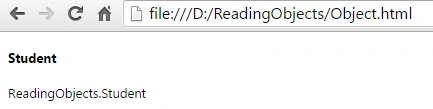
I will end this section with this one code sample:
Santhakumar MunuswamyPosted Feb 16, 2016, 2:54 PM
Thanks for nice article
Raja TPosted Feb 15, 2016, 3:04 AM
Nice,Thanks for sharing
Shubham KumarPosted Feb 15, 2016, 12:36 AM
nice
Sibeesh VenuPosted Feb 15, 2016, 12:36 AM
Nice Share
Mohammed IbrahimPosted Feb 14, 2016, 11:25 PM
nice
Pramod ThakurPosted Feb 14, 2016, 11:40 AM
thanks for sharing..
Kumaresh RajalingamPosted Feb 14, 2016, 12:30 AM
Good one