

Reference
Enterprise AI testing architecture / Kubernetes + Playwright MCP flow diagram
Introduction
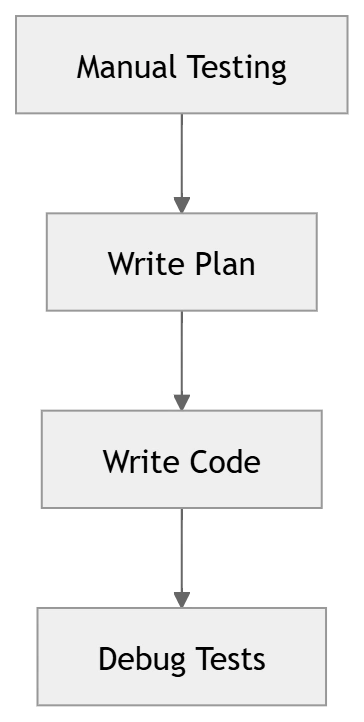
Writing end-to-end tests is tedious. You explore the app manually, write a test plan, hand-code Playwright selectors, and then debug them when the UI changes.
What if an AI agent could do all of that for you — in minutes?
In this article, you'll build a self-hosted AI agent that:
Explores your application
Plans test scenarios
Generates Playwright tests
Heals broken tests automatically
High-Level Architecture

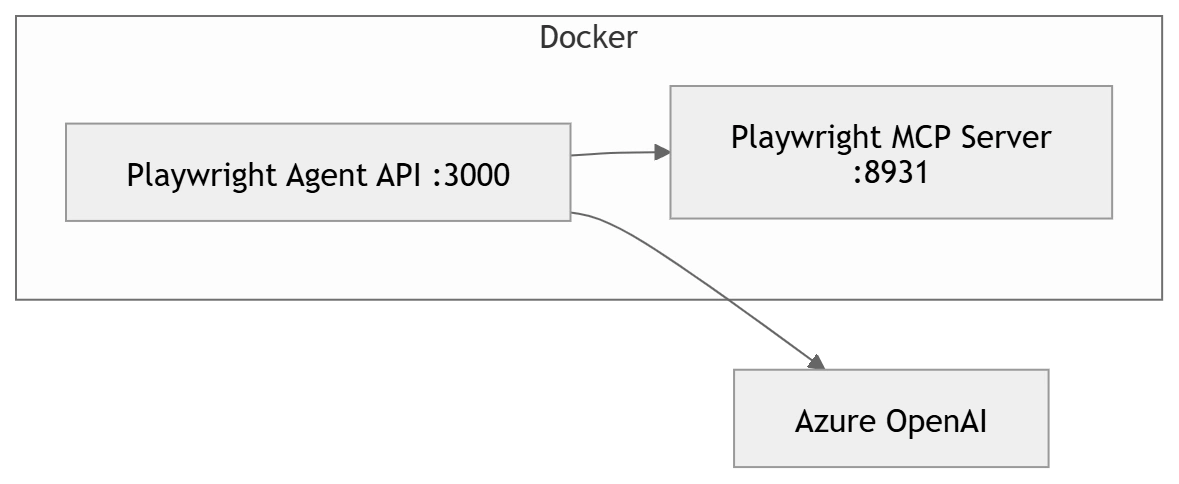
Container-Level Architecture
Why This Architecture Matters
This architecture is designed around separation of concerns between execution and intelligence.
- The Playwright MCP Server handles real browser interaction
- The Agent API orchestrates AI reasoning and workflows
- Azure OpenAI provides decision-making and code generation
This separation ensures that the AI does not "guess" UI behavior — instead, it interacts with a real browser environment, making the generated tests far more reliable compared to traditional prompt-based generation.
Components Overview
| Component | Description |
|---|---|
| MCP Server | Browser automation via 53 tools |
| Agent API | Orchestrates AI agents |
| Azure OpenAI | Reasoning + code generation |
| Browser | Real execution layer |
How It Works — ReAct Loop
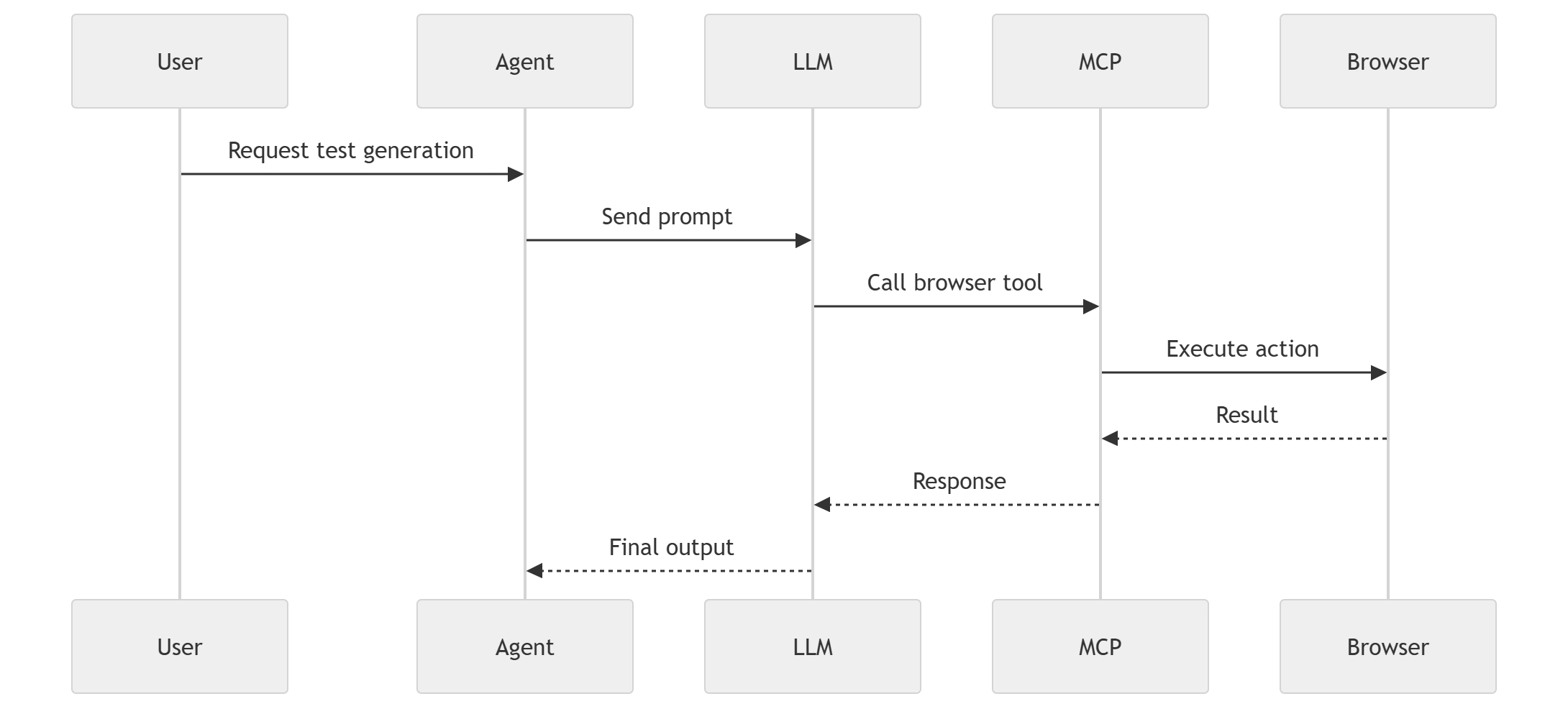
This is a ReAct loop (Reason + Act):
LLM decides → Tool executes → Feedback → Repeat
Understanding the ReAct Loop in Practice
The ReAct loop (Reason + Act) is the core engine behind this system.
Instead of generating test code in a single step, the agent:
Thinks about what action is needed
Calls a browser tool (via MCP)
Observes the result
Adjusts its next action
This iterative cycle continues until the agent has enough context to produce a final test plan or executable code.
This is what makes the system adaptive and context-aware, unlike traditional AI code generation approaches.
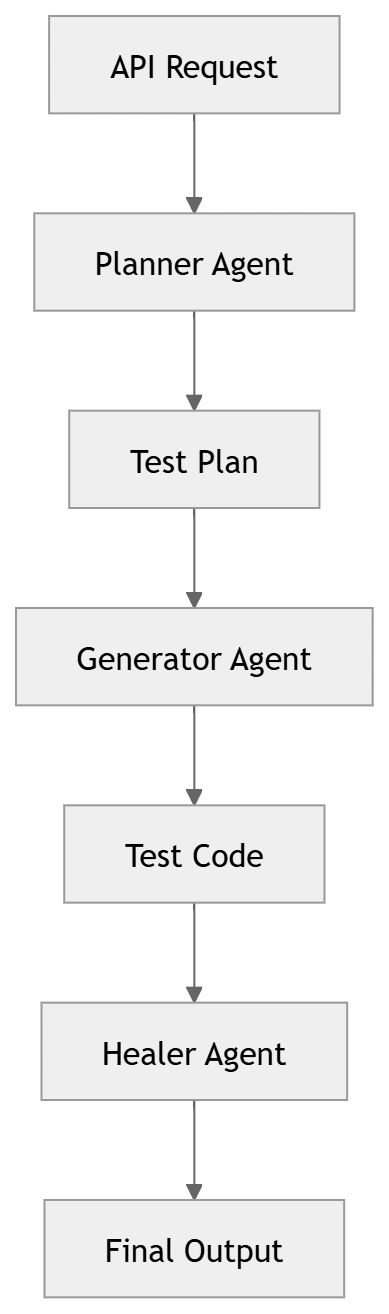
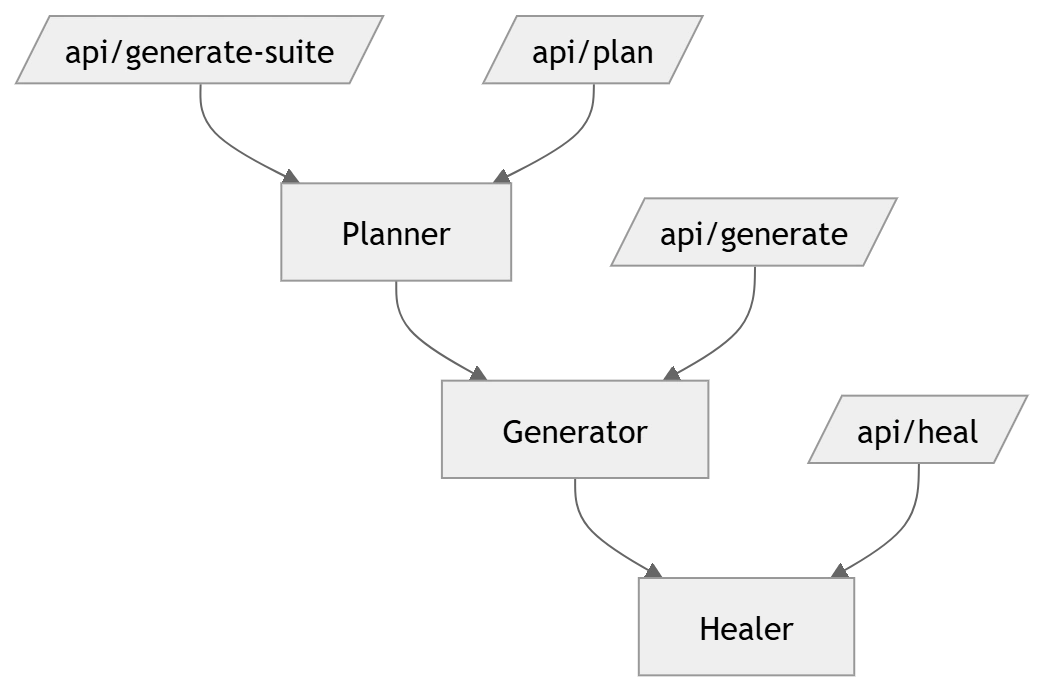
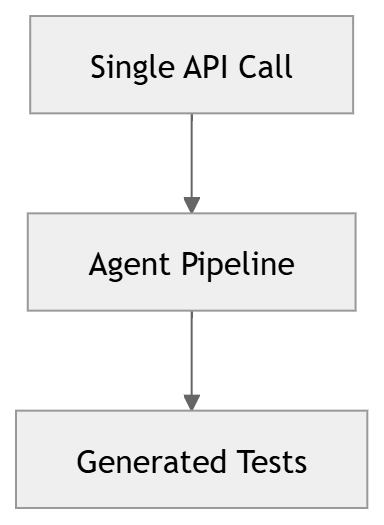
Agent Pipeline Flow
Why a Multi-Agent Pipeline?
Instead of relying on a single AI model to do everything, the system uses specialized agents:
Planner → focuses on exploration and understanding
Generator → focuses on clean, structured code generation
Healer → focuses on reliability and fixing issues
This separation improves
Accuracy of generated tests
Maintainability of the system
Scalability across large applications
It also mirrors real-world QA workflows — where planning, execution, and debugging are distinct phases.
Pipeline Stages
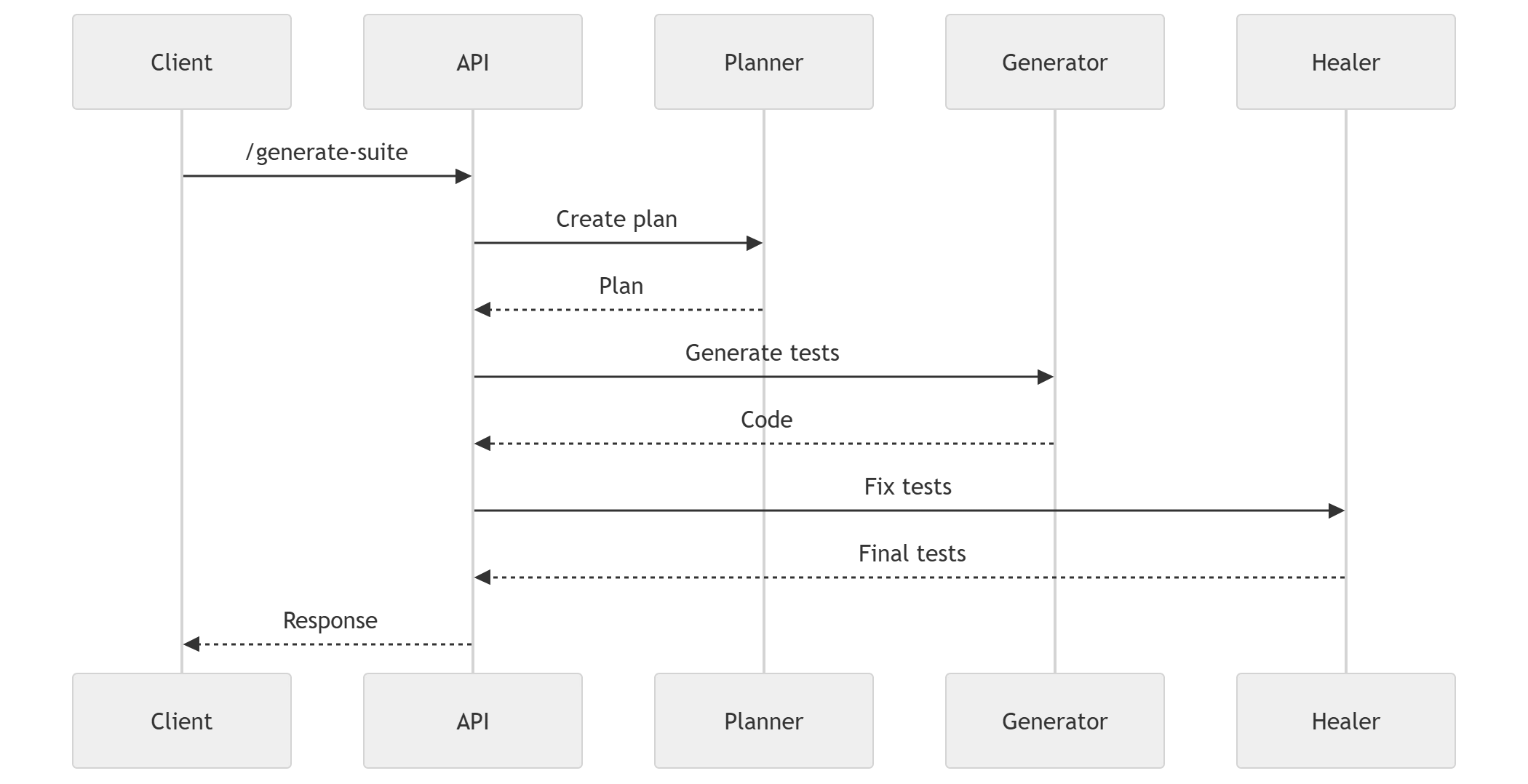
Planner
Explores app using browser tools
Generates test plan
Generator
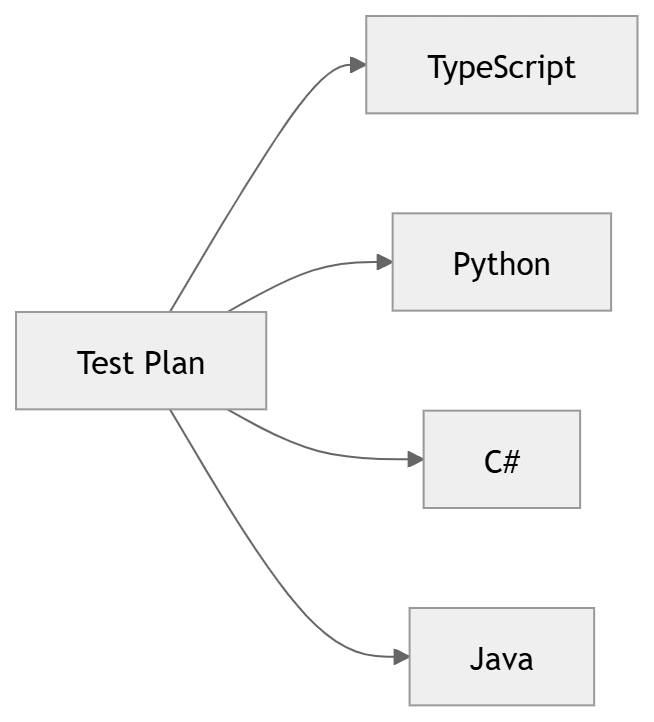
Converts plan → Playwright code
Supports multiple languages
Healer
Fixes broken selectors
Validates UI

Join the conversation! Your thoughts help the community grow.