

Reference
Enterprise AI testing architecture / Kubernetes + Playwright MCP flow diagram
Introduction
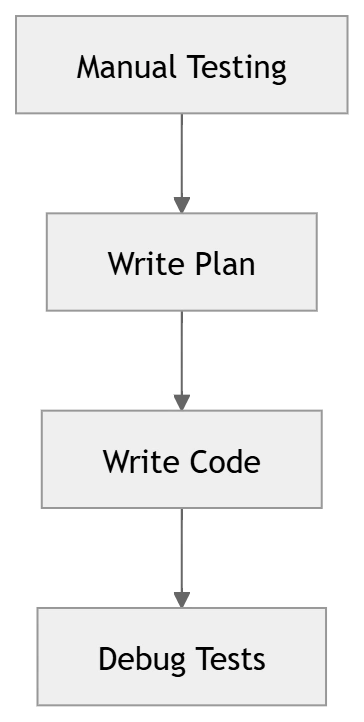
Writing end-to-end tests is tedious. You explore the app manually, write a test plan, hand-code Playwright selectors, and then debug them when the UI changes.
What if an AI agent could do all of that for you — in minutes?
In this article, you'll build a self-hosted AI agent that:
Explores your application
Plans test scenarios
Generates Playwright tests
Heals broken tests automatically
High-Level Architecture

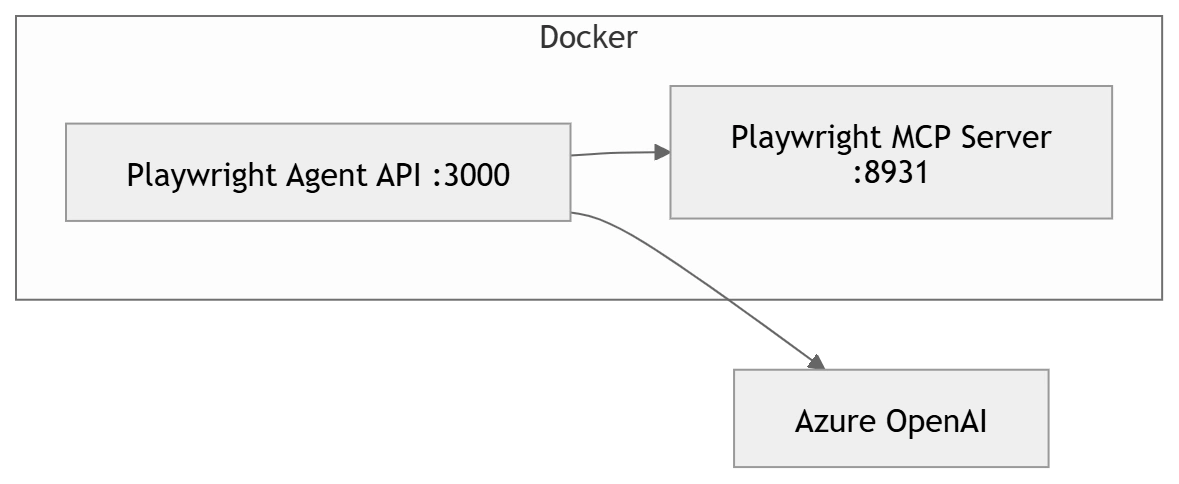
Container-Level Architecture
Why This Architecture Matters
This architecture is designed around separation of concerns between execution and intelligence.
- The Playwright MCP Server handles real browser interaction
- The Agent API orchestrates AI reasoning and workflows
- Azure OpenAI provides decision-making and code generation
This separation ensures that the AI does not "guess" UI behavior — instead, it interacts with a real browser environment, making the generated tests far more reliable compared to traditional prompt-based generation.
Components Overview
| Component | Description |
|---|---|
| MCP Server | Browser automation via 53 tools |
| Agent API | Orchestrates AI agents |
| Azure OpenAI | Reasoning + code generation |
| Browser | Real execution layer |
How It Works — ReAct Loop
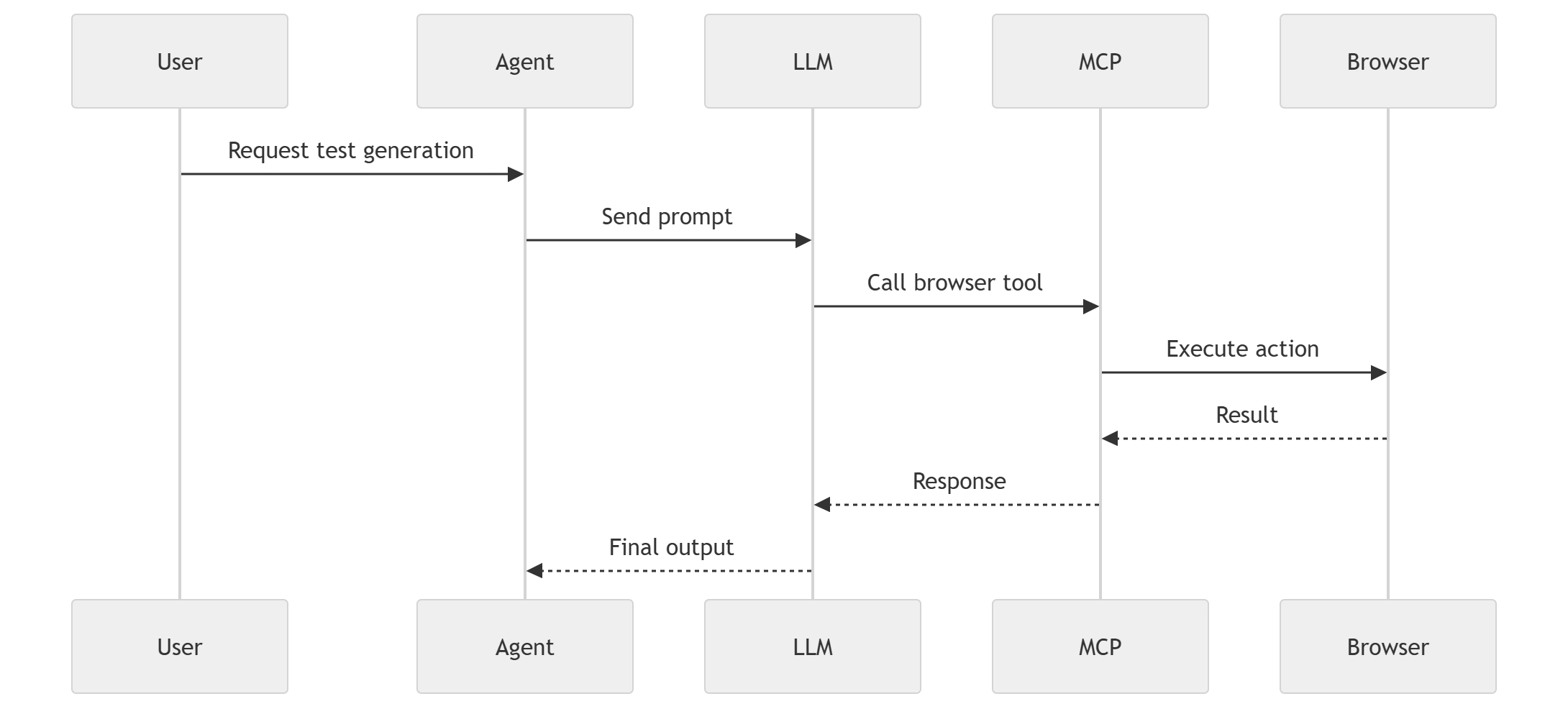
This is a ReAct loop (Reason + Act):
LLM decides → Tool executes → Feedback → Repeat
Understanding the ReAct Loop in Practice
The ReAct loop (Reason + Act) is the core engine behind this system.
Instead of generating test code in a single step, the agent:
Thinks about what action is needed
Calls a browser tool (via MCP)
Observes the result
Adjusts its next action
This iterative cycle continues until the agent has enough context to produce a final test plan or executable code.
This is what makes the system adaptive and context-aware, unlike traditional AI code generation approaches.
Agent Pipeline Flow
Why a Multi-Agent Pipeline?
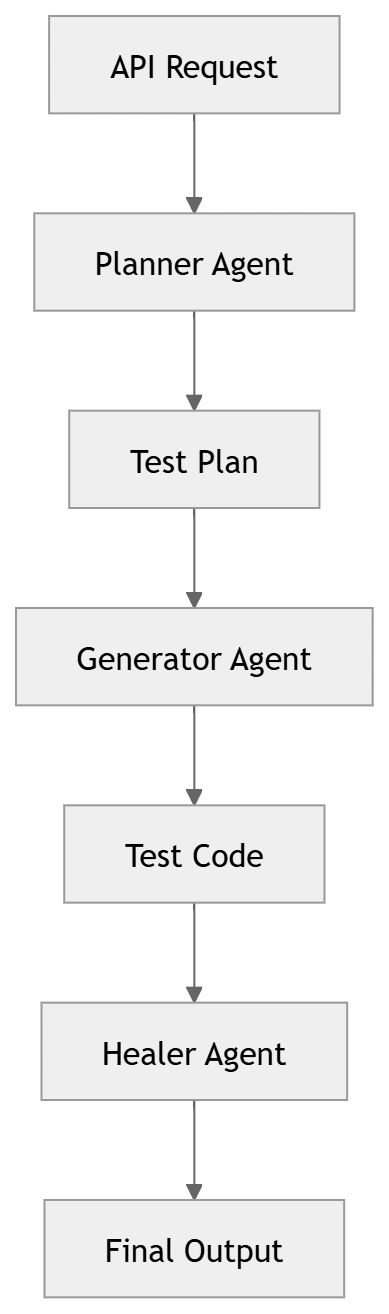
Instead of relying on a single AI model to do everything, the system uses specialized agents:
Planner → focuses on exploration and understanding
Generator → focuses on clean, structured code generation
Healer → focuses on reliability and fixing issues
This separation improves
Accuracy of generated tests
Maintainability of the system
Scalability across large applications
It also mirrors real-world QA workflows — where planning, execution, and debugging are distinct phases.
Pipeline Stages
Planner
Explores app using browser tools
Generates test plan
Generator
Converts plan → Playwright code
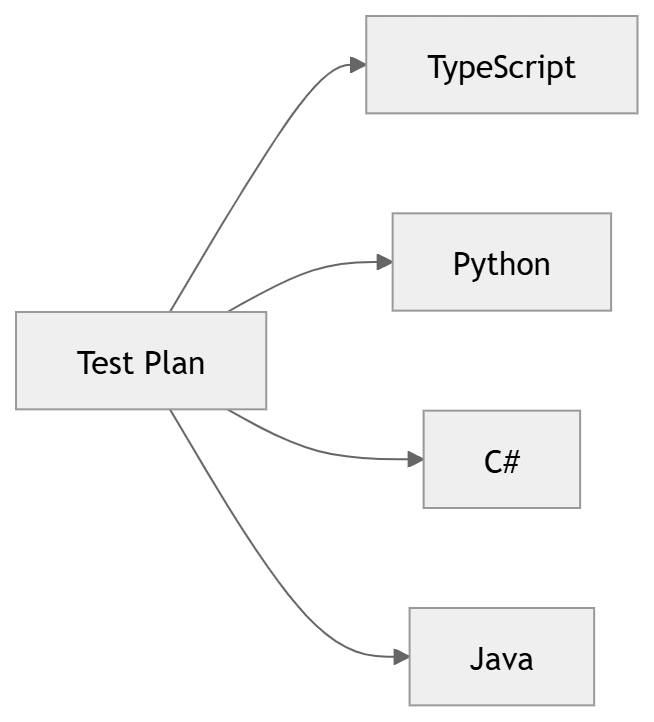
Supports multiple languages
Healer
Fixes broken selectors
Validates UI
Hands-On Flow

Project Structure
How the Codebase is Organized
To support this agent-driven workflow, the project is structured into modular components.
Each module has a clear responsibility — from handling MCP communication to orchestrating AI workflows.
This modular approach makes it easy to:
- Extend the system with new agents
- Replace LLM providers
- Integrate with CI/CD pipelines
playwright-agent-mcp/
├── docker-compose.yml          # Spins up both containers
├── Dockerfile.mcp              # Playwright MCP Server image
├── Dockerfile.agent            # Agent API image
├── .env.example                # Azure OpenAI env vars template
├── src/
│   ├── package.json
│   ├── src/
│   │   ├── index.js            # Express API — all routes
│   │   ├── mcp-client.js       # SSE connection to MCP server
│   │   ├── llm-client.js       # Azure OpenAI client with tool-call loop
│   │   ├── orchestrator.js     # Chains planner → generator → healer
│   │   ├── prompt-loader.js    # File-based prompt resolution
│   │   └── agents/
│   │       ├── planner.js      # Explores app, produces test plan
│   │       ├── generator.js    # Converts plan to Playwright code
│   │       └── healer.js       # Fixes broken tests via live UI
│   └── prompts/
│       ├── login-flow.prompt.md
│       └── smoke-test.prompt.md
└── samples/
    └── ecommerce-admin-validation.prompt.md
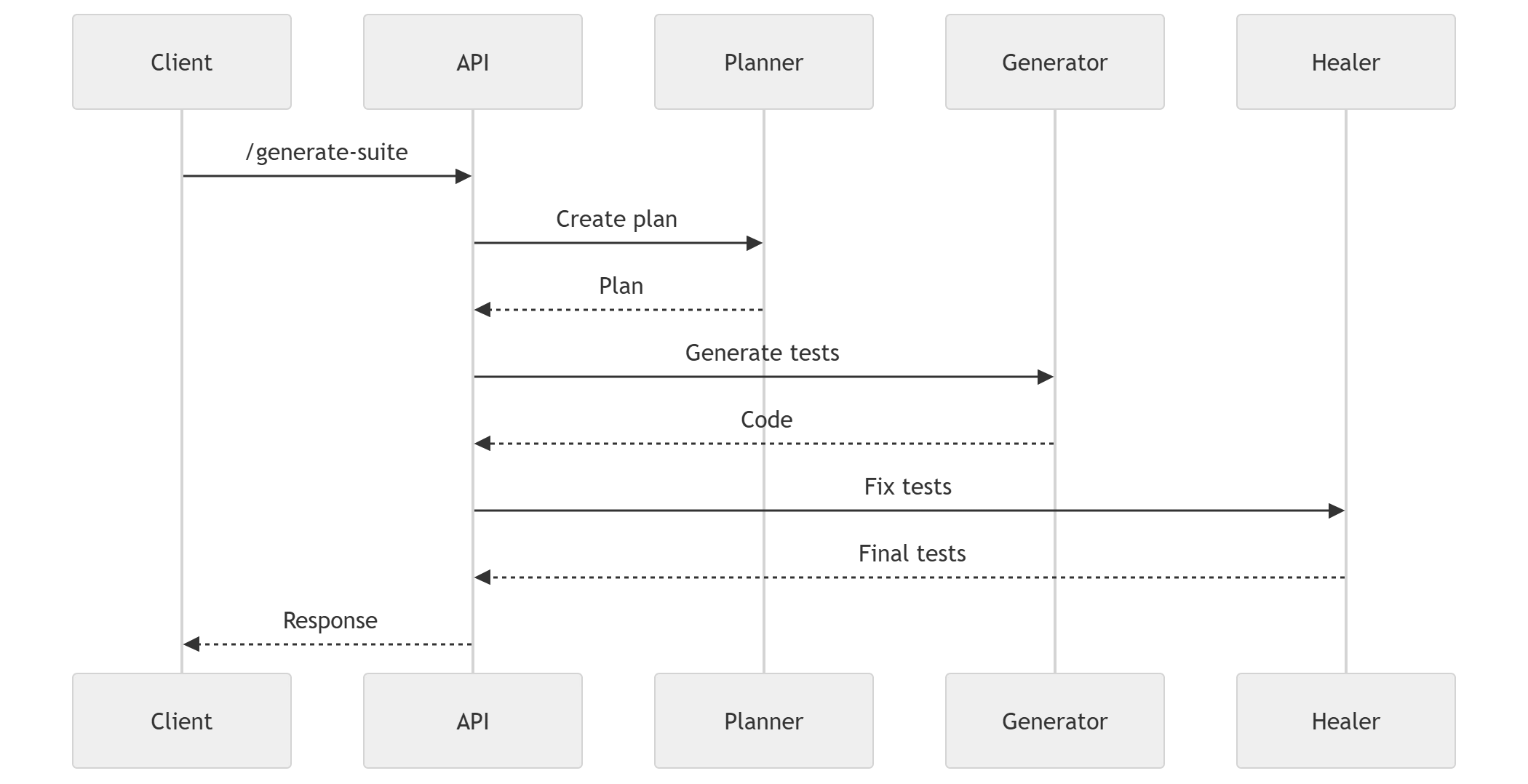
API Flow (End-to-End)
API Endpoints Overview
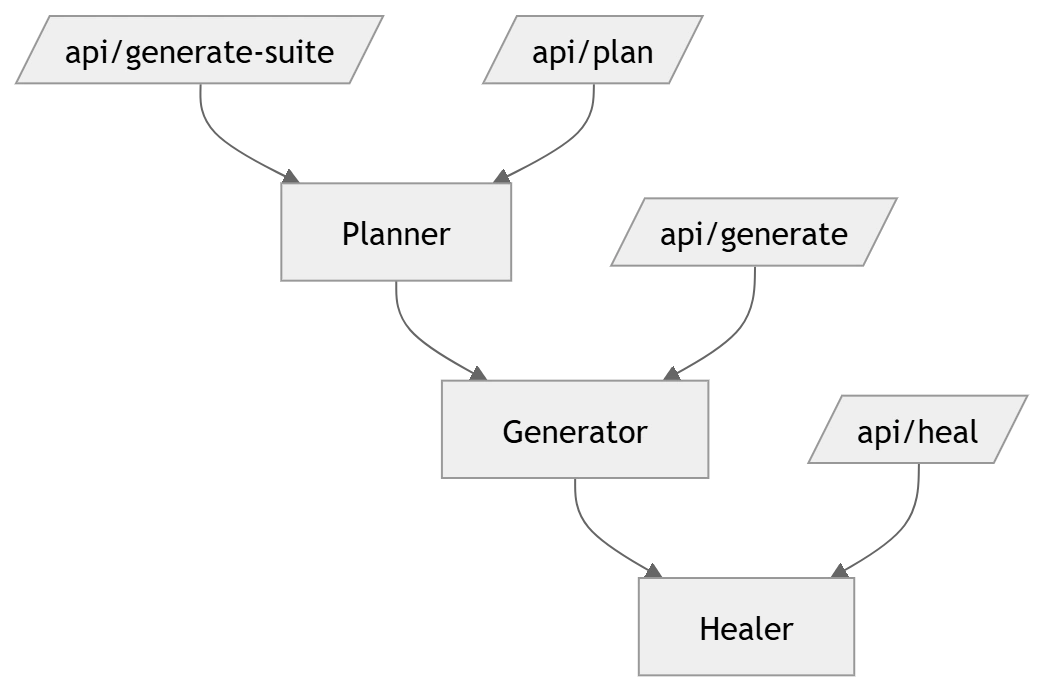
How Everything Comes Together
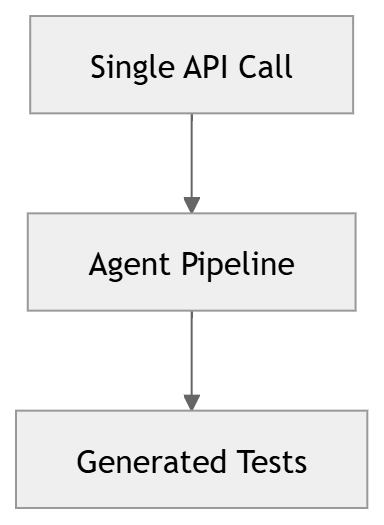
The /api/generate-suite endpoint is where the entire system comes alive.
With a single API call, the system:
1. Explores the application
2. Creates a structured test plan
3. Generates executable test code
4. Validates and fixes potential issues
This transforms test creation from a multi-day manual effort into a fully automated pipeline.
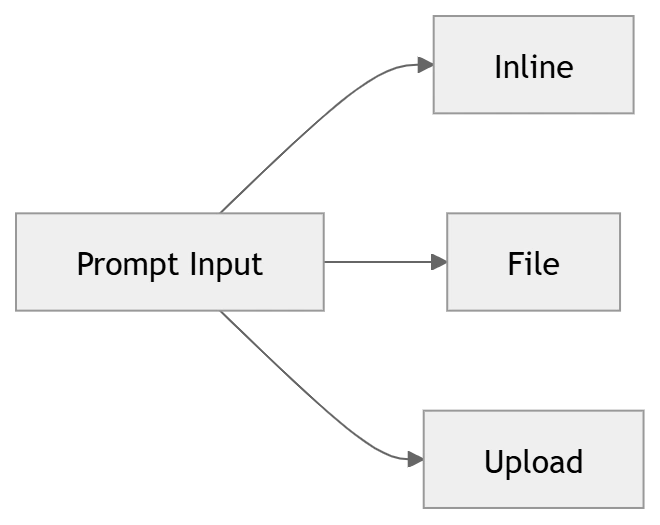
Prompt Modes
Multi-Language Support
How It Reduces Manual Effort
From Manual Testing to Autonomous Testing
Traditional test automation requires multiple handoffs between developers and QA engineers.
With this system, those steps are compressed into a single intelligent workflow, where the AI agent handles:
- Exploration
- Planning
- Coding
- Validation
This is a shift from test automation → test autonomy.
Traditional Flow
AI-Powered Flow
Manual vs Agent Comparison
| Aspect | Manual | AI Agent |
|---|---|---|
| Test creation | Manual | Automated |
| Debugging | Manual | Self-healing |
| Speed | Slow | Fast |
| Scalability | Limited | High |
Where This Is Useful
Regression testing
Legacy systems
CI/CD pipelines
Multi-language teams
What It Does NOT Replace
Test strategy
Business validation
Security testing
Security testing
Key Innovation
The real innovation in this approach is not just testing generation — it’s the combination of real browser execution with AI reasoning.
Most AI tools generate code based on assumptions.
This system:
Observes real UI behavior
Adapts dynamically
Produces context-aware test cases
This makes it significantly more reliable for real-world applications.
Conclusion
You now have a fully agentic testing system:
Real browser exploration
AI-generated test plans
Multi-language test generation
Self-healing automation
Join the conversation! Your thoughts help the community grow.