

Organizations frequently need to import thousands of records into Microsoft Dataverse for migrations, integrations, and data synchronization projects. Traditional approaches can become slow and difficult to manage when dealing with large datasets.
In this article, we'll explore a scalable Power Automate-based solution that leverages Dataverse hidden system tables ( Imports and Data Imports ) to efficiently import more than 25,000 records while maintaining traceability and performance.
Solution Architecture
The solution is designed using:
Parent Flow
Child Flow
Hidden Dataverse Import Tables
Service Account Execution Model
High-Level Process
Parent Flow uploads file and passes parameters.
Child Flow receives metadata and file content.
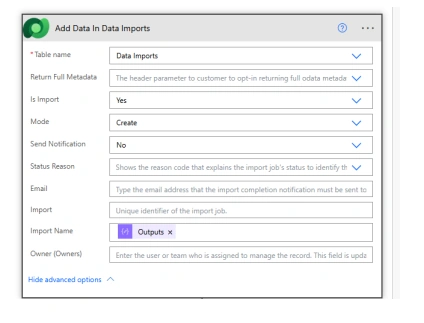
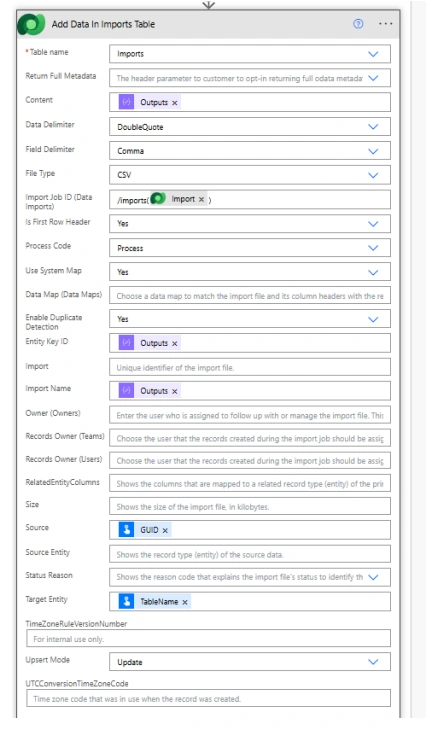
Import record is created.
Data Imports record is populated.
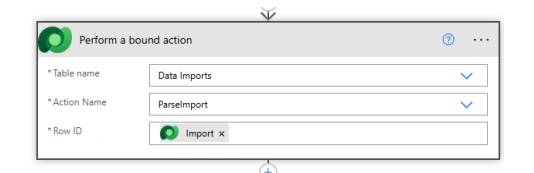
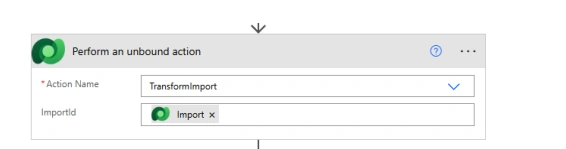
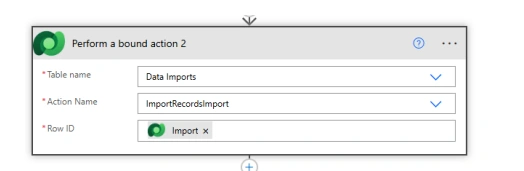
Dataverse processes the bulk import.
Import status can be tracked using Import ID.
Creating the Child Flow
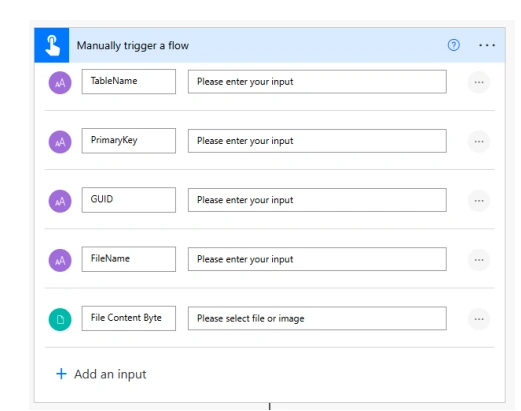
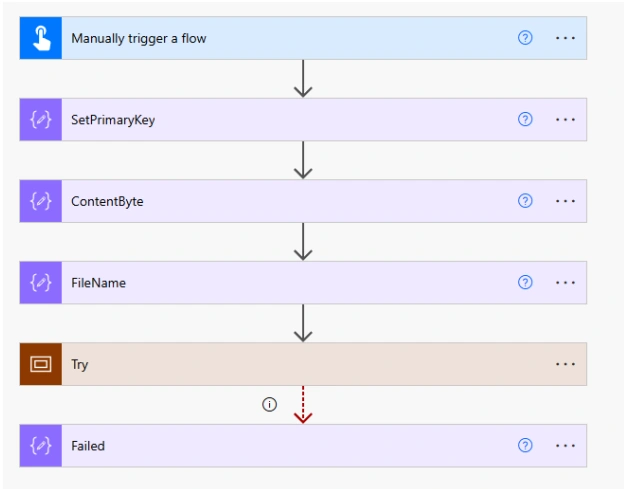
The child flow uses the Manually Trigger a Flow trigger to accept information from the parent flow.
Input Parameters
The following inputs are passed from the parent flow:
TableName
PrimaryKey
GUID
FileName
File Content Byte
Screenshot 1: Child Flow Trigger Configuration
This trigger acts as the entry point for the bulk import process.
Understanding Input Variables
TableName
Specifies the target Dataverse table where records will be imported.
Example:
Account
Contact
Lead
PrimaryKey
Defines the primary key field of the target entity.
if(equals(triggerBody()['text_1'],'NONE'), null, triggerBody()['text_1'])GUID
Unique identifier used to track the import operation.
FileName
Name of the source file being processed.
concat(triggerBody()['text_3'],'_',formatDateTime(utcNow(),'yyyyMMddhhmm'))File Content Byte
Contains the uploaded file content encoded in Base64 format.
base64ToString(triggerBody()['file']['contentBytes'])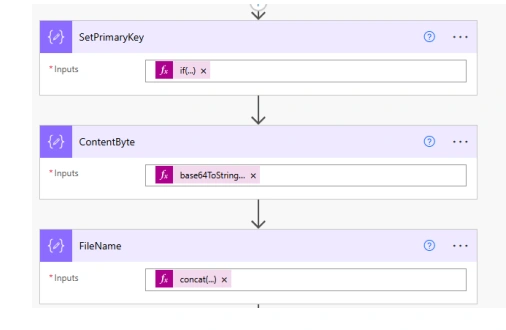
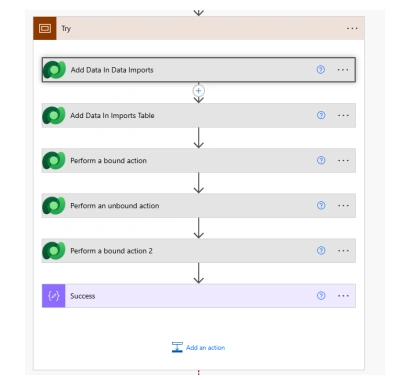
Creating Import Records
The flow creates records in Dataverse hidden import tables.
This mechanism provides:
Better tracking
Improved scalability
Import status management
Auditability
Join the conversation! Your thoughts help the community grow.