

Abstract :
probably all programmers working in c# on windows platform but here i m
presenting some thing that will give you a brief idea how to compile a c#
program on LINUX platform in mono develop IDE.
Compiling Simple Hello world program on LINUX .
I am using Ubuntu release 10.4 to show you the steps .
For running a C# program on Linux machine first of you have to install an IDE in
which you can write program and can debug so just install the Mono Develop IDE.
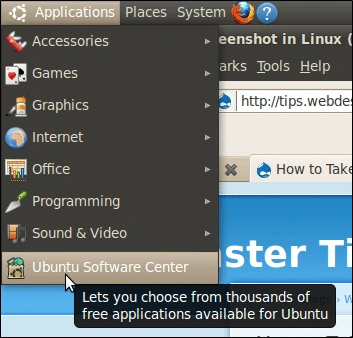
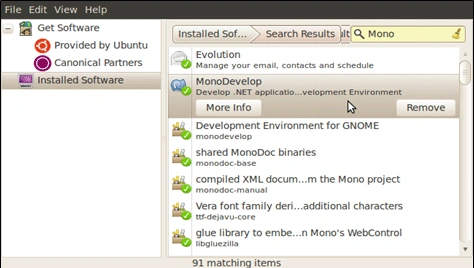
Here are steps to install Mono
Step 1:
Step 2:
Step 3 :
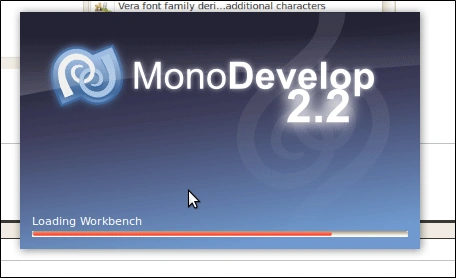
Open Mono develop :
Step 4
Create New Solution By Going to File Menu >> Solution
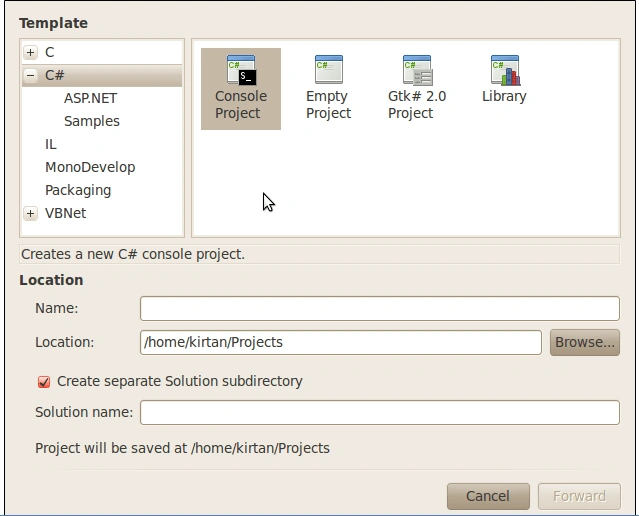
Just Name the Solution and Press Forward button
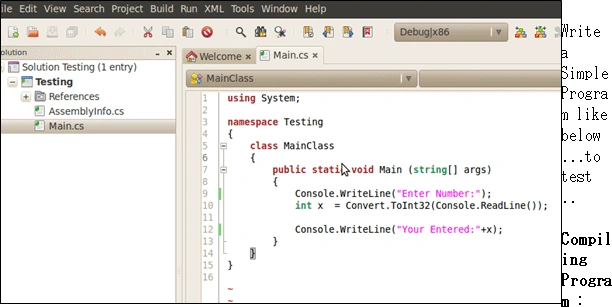
Write a Simple Program like below ...to test ..
Compiling Program :
go to Build Menu >> Click Build
to Run the Program go to Run Menu >> Run With >> Mono x.x
you will see the Output at the bottom of the screen .as result but you will
notice that its not asking for input as we written some code that taking input
from the user thats because its not the original console window so lets make
the option so that out program will run in Separate Console Window.
Go to Project Menu >> Project Option >> under Run Section tick Run on
External Console.
Now Run the Project Again and viola you have Created your First C# Program on Linux Machine :)
Thank you for reading the Article :)
Louise ClelandPosted Jul 3, 2010, 1:35 PM
Thanks for your article! We are starting a new project for which we are considering using C++ for the application layer and then C#/wpf for the GUI layer. Your article explains that we can successfully compile C# to run on linux, but will this still work if we are using wpf? Do you know of any tools that would support this combination? Thank you!
George AytonPosted Jun 22, 2010, 10:14 AM
Kirtan...This is the reference to the "above program" in my previos submission.... Step 4 Create New <nobr style="color: rgb(43, 101, 176); font-weight: normal; font-size: 100%; font-family: Verdana;" id="itxt_nobr_3_0">Solution</nobr> By Going to File Menu >> Solution Just Name the Solution and Press Forward button Write a Simple Program like below ...to test .. Compiling Program : go to Build Menu >> Click Build to Run the Program go to Run Menu >> Run With >> Mono x.x you will see the Output at the bottom of the screen .as result but you will notice that its not asking for input as we written some code that taking input from the user thats because its not the original console window so lets make the option so that out program will run in Separate Console Window. Go to Project Menu >> Project Option >> under Run Section tick Run on External Console. Now Run the Project Again and viola you have Created your First C# Program on Linux Machine :)
George AytonPosted Jun 22, 2010, 10:11 AM
Kirtan... when I build the above program I get the following one error.... : 14 System.Console does not contain a definition for 'Line' (CS0117) [email protected]
Nilay JoshiPosted Jun 8, 2010, 3:02 AM
Hi Kirtan, I'm thinking about Database side. Is it possible to have database like SQL or anything else? Can you post an article explaining about database side in detail. Thanks, Nilay