Introduction
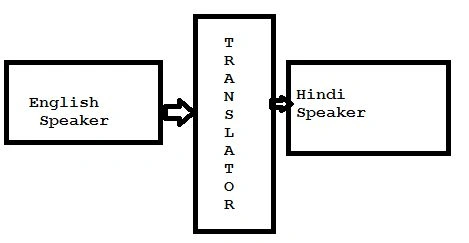
ADO stands for active data objects. It behaves as a mediator between the client-side and the server-side. As we know that one language does not understand the syntax of another language, there will be one translator who will behave as a mediator between both the languages as in the following figure:
Figure: Translator
The above figure has shown there are two persons. One person is an English speaker and another is a Hindi speaker so there is a translator who will help both the persons to communicate.
Connectionless oriented architecture
Connectionless oriented architecture contains:
- Connection
- DataAdapter
- DataSet
Connection:
Connection class uses to establish the connection between the front end and back end.
- SqlConnection con=new SqlConnection(“integratd security=true;initial catalog=Table Name;data source=.”);
DataAdapter: DataAdapter behaves as a mediator between data source and table.
- SqlDataAdapter da=new SqlDataAdapter(“Query which has to excute”,Connection object);
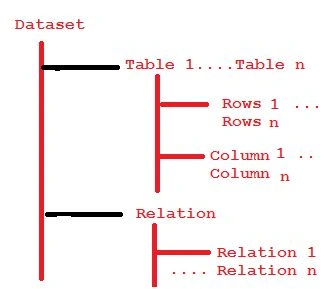
DataSet: DataSet contains the tables and relationships as in the following figure:
Figure: Connectionless architecture
DataAdapter does not have a feature of containing data so there is a dataset that contains table and relation after generating result set.
Syntax for DataSet is:
DataSet ds=new DataSet();Da.Fill(ds,”X”);
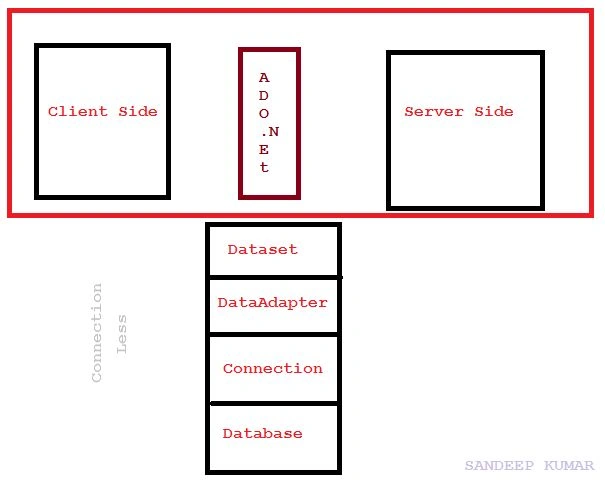
The architecture of connectionless is as in the following figure:
Client-side interacts with server-side through
ADO.NET because the front end application will not understand the syntax of back end application so there is ADO.NET which is a group of classes that contain Connection, Command, DataAdapter, and DataSet.
Figure: Connectionless architecture
For performing work with connectionless architecture:
- Work on the back end.
- Go to the start button.
- Select the SQL Server Management Studio.
- Click on SSMS.
Here's the figure:
- Go to object explorer.
- Select Database.
- Create database.
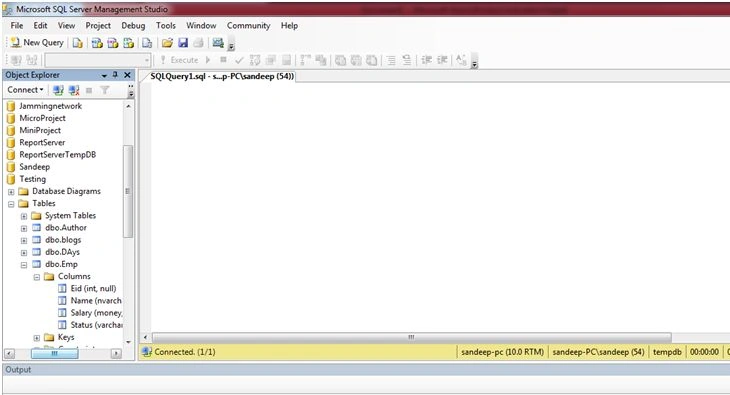
Now create the table in the newly created database. After creating the database go to object explorer.
- Go to the database.
Select the database then select table as in the following figure:
- Now insert the data in table by using the following query:
- insertinto Emp values(1,'Sandeep',20000,'Y')
- insertinto Emp values(2,'Mukesh',20000,'Y')
- insertinto Emp values(3,'Rakesh',30000,'N')
- insertinto Emp values(4,'Pappu',35000,'Y')
- insertinto Emp values(5,'Dinesh',25000,'Y')
- insertinto Emp values(6,'Munna',28000,'N')
- insertinto Emp values(7,'Prakash',3200,'Y')
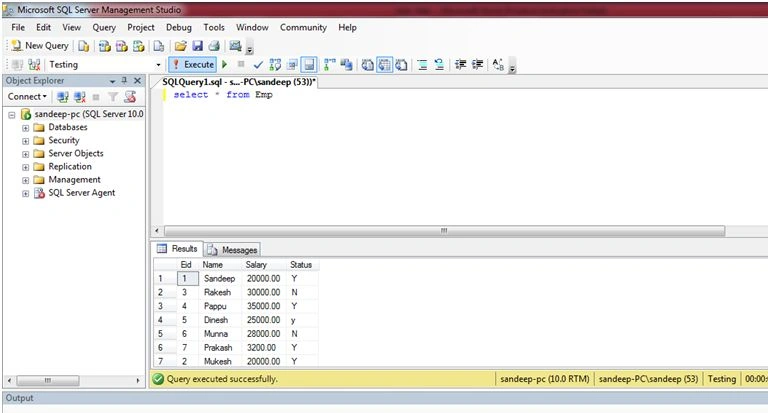
Now run the query: Select * from Emp which will generate output as in the following figure:
- Work on the front end.
- Go to Visual Studio.
Create one web application now go to the .aspx page and write the following code for design:
- <%@PageLanguage="C#"AutoEventWireup="true"CodeBehind="DataList.aspx.cs"Inherits="IARE_Bus.DataList"%>
- <!DOCTYPE html>
- <html xmlns="http://www.w3.org/1999/xhtml">
-
- <head runat="server">
- <title></title>
- </head>
-
- <body>
- <form id="form1" runat="server">
- <div>
- <asp:DataListIDasp:DataListID="DataList1"runat="server"OnSelectedIndexChanged="DataList1_SelectedIndexChanged">
- <HeaderTemplate>
- StartingPoint EndPoint Via Driver Bus_No
- </HeaderTemplate>
- <ItemTemplate>
- <%#Eval("StartingPoint") % >
- <%#Eval("EndingPoint") %>
- <%#Eval("Via") %>
- <%#Eval("Driver") %>
- <%#Eval("Bus_No") %>
- </ItemTemplate>
- </asp:DataList>
- </div>
- </form>
- </body>
-
- </html>
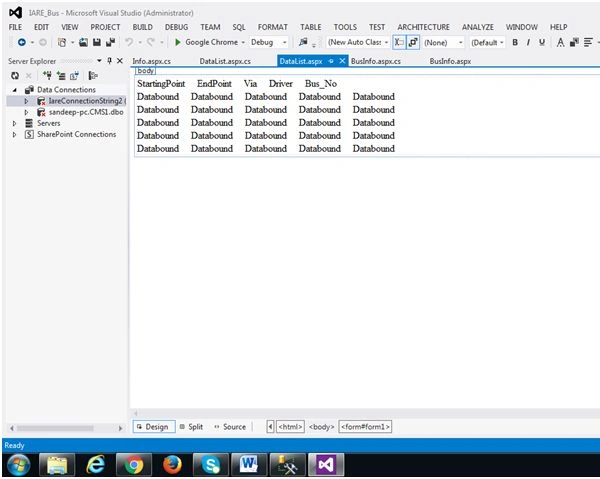
The design of the web application will be the following:
Now go to aspx.cs and write the following code:
- using System;
- using System.Collections.Generic;
- using System.Linq;
- using System.Web;
- using System.Web.UI;
- using System.Web.UI.WebControls;
- using System.Data;
- using System.Data.SqlClient;
- namespace IARE_Bus {
- public partial class DataList: System.Web.UI.Page {
- SqlConnection con = newSqlConnection("integrated security=true;initial catalog=Iare;data source=.");
- SqlDataAdapter da;
- protected void Page_Load(object sender, EventArgs e) {
- string s = "select * from BusInfo";
- da = newSqlDataAdapter(s, con);
- DataSet ds = newDataSet();
- da.Fill(ds, "Bus");
- DataList1.DataSource = ds.Tables[0];
- DataList1.DataBind();
- }
-
- protected void DataList1_SelectedIndexChanged(object sender, EventArgs e) {
-
- }
- }
- }
Now run the application and check. In datalist all details of BusInfo table will display.
Read more articles on ADO.NET:



Gowtham RajamanickamPosted Apr 12, 2016, 2:26 AM
good work..
Guest UserPosted Feb 16, 2016, 11:41 AM
useful information
Vignesh ManiPosted Feb 8, 2016, 4:29 AM
good one
Sandeep KumarPosted Feb 7, 2016, 2:19 PM
On the request of user one result set be generated which can be deliver . If connection will be loss between back end and front end too reaul set will not be lost which has generated earlier