

A few days back I wrote the article How to create an OData service using WCF DataService? Now in this article we'll see how to consume the OData service with one of the clients of the OData service Telerik Rad Grid. It supports the JSON format as a datasource from the OData Service. You even don't have to write any code behind. It only requires pure declarative coding in the aspx page.
Try the AJAX Rad Controls from Telerik today to work with this demo:
Now once you have the Telerik controls installed you can start creating a consumer application. It's just a quick set of steps.
Launch Visual Studio and create a new project. Select an ASP.Net website as your project template.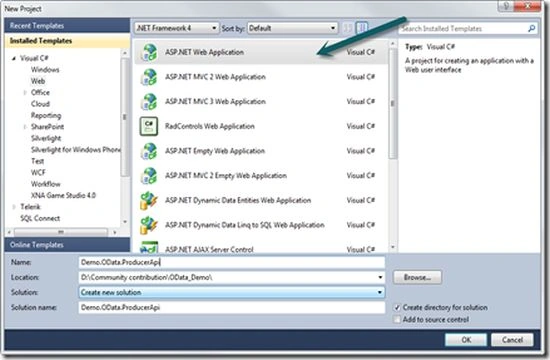
Add a cnew WebForm to the web project or you can use the default.aspx already added as the default page from the template.
Open the .aspx file in the designer by double-clicking it. Go to the Toolbox and select "Telerik AJAX Data Components" -> RadGrid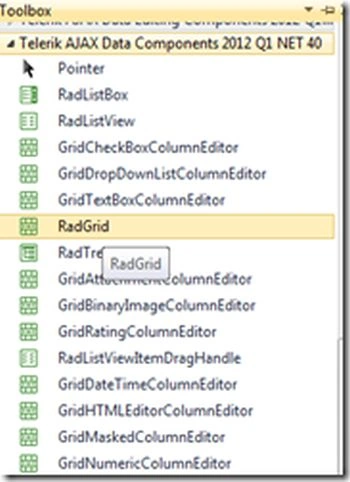
Drag and drop it onto the .aspx file.
Next add a script manager on the page.
<telerik:RadScriptManager ID="RadScriptManager1" runat="server">
</telerik:RadScriptManager>
Now design your grid based on the datasource items you are going to bind with. In this demo we'll be using the same service that we created in the earlier demo here.
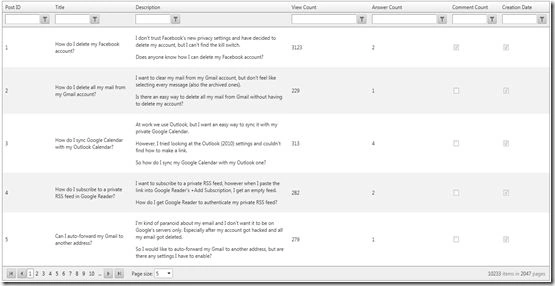
So the Grid will look like this:
1. <telerik:RadGrid ID="RadGrid3" runat="server" AllowPaging="true" AllowSorting="true"
2. AllowFilteringByColumn="true" PageSize="5">
3. <MasterTableView ClientDataKeyNames="ProductID">
4. <Columns>
5. <telerik:GridBoundColumn DataField="Id" HeaderText="Post ID"
6. UniqueName="Id" DataType="System.Int32" />
7. <telerik:GridBoundColumn DataField="Title" HeaderText="Title"
8. UniqueName="Title" DataType="System.String" />
9. <telerik:GridBoundColumn DataField="Body" HeaderText="Description"

Join the conversation! Your thoughts help the community grow.