

Introduction
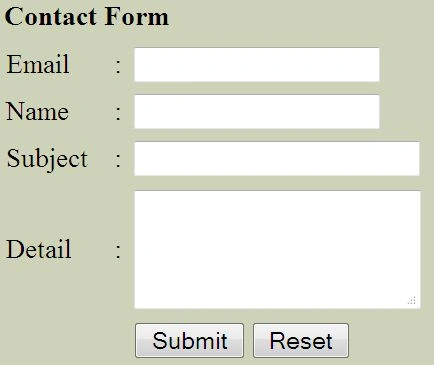
In this article I show how to create a "Contact Us" form in PHP. This form is very simple and anyone can use this to help understand PHP. You can edit and add fields. You will first create a HTML file for the Contact Us form design. In the form field you will set the action for your PHP file.
Example
This is your HTML file:
- <html>
- <head>
- <title>Contact Form</title>
- </head>
- <body bgcolor="#CED2B9">
- <table width="400" border="0" align="center" cellpadding="3" cellspacing="1">
- <tr>
- <td><strong>Contact Form</strong></td>
- </tr>
- </table>
- <table width="400" border="0" align="center" cellpadding="0" cellspacing="1">
- <tr>
- <td>
- <form name="form1" method="post" action="send.php">
- <table width="100%" border="0" cellspacing="1" cellpadding="3">
- <tr>
- <td>Email</td>
- <td>:</td>
- <td>
- <input name="email" type="text" id="customer_mail" size="20">
- </td>
- </tr>
- <tr>
- <td>Name</td>
- <td>:</td>
- <td>
- <input name="name" type="text" id="name" size="20">
- </td>
- </tr>
- <tr>
- <td width="16%">Subject</td>
- <td width="2%">:</td>
- <td width="82%">
- <input name="sub" type="text" id="subject" size="24">
- </td>
- </tr>
- <tr>
- <td>Detail</td>
- <td>:</td>
- <td>
- <textarea name="msg" cols="20" rows="4" id="detail"></textarea>
- </td>
- </tr>
- <tr>
- <td> </td>
- <td> </td>
- <td>
- <input type="submit" name="Submit" value="Submit">
- <input type="reset" name="Submit2" value="Reset">
- </td>
- </tr>
- </table>
- </form>
- </td>
- </tr>
- </table>
- </body>
- </html>
In the PHP file I use the mail() function to send the contact information but this function does not work for the local host. You can see that I have described below how to sendi the contact. I will create a PHP file for data submission.
- <?php
- $subject = $_POST['sub'];
- $name = $_POST['name'];
- $from = $_POST['email'];
- $detail = $_POST['msg'];
- $subject ="$subject";
- $message="$detail";
- $mail_from="$from";
- $header="from: $name <$mail_from>";
- $to ='[email protected]';
- //form validation with PHP code
- if($name != "" && $from != "" && $subject != "" && $message != "")
- {
- mail($to,$subject,$message,$header);
- }
- else
- {
- echo "Please fill in all fields and submit again!";
- }
- ?>
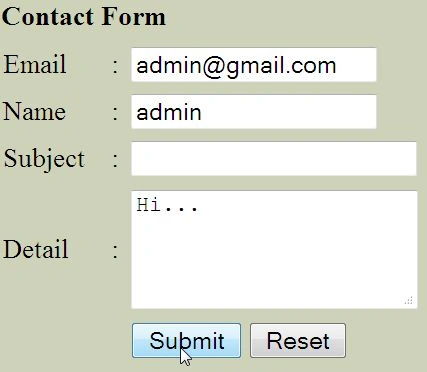
When you submit a blank field, this error is generated:

Pardeep KumarPosted Jun 14, 2018, 3:03 AM
Nice ! but its very simple you don't use any validation option or if i like to send any attachment so how can i send ?
shrawan kickPosted Oct 16, 2017, 2:36 AM
Hi do you have code in git please add the link