

Introduction
In this example we will discuss how to create a simple DropDownListBox in JavaScript like this: 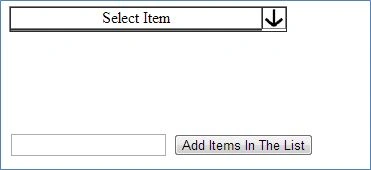
 Step 1
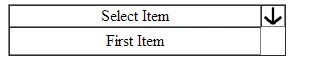
First, we create a table in which we will use the following items:
Step 1
First, we create a table in which we will use the following items:
- <table cellpadding="0" cellspacing="0" border="1">
- <tr>
- <td width="250">
- <p id="p1" align="Center">
- Select Item</p>
- </td>
- <td>
- <img src="Down Arrow.png" onclick="document.getElementById('MYList').style.display='block';"
- height="20" />
- </td>
- </tr>
- <tr>
- <td>
- <table id="MYList" align="Center">
- </table>
- </td>
- <tr>
- </table>
Step 2
- <input type="textbox" id="txt1" />
- <input type="button" value="Add Items In The List" onclick="addMyList('MYList')" />
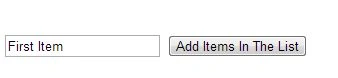
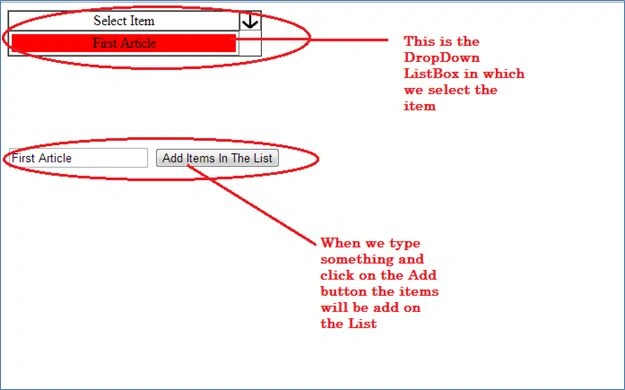
So when we click on the button the items will be added in the List. For this, we will write the JavaScript function like this:
- <script language="javascript">
- function addMyList(myTable) {
- document.getElementById('MYList').style.display = 'block';
- var table = document.getElementById(myTable);
- var rowCount = table.rows.length;
- var row = table.insertRow(rowCount);
- var b = document.getElementById('txt1').value;
- var cell1 = row.insertCell(0);
- cell1.style.textAlign = "center";
- var element1 = document.createElement("p");
- element1.style.textAlign = "center";
- var node = document.createTextNode(b);
- element1.appendChild(node);
- element1.onmouseover = function () {
- this.style.backgroundColor = "Red"; this.style.width = "250"; this.style.textAlign = "center";
- };
- element1.onmouseout = function () {
- this.style.backgroundColor = "White"; this.style.width = "250"; this.style.textAlign = "center";
- };
- element1.onclick = function () {
- document.getElementById('p1').innerHTML = b;
- document.getElementById('MYList').style.display = 'none';
- };
- cell1.appendChild(element1);
- document.getElementById('txt1').innerHTML = "";
- }
- </script>
Here we first dynamically create a table and add a row in it, in this row we create a cell in which we create an element of the <p> tag like this:
- var table = document.getElementById(myTable);
- var rowCount = table.rows.length;
- var row = table.insertRow(rowCount);
- var b=document.getElementById('txt1').value;
- var cell1 = row.insertCell(0);
- cell1.style.textAlign="center";
- var element1 = document.createElement("p");
- element1.style.textAlign="center";
- var node=document.createTextNode(b);
- element1.appendChild(node);
Here we store the TextBox value like this:
Now we will write the events (onmouseover,onmouseout an onclick) on our element1, so when we put our mouse over on the element the background color will be Red, for this we will write the following code:
So the output will be:
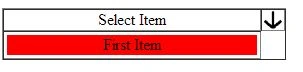 Now when we hover the mouse over it, it will return to its original color, for this we will write the following code:

- var b=document.getElementById('txt1').value;
- element1.onmouseover = function() {
- this.style.backgroundColor = "Red";this.style.width="250";this.style.textAlign="center";
- };
- element1.onmouseout = function() {
- this.style.backgroundColor = "White";this.style.width="250";this.style.textAlign="center";
- };
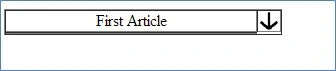
Now we want that, when we click on this element, the item will be shown as the selected item, for this, we will write the following code:
So the output will be:
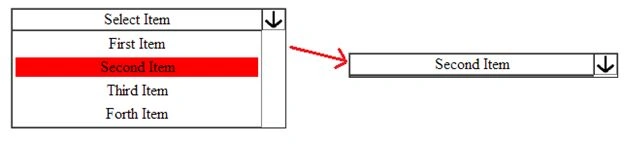
- element1.onclick = function() {
- document.getElementById('p1').innerHTML=b;
- document.getElementById('MYList').style.display='none';
- };
srikanth ladiPosted May 2, 2013, 8:17 AM
Hi Gupta, This article really good, and nice expiation. Thanks.