Introduction
Microsoft just released .NET Core 3.0 on 23rd September 2019. You can get the latest version from this
URL. Please note, if you are a Windows developer, you must install Visual Studio 2019 version 16.3 or later to work with this version. .NET Core 3.0 contains more awesome features. Previous ASP.NET version 2.1 and 2.2 were shipped with Angular version 6 only. But in this current release, Microsoft added the latest version of Angular 8. They have resolved the loading issues in previous version as well. In this post, I will explain the steps to create an Angular 8 application with ASP.NET 3.0. We will create a simple controller class to get latest C# Corner posts details and will be shown in the home component. We will get more features soon from Microsoft soon.
Install Node.js latest version
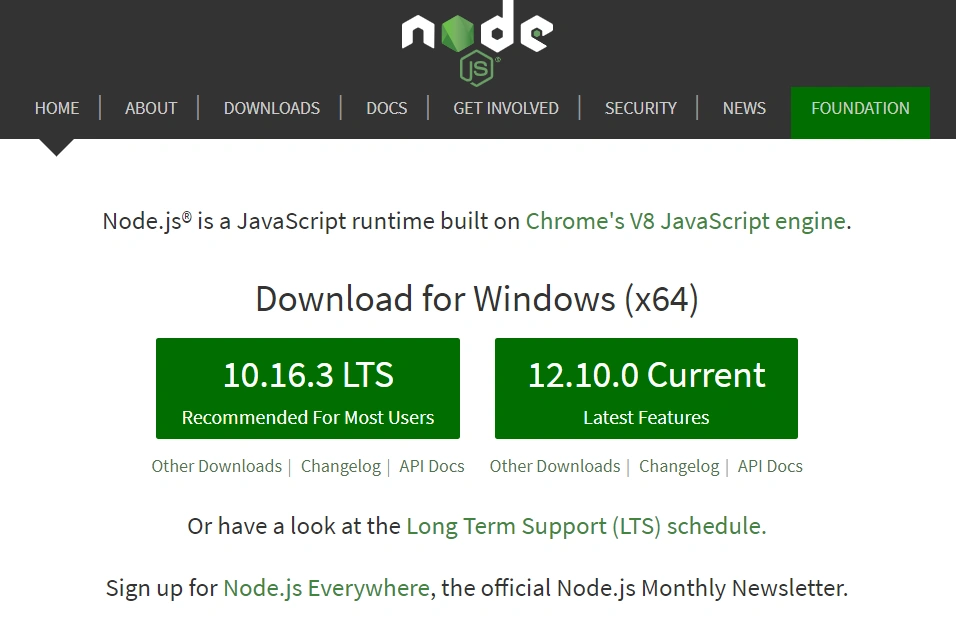
Please download the latest version of Node.js from their website. You require Node.js 10 or later version to work with Angular 8 as per their official documentation.
Download and Install .NET Core 3.0 SDK.
As I mentioned earlier, .NET Core 3.0 requires Visual Studio 2019 v.16.3 or later. Please download and install the latest version of Visual Studio.
After installing both .NET Core 3.0 and Visual Studio 2019 v.16.3, you can create a new project in Visual Studio.
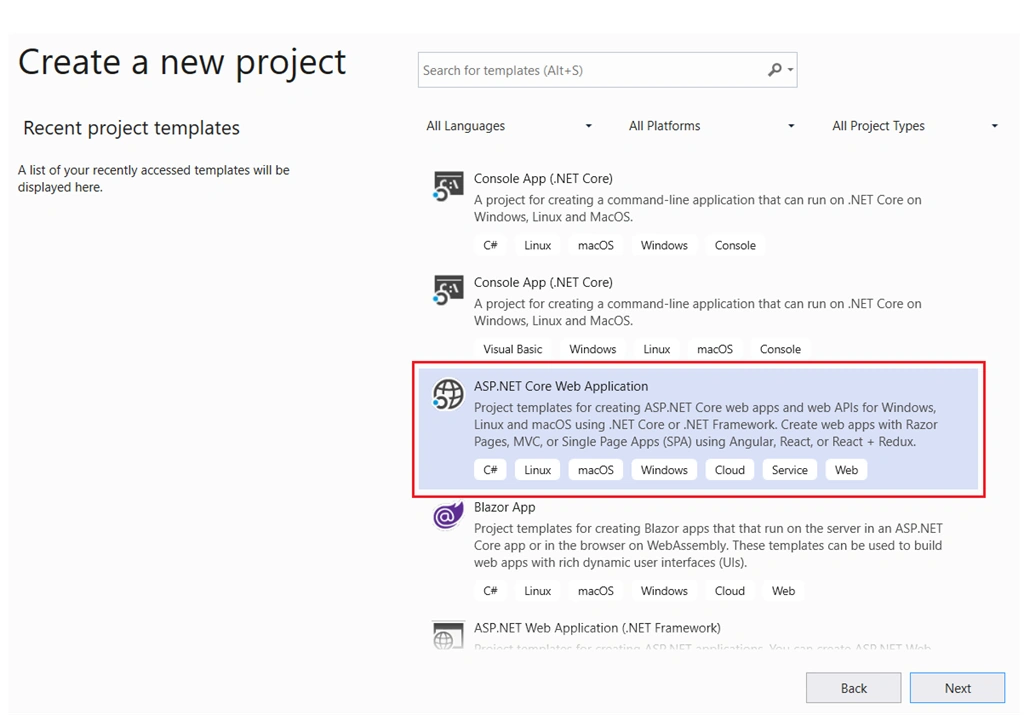
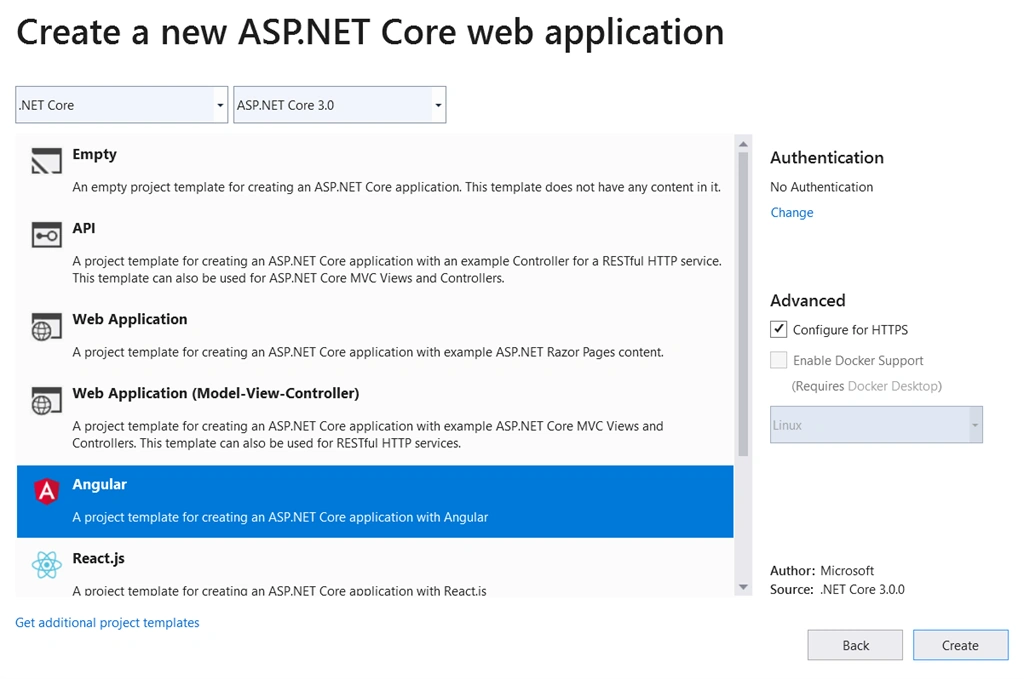
Choose ASP.NET Core Web Application template and click Next button.
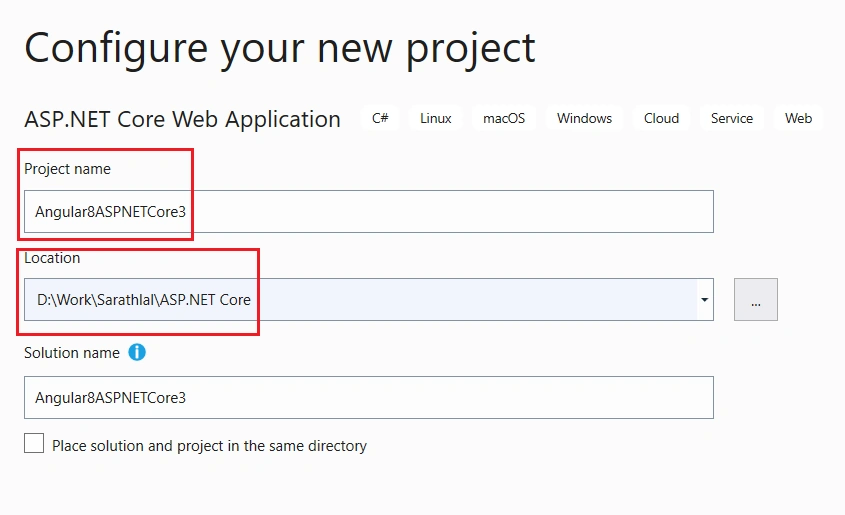
Please give a valid name to the project and choose an appropriate folder to save that project. Click “Create” button to go next stage.
Please note, by default HTTPS configuration is selected. If you do not wish that, please remove the tick from check box.
After clicking the “Create” button, your new project will be created shortly.
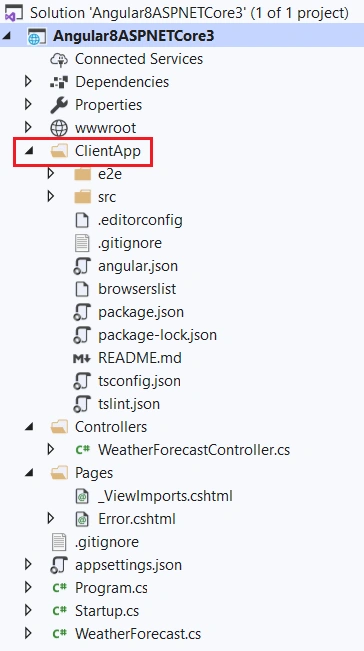
You can see a “ClientApp” folder is created in the project. This is our Angular 8 project.
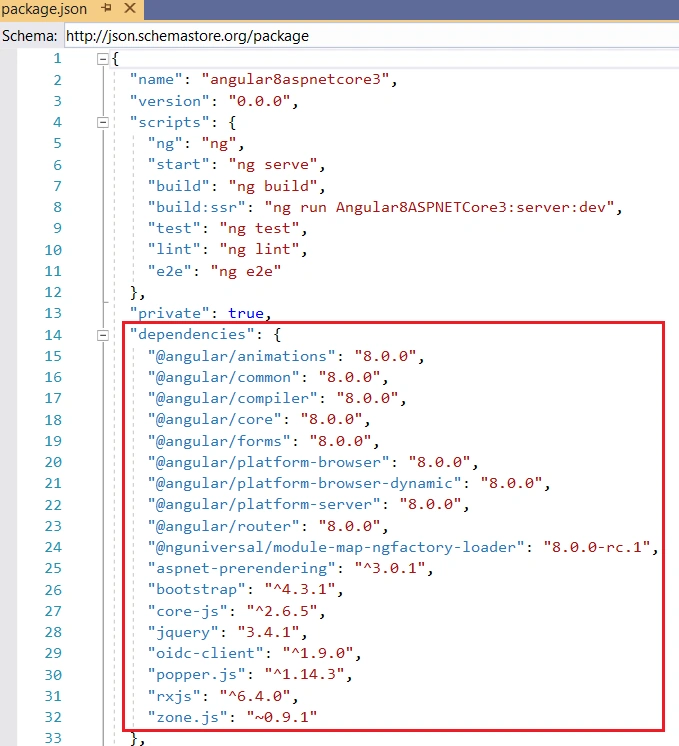
If you check the package.json file, you can see the Angular library references. Please note that, node_modules are not yet created automatically. You must build the solution to create node packages. Other option is to just run the project. The node dependencies will be created automatically.
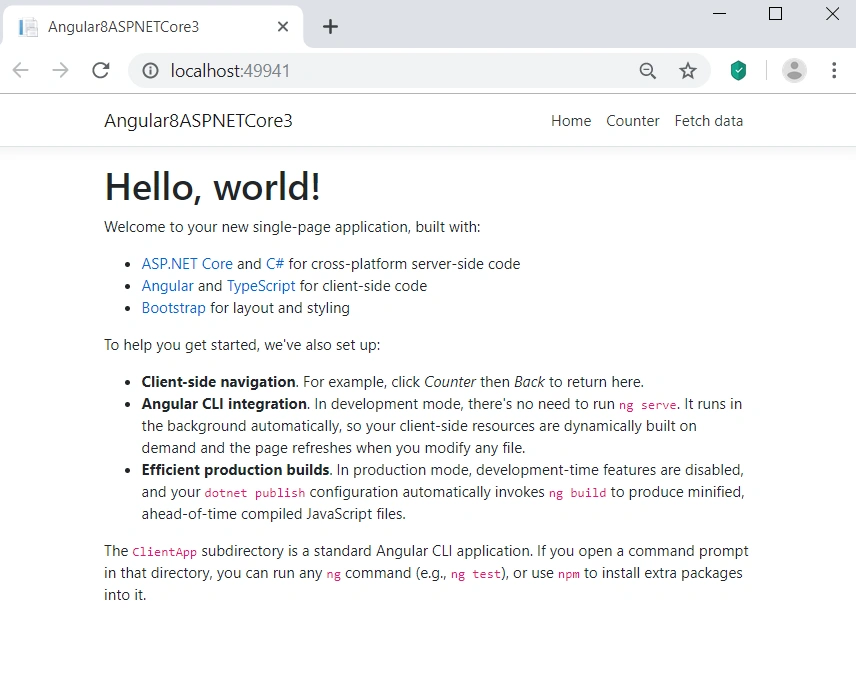
In previous version of Angular 6 with ASP.NET Core 2.2, showed some error in the startup needed multiple refresh to resolve the issue. In this version, Microsoft resolved those issues.
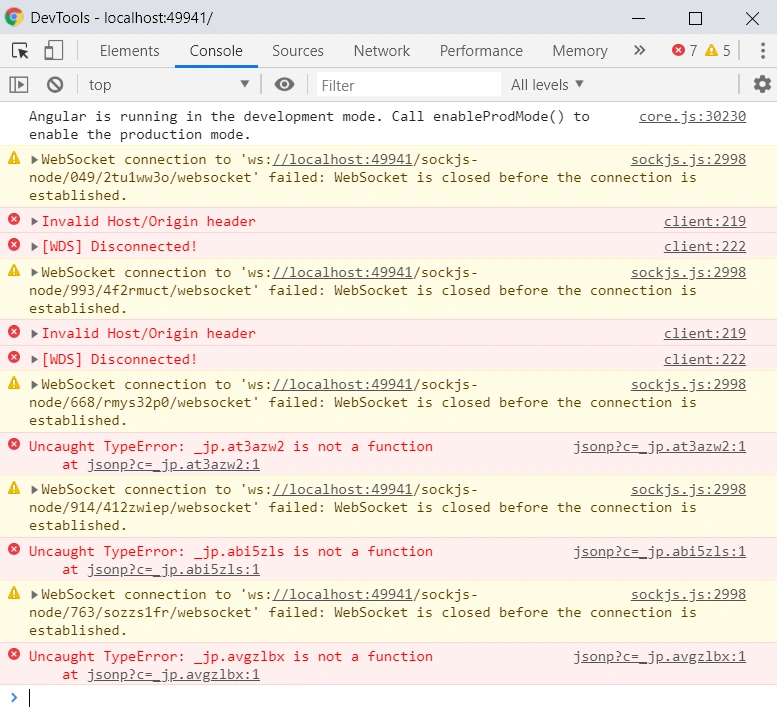
But currently I am getting some errors in the console with default project. Hopefully, Microsoft team will resolve these issues in coming releases. Adding to this project, we can create a new controller for getting the latest posts details (articles, blogs and news) from C# Corner RSS feeds.
Create an API controller for getting C# Corner RSS Feeds
We can create a “Feed” class.
Feed.cs
- using System;
-
- namespace Angular8ASPNETCore3
- {
- public class Feed
- {
- public string Link { get; set; }
- public string Title { get; set; }
- public string FeedType { get; set; }
- public string Author { get; set; }
- public string Content { get; set; }
- public DateTime PubDate { get; set; }
- public string PublishDate { get; set; }
-
- public Feed()
- {
- Link = "";
- Title = "";
- FeedType = "";
- Author = "";
- Content = "";
- PubDate = DateTime.Today;
- PublishDate = DateTime.Today.ToString("dd-MMM-yyyy");
- }
- }
- }
We can create the controller for getting RSS feeds for latest post details from C# Corner.
RssFeedsController.cs
- using Microsoft.AspNetCore.Mvc;
- using System;
- using System.Collections.Generic;
- using System.Globalization;
- using System.Linq;
- using System.Xml.Linq;
-
- namespace Angular8ASPNETCore3.Controllers
- {
- [ApiController]
- [Route("[controller]")]
- public class RssFeedsController : ControllerBase
- {
- readonly CultureInfo culture = new CultureInfo("en-US");
-
- [HttpGet]
- public IEnumerable<Feed> Get()
- {
- try
- {
- XDocument doc = XDocument.Load("https://www.c-sharpcorner.com/rss/latestcontentall.aspx");
- var entries = from item in doc.Root.Descendants().First(i => i.Name.LocalName == "channel").Elements().Where(i => i.Name.LocalName == "item")
- select new Feed
- {
- Content = item.Elements().First(i => i.Name.LocalName == "description").Value,
- Link = (item.Elements().First(i => i.Name.LocalName == "link").Value).StartsWith("/") ? "https://www.c-sharpcorner.com" + item.Elements().First(i => i.Name.LocalName == "link").Value : item.Elements().First(i => i.Name.LocalName == "link").Value,
- PubDate = Convert.ToDateTime(item.Elements().First(i => i.Name.LocalName == "pubDate").Value, culture),
- PublishDate = Convert.ToDateTime(item.Elements().First(i => i.Name.LocalName == "pubDate").Value, culture).ToString("dd-MMM-yyyy"),
- Title = item.Elements().First(i => i.Name.LocalName == "title").Value,
- FeedType = (item.Elements().First(i => i.Name.LocalName == "link").Value).ToLowerInvariant().Contains("blog") ? "Blog" : (item.Elements().First(i => i.Name.LocalName == "link").Value).ToLowerInvariant().Contains("news") ? "News" : "Article",
- Author = item.Elements().First(i => i.Name.LocalName == "author").Value
- };
-
- return entries.OrderByDescending(o => o.PubDate);
- }
- catch
- {
- List<Feed> feeds = new List<Feed>();
- Feed feed = new Feed();
- feeds.Add(feed);
- return feeds;
- }
- }
- }
- }
Please create above class under “Controllers” folder and paste above code. Please add required references to your class.
We can modify the Home component inside the “ClientApp”, “src” and “app” folder with below code.
home.component.ts
- import { Component, Inject } from '@angular/core';
- import { HttpClient } from '@angular/common/http';
-
- @Component({
- selector: 'app-home',
- templateUrl: './home.component.html'
- })
- export class HomeComponent {
- latestPosts: Feed[] = [];
- constructor(http: HttpClient, @Inject('BASE_URL') baseUrl: string) {
- http.get<Feed[]>(baseUrl + 'rssfeeds').subscribe(result => {
- this.latestPosts = result;
- }, error => console.error(error));
- }
- }
-
- interface Feed {
- link: string;
- title: string;
- feedType: string;
- author: string;
- content: string;
- publishDate: string;
- }
Also modify the template file with below code.
home.component.html
- <div style="text-align:center">
- <h1 style="margin-top:10px;">
- Welcome to Angular <b style="color:crimson">8</b> with ASP.NET Core <b style="color:navy">3.0</b>
- </h1>
- <img width="200" alt="Angular ASP.Net Core Logo" src="../assets/angularcore.png" />
- <div class="card" style="margin-left:50px; margin-right:50px; margin-bottom:50px;">
- <div class="card-header" style="font-weight:bold; font-size:x-large;">
- C# Corner Latest Posts from RSS Feeds
- </div>
- <div class="card-body">
- <div class="table-responsive" style="max-height:385px;">
- <table class="table mb-0" *ngIf="latestPosts && latestPosts.length>0">
- <thead>
- <tr>
- <th>Sl.No</th>
- <th>Post Title(With Link)</th>
- <th>Post Type</th>
- <th>Published Date</th>
- <th>Author</th>
- </tr>
- </thead>
- <tbody>
- <tr *ngFor="let post of latestPosts; let i = index">
- <td>{{ i + 1 }}</td>
- <td style="text-align:left;"><a href="{{post.link}}" target="_blank">{{post.title}}</a></td>
- <td>{{ post.feedType }}</td>
- <td>{{ post.publishDate }}</td>
- <td>{{ post.author}} </td>
- </tr>
- </tbody>
- </table>
- </div>
- </div>
- </div>
- </div>
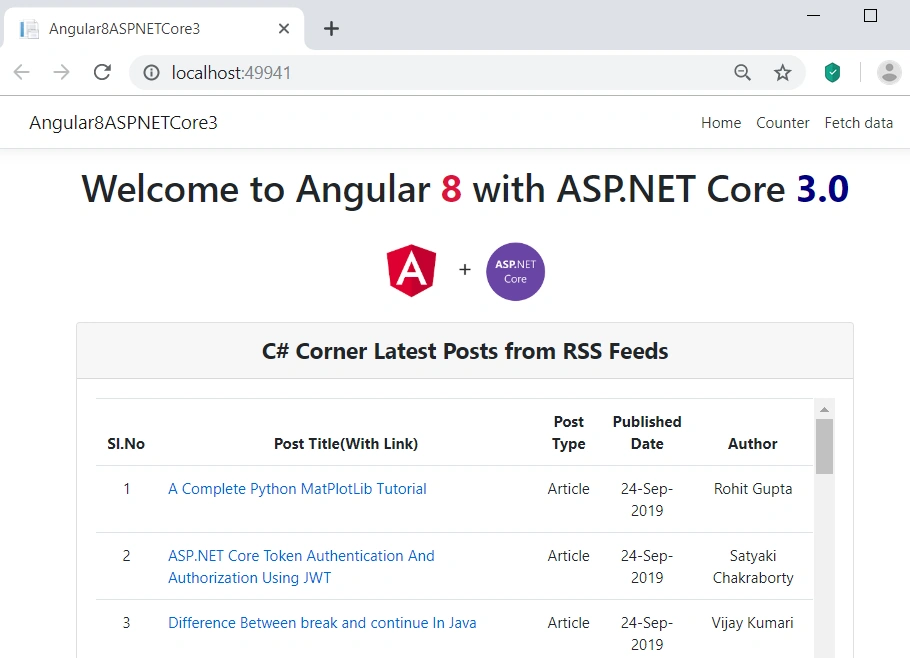
We have successfully modified the Home component. We can run the application.
We could see the latest 30 articles/blogs/news details from C# Corner in this home page.
Conclusion
In this post, we could see how to create an Angular 8 project with ASP.NET Core 3.0 latest SDK in very simple steps. We could also see that; Microsoft improved the performance of Angular 8 application and reduced the initial loading time as well. I can say this is very light weight build. We can expect more exciting features from Microsoft team very soon. I will also try to write more articles on other features of .NET Core 3.0 very soon. Please give your valuable feedback about this post.


Hamid KhanPosted Aug 20, 2020, 1:24 PM
Good to upgrade, but can you add paging, filtering, searching & Sorting
Sagar ChowdhuryPosted Jun 24, 2020, 4:37 PM
Are you keeping both project like Angular and Web API in a single project .If you have github link can you share please
Musa KhanPosted Jan 14, 2020, 8:42 PM
Great article. Thank you. Do you have an sample app where the [Authorize] attribute is used in the C# RssFeedsController which required the user to login first before any methods can be executed ?
Priyanka BatraPosted Nov 18, 2019, 4:58 AM
Nice article..good to start for beginners
Daniel ParsonsPosted Nov 14, 2019, 8:33 PM
Would you be able to add an example of a post request, including the C# code?
Chris GilbertPosted Oct 16, 2019, 7:31 AM
Great post. Any idea why, after publishing, all of my API calls simply return the index.html?
jorge olivaresPosted Oct 15, 2019, 7:20 PM
Geat job !!! , clear and accurate, thank you for sharing, greetings from Mexico
Piyush KachaPosted Oct 15, 2019, 6:35 AM
Hi Sarathlal, i did download the project and trying to run by first using dotnet build and then opening the url in the browser but i cannot get the list of posts, getting error "Failed to load resource: the server responded with a status of 404 (Not Found)"
Hasan SOSNAOPosted Sep 27, 2019, 4:32 PM
Thanks for sharing. but, i want to use angular universal (angular server side rendering) with angular IVY in Angular 8 Application With ASP.NET Core 3.0 project. can u show us. How we can do this? Thanks.
Sundaram SubramanianPosted Sep 27, 2019, 7:20 AM
Good one. Thanks for the sharing
Chittaranjan SwainPosted Sep 25, 2019, 3:06 AM
Nice one, Thanks for sharing...
Bhairab DuttPosted Sep 25, 2019, 1:49 AM
Nice Article :)