

Before reading this article, please go through the links, mentioned below.
- Quick Start On Apache Cordova Using Visual Studio 2015
- Getting Started With Ionic Blank App Using Visual Studio 2015
- Getting Started With Ionic Side Menu App Using Visual Studio 2015
- Getting Started With Ionic Tabs App Using Visual Studio 2015
- Getting Started With Onsen UI Apps In Visual Studio 2015
- Working With Onsen UI Navigation Apps In Visual Studio 2015
- Working With Onsen UI Splitter Apps In Visual Studio 2015
Apache Cordova
Apache Cordova is an open-source project that aims at allowing mobile developers to build applications for all major mobile platforms, using HTML, CSS, and JavaScript technologies.
Monaca
Monaca is a software tools and services solution for building and deploying HTML5 mobile hybrid apps. Built on top of open-source Apache Cordova, Monaca provides a full suite of resources, including Cloud IDE, local development tools, debugger, and back-end support.
Monaca's Cloud-based IDE builds HTML5 hybrid mobile apps for iOS, Android, Windows, and Chrome apps using HTML, CSS, and JavaScript.
Monaca CLI provides Onsen UI templates, device debugger, remote building, and any service you might need directly from your terminal.
Onsen UI Framework
Onsen UI is a front-end UI framework for developing cross-platform mobile apps, using Apache Cordova and PhoneGap. It’s fully independent of frameworks - you can easily plug these components into any project, regardless of the JavaScript framework.
Onsen UI templates can be used with Visual Studio 2015. All templates are compatible with Visual Studio Tools for Apache Cordova. It works pretty well with UWP, iOS, and Android apps.
Templates Included in Onsen UI Framework
It is packed with the following 4 templates. Each template has JavaScript and TypeScript variants.
- Onsen UI Blank: Contains the blank app
- Onsen UI Navigation: Contains a navigator with a master and detail page.
- Onsen UI Splitter: Contains a side menu navigation.
- Onsen UI Tab Bar: Tab bar style navigation.
Building: Hello World" app with Onsen UI Framework
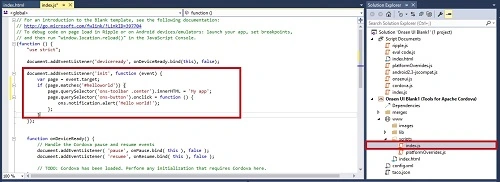
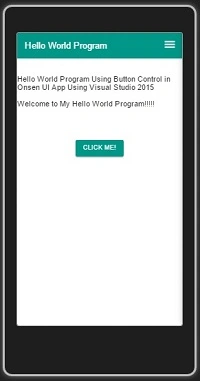
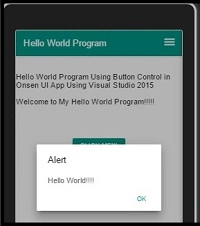
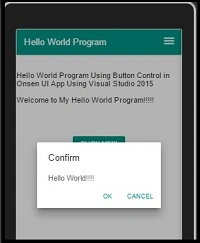
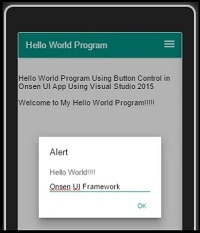
Here, first, we create the Button control so that if you click on the button, it will display the "Hello World" message.
Let’s see how.
Prerequisites
- Visual Studio 2015.
- Visual Studio Tools for Apache Cordova.
Follow the steps, mentioned below, to build an Onsen UI "Hello World" app, using Onsen UI Framework in Visual Studio 2015.
Step 1. Create a project
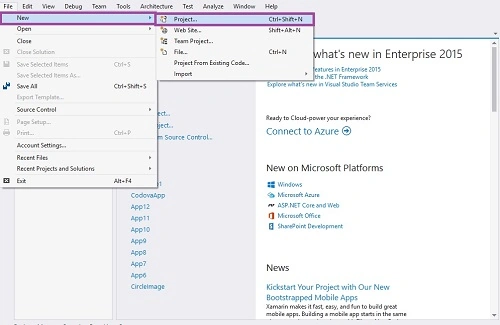
Create a new project. Open Visual Studio 2015 and click File -> New -> Project.
Step 2. Select the project type and name the project.
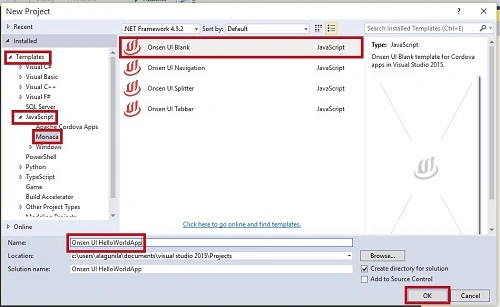
The New Project window will open. Subsequently, you can select Installed -> Template -> Java Script -> Manoca ->Onsen UI Blank App.
Type your project name as Onsen UI HelloWorldApp and click OK.
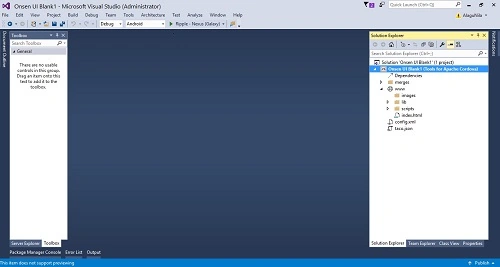
The main screen will be like the following.
Once, we create the project, our solution should resemble the following.
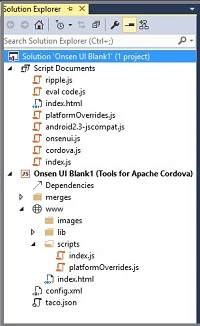
This table gives the basic idea of how we might use each one.
| File/Folder | Why it is used in our project |
| Merge Folder | It contains the package for Android, iOS, and Windows app. |
| www | This file contains images, library, and js files. |
| config.xml | Contains the settings of our app. |
| taco.json | Defines which version of the Cordova CLI Visual Studio is used to build the project. |
Step 3. Adding the Code
Go to the index.html in Solution Explorer and add the HTML code. We can add our own HTML coding in between <body> tags.
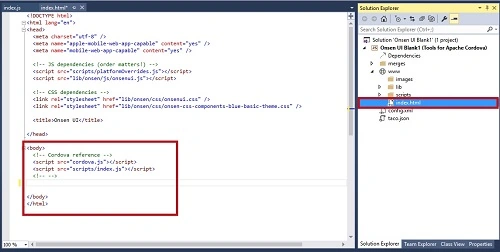
Adding a Simple button
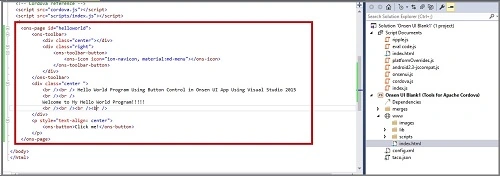
Go to the index.html and add the following HTML code.

Anu VPosted Nov 29, 2016, 11:06 PM
Nice article thanks for sharing..