

Introduction
In one of my previous articles you learned How to Install the Active Directory federation Services on Windows Server 2012. This article is a continuation of that article.
This article explains how to create a Server Authentication Certificate for the Active Directory Federation Services.
Step 1
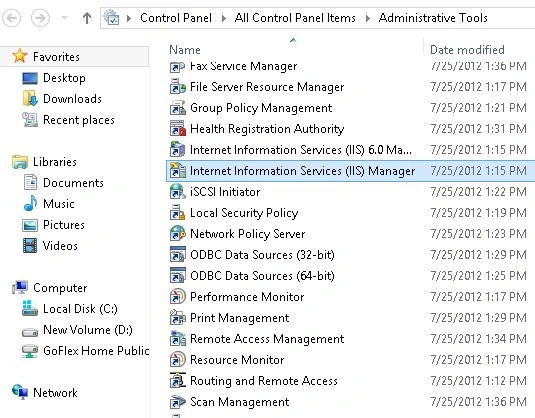
First of all click on the Start Menu and from there open the Administrative Tools.

Step 2
Now in the Administrative Tools a list of options will be available, among these options click on "IIS Manager" to open it.
Step 3
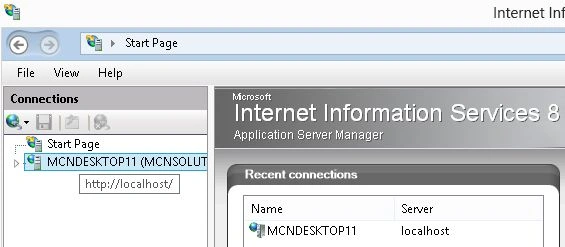
Now your IIS Manager Wizard will open, here on the right hand side is the Connections Pane, click on the server name.
Step 4
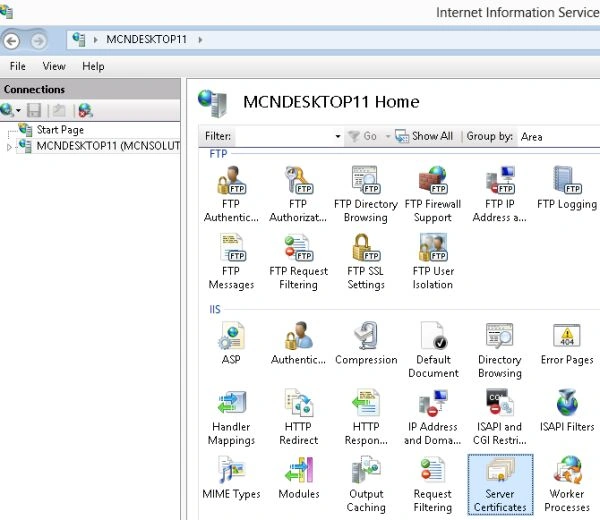
Now in the Center Pane an option will be available named Server Certificates, double-click on it to open it.
Step 5
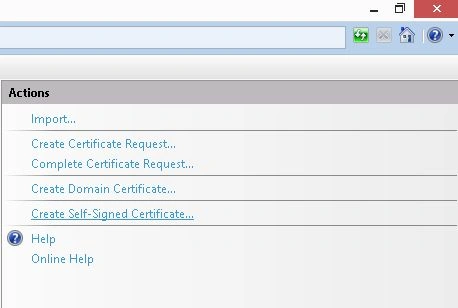
Now on the next page on the right hand side an Action page will be available, under which is a list of options, among these options click on the "Create Self Signed Certificates".
Step 6
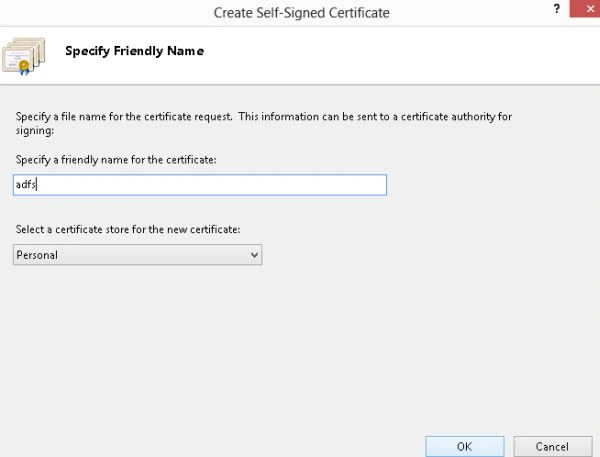
Now provide the name for this certificate "adfs" and then click on the "Ok" button.
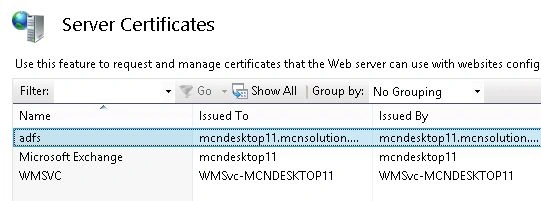
Now you will see that a certificate named "adfs" is available under the Server Certificates.
Join the conversation! Your thoughts help the community grow.