

Introduction
When we work on any project, a database plays an important role and after time when the number of tables, views and procedures increases - it becomes too difficult to manage the scripts.
And even after that when we manage the scripts, then we still need to compare which script we had worked on and which are remaining on any particular database. There are many good tools available in the market for comparing databases but most of them are paid.
So, in this article we’re going to learn about how to we can manage our database scripts using Visual Studio’s SQL Server Database Project.
We can create a new database project and import database schema from an existing database, a .sql script file or a Data-tier application (.dacpac). We can then invoke the same visual designer tools (Transact-SQL Editor, Table Designer) available for connected database development to make changes to the offline database project, and publish the changes back to the production database. The changes can also be saved as a script to be published later. Using the Project Properties panel, we can change the target platform to different versions of SQL Server (including SQL Azure).
Prerequisite
VS2015 or VS2017 should be installed in your machine.
SQL server – to import database script and to publish new or altered scripts.
Let’s start!!
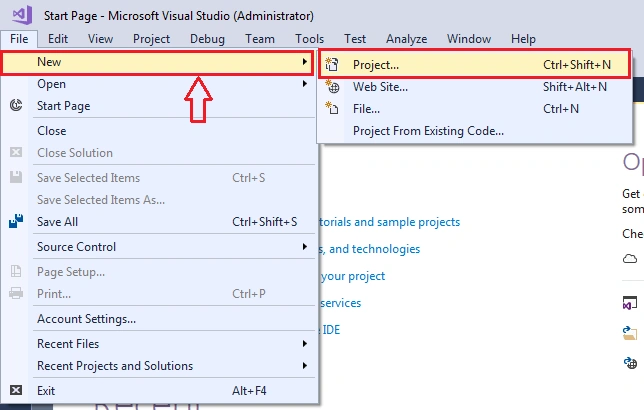
- Open VS and create a new project from the Menu, Select File >> New >> Project.
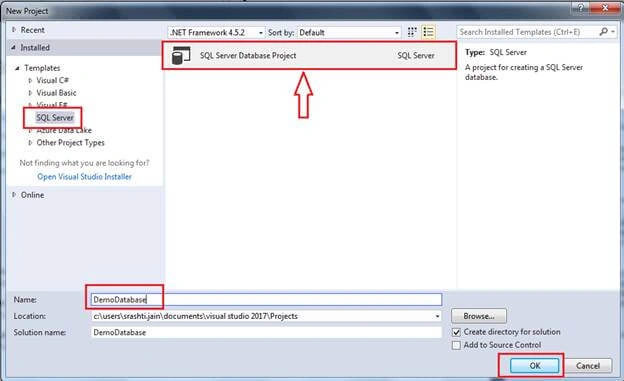
- Select SQL Server >> SQL Server Database Project. Now, Enter the Name of the project and then press OK.
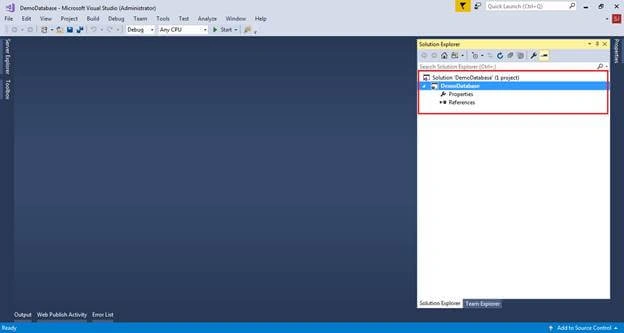
- After the project is created, we can see database project in Solution Explorer.
- Right Click on DemoDatabase Project and then Import >> .dacpac or Database/Script to import scripts from the existing database.
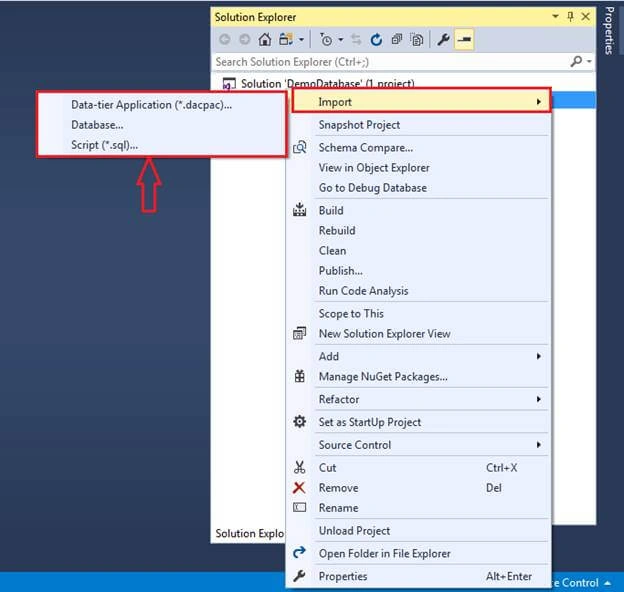
- We then select Database >> Select connection.
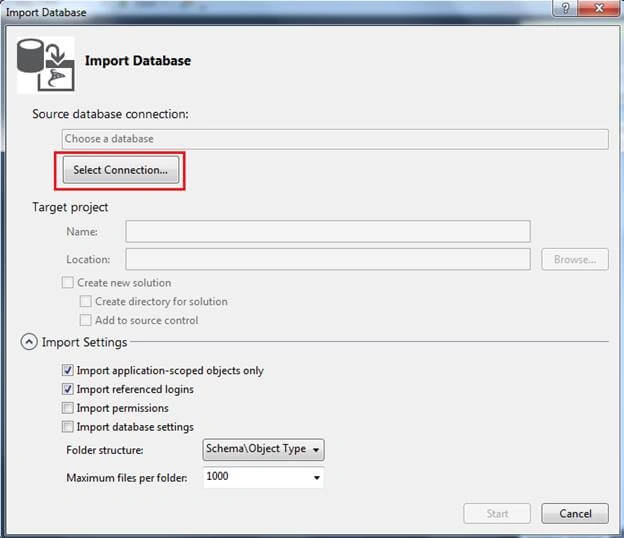
- Enter credentials and database name >> connect
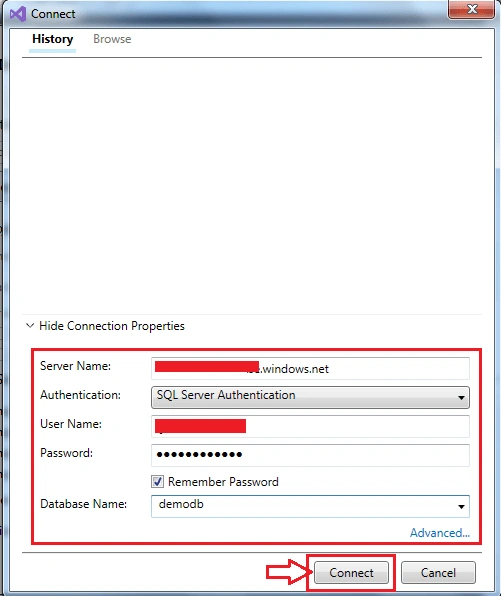
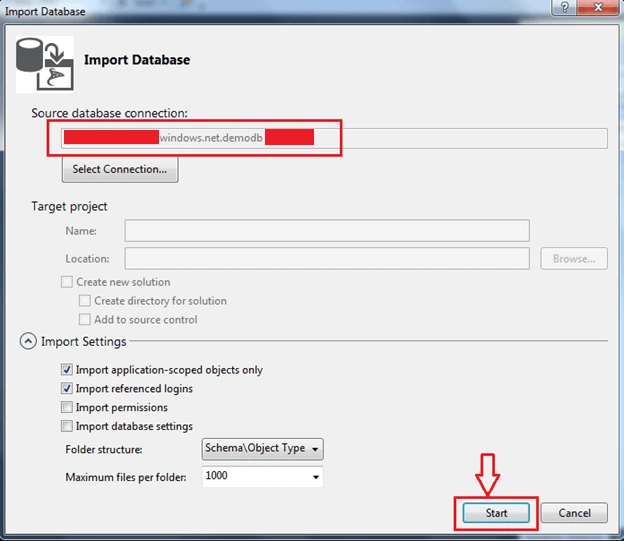
- Now, we can see server name, database name in Source database connection >> Start
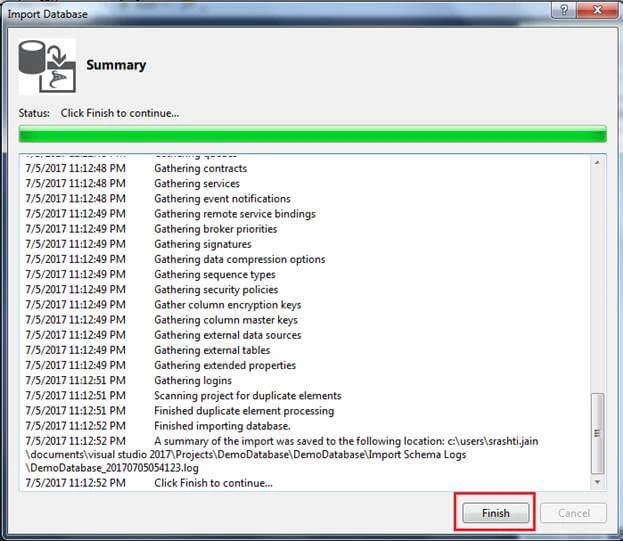
- Successfully imported all the scripts for logins, schemas, tables, procedures etc >> Select Finish
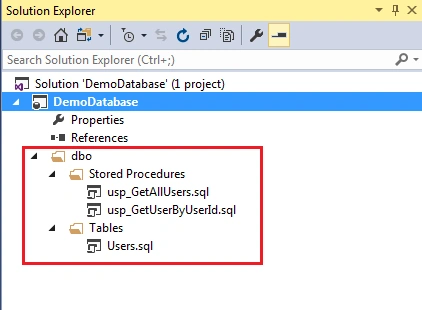
- All the scripts are imported to the solution – now we can add or alter scripts from here.
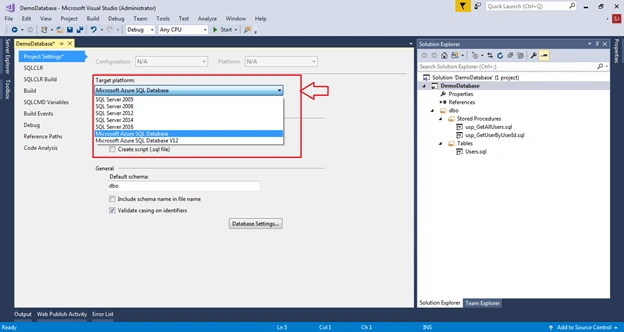
- Let’s create a replica of the azure database which we imported to the solution on the local server – Right click on properties and select Target
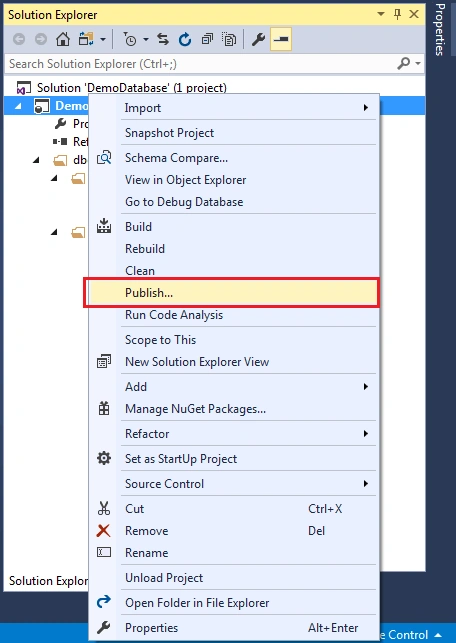
- To publish scripts to the database, select Publish
- Now, select the server and database where we have to publish scripts - Edit button
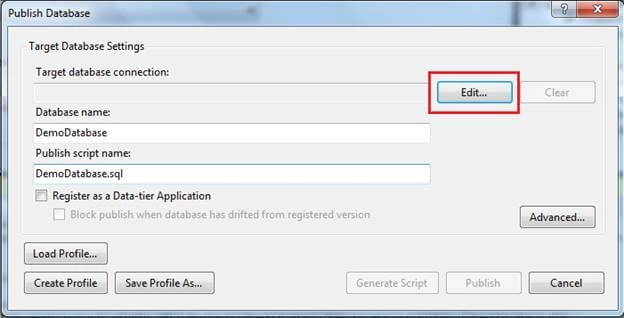
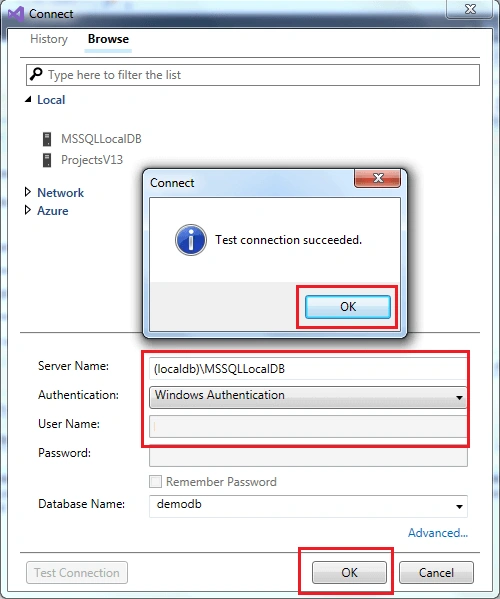
- Enter server name, authentication and then select database from the drop-down. Press Test Connection just to ensure the given information is correct. Then press OK.
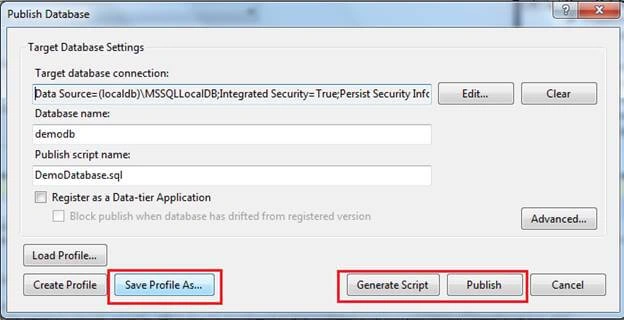
- We can save a profile using Save Profile As button - so that we don’t have to re-enter connection related settings next time. After that, we can Generate Script or directly publish changes to the database.
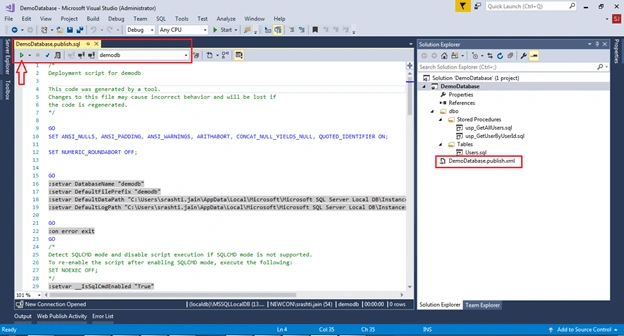
- If we Press Generate Script, we can see compared script in visual studio’s new tab. We can check the script and after that press Execute
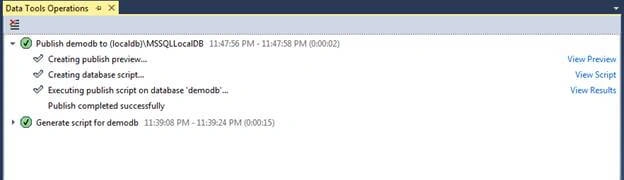
- Changes are published successfully to the local database.
- We can check our Database using SQL Server Management Studio.
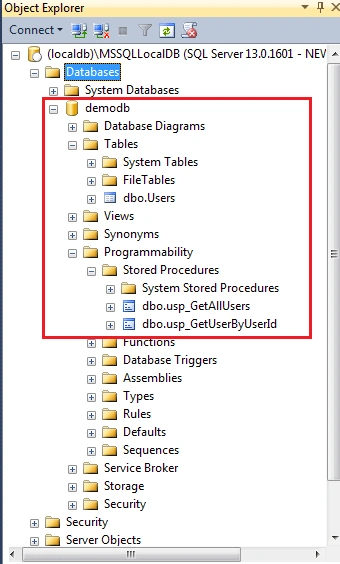
All the tables, procedures, views, etc were populated as is. We don't need to write any migration script like we used to do for DB migration.
And after this, whenever there are changes in the tables or the procedures just make the changes to the scripts in solution and publish it to the database – VS will create the alter script accordingly.
So, managing our database now becomes easier using SQL Server Database Project.
Robert LibenPosted Jun 12, 2020, 4:51 PM
Hello Srashti, I am an experienced T-SQL programmer, but somewhat new to Visual Studio. We have SQL Server Data Tools installed, and we use VS 2017 mostly for creating .dtsx packages. I'd like to start writing programming interfaces, which is why I want to follow your tutorial. But, when I select New Project, there is no SQL Server template. Can you tell me what to do to make that show up in the templates box, please? Or include a URL that shows me how? I'm sure that's a pretty basic question, but I haven't been able to figure out how to do that. Thank You, Robbie
anjani raj devPosted Nov 6, 2019, 11:58 PM
When we change any stored procedure in new query inside database project then it directly reflect the changes in sql server....How do we generate the script of modified stored procedure ?
Dharmraj ThakurPosted Aug 2, 2019, 7:00 AM
I created demo for this on youtube... https://www.youtube.com/watch?v=sCaExWTHE5M
Hariom PalPosted Jul 4, 2019, 1:46 AM
Its not work for large database about 200GB. any other tools for that?
Rakesh reddyPosted May 23, 2019, 8:18 AM
How to manage the seed data in this case, and with each time publish action it wont add duplicate...
pravin wadePosted Mar 18, 2019, 2:39 AM
How to create a database project for sql data comparision. could you please share the steps to make it ?
Bu PereiraPosted Jan 9, 2019, 11:36 AM
Hi! Sorry, I don't understand step 6. Where am I supposed to point that to? I believe there's a previous step I'm missing, I found this page through Google.
Ehsan SajjadPosted Dec 30, 2018, 10:54 PM
Helpful, landed searching about this. Thanks for writing this up
Kamesh ChavaliPosted Oct 5, 2018, 11:01 PM
Thank you but there will be vision control for scripts and there is provision to track who has changed the script?
subeesh pnPosted Aug 16, 2018, 2:31 AM
Really helpful thankyou
Dharmraj ThakurPosted Jul 5, 2018, 2:52 AM
I added all tables and stored procedures in project, now i have changes in it, then what to do for getting updated script...
Prince TyagiPosted Jun 18, 2018, 8:21 AM
Is there any way to choose tables for which I want to compare data, ex. I need to store data of some basic tables like Role, User, Lookup, Module etc. I don't want to use SQL Data Compare because I need to save data in scripts and commit in our source control so anybody can checkout the SQL Server Database Project and update the data on all configured basic tables.
Kedar PawgiPosted May 22, 2018, 5:19 AM
How can i do above thing in c# 2013
Amey VartakPosted Oct 9, 2017, 9:39 AM
Mam, Can we use this procedure as a staging database ? Any Luck ?
Naveen BishtPosted Sep 19, 2017, 7:43 AM
Awesome.................
Shreyansh JainPosted Aug 23, 2017, 4:17 AM
Good Article.. If I want to generate script for only one SP is there any way to generate it?
Anil JhaPosted Aug 9, 2017, 1:04 AM
Nice article. thanks for sharing....
Yashwant VishwakarmaPosted Aug 9, 2017, 12:55 AM
Nice one , Keep on writing :)