

Introduction
This article demonstrates how to create a Slider Show Screen Show on button click using C# scripts in Unity.
Prerequisites
Unity Environment version 2018.4.19f1
Create a New Project
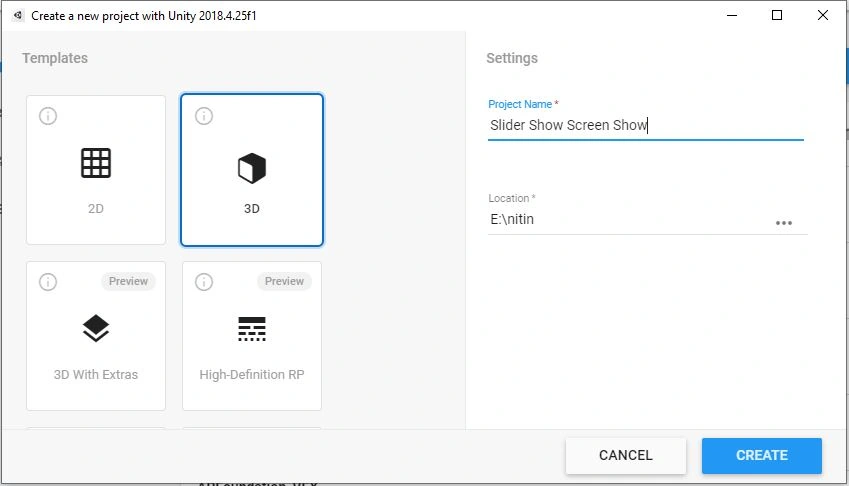
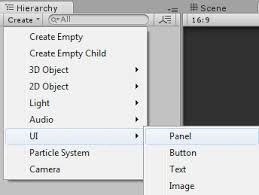
Create the Panel
if a canvas is already present in the Hierarchy, right click the canvas and select UI > Panel.
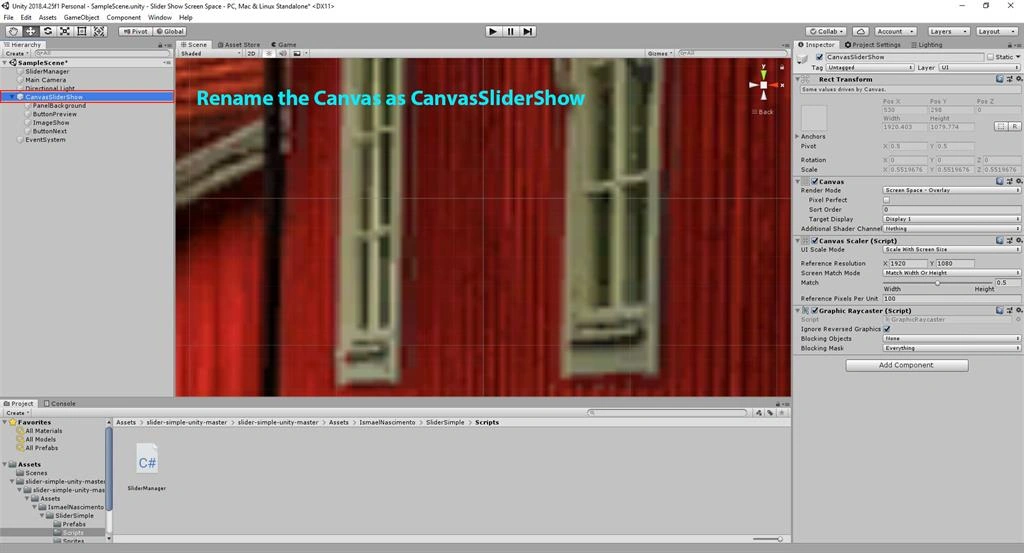
Rename the Canvas as CanvasSliderShow in Scene View
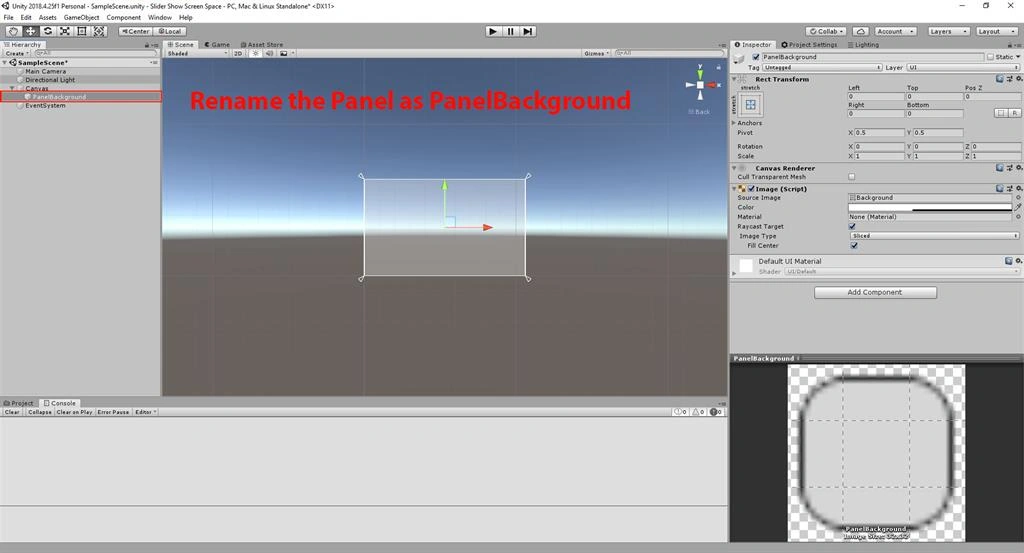
Rename the Panel as PanelBackGround in Scene View
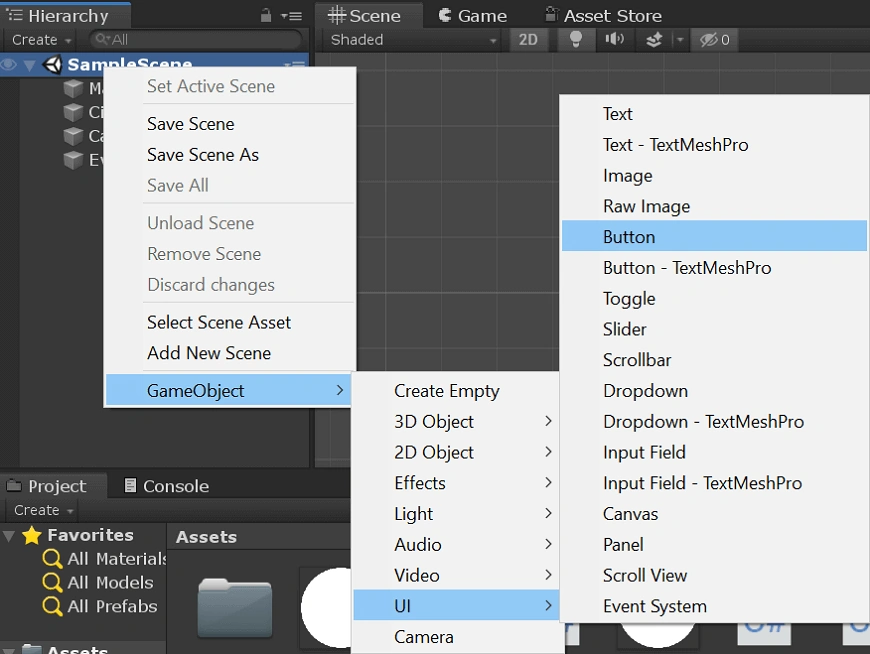
Create the Button
if a canvas is already present in the Hierarchy, right click the canvas and select UI > Button.
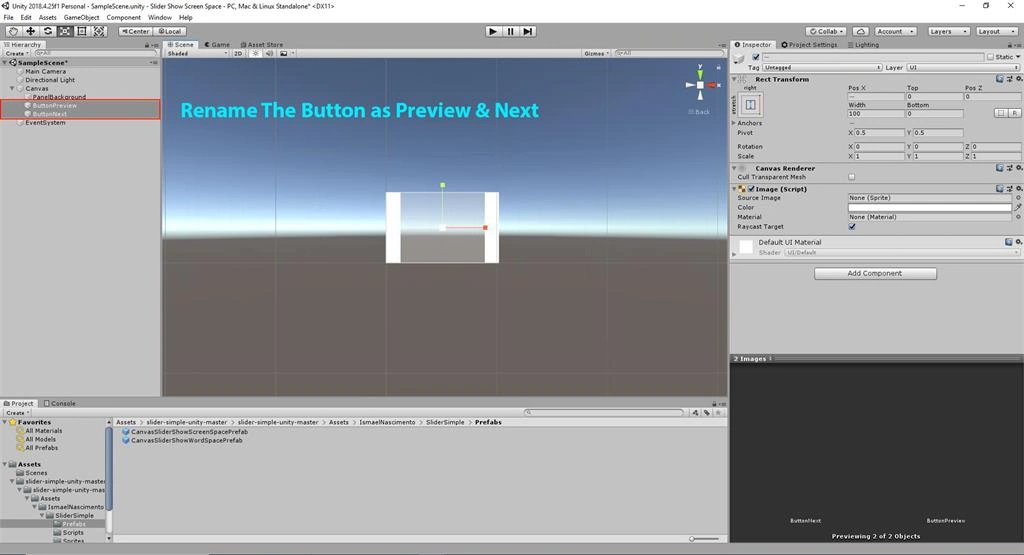
Rename the Button as Preview & Next in Scene View
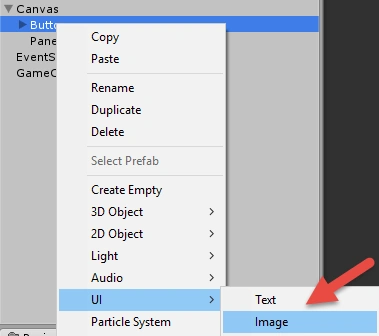
Create the Image
If a canvas is already present in the Hierarchy, right click the canvas and select UI > Image.
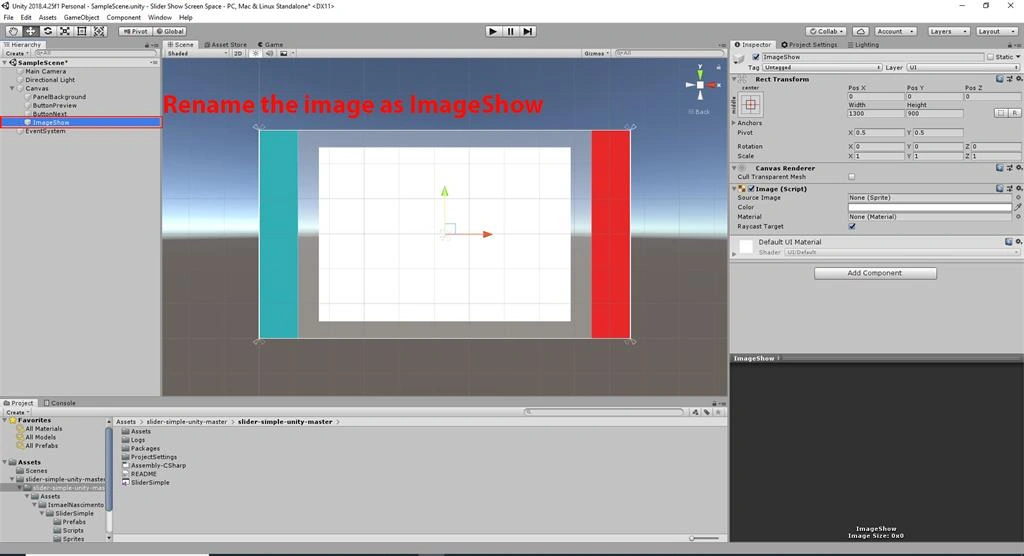
Rename the Image as ImageShow in scene View
Create The Folder
Right-click on Assets. Select Create >> Folder.
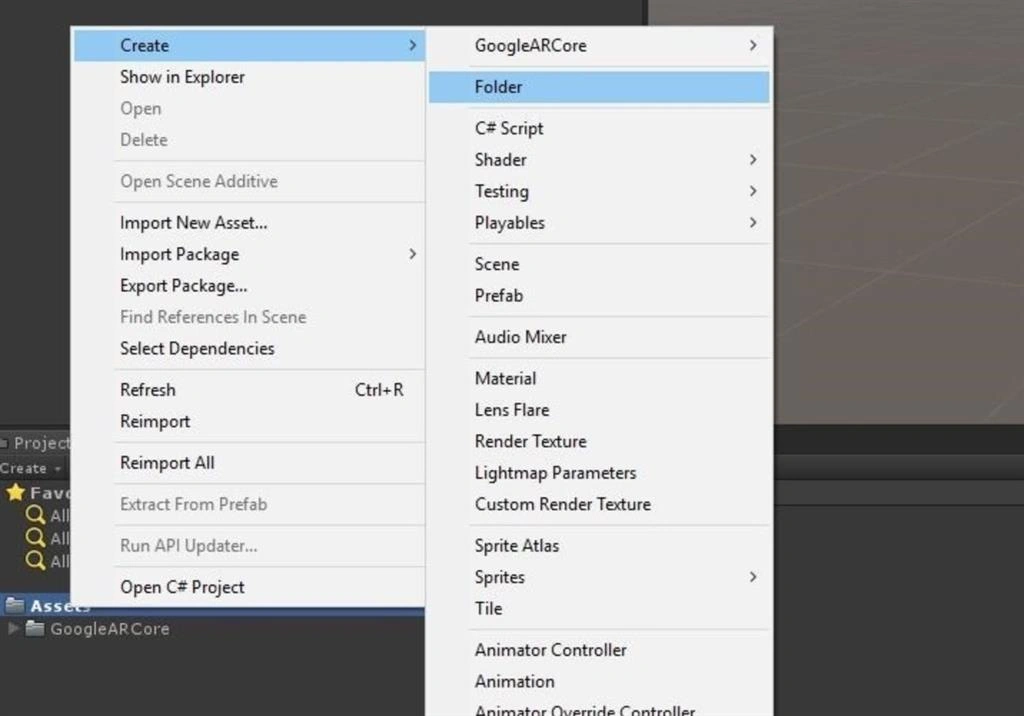
Rename the Folder as Script in Scene View
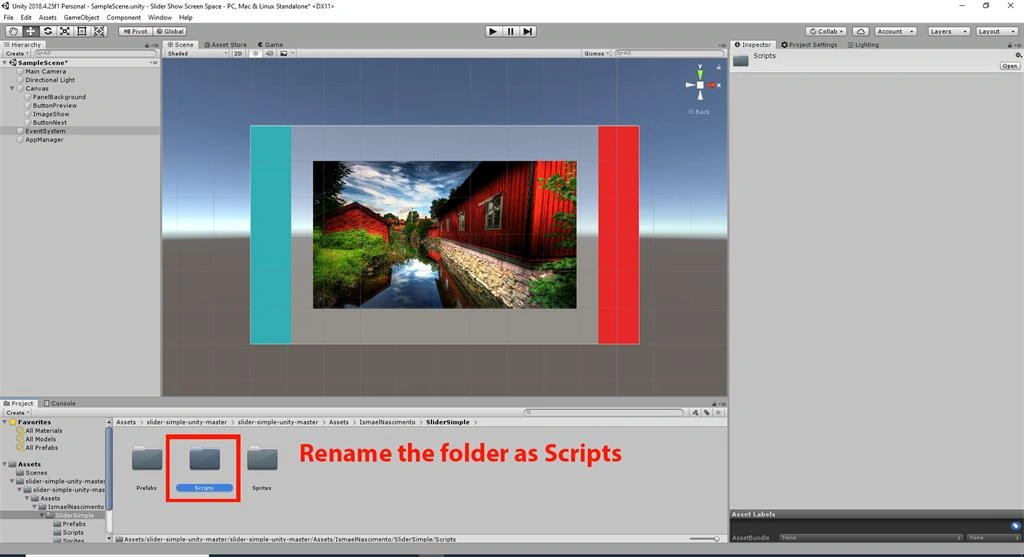
Create the Script
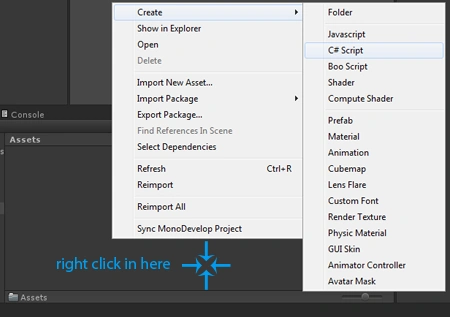
Right-click on Assets. Select Create >> C# script
Rename the Scripts as SliderManager in Scene View.
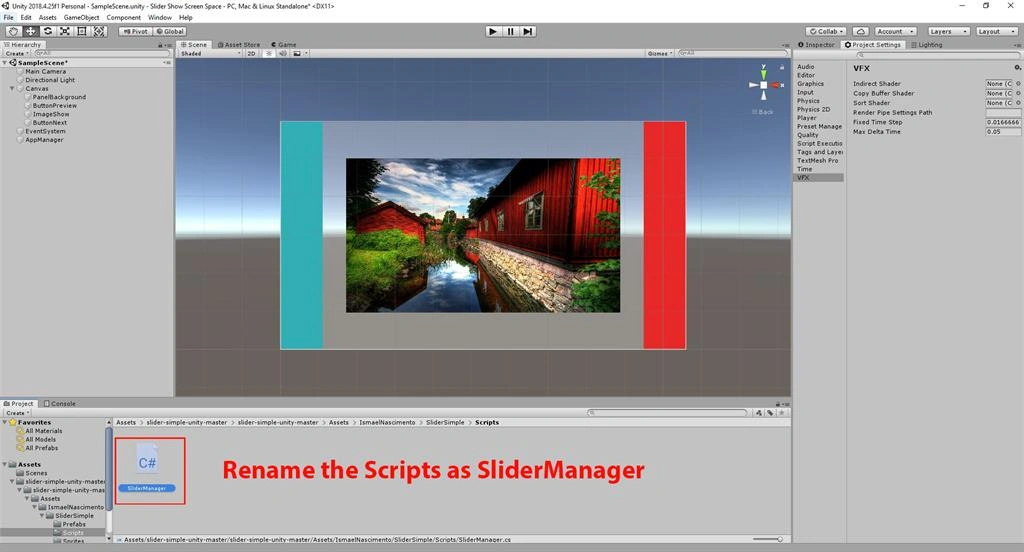
Double click on the SliderManager script. Write the code as shown below,
- using System.Collections.Generic;
- using UnityEngine;
- using UnityEngine.UI;
- namespace IsmaelNascimento {
- public class SliderManager: MonoBehaviour {
- #region VARIABLES[SerializeField] private Button btnPrev;
- [SerializeField] private Image imgShow;
- [SerializeField] private Button btnNext;
- [Space(10)]
- [SerializeField] private List < Sprite > imagesForShow;
- private int indexImagesForShow;
- #endregion
- #region METHODS_MONOBEHAVIOUR
- private void Start() {
- btnPrev.onClick.AddListener(OnButtonPrevClicked);
- btnNext.onClick.AddListener(OnButtonNextClicked);
- }
- #endregion
- #region METHODS_PRIVATE
- private void OnButtonPrevClicked() {
- indexImagesForShow--;
- if (indexImagesForShow < 0) {
- indexImagesForShow = imagesForShow.Count - 1;
- }
- imgShow.sprite = imagesForShow[indexImagesForShow];
- }
- private void OnButtonNextClicked() {
- indexImagesForShow++;
- if (indexImagesForShow > imagesForShow.Count - 1) {
- indexImagesForShow = 0;
- }
- imgShow.sprite = imagesForShow[indexImagesForShow];
- }
- #endregion
- }
- }
Save the program
Drag and drop the SliderManager script onto the CanvasSliderShow
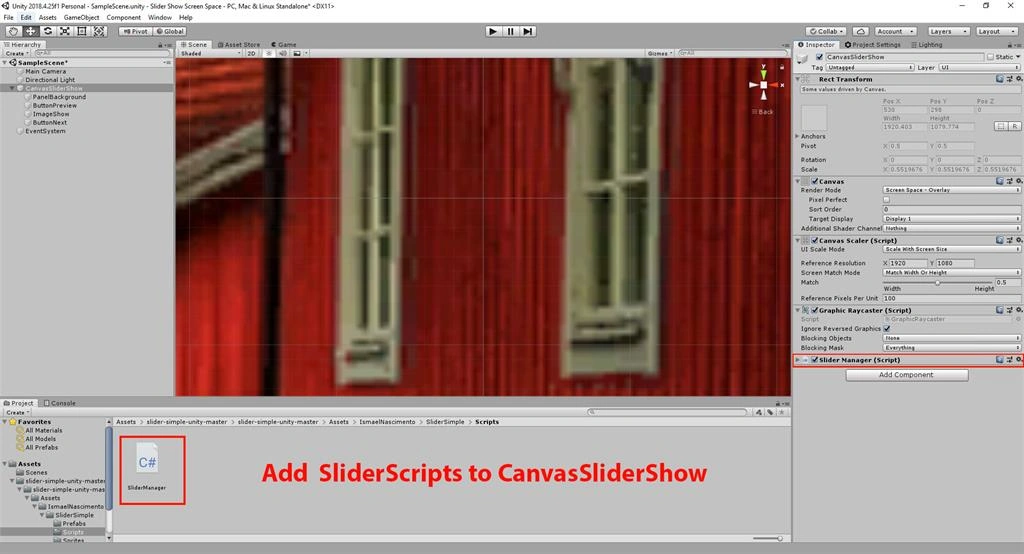
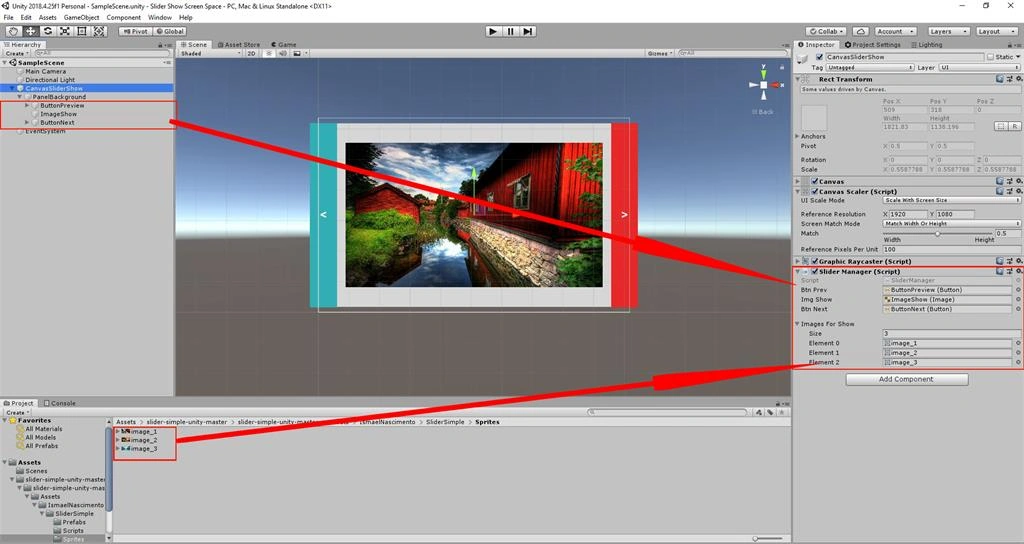
Drag and Drop Button & Image to CanvasSliderShow
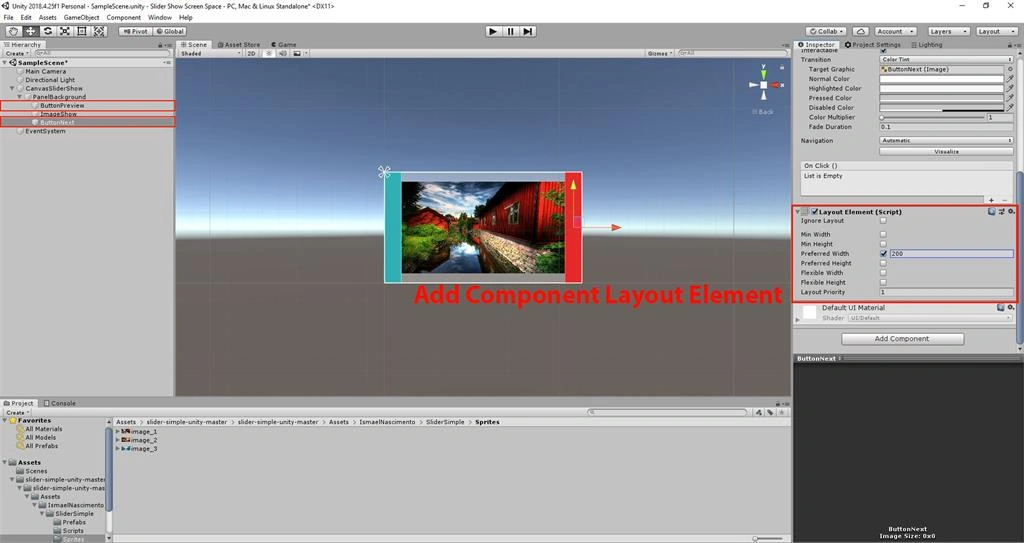
Select Button Preview & Add Component Layout Element in Scene View
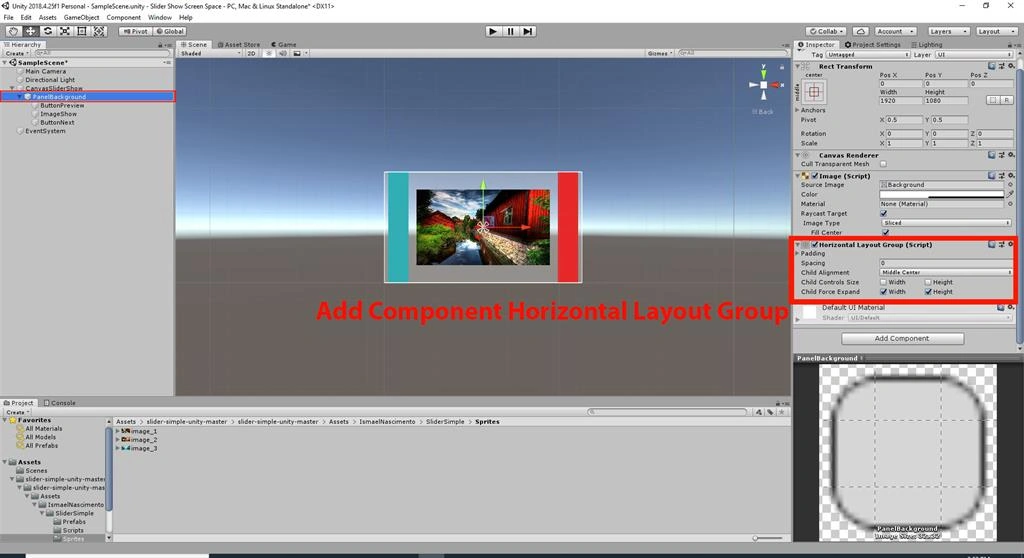
Select Panel BackGround Add Component Hprizontal Layout Group in Scene View
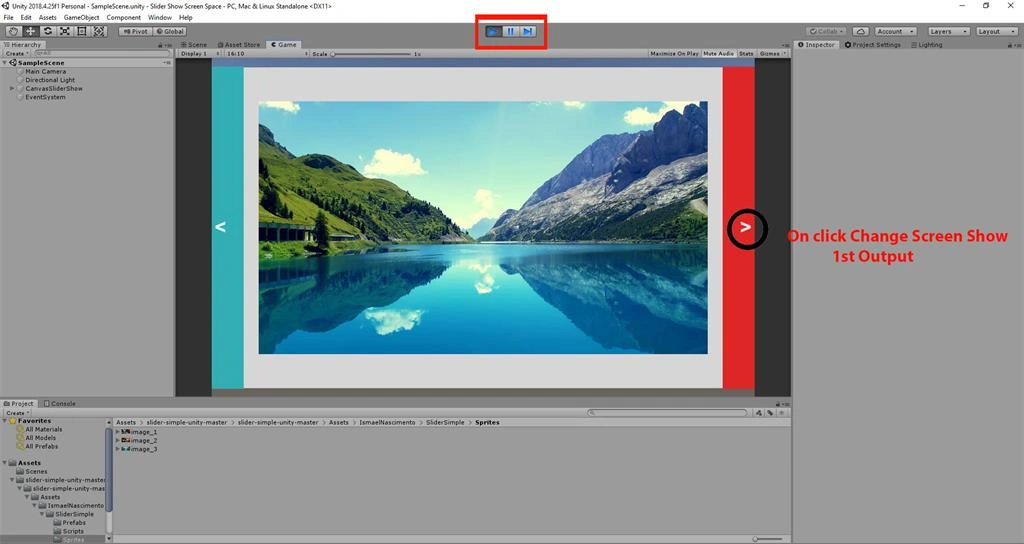
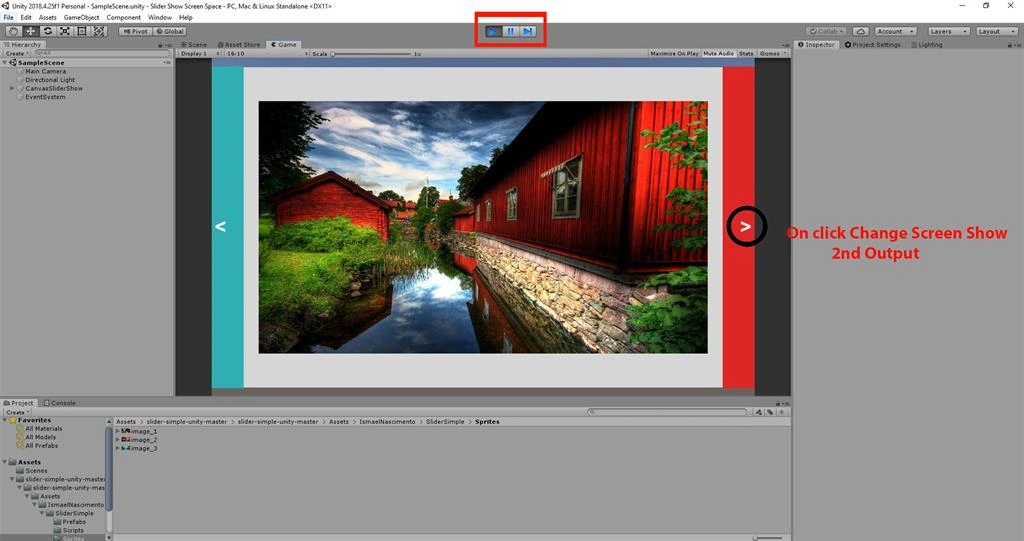
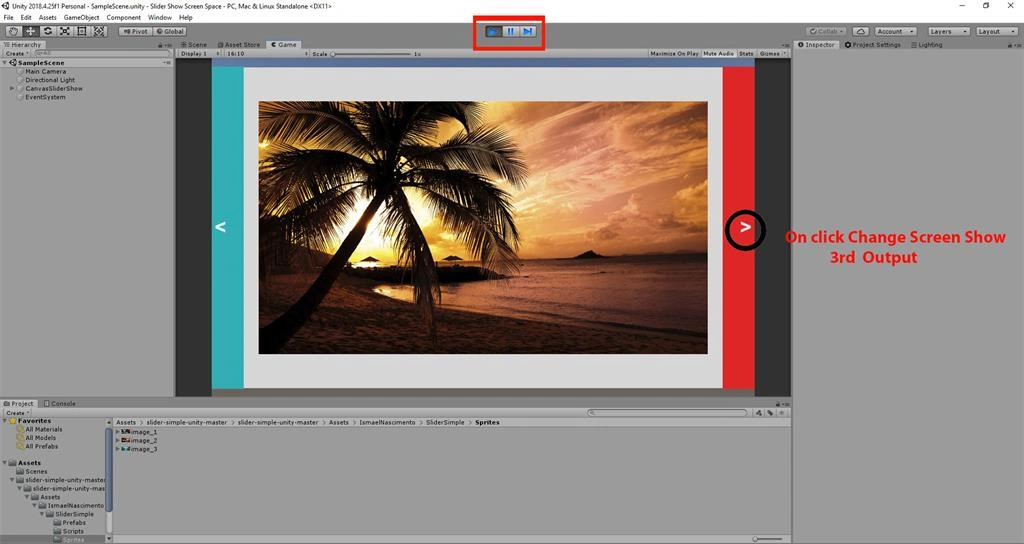
On Button Click Start The Slider Show Screen Show Using C# Scripts In Unity
First Output
Second Output 2nd
Third Output
Summary
I hope you understood how to create a Slider Show Screen Show on a button click using C# scripts in Unity.
Join the conversation! Your thoughts help the community grow.