

What is REST
REST is a term coined by Roy Fielding in his Ph.D. dissertation to describe an architecture style of networked systems.
REST is an acronym standing for Representational State Transfer.
Problem with SOAP
In particular web scenarios, it is necessary to have high interoperability and to use only XML messages for transmitting over HTTP without the advantage of the high end WS* specification of the protocol. For security, we can still reply in HTTPS and SSL. So now it's becoming pretty common to use SOAP without WS* specifications when we need to achieve high interoperability. This is where REST is useful. In a nutshell.
Hence many used SOAP without WS* specification
- Often called simple SOAP
- Increases interoperability potential
- Framework / tools hide XML / HTTP, i.e. tool support for generating clients and server from WDSL definitions which create XML schema automatically and that schema hides underlying XML details. So that way developers still go for SOAP because of tool support from all major vendors, even though that may not be able to take advantage of many additional protocols that were designed to support.
What is POX
When we do not really need SOAP?
It is just exchanging XML message over HTTP without SOAP, referred to as plain -Old XML (POX).
- Using this, interoperability is virtually guaranteed.
- But working with this involves direct coding for XML and HTTP, which is complex at times. Have to use various XML API for writing XML based codes, and has to be familiar with HTTP stack for actually programming logic for sending and receiving messages. This is one main reason why many developers switch back to SOAP programming model, which have tool support and automatic code generation especially at the client side.
POX applications can be defined in a RESTful way when actions are defined by HTTPS verbs.
- REST is not a protocol like SOAP is; it is an architectural design.
- An architecture for building services that build on HTTP.
- SOAP defines a transport neutral model focused on custom operations
- REST defines transport specific (HTTP) model focused on resources.
- HTTP methods - GET, POST, PUT, DELETE, etc.
In SOAP we define and rely on custom service contracts / operations.
In REST, we focus on defining resources and use unique URI to identify and represent these resources. Then we build services around these uniform interfaces instead of custom service contract that all services will use. So when we use HTTP to implement RESTful services, these uniform interfaces are defined by HTTP methods, i.e. GET, POST etc, so those operations that would be able to invoke on our resource. And when we get a resource then would be retrieving a representation of that resource over the protocol. So what we get is a representation of our resource and we can use a wide variety of formats to represent that resource. But in the end we will always use a uniform resource to interact with those resources that are exposed by a service.
- Data Formats - HTML, XML, JSON, RSS
REST versus SOAP
SOAP emphasizes Verbs while REST emphasizes nouns or resources.
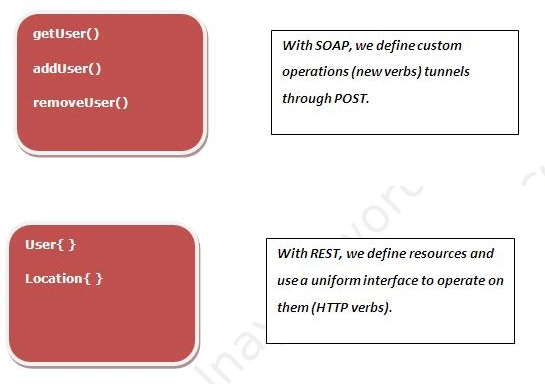
So I can GET a User {}, to retrieve a representation, or I can POST a User {} to create one, or I can DELETE User {} to delete a representation and I can PUT the User {} to update in the system. So I can use any of standard HTTP operations with any of these resources. So that's the beauty of REST, we have standard uniform interfaces that can be apply equally to all of our resources that we expose through that service, and they provide standard CRUD operations that we typically expose through SOAP services as well, and when we do that we define a standard representation for those resources that we would be sending back to the wire.
What is Resource orientated architecture (ROA)
With REST, we build a resource oriented architecture, because our focus is now the resource rather than operations. While writing ROA based application, we focus on following:
- We focus on identifying and naming resources URIs.
- How to represent then XML formats.
- How to navigate between then HREFs
- And we use a Uniform interface to interact with them.
- Constraining operations set simplifies model.
- Widespread interoperability, basically anyone who supports HTTP and XML messages can use your service.
- Scalability, because we are leveraging HTTP, we can now take advantage of the entire wide spread web infrastructure and optimization built around that specific protocol and those specific operations.
Web is primarily built on GET, in fact 90% of web traffic is GET, which are well defined operations and thus has no side effects.
- GET simply means retrieves the representation of a resource.
- Should not cause any unsafe side effects.
- POST, PUT, DELETE provides additional semantics. But with no guarantee.
- While SOAP largely ignored its importance.
- With REST we get the full advantage of web infrastructure.
- With SOAP, we have to build that stuff ourselves.
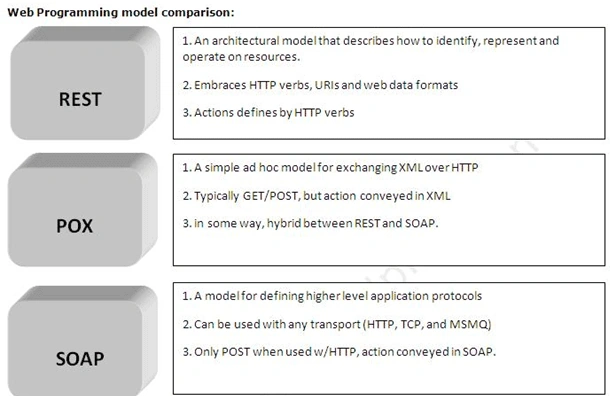
So BIG question. When to use what?
Each architecture, style and format has its own pros and cons.
Use SOAP + WS*
- In large enterprises
- In complex situations where we need COM+ like capabilities.
- Can be overkill in many distributed scenarios today.
- Good tools support provided by the big SOAP vendors.
- When we need interoperable, scalable transfer of information.
- Large web vendors are adopting it (Amazon, Yahoo, Flickr)
- But there is limited tool support beyond HTTP and XML Stack.
WCF and support for programming models
WCF doesn't take sides, it provides a unified programming model and allows use of SOAP, POX, REST, and other data formats.
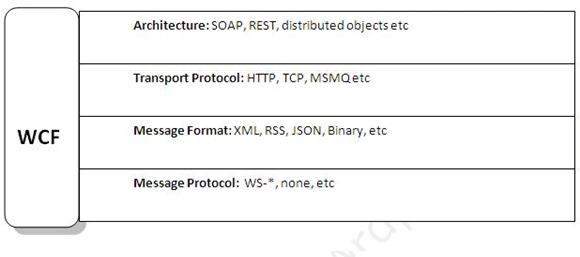
WCF and support for REST
- Most of built in WCF bindings uses SOAP and WS* by default.
- These binding have to be configured manually to disable SOAP.
- WCF 3.5 comes with a new Web (REST) programming model, found in System.ServiceModel.Web.dll. This allows us to map HTTP requests to methods Via URI templates.
- We can enable the web model with a new binding / behavior, apply to messaging layer using WebHttpBinding and Apply to dispatcher using WebHttpBehavior.
Now we will take WCF REST attributes one by one and will explore their purpose. They can found in System.ServiceModel.Web.dll
- WebHttpBinding produces an appropriate HTTP based channel.
- Produce an HTTP transport channel.
- We can customize certain setting like cookies, proxy, security etc.
- Security is handled by WebHttpSecurity (HTTP vs HTTS)
- Produces a WebMessageEncoder (Support XML and JSON formatted messages,)
After configuring binding, we enable web HTTP behavior on particular endpoint which uses web http binding.
- WebHttpBehavior customizes the HTTP based dispatching logic.
- It Overrides operation selection, serialization, and invocation.
- Use to actually map incoming HTTP GET requests to particular WCF operations.
- We do so by providing a URI template to defining URI mapping
- The URI template variable map method parameters by name.
- Request/ response format control body format, i.e. which message format to use, JSON etc.
- [ServiceContract]
- public interface IEvalService
- {
- [WebGet(UriTemplate="eval/{id}")]
- [OperationContract] Eval GetEval(string id);
We added WebGet attribute to define mapping from the incoming URI to the method. So here UriTemplate parameter {id} matches the method signature parameter (string id). So when a request arrives with this parameter URI, that request will be handled by this method.
D. WebInvoke Attribute
D. WebInvoke Attribute
- It is meant to be used for all other HTTP verbs, other than GET, to WCF operations.
- It add a mehods property for specifying the verb (default is POST).
- Allows mapping UriTemplate variable.
- Body is deserialiazed into remaining parameter.
- [ServiceContract]
- public interface IEvalService
- {
- [WebInvoke(Method="POST", UriTemplate="evals")]
- [OperationContract]
- void SubmitEval(Eval eval);
- System.UriTemplate implements URI template syntax
- UriTemplate syntax allows you to specify variable in URI space.
- UriTemplate.Bind fills variable with actual values.
- UriTemplate.Match verifies match and exact actual values.
- Can use wildcard characters "*" to match anything.
By now we know the important attributes, so it's time we start writing our first REST service with WCF.
Step 1
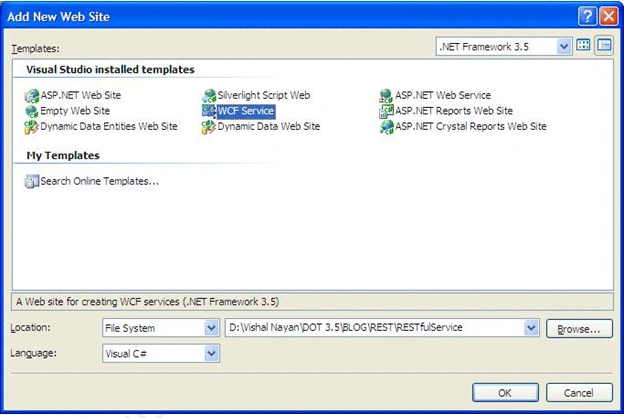
Create a WCF project and name the solution RESTFulService. Use "ServiceLibrary" as the name of the project.
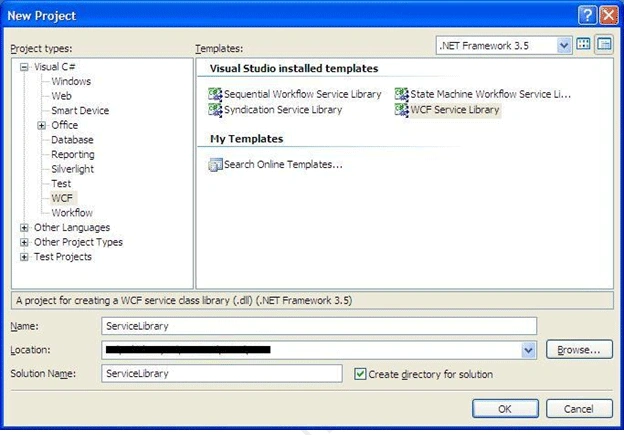
Step 2
Open the ServiceLibrary project and delete all the default files.
Step 3
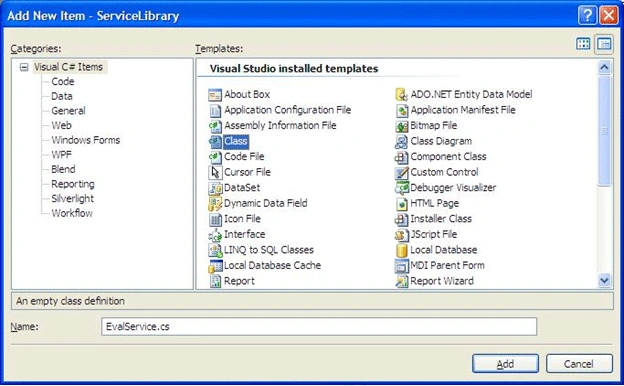
Add a class as a new item to the ServiceLibrary project and name it "EvalService.cs".
Step 4
Open EvalService.cs and create a class like below. This is actually a data contract for our service; we call it Eval class, i.e. evaluation class, which will have a message submitter name, id, timesend, and comment.
- [DataContract(Namespace = "http://vishalnayan.wordpress.com/evals")]
- public class Eval
- {
- [DataMember]
- public string Id;
- [DataMember]
- public string Submitter;
- [DataMember]
- public DateTime Timesent;
- [DataMember]
- public string Comments;
- }
Step 5
Next create a interface called IEvalService and put [ServiceContract] attribute.
- [ServiceContract]
- public interface IEvalService
- {
- [OperationContract]
- void SubmitEval(Eval eval);
- [OperationContract]
- Eval GetEval(string id);
- [OperationContract]
- List<Eval> GetAllEvals();
- [OperationContract]
- List<Eval> GetEvalsBySubmitter(string submitter);
- [OperationContract]
- void RemoveEval(string id);
- }
Step 6
Create a class EvalService which will implement this interface. We will attribute this class to support single instance mode.
- [ServiceBehavior(InstanceContextMode = InstanceContextMode.Single)]
- public class EvalService : IEvalService
- {
- List<Eval> evals = new List<Eval>();
- int evalCount = 0;
- #region IEvalService Members
- public void SubmitEval(Eval eval)
- {
- eval.Id = (++evalCount).ToString();
- evals.Add(eval);
- }
- public Eval GetEval(string id)
- {
- return evals.First(e => e.Id.Equals(id));
- }
- public List<Eval> GetAllEvals()
- {
- return this.GetEvalsBySubmitter(null);
- }
- public List<Eval> GetEvalsBySubmitter(string submitter)
- {
- if (submitter == null || submitter.Equals(""))
- return evals;
- else
- return evals.Where(e => e.Submitter.ToLower().Equals(submitter.ToLower())).ToList<Eval>();
- }
- public void RemoveEval(string id)
- {
- evals.RemoveAll(e => e.Id.Equals(id));
- }
Let's take a brief look at what all this method does:
Before that we have to create a collection object List of eval type for storage.
List<Eval> evals = new List<Eval>();
Before that we have to create a collection object List of eval type for storage.
List<Eval> evals = new List<Eval>();
- public void SubmitEval(Eval eval)
- {
- eval.Id = (++evalCount).ToString();
- evals.Add(eval);
- }
It takes eval and adds it to the List. We auto-generate the id before we add. This id will uniquely identify a single eval submission.
- public Eval GetEval(string id)
- {
- return evals.First(e => e.Id.Equals(id));
- }
Description
it return the eval for the id submitted.
- public List<Eval> GetAllEvals()
- {
- return this.GetEvalsBySubmitter(null);
- }
Description
It returns all the evals submitted. It actually calls another method GetEvalsBySubmitter().
- public List<Eval> GetEvalsBySubmitter(string submitter)
- {
- if (submitter == null || submitter.Equals(""))
- return evals;
- else
- return evals.Where(e => e.Submitter.ToLower().Equals(submitter.ToLower())).ToList<Eval>();
- }
Description
it takes a submitter name to return the evals submitted by him/her. If no name is provided it will return all evals.
Step 7
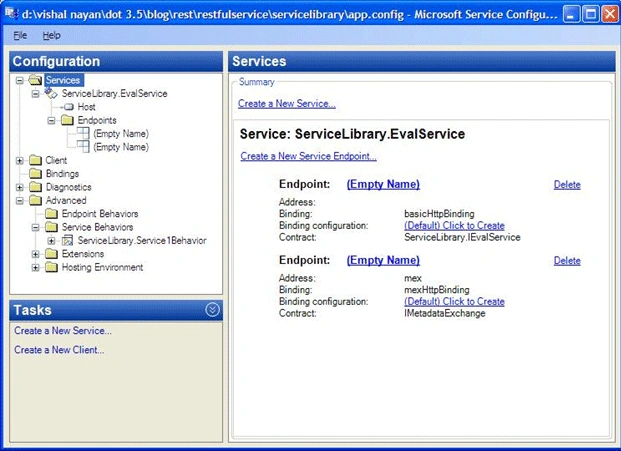
Now open app.config to create and expose endpoints. Right click the app.config file and open it in WCF configuration wizard.
-
create a mex endpoint with mexhttpbinding. Name it mex .
-
create a EvalService endpoint with basichttpbinding.
-
create a base address, http://localhost:8888/evals
It should look like this shown below:
 Step 8
Our service endpoint infrastructure is ready, so press F5 to launch WCF cleint to test out service methods exposed by this endpoint.
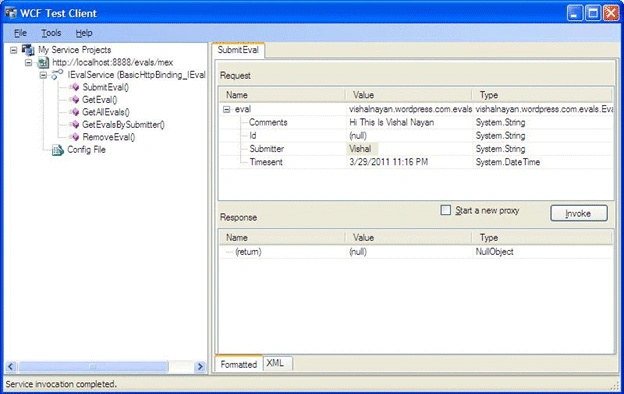
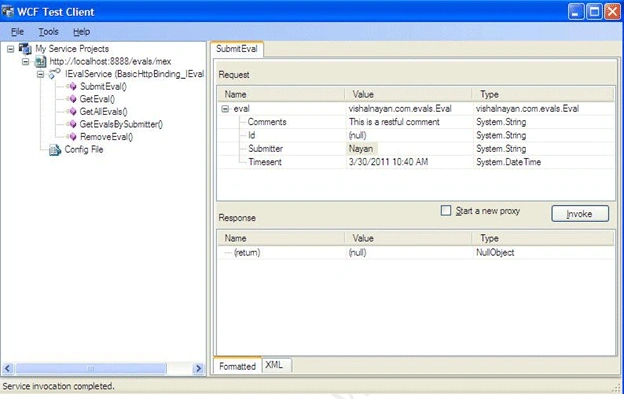
We are using this WCF test client to invoke SubmitEval method. Double-click SubmitEval() from the left hand side and you can see I am sending a comment, the submitter values and then click to invoke button to send this across proxy.
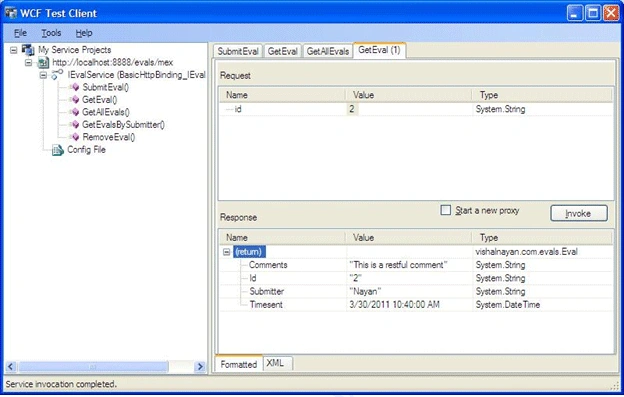
Later to see whether what we submitted was successfully saved as eval in our list collection object, we will invoke the GetEval() method, so now double-click GetEval() and provide 1 as the id.
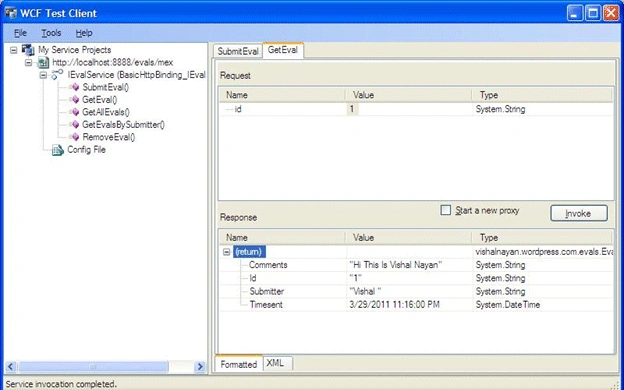
You can see it return the evals message which we submitted through SubmitEval().
Step 9
We are using this WCF test client to invoke SubmitEval method. Double-click SubmitEval() from the left hand side and you can see I am sending a comment, the submitter values and then click to invoke button to send this across proxy.
Later to see whether what we submitted was successfully saved as eval in our list collection object, we will invoke the GetEval() method, so now double-click GetEval() and provide 1 as the id.
You can see it return the evals message which we submitted through SubmitEval().
Step 9
Now this is happeing as a SOAP message, so now we have to make our service method to support REST full way of invocation.
-
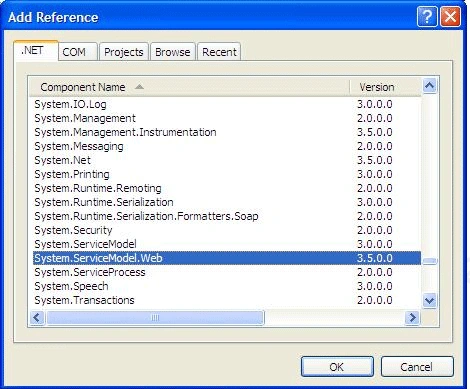
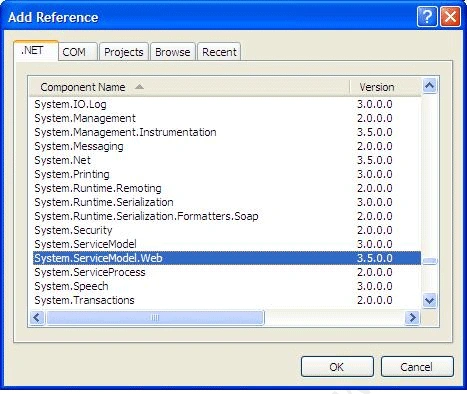
Come back to ServiceLibrary project and add a reference for the System.ServiceModel.Web assembly.
-
Come back to the IEvalService interface and update it like below:
- [ServiceContract]
- public interface IEvalService
- {
- [WebInvoke(Method = "POST", UriTemplate = "evals")]
- [OperationContract]
- void SubmitEval(Eval eval);
- [WebGet(UriTemplate = "eval/{id}")]
- [OperationContract]
- Eval GetEval(string id);
- [WebGet(UriTemplate = "evals")]
- [OperationContract]
- List<Eval> GetAllEvals();
- [WebGet(UriTemplate = "evals/{submitter}")]
- [OperationContract]
- List<Eval> GetEvalsBySubmitter(string submitter);
- [WebInvoke(Method = "DELETE", UriTemplate = "eval/{id}")]
- [OperationContract]
- void RemoveEval(string id);
- }
Read the above part of article where we have discussed about WebInvoke and WebGet attributes.
There will be no change in EvalService class implementing this interface.
Step 10
There will be no change in EvalService class implementing this interface.
Step 10
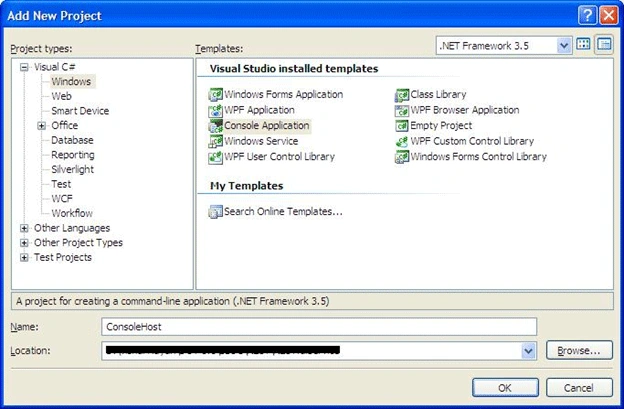
Right click the RESTfulService solution and add a console project which will host our REST service now. Call it as ConsolHost.
Step 11
Step 11
Open ConsolHost and Left click a reference to add tjhe following .NET assemblies:
-
System.ServiceModel.Description;
-
System.ServiceModel;
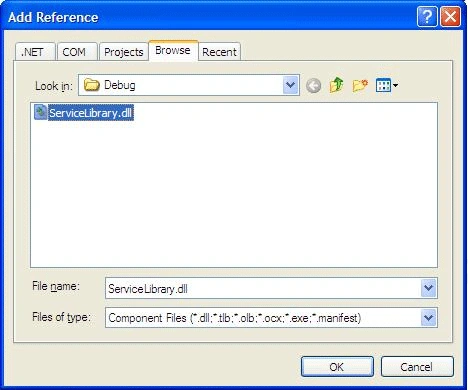
Also browse and add a ServiceLibrary assembly:
Step 12
Step 12
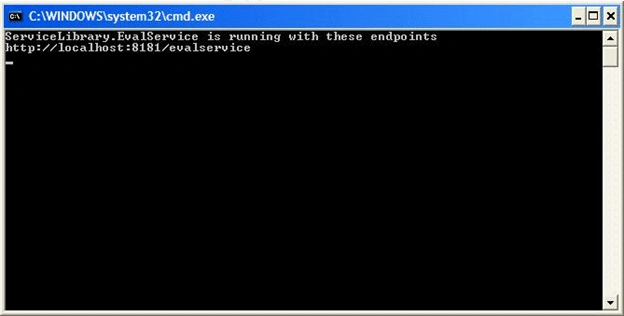
Open program.cs and write the code shown below:
- class Program
- {
- static void Main(string[] args)
- {
- ServiceHost host = new ServiceHost(typeof(EvalService));
- try
- {
- host.Open();
- PrintServiceInfo(host);
- Console.ReadLine();
- host.Close();
- }
- catch(Exception e)
- {
- Console.WriteLine(e);
- host.Abort();
- }
- }
- static void PrintServiceInfo(ServiceHost host)
- {
- Console.WriteLine("{0} is running with these endpoints", host.Description.ServiceType);
- foreach (ServiceEndpoint se in host.Description.Endpoints)
- Console.WriteLine(se.Address);
- }
- }
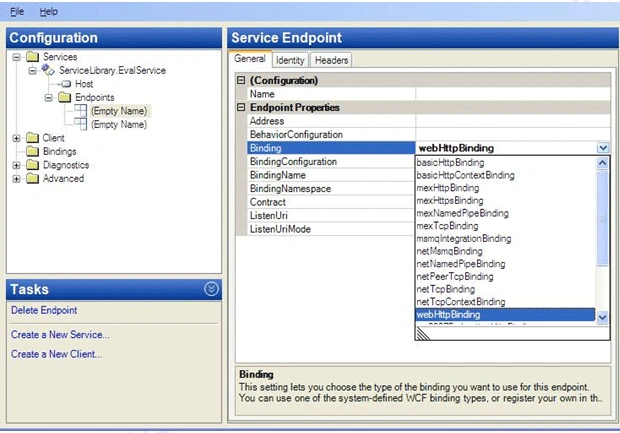
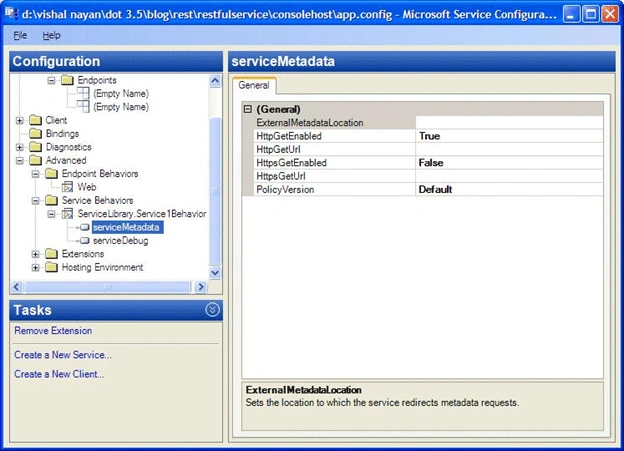
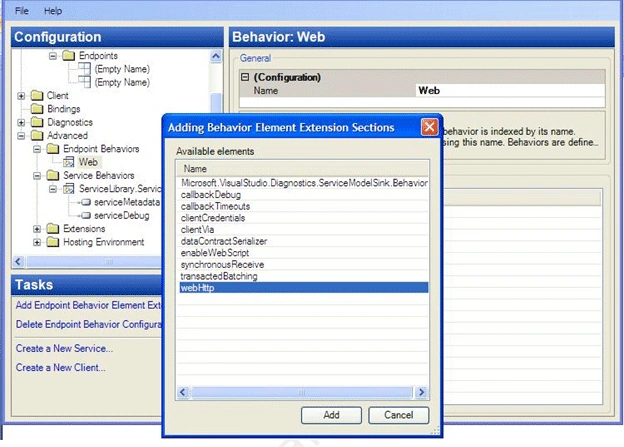
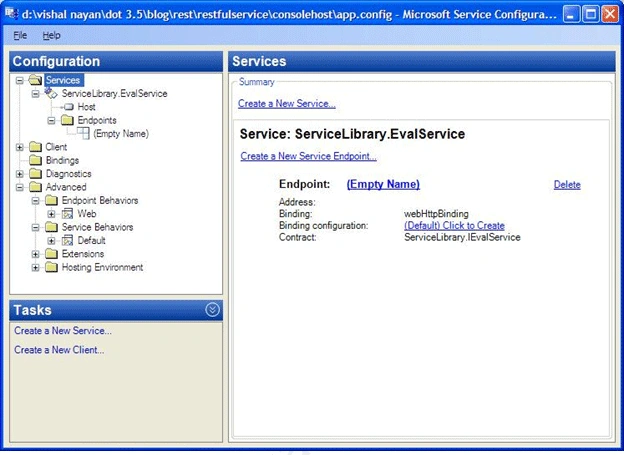
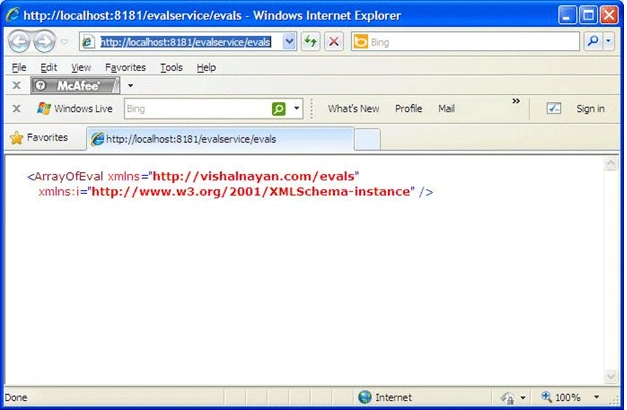
Now we need configure host app.config file to expose REST methods via endpoint.
So open app.config file and configure it like below:
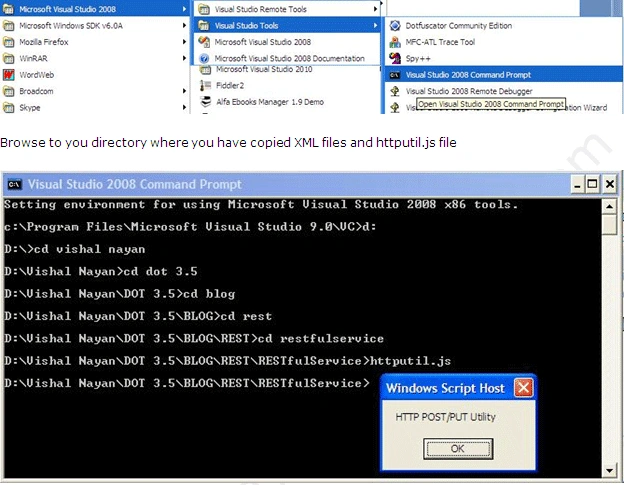
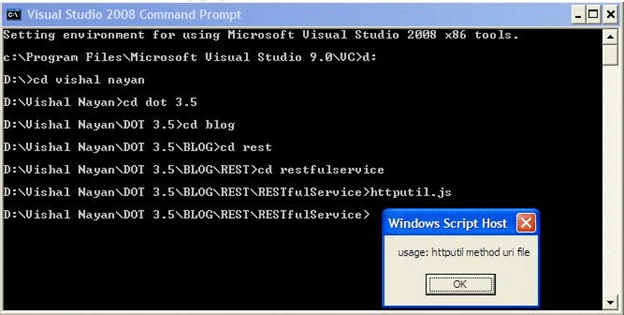
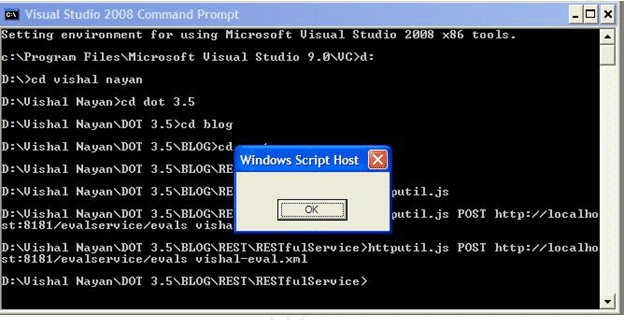
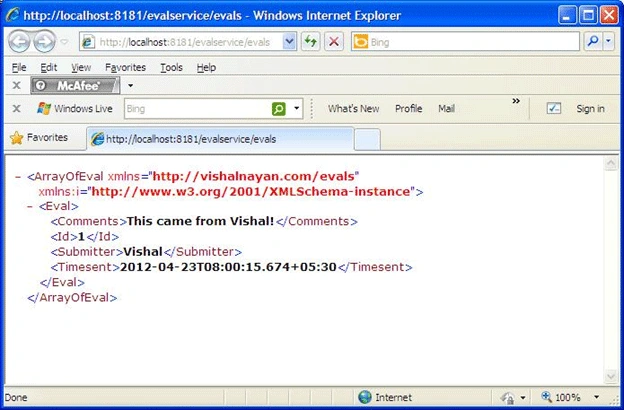
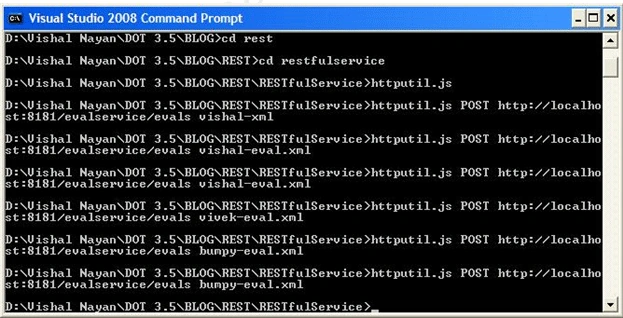
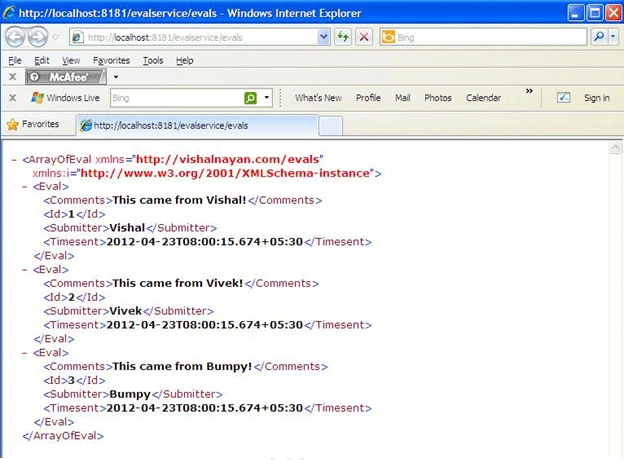
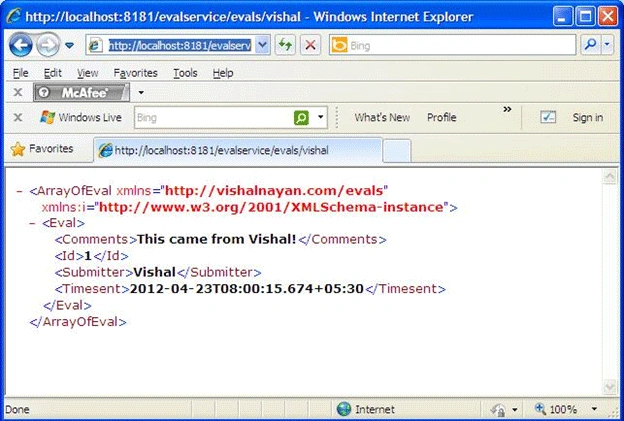
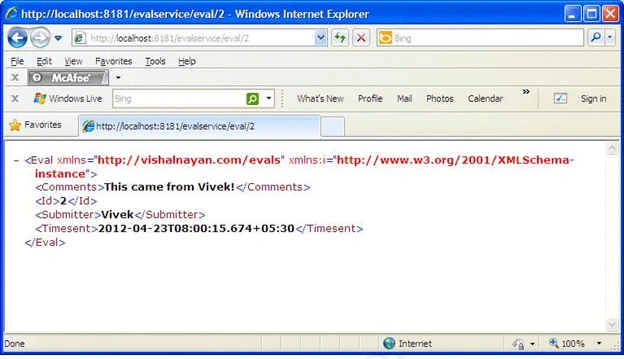
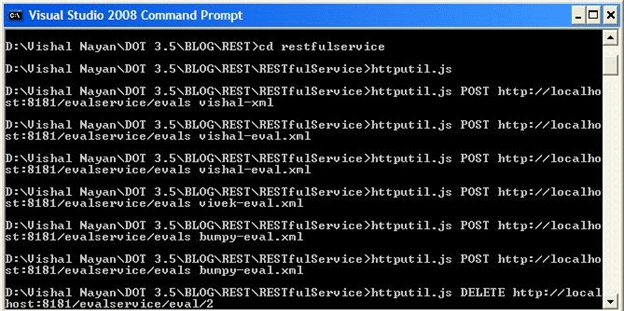
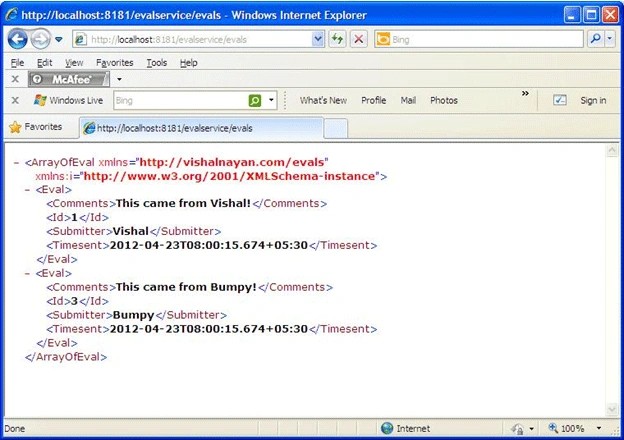
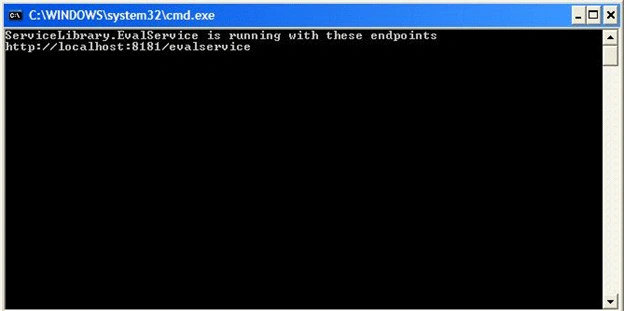
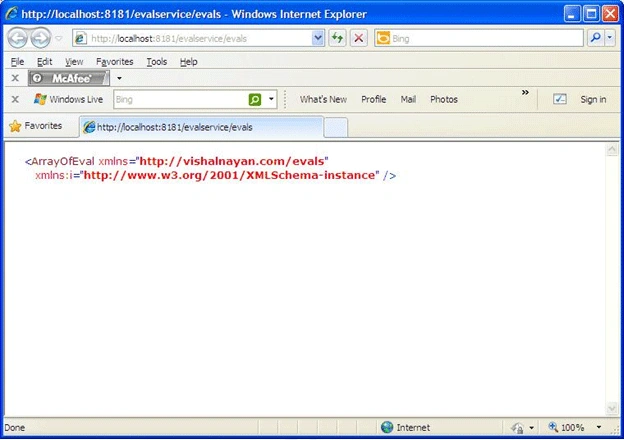
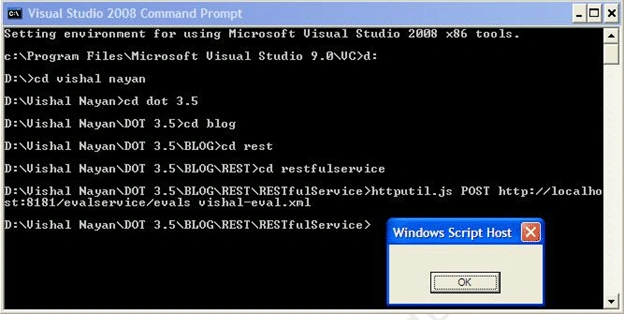
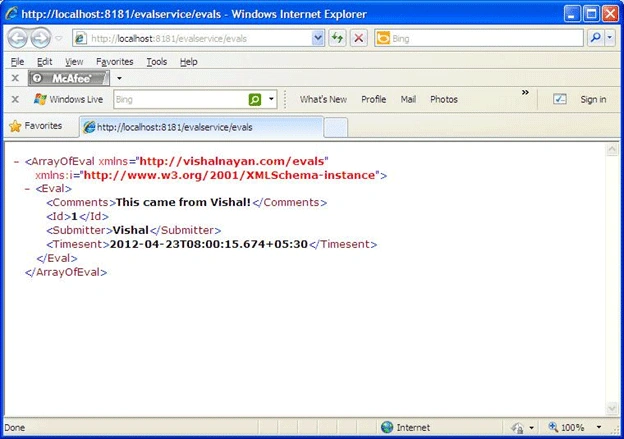
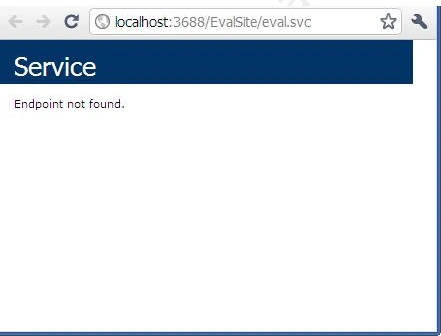
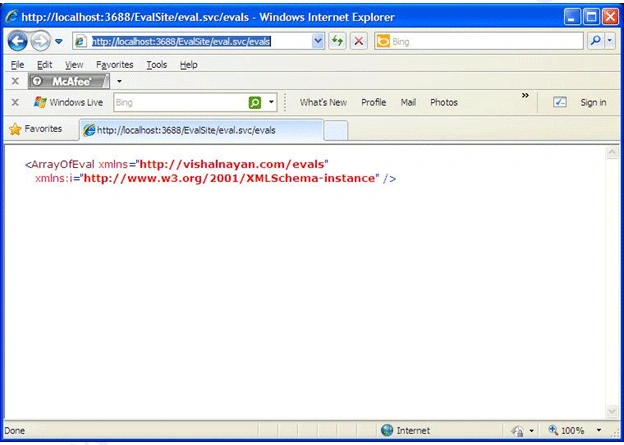
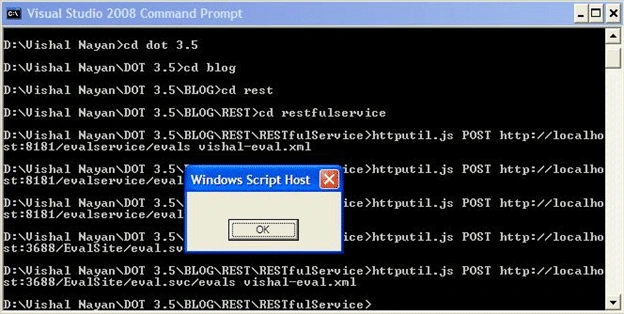
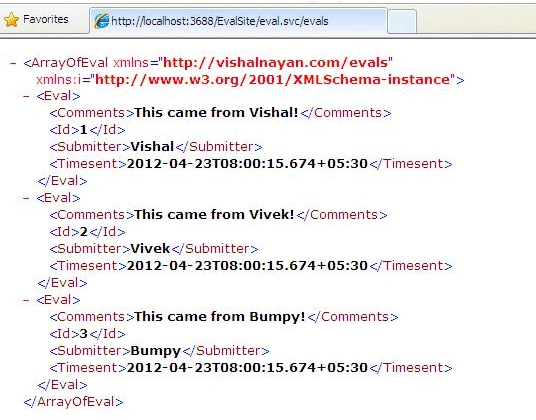
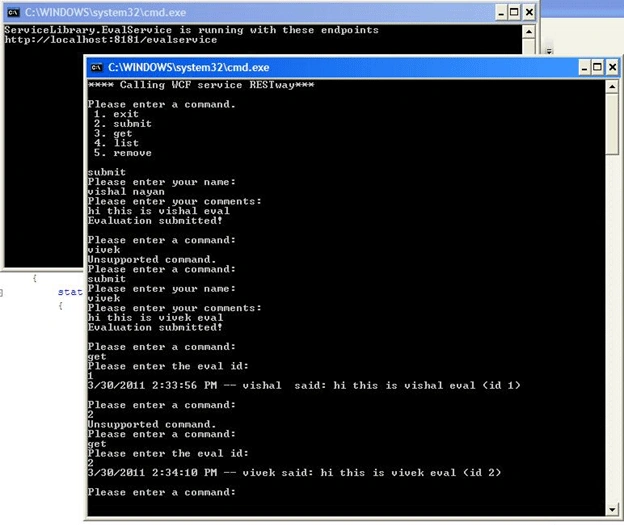
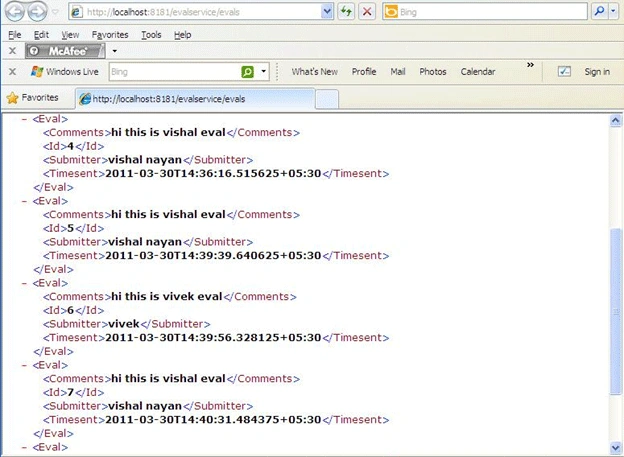
Arni IngasonPosted Mar 26, 2016, 12:21 PM
Hi, good article, I have followed the guidelines in the article but I get the error: The contract name 'IMetadataExchange' could not be found in the list of contracts implemented by the service EvalService. Add a ServiceMetadataBehavior to the configuration file or to the ServiceHost directly to enable support for this contract. Can you help me with that. :)
Jopet CervantesPosted Mar 9, 2015, 11:27 PM
too long brother
GatesNext MPosted Oct 10, 2013, 11:57 AM
Really Usefull...
Venki SattenapallieditedPosted Dec 22, 2012, 7:07 AMEdited Dec 22, 2012, 7:08 AM
Very nice Article Bayya.Thank you...
Karthikeyan AnbarasanPosted Mar 31, 2011, 12:20 PM
Good article!!!