

In the previous part, we created a basic chatbot using Amazon Lex service. We learned how to set up an AWS account and test the bot. In this article, we’ll learn how to create Lambda functions in AWS and hook to the chatbot that we created in the last article.
Series Info
Following is the four-tutorial series to learn how to develop a chatbot using Amazon Lex service and deploy the same on Facebook Messenger.
- Creating a Chatbot using Amazon Lex Service: Day 1 (Initial Bot)
- Creating a Chatbot using Amazon Lex Service: Day 2 (AWS Lambda Functions)
- Creating a Chatbot using Amazon Lex Service: Day 3 (Slots in AWS Lex)
- Creating a Chatbot using Amazon Lex Service: Day 4 (Facebook Messenger Integration)
AWS Lambda Function
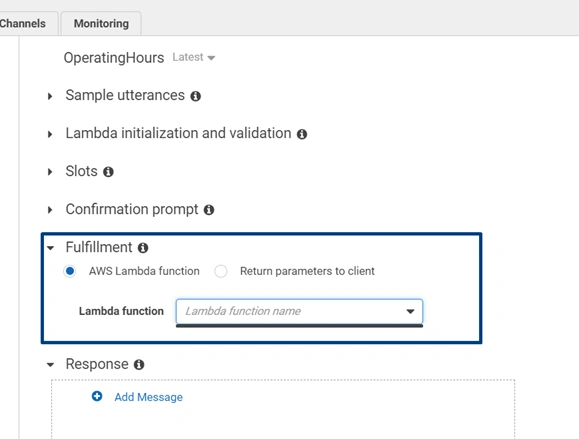
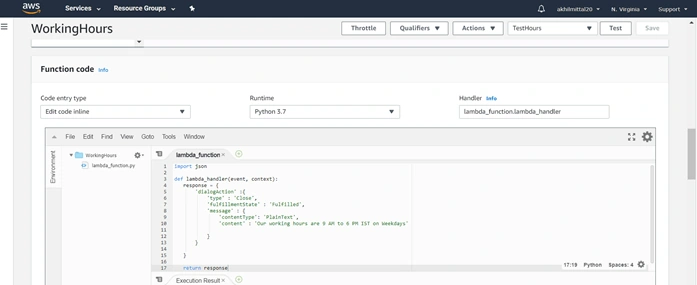
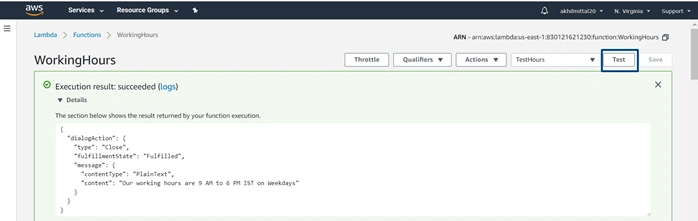
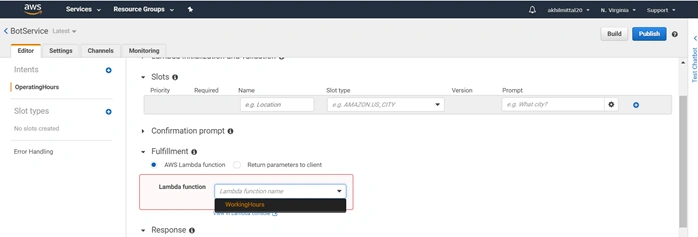
Let’s enable our bot to use a Lambda function, i.e., the defined business logic that a bot executes for fulfillment, i.e., for the user when he types ”yes”. In the Fulfillment section of the intent, choose AWS Lambda function. This will ask you to provide a Lambda function but since we do not have one, we need to create it before we use it.
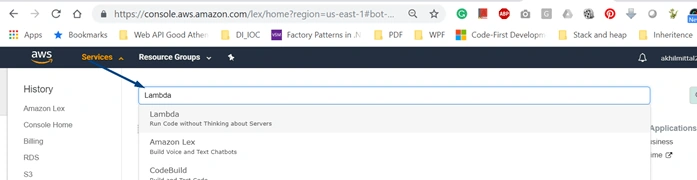
- Go to Services search option and type Lambda. You’ll get the suggestion options, choose the Lambda as shown.
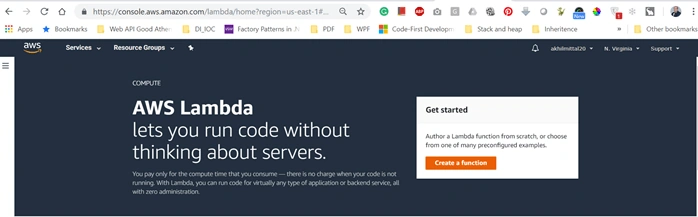
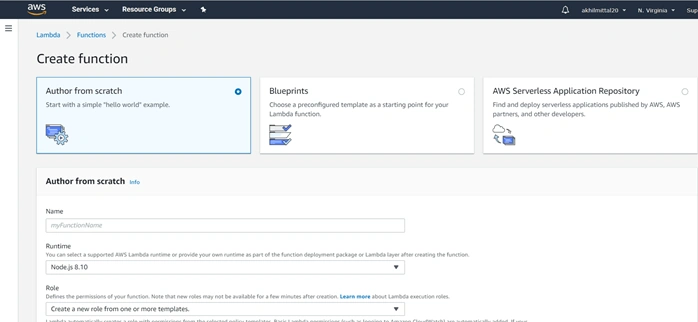
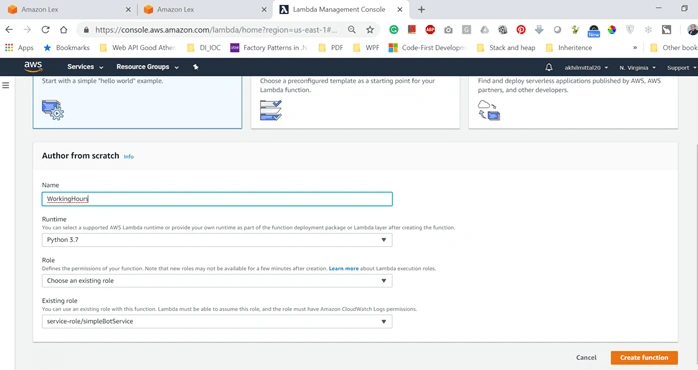
- You’ll be landed on the AWS Lambda page. Click on Create a function to create a new lambda function for fulfillment.
Join the conversation! Your thoughts help the community grow.