

You can create a subsite within existing sites structures or you can proceed by creating a new site. However, after creation of a subsite, it will inherit the properties (permissions/navigation) of the existing site. The following is the procedure for the creation of subsites.
- Sign in with site administrator.
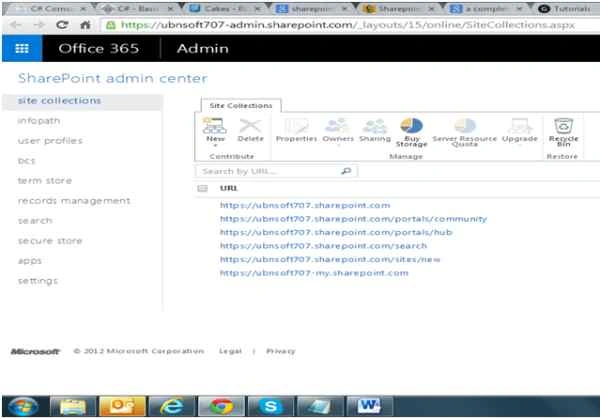
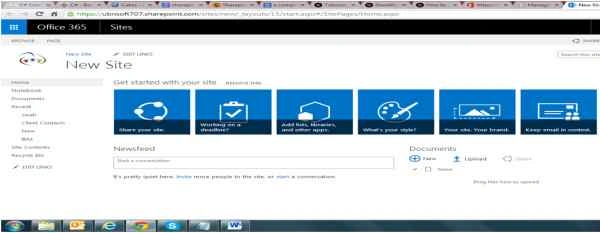
- Open the site to create a subsite in.
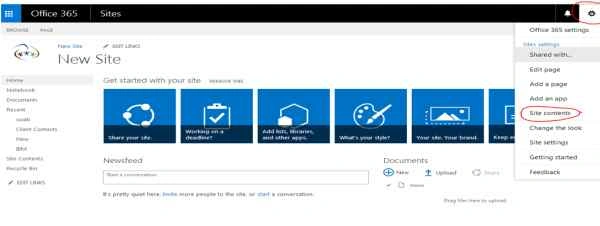
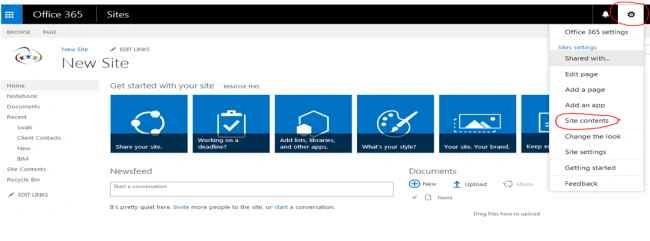
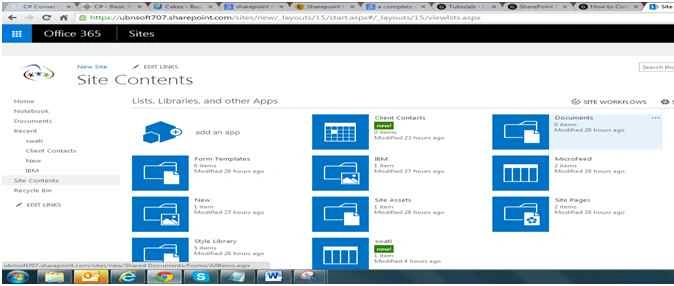
- Click on the “Settings” menu (gear icon) in the top-right corner of the page and then select the “Site contents” option.
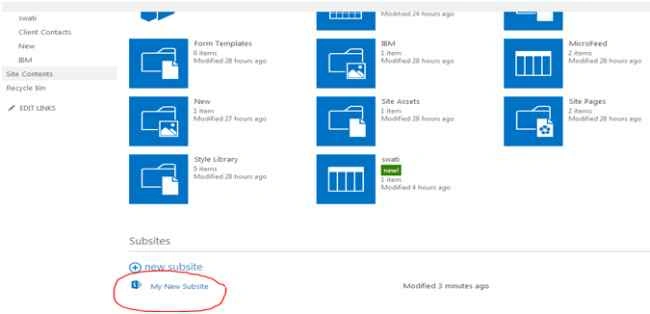
- This will open a “Site Contents” page.
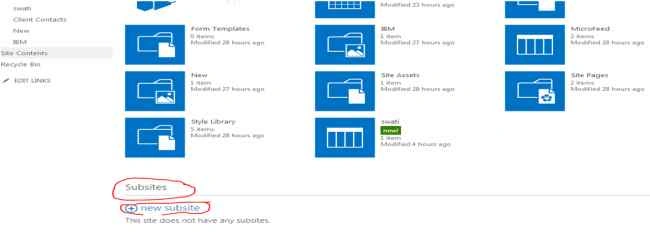
- In this page scroll down, you will find the “new Subsite” link under “Subsites”.
- Click on the “new Subsite” link, a new SharePoint site page will appear.
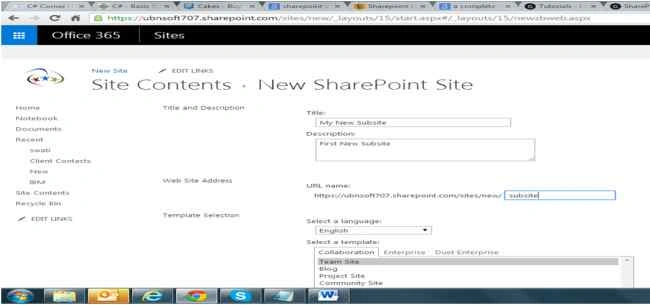
- Enter Title and Description, Web Site Address (URL), select a template, select permissions and select navigation inheritance. Now click on the “Create” button
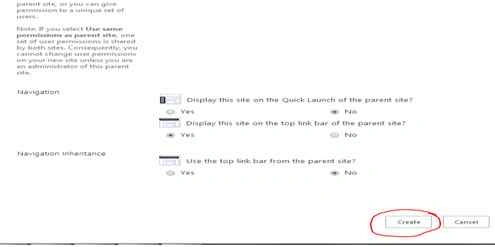
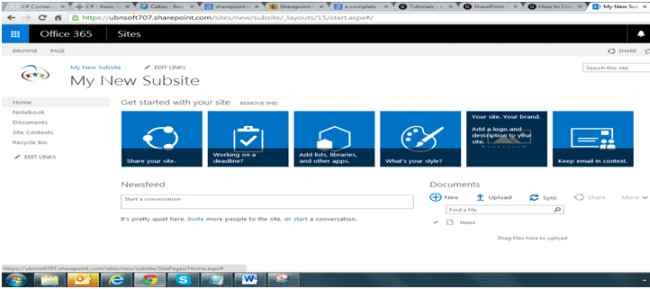
- All the changes are saved automatically and the Subsite is created.
Hashim ShafiqPosted Aug 30, 2015, 9:44 PM
nice
Santhakumar MunuswamyPosted Aug 29, 2015, 5:16 AM
Nice article. Thanks for sharing
Pankaj Kumar ChoudharyPosted Aug 27, 2015, 9:09 PM
Nice show..........
Abhay ShankerPosted Aug 27, 2015, 10:40 AM
Good...
Gowtham RajamanickamPosted Aug 27, 2015, 9:44 AM
good
Vinodh NarayananPosted Aug 27, 2015, 7:04 AM
nice share go a head
Yashwanth MuthineniPosted Aug 27, 2015, 4:26 AM
Nice Share
Ankit BansalPosted Aug 27, 2015, 2:21 AM
Good one..Thanks for sharing..
Rajeesh MenothPosted Aug 27, 2015, 12:49 AM
Nice Share
Mohammed IbrahimPosted Aug 27, 2015, 12:04 AM
thanks for information
Karthikeyan KPosted Aug 26, 2015, 11:22 PM
Good one...Thanks for sharing
Gowtham KPosted Aug 26, 2015, 10:35 PM
Good one