

Introduction
In this article, we will see how to create AWS EC2.
- Concept
- Implementation – Creating an AWS EC2.
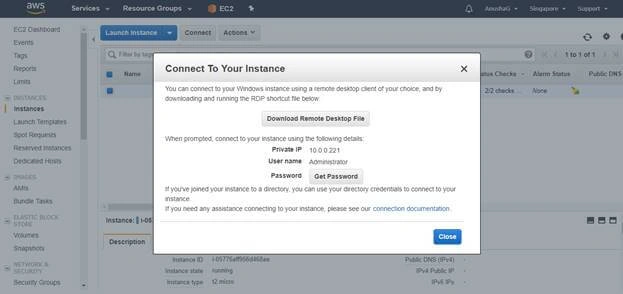
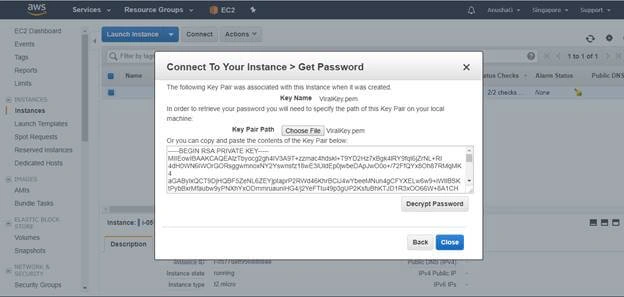
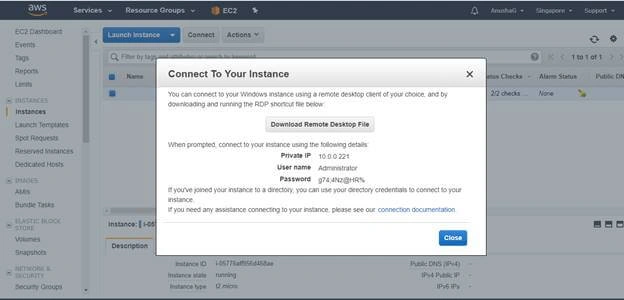
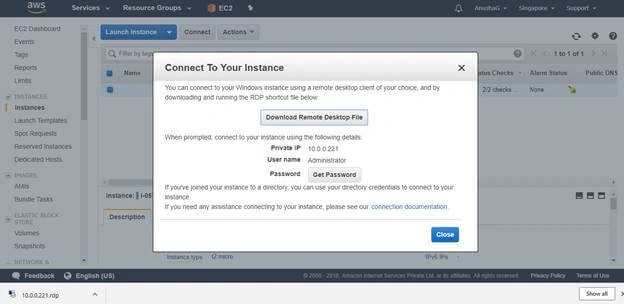
- Implementation – Connect to the AWS EC2
Concept
- Amazon Elastic Compute Cloud (Amazon EC2) is a secure web service that provides a secure, resizable computing capacity in the cloud.
- It allows you to have complete control of your computing resources and lets you run on Amazon’s proven computing environment.
- Benefits of EC2 are that you can decrease or increase capacity within minutes or days.
- The best advantage is that you can scale up and scale down according to your need.
- You can stop any instance any time. The best advantage is that instance can be rebooted remotely using web service APIs, you also have access to their console output.
- Amazon EC2 provides you a highly reliable environment where replacement instances can be rapidly and predictably commissioned.
- Cloud security is the highest security and highest priority for everyone. You will benefit from the data center and network architecture built to meet the requirement.
- Amazon EC2 provides multiple images for different operating systems.
Implementation – Creating an AWS EC2
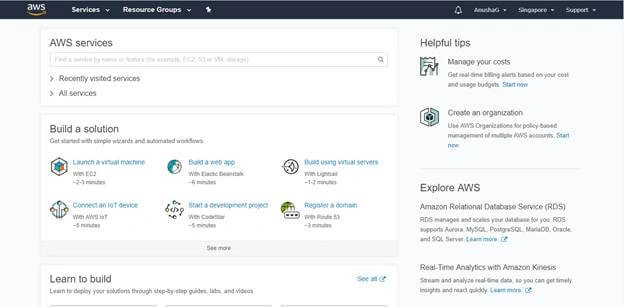
- Sign into Aws Management Console Portal
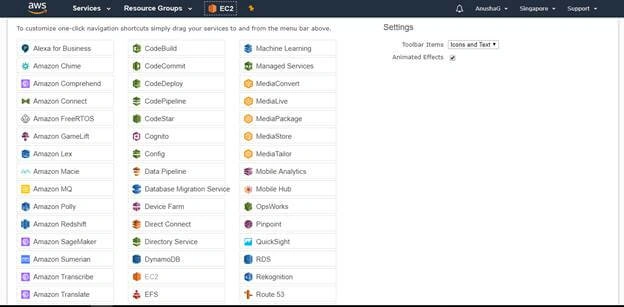
- Then Drag and Pin the EC2 onto the top.
- Double Click on the EC2
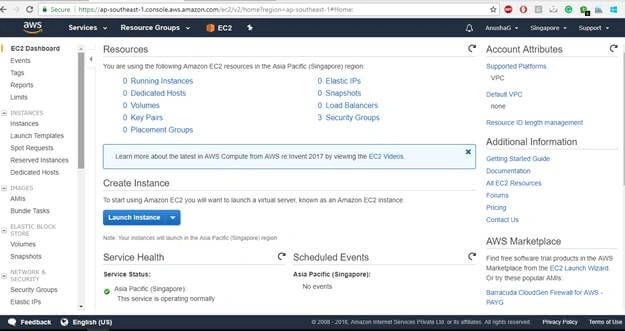
- Click on Launch Instance.
- Select or Choose Amazon Machine Image.
- We have several images or operating system to be select on Amazon.
- Select Microsoft Windows Server 2012 R2 Base.
- And it’s a free tier to create a virtual machine of windows server 2012 R2 Base.
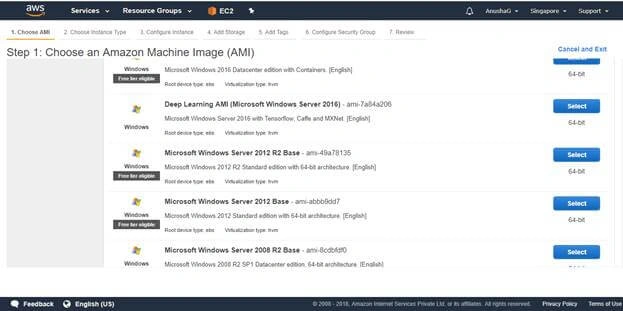
- Select your virtual machine image.
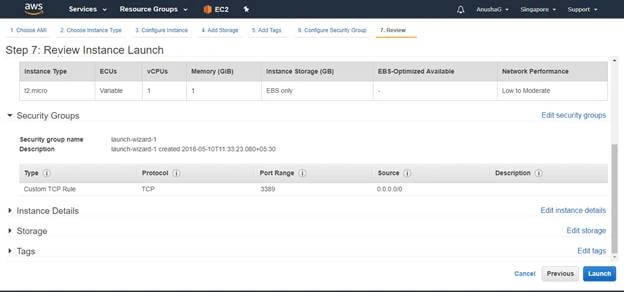
- Choose an Instance Type.
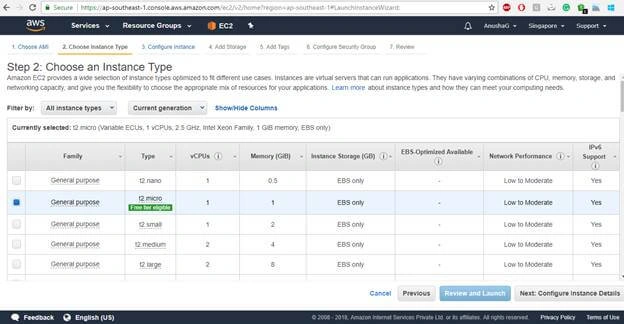
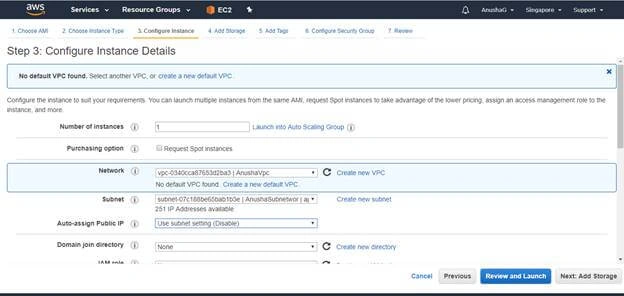
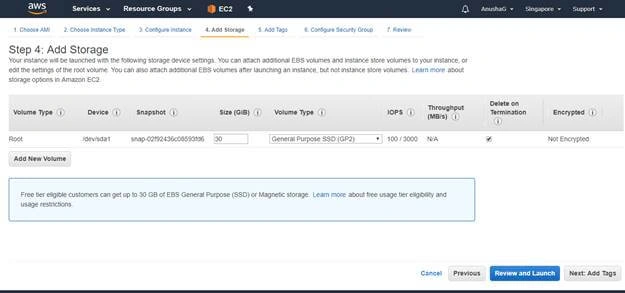
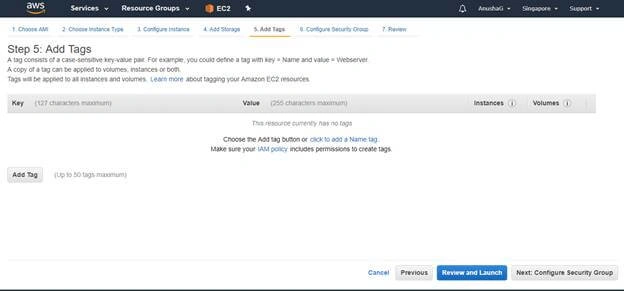
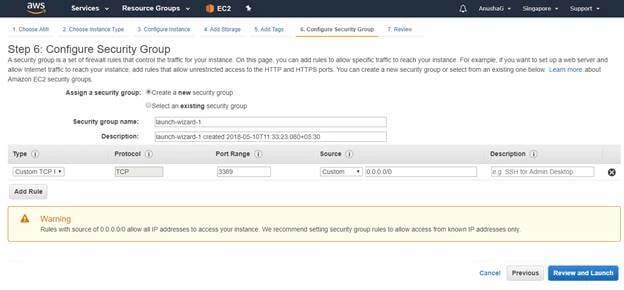
- Now Configure Instance Details.
- Create VPC and subnet group and fill all the required details into it.
Join the conversation! Your thoughts help the community grow.