

We see menus in various styles in many sites. Some menus are designed using CSS styles and some are designed with a database and are they are called dynamic menu. This type of menu population is particularly useful when you want to set the access permissions or restricting users from accessing some pages at runtime. This article will be very helpful for those who are looking for a database driven dynamic menu. This article creates a dynamic menu from a SQL Server database.
The following shows the creation of two tables in SQL.
Technology Table
- create table Technology
- (
- TechnologyID int primary key,
- TechnologyName varchar(120)
- TechnologyURL varchar(100)
- );
- TechnologyCategory Table
- create table TechnologyCategory
- (
- TechnologyID int
- TechnologyCategoryID int primary key,
- TechnologyCategoryName varchar(120),
- TechnologyCategoryURL varchar(100)
- );
Inserting data into both tables:
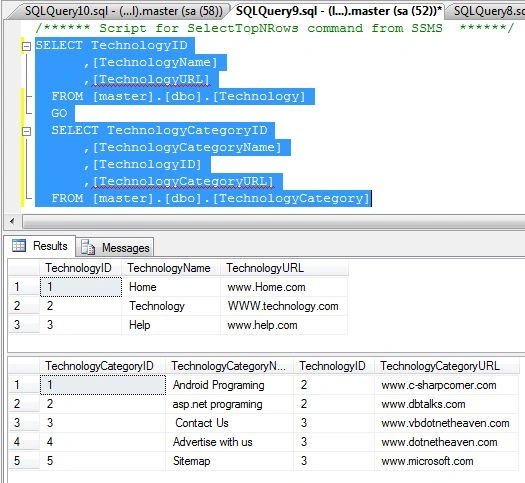
ASPX Code
This page contains CSS style and panel control.
- <%@ Page Language="C#" AutoEventWireup="true" CodeFile="Default.aspx.cs" Inherits="_Default" %>
- <!DOCTYPE html PUBLIC "-//W3C//DTD XHTML 1.0 Transitional//EN" "http://www.w3.org/TR/xhtml1/DTD/xhtml1-transitional.dtd">
- <html xmlns="http://www.w3.org/1999/xhtml">
- <head runat="server">
- <title></title>
- <link href="css/jquery.mcdropdown.css" rel="stylesheet" type="text/css" />
- <script src="Scripts/jquery-1.4.1-vsdoc.js" type="text/javascript"></script>
- <script src="Scripts/jquery-1.4.1.js" type="text/javascript"></script>
- <style type="text/css">
- .menu
- {
- width: 913px;
- font-family: verdana, Segoe UI;
- margin: 0 auto;
- border: 1px solid #B34C00;
- border-radius: 4px;
- }
- .menu ul
- {
- padding: 10px;
- background-color: #FF6600;
- float: left;
- margin: 0px;
- list-style: none;
- }
- .menu ul li
- {
- display inline-block;
- float: left;
- position: relative;
- cursor: pointer;
- }
- .menu ul li a
- {
- cursor: pointer;
- display: block;
- padding: 10px;
- float: left;
- color: #fff;
- text-decoration: none;
- }
- .menu ul li ul
- {
- display: none;
- margin-top: 10px;
- }
- .menu ul li:hover ul
- {
- display: block;
- width: 200px;
- position: absolute;
- left: 0px;
- top: 25px;
- background: #FF6600;
- border: 1px solid #B34C00;
- border-top: none;
- color: #fff;
- }
- .menu ul li:hover ul li
- {
- padding: 5px;
- float: none;
- display: block;
- }
- .menu ul li:hover ul li a
- {
- padding: 5px;
- }
- </style>
- </head>
- <body>
- <form id="form1" runat="server">
- <div class="menu">
- <asp:Panel ID="Panel1" runat="server" Width="913px" Style="margin: 0px">
- </asp:Panel>
- </div>
- </form>
- <p>
- </p>
- </body>
- </html>
You have created tables and inserted data into the tables. Now access the menu data from the SQL Server database using C# code in ASP.Net.
- using System;
- using System.Collections.Generic;
- using System.Linq;
- using System.Web;
- using System.Web.UI;
- using System.Web.UI.WebControls;
- using System.Web.UI.HtmlControls;
- using System.Data.SqlClient;
- using System.Data;
- public partial class _Default : System.Web.UI.Page
- {
- SqlConnection con = new SqlConnection("Data Source=(local);Initial Catalog=master;uid=sa; pwd=Micr0s0ft");
- protected void Page_Load(object sender, EventArgs e)
- {
- SqlDataAdapter da = new SqlDataAdapter("Select TechnologyID, TechnologyName, TechnologyURL from Technology", con);
- DataTable dttc = new DataTable();
- da.Fill(dttc);
- HtmlGenericControl main = UList("Menuid", "menu");
- foreach (DataRow row in dttc.Rows)
- {
- da = new SqlDataAdapter("select TechnologyCategoryID,TechnologyCategoryName,TechnologyCategoryURL from TechnologyCategory where TechnologyID=" + row["TechnologyID"].ToString(), con);
- DataTable dtDist = new DataTable();
- da.Fill(dtDist);
- if (dtDist.Rows.Count > 0)
- {
- HtmlGenericControl sub_menu = LIList(row["TechnologyName"].ToString(), row["TechnologyID"].ToString(), row["TechnologyURL"].ToString());
- HtmlGenericControl ul = new HtmlGenericControl("ul");
- foreach (DataRow r in dtDist.Rows)
- {
- ul.Controls.Add(LIList(r["TechnologyCategoryName"].ToString(), r["TechnologyCategoryID"].ToString(), r["TechnologyCategoryURL"].ToString()));
- }
- sub_menu.Controls.Add(ul);
- main.Controls.Add(sub_menu);
- }
- else
- {
- main.Controls.Add(LIList(row["TechnologyName"].ToString(), row["TechnologyID"].ToString(), row["TechnologyURL"].ToString()));
- }
- }
- Panel1.Controls.Add(main);
- }
- private HtmlGenericControl UList(string id, string cssClass)
- {
- HtmlGenericControl ul = new HtmlGenericControl("ul");
- ul.ID = id;
- ul.Attributes.Add("class", cssClass);
- return ul;
- }
- private HtmlGenericControl LIList(string innerHtml, string rel, string url)
- {
- HtmlGenericControl li = new HtmlGenericControl("li");
- li.Attributes.Add("rel", rel);
- li.InnerHtml = "<a href=" + string.Format("http://{0}",url) + ">" + innerHtml + "</a>";
- return li;
- }
- }
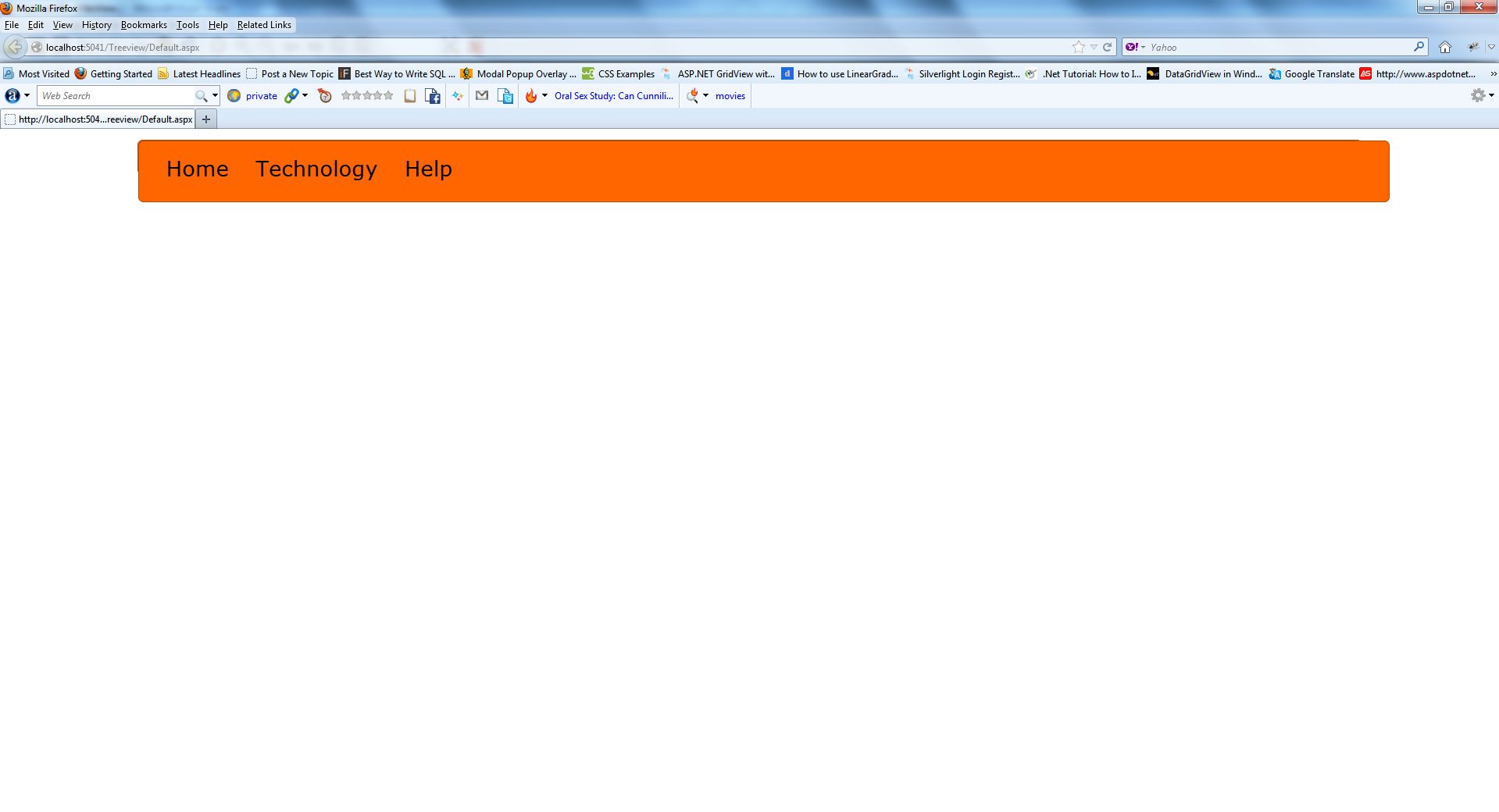
Now press F5 to run the application.
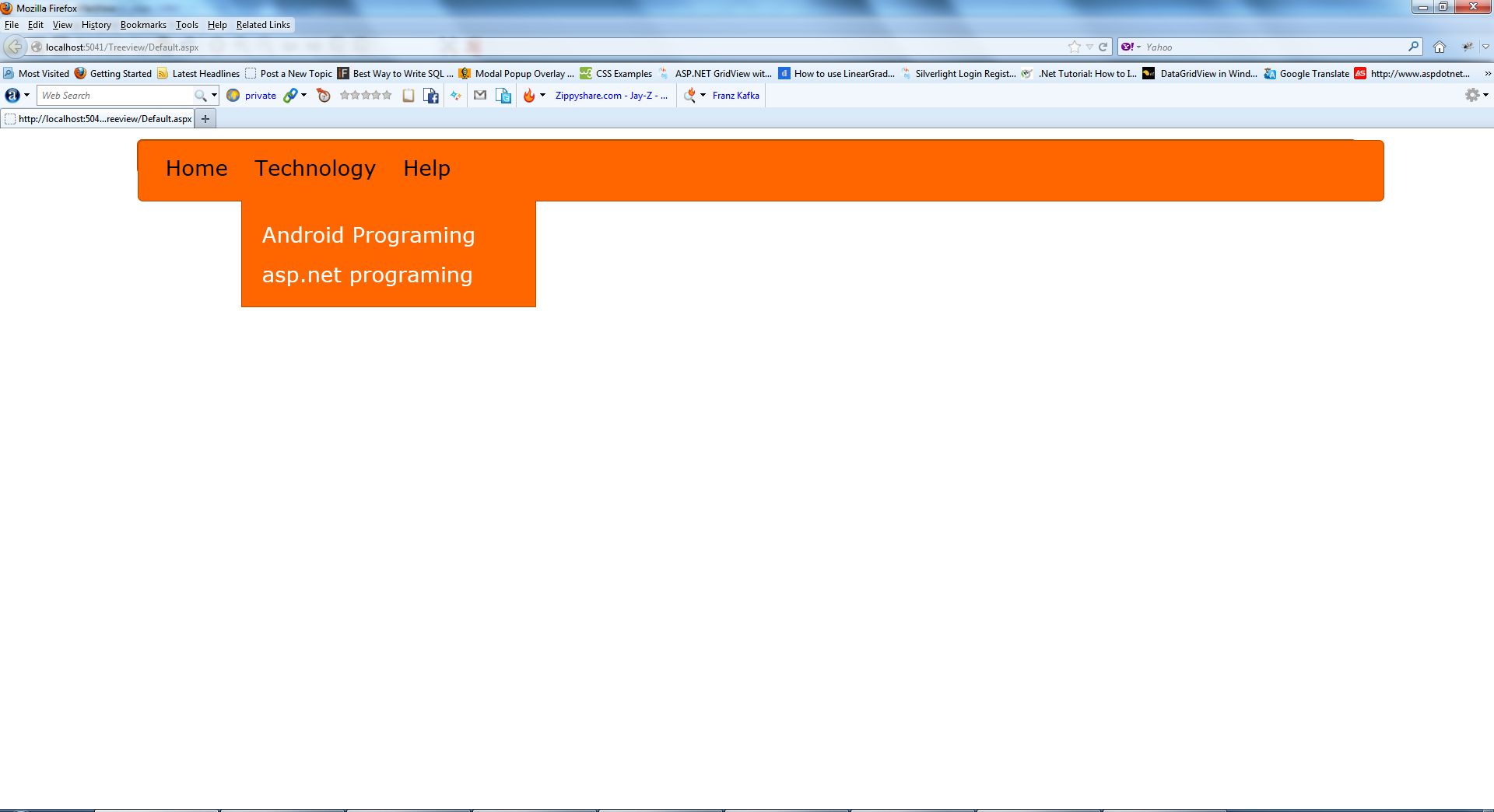
Now hover the mouse over the "technology" menu item.
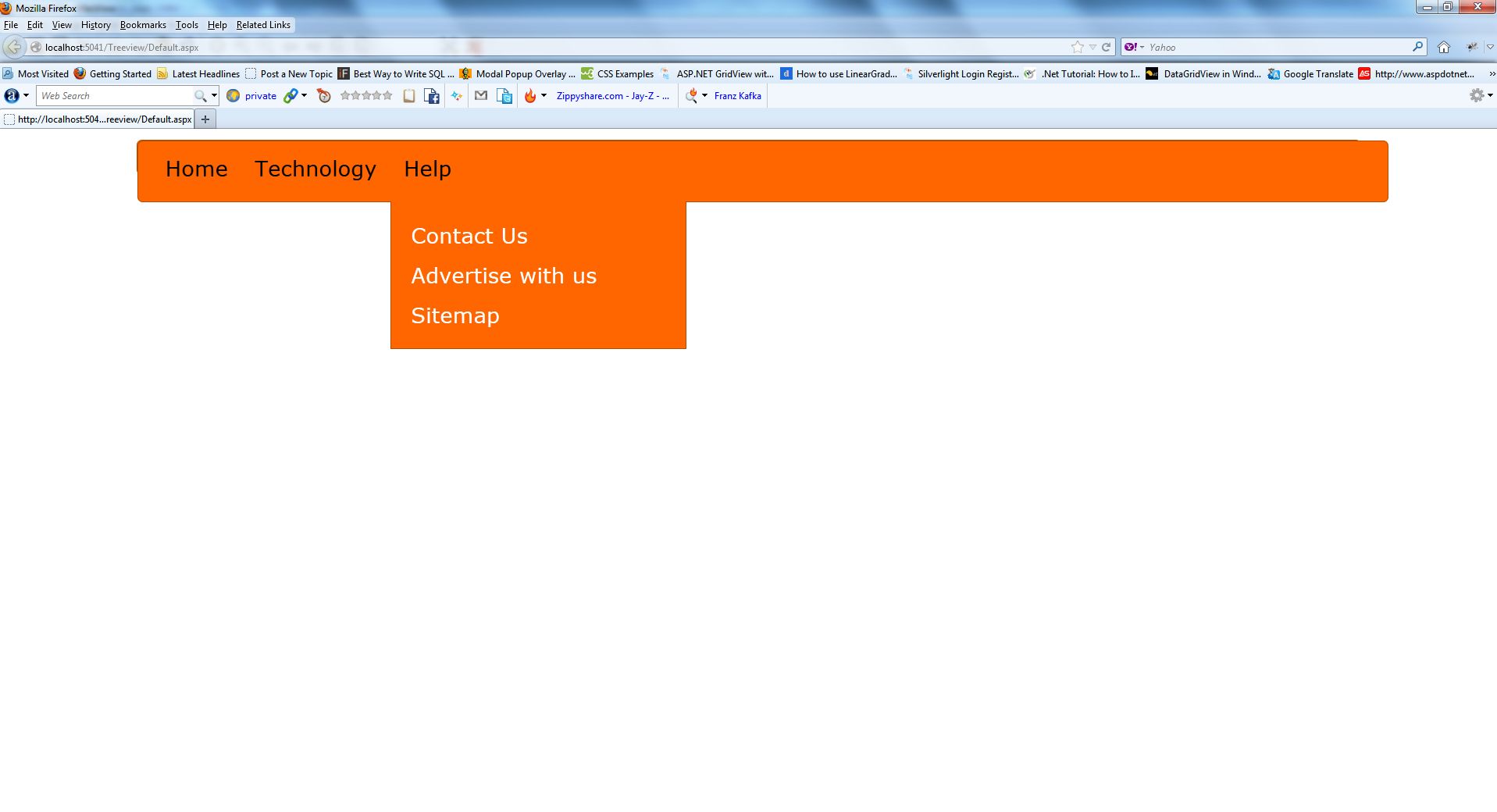
Now hover the mouse over the "Help" menu item.
sandeep tyagiPosted Nov 22, 2018, 3:47 AM
Thanks but what i have to do if we add child under submenu
Upendra Pratap ShahiPosted Jun 24, 2015, 3:03 AM
good
Karthikeyan KeyanPosted Feb 21, 2015, 1:21 AM
Thank u so much friend it very use full and working well.thank u ....
Dhyanesh RamPosted Sep 5, 2014, 1:48 AM
If submenus goes for 20+ count..how can we handle tat side by side as like in flipkart menu..can u pls tell
ram zyPosted Apr 9, 2014, 9:54 AM
thnx for writing such an article it helped me alot :)
Sanjeev KumarPosted Jan 27, 2014, 11:32 PM
Please tell can we achieve this by using asp menu control rather than a panel ? If yes , Please suggest that as well.
G CPosted Nov 10, 2013, 7:13 AM
doesn't work... :(
Rohatash KumarPosted Aug 7, 2013, 5:45 AM
Rajashri, There no need to download that file. This file contain css code which i have defined in ASPX Code.
rajashri saradePosted Aug 7, 2013, 4:34 AM
css/jquery.mcdropdown.css how to donlaod this files also js??
rajashri saradePosted Aug 7, 2013, 4:34 AM
helo sir