

The C# Web browser actually provides an Internet Explorer control. The control has several properties, methods, and events that we can use to implement user interface features.
Let’s have it practical terms
Firstly, we have to create a new project in VS 2015. Click on Windows Form Application in Templates window.
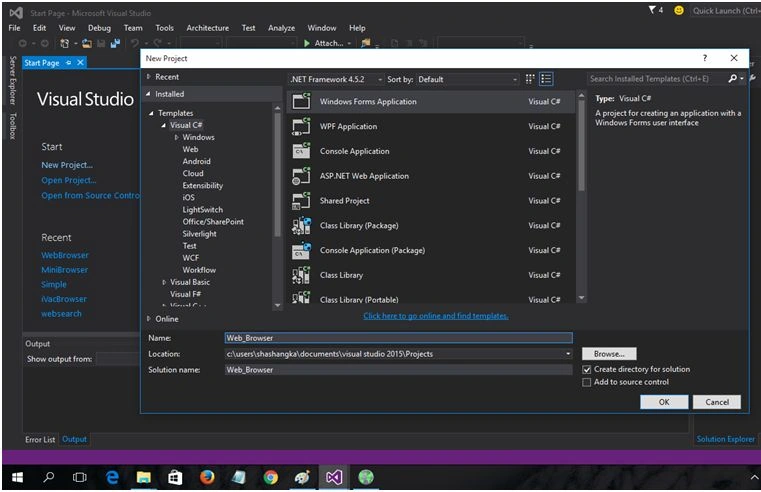
I named it Web Browser. Finally, the sample application window will appear with a blank sample form.
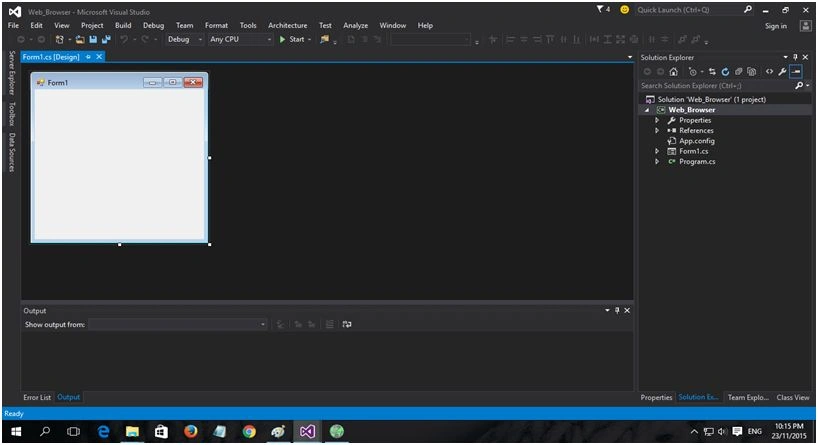
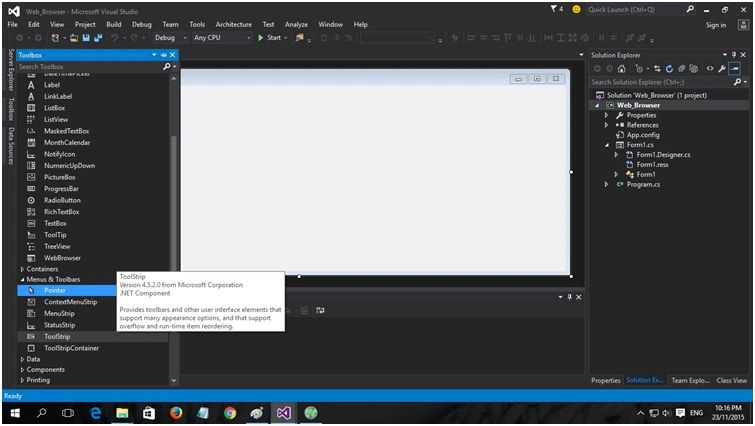
For our Navigation bar we will now drag & drop the ToolStrip menu to the project window and create our navigation button as we need. Dock it to the top.
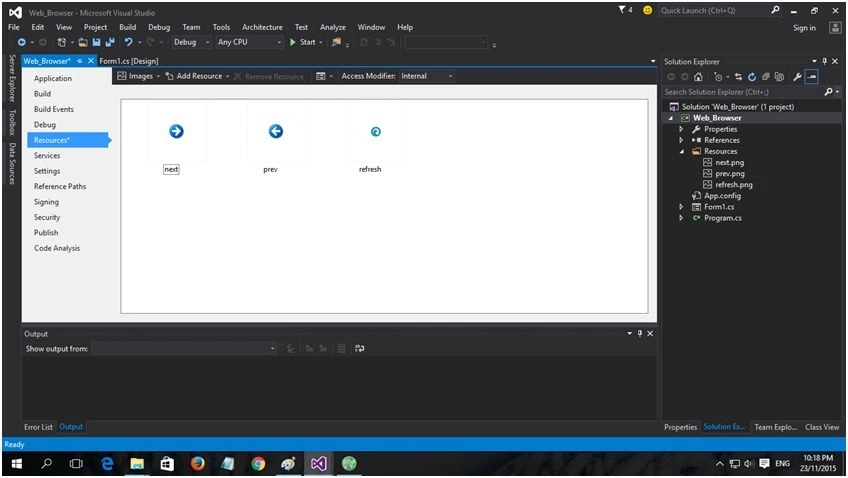
Now we need to add some icon to our Resources folder and give the button a look.
To show the status we need to add StatusStrip from Toolbar section Menus & Toolbars. Drag & drop it on application form and dock it to the bottom.
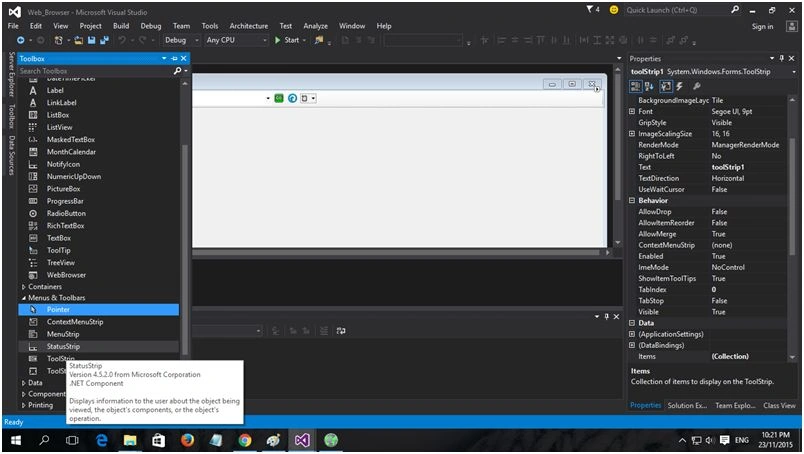
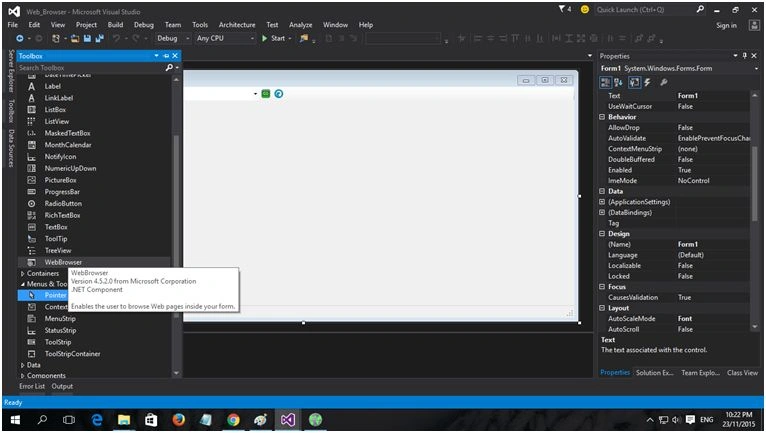
Now we will drag & drop the Web Browser control from the toolbar. We will doc it as Fill, so that the websites can view with fullscreen.
Now, let’s add some mechanism with this form control and view the website by user request.
Form1.cs
- using System;
- using System.Collections.Generic;
- using System.ComponentModel;
- using System.Data;
- using System.Drawing;
- using System.Linq;
- using System.Text;
- using System.Threading.Tasks;
- using System.Windows.Forms;
- namespace Web_Browser
- {
- public partialclassForm1: Form
- {
- String Url = string.Empty;
- public Form1()
- {
- InitializeComponent();
- Url = "http://www.msn.com";
- myBrowser();
- }
- privatevoid Form1_Load(object sender, EventArgs e)
- {
- toolStripButton1.Enabled = false;
- toolStripButton2.Enabled = false;
- }
- privatevoid toolStripButton3_Click(object sender, EventArgs e)
- {
- myBrowser();
- }
- privatevoidmyBrowser()
- {
- if (toolStripComboBox1.Text != "") Url = toolStripComboBox1.Text;
- webBrowser1.Navigate(Url);
- webBrowser1.ProgressChanged += newWebBrowserProgressChangedEventHandler(webpage_ProgressChanged);
- webBrowser1.DocumentTitleChanged += newEventHandler(webpage_DocumentTitleChanged);
- webBrowser1.StatusTextChanged += newEventHandler(webpage_StatusTextChanged);
- webBrowser1.Navigated += newWebBrowserNavigatedEventHandler(webpage_Navigated);
- webBrowser1.DocumentCompleted += newWebBrowserDocumentCompletedEventHandler(webpage_DocumentCompleted);
- }
- private void webpage_DocumentCompleted(object sender, WebBrowserDocumentCompletedEventArgs e)
- {
- if (webBrowser1.CanGoBack) toolStripButton1.Enabled = true;
- else toolStripButton1.Enabled = false;
- if (webBrowser1.CanGoForward) toolStripButton2.Enabled = true;
- else toolStripButton2.Enabled = false;
- toolStripStatusLabel1.Text = "Done";
- }
- private void webpage_DocumentTitleChanged(object sender, EventArgs e)
- {
- this.Text = webBrowser1.DocumentTitle.ToString();
- }
- private void webpage_StatusTextChanged(object sender, EventArgs e)
- {
- toolStripStatusLabel1.Text = webBrowser1.StatusText;
- }
- private void webpage_ProgressChanged(object sender, WebBrowserProgressChangedEventArgs e)
- {
- toolStripProgressBar1.Maximum = (int) e.MaximumProgress;
- toolStripProgressBar1.Value = ((int) e.CurrentProgress < 0 || (int) e.MaximumProgress < (int) e.CurrentProgress) ? (int) e.MaximumProgress : (int) e.CurrentProgress;
- }
- private void webpage_Navigated(object sender, WebBrowserNavigatedEventArgs e)
- {
- toolStripComboBox1.Text = webBrowser1.Url.ToString();
- }
- private void toolStripButton4_Click(object sender, EventArgs e)
- {
- webBrowser1.Refresh();
- }
- private void toolStripButton2_Click(object sender, EventArgs e)
- {
- webBrowser1.GoForward();
- }
- private void toolStripButton1_Click(object sender, EventArgs e)
- {
- webBrowser1.GoBack();
- }
- private void toolStripButton5_Click(object sender, EventArgs e)
- {
- webBrowser1.GoHome();
- }
- private void toolStripButton6_Click(object sender, EventArgs e)
- {
- webBrowser1.ShowPrintPreviewDialog();
- }
- }
- }
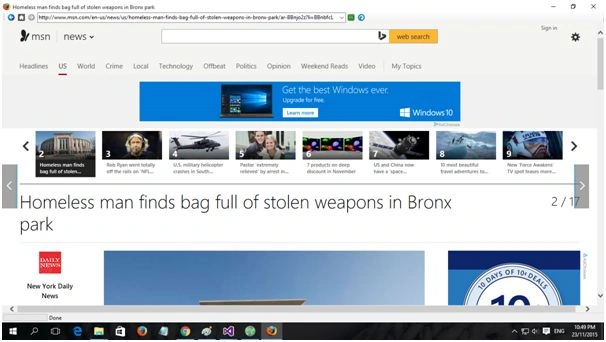
Output
Deployment
At this stage we will create a setup file with InstallShield 2015 Limited. Let’s take another new project like the following screenshot.

Click OK and the default screen will appear with setup information.
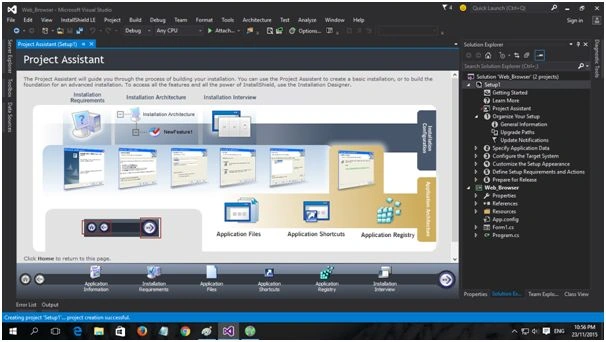
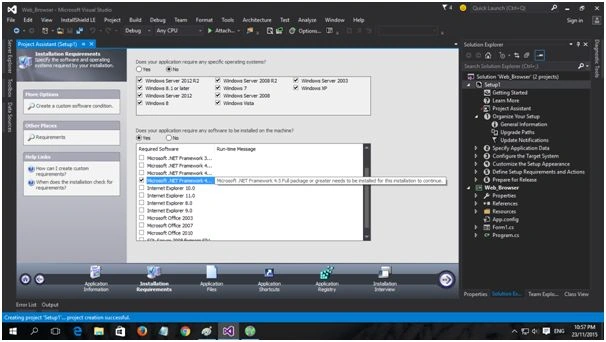
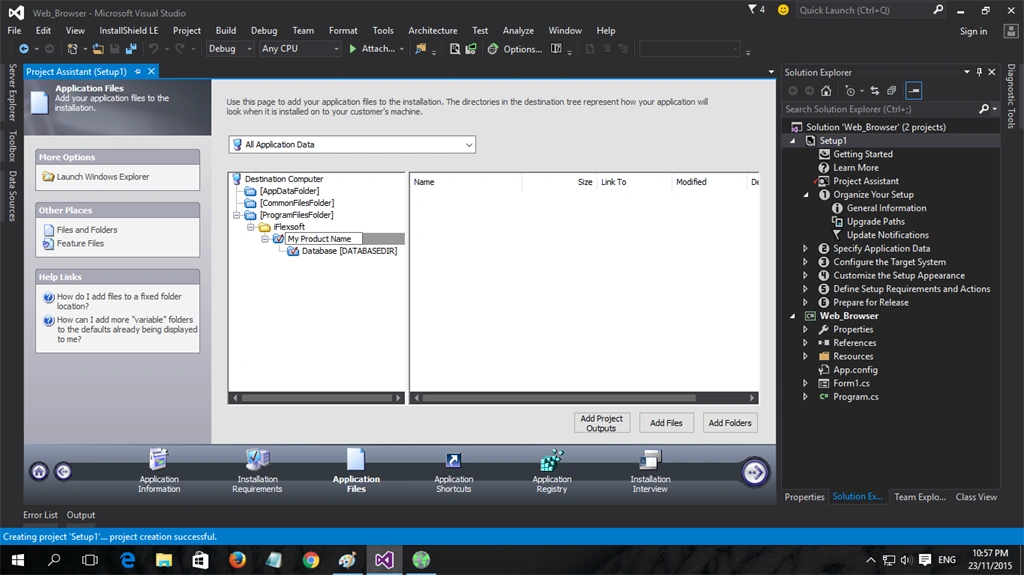
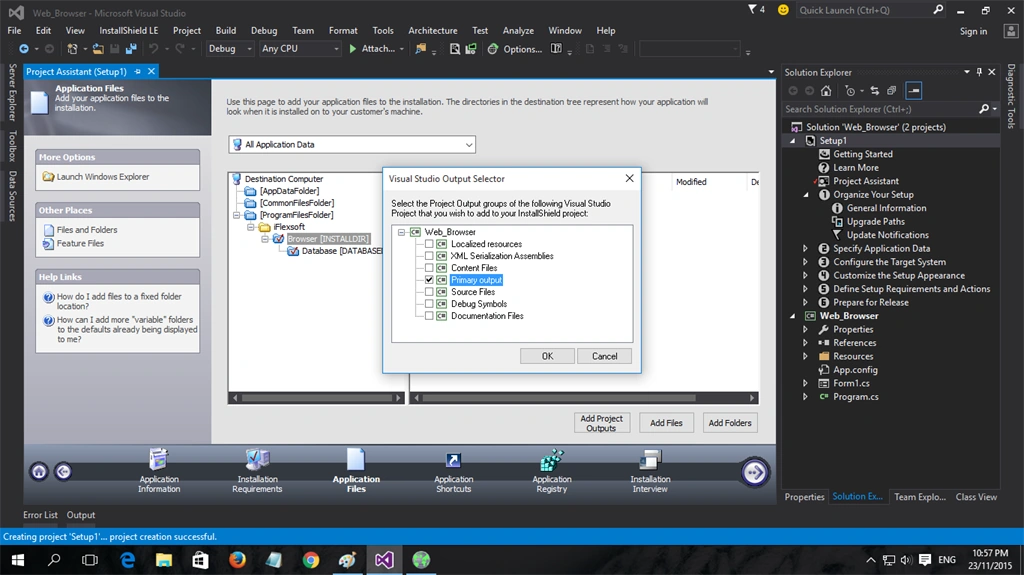
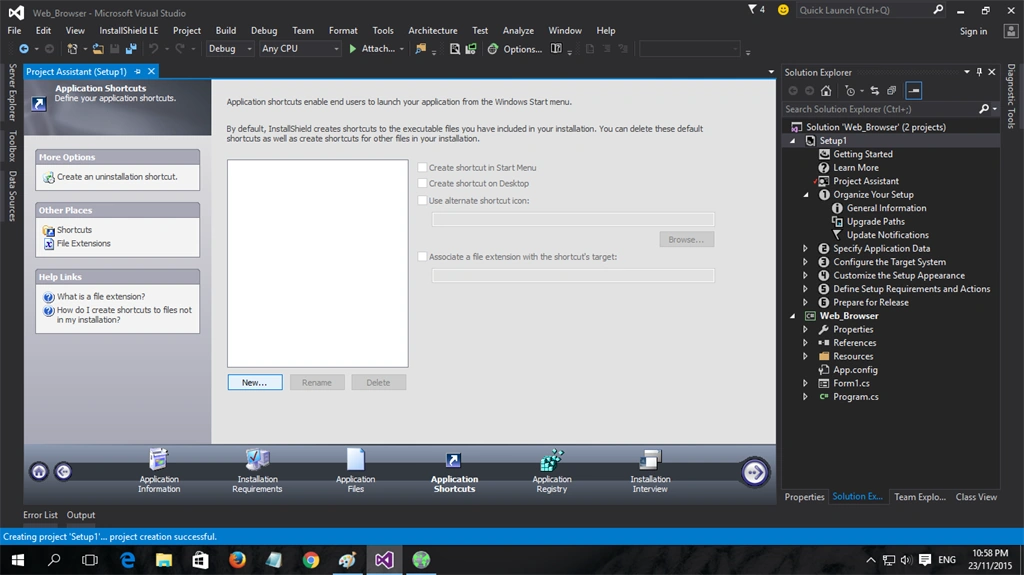
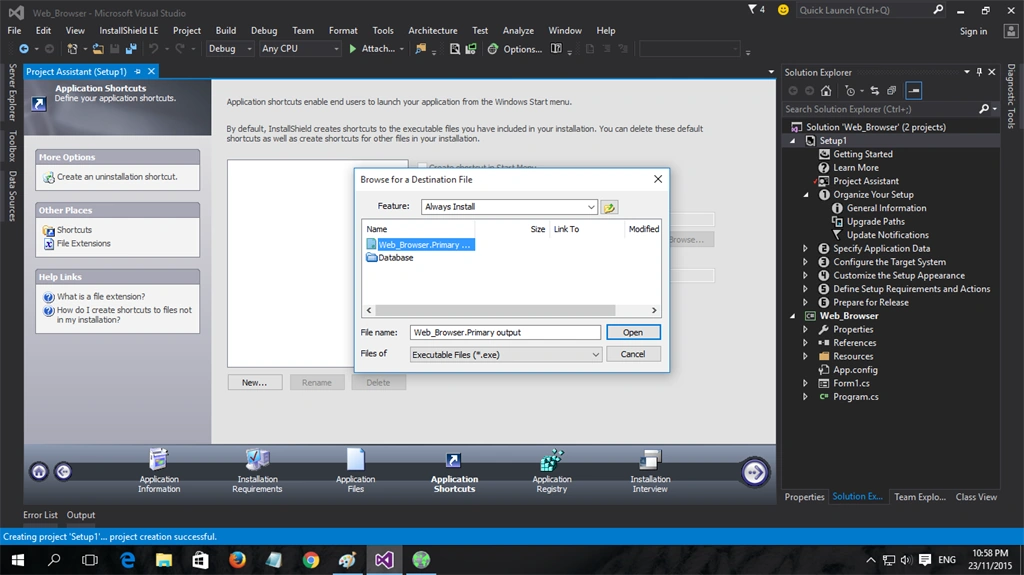
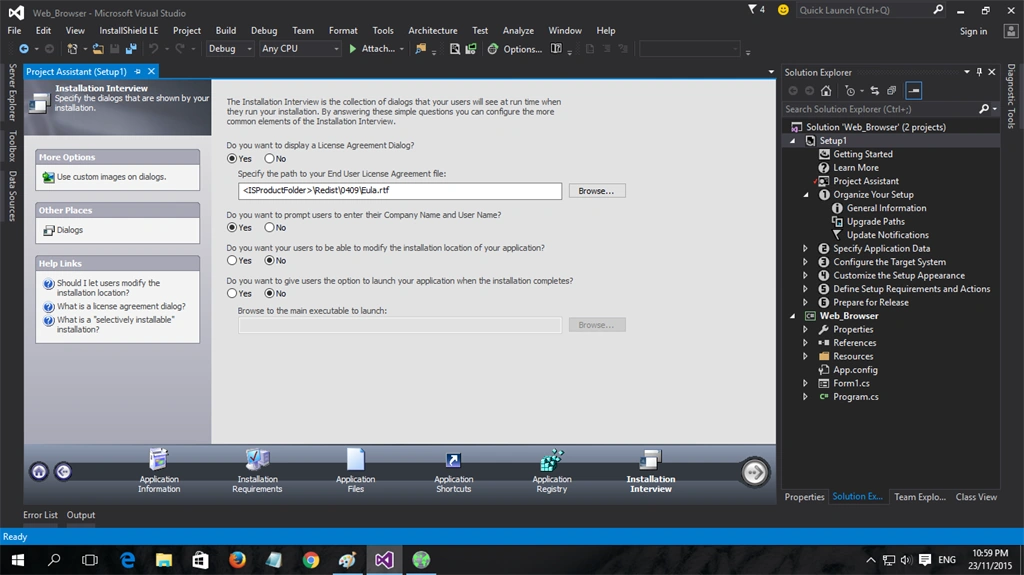
Follow the steps one by one and fill in the information as in the following screenshots:

Add project output.
Create shortcut on desktop or start menu with adding icon.
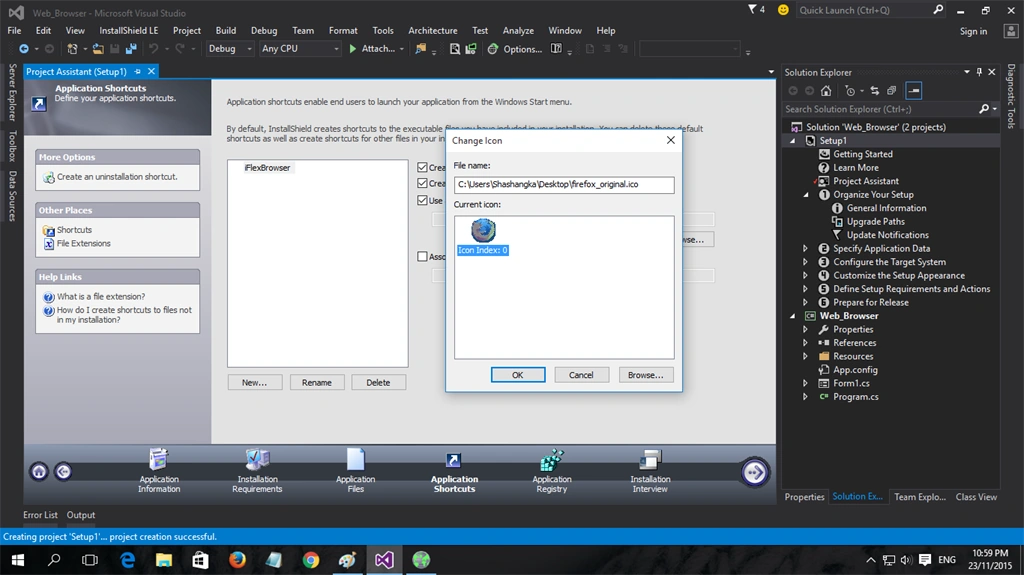
Add license file.
Finally build the project.


Install and check it out.
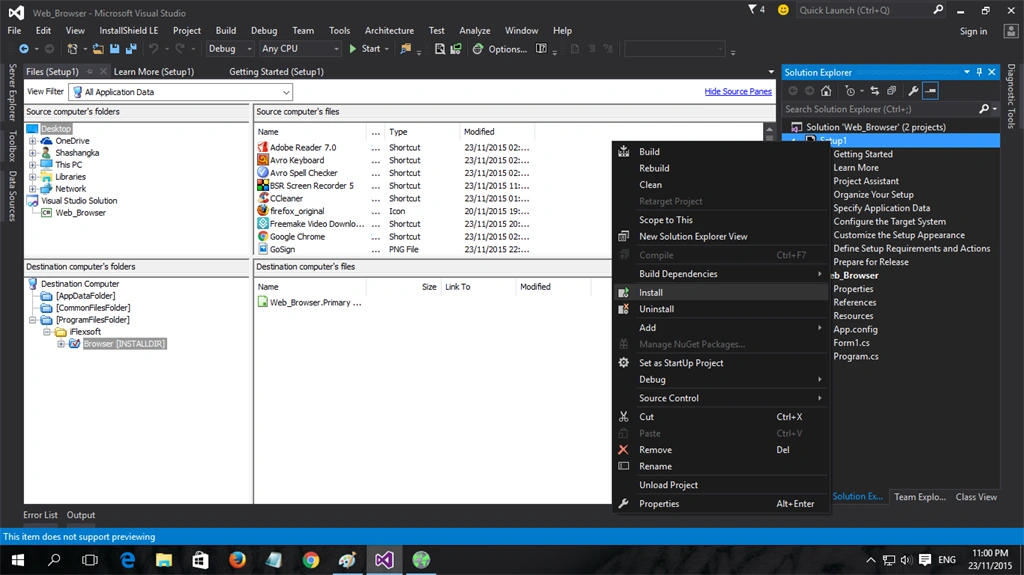
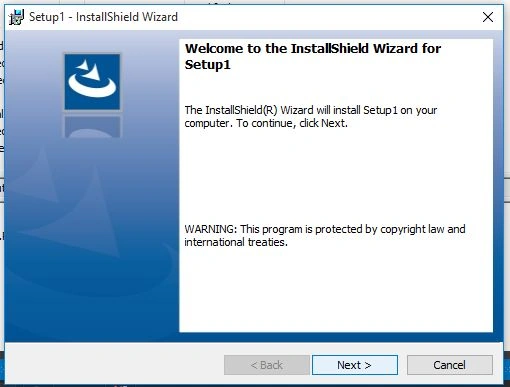
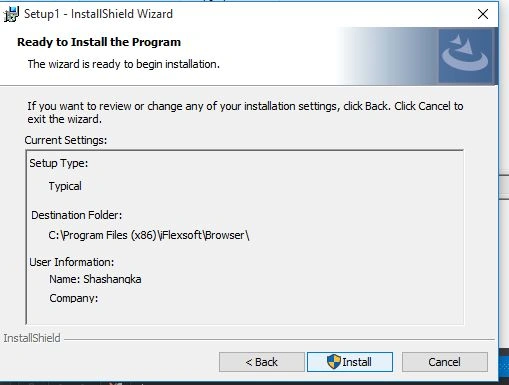
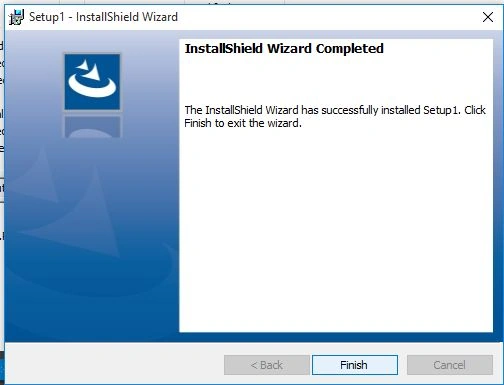
After finishing the installation process the icon will appear in program menu and on the desktop.
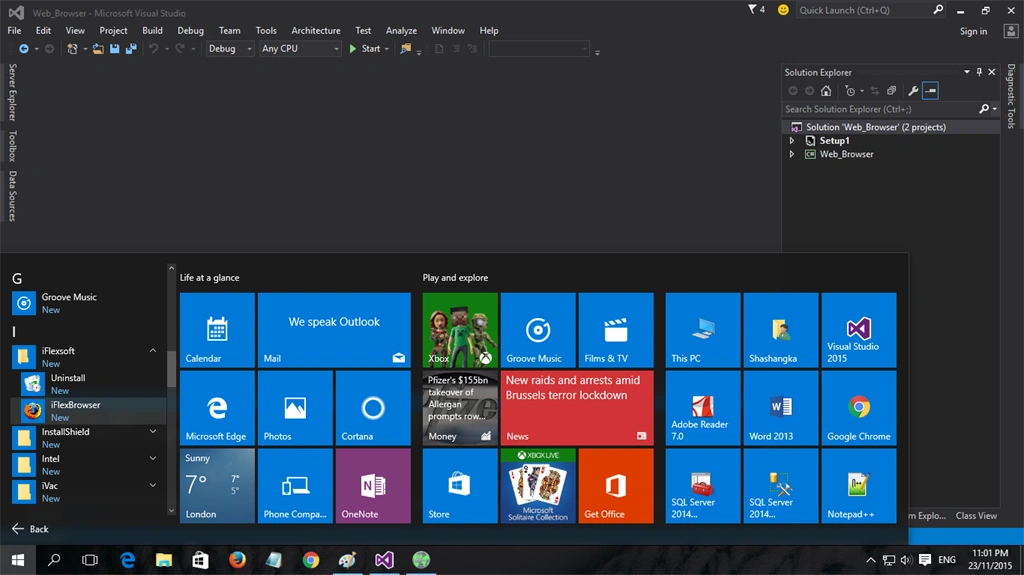
To know more click on Web Browser Capabilities to a Windows Forms Application, WebBrowser Class.
Thanks and I hope it will help someone to build their own Web browser in their application.
sadham hussainPosted Oct 3, 2017, 2:11 AM
Good one.,............................
Shamim UddinPosted Oct 2, 2016, 1:26 AM
Nice
Fahim AshfakPosted Mar 31, 2016, 3:18 AM
Very Nice...
Santhakumar MunuswamyPosted Jan 13, 2016, 10:45 AM
Thanks for nice share
Raja TPosted Jan 11, 2016, 10:47 PM
Nice,thanks for sharing
Ankur MistryPosted Jan 11, 2016, 12:09 PM
Interesting, thanks for sharing
Kumaresh RajalingamPosted Jan 11, 2016, 12:04 PM
Nice share
Ehsan SajjadPosted Jan 11, 2016, 11:42 AM
Good work.
Nanddeep NachanPosted Jan 11, 2016, 10:23 AM
Thanks for sharing!
Arul RPosted Jan 11, 2016, 8:19 AM
Good one
Debasis SahaPosted Jan 11, 2016, 7:38 AM
Good One..
Mohammed IbrahimPosted Jan 11, 2016, 2:57 AM
nice
Ankit BansalPosted Jan 11, 2016, 1:32 AM
Nice...keep sharing..