

In this article, I am going to create a simple React application with and without Babel. Often, for creating React applications, we need to install some packages and tools, like NPM, Webpack, and Babel. Here, the question is, why do we require all these packages? Can’t we create a React application without them? What is the role of these packages in React applications?
So, while going through this article, we will find the answers to all of the above questions. First of all, I am introducing the packages and tools required by a React application.
npm
npm stands for Node Package Manager, which is a command line interface program to manage the node.js libraries. We use npm in React applications because they allow us to install JavaScript libraries.
Webpack
Webpack is a static module bundler for modern JavaScript applications. When Webpack processes our application, it internally builds a dependency graph which maps every module our project needs and generates one or more bundles. When we create a React application, there is a chance of creating more than one module in the application. So, Webpack is used to bundle all these modules with their dependencies.
Babel
Babel is a tool that is mainly used to convert the ECMA Script 2015+ code into a backward compatible version of JavaScript in current and older browser or environment. So, Babel converts our React application's code (if it is written in ECMAScript) into JavaScript so that it can be rendered by all the browsers.
I hope now it is understood what kind of packages are required for React applications and what is the role of these packages in a React application.
Interestingly, these are not the must-have requirements for creating a React application. We can create a React application without using these packages. It’s true. For creating React applications, the least requirements are React and the ReactDOM package.
- React package helps us in creating a component.
- ReactDOM package helps us to render the component.
Let’s understand with a simple project.
Create an HTML file called “ReactWithoutBabel.html” which simply contains the following code.
- <html>
- <head>
- <title>React App Without Babel</title>
- </head>
- <body>
- </body>
- </html>
Now, for creating the React app, the basic requirement is to have a React package. For this, we use 2 CDN links, one for React and the second for ReactDOM. Below are the CDN link.
- <script crossorigin src="https://cdnjs.cloudflare.com/ajax/libs/react/16.8.6/umd/react.development.js"></script>
- <script crossorigin src="https://cdnjs.cloudflare.com/ajax/libs/react-dom/16.8.6/umd/react-dom.development.js"></script>
Use these two CDN links into HTML page. Copy and paste it below the title tag. After this, create a div inside the <body> tag with “id” attribute and give a specific id to it, like I have given below.
- <div id=”test”></div>
Now, we will be creating a React component. Since React is a JavaScript library, we write the React code inside the <script> tag.
- <script>
- class YourComponentName extends React.Component {
- render() {
- }
- }
- </script>
In the above code, change “YourComponentName” as per our component name. For example, we can create a component having the name “First”.
So, our component looks like below.
- <script>
- class First extends React.Component {
- render() {
- }
- }
- </script>
- <script>
- class First extends React.Component {
- render() {
- return React.createElement('div', null, 'C# Corner');
- }
- }
- </script>
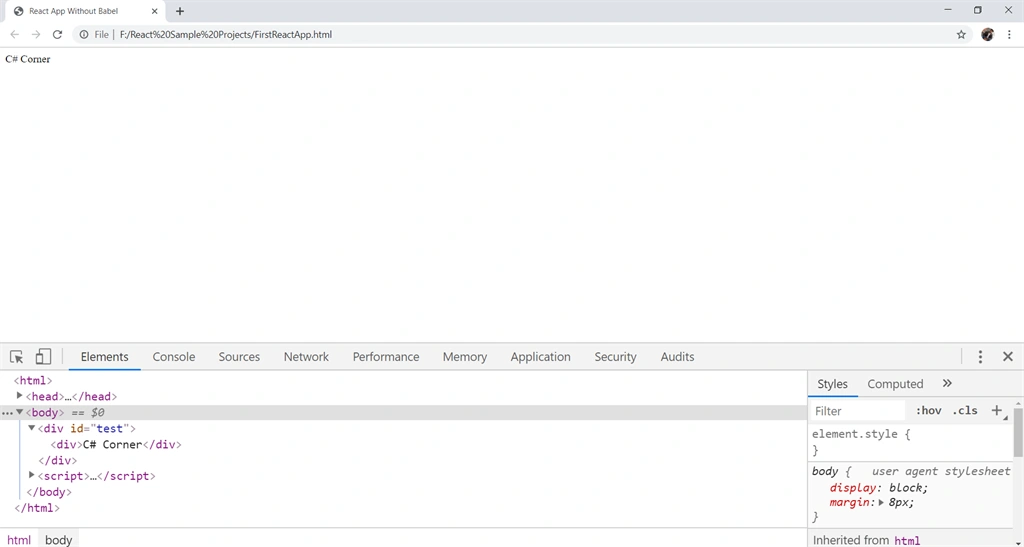
In the above code, we used createElement() for creating an element. It takes three arguments -
Join the conversation! Your thoughts help the community grow.