

Introduction
In this article I am going to explain what the Remote Event Receiver is and how we can create in SharePoint 2013, with this example you can also learn how to create SharePoint APP with Announcement List.
Event Receiver
Event is nothing but an action, on doing some action we need to execute some code to do work, there are 2 types of Event Receivers ‘Before’ and ‘After’ events, it can also called as ‘synchronous’ and ‘Asynchronous’ events. We can create events in various levels like Web, List/Libraries, List/Libraries Item, and Feature level.
We can add actions like Item adding, Item Added, Item updating, Item Updated etc…
Remote Event Receiver
Remote Event Receivers are same as event receivers but normal Event Receivers are hosted in SharePoint items, the Remote Event Receivers hosted in remotely for ex… we can host event receivers in SharePoint Apps.
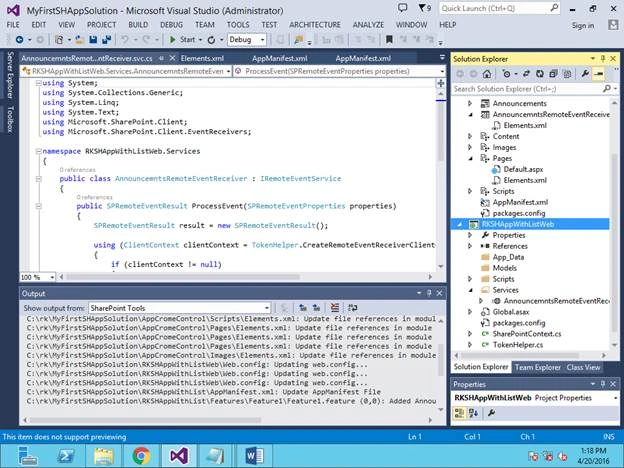
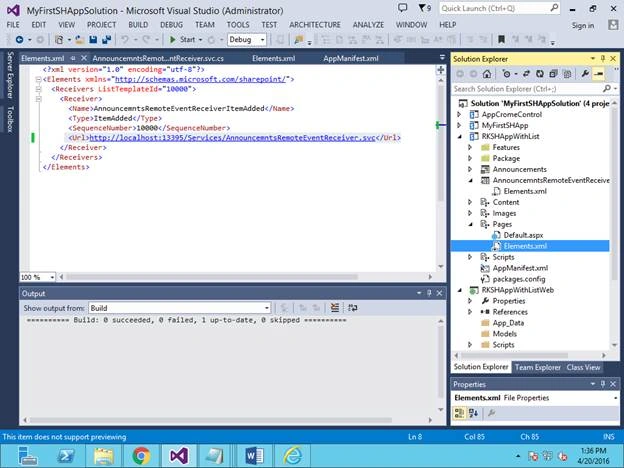
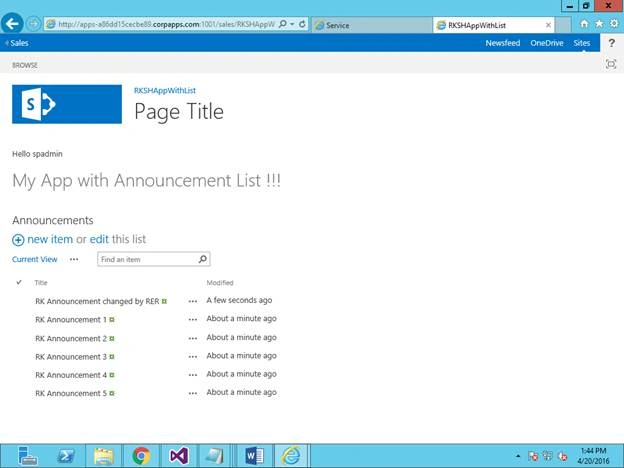
In this example I am going to create a SharePoint App with an Announcement list, and I am going to create Remote Event Receiver on this Announcement list, added an event on Item adding, when user adding the item on the Announcement list the event is going to fire and update the item title with some text.
As this events are running remotely (Apps), so we are calling as Remote Event Recivers.
Steps to create Remote Event Receiver.
Step: 1
Create SharePoint APP Application called ‘RKSHAppWithList’ and pass the required SP web to deploy this APP.
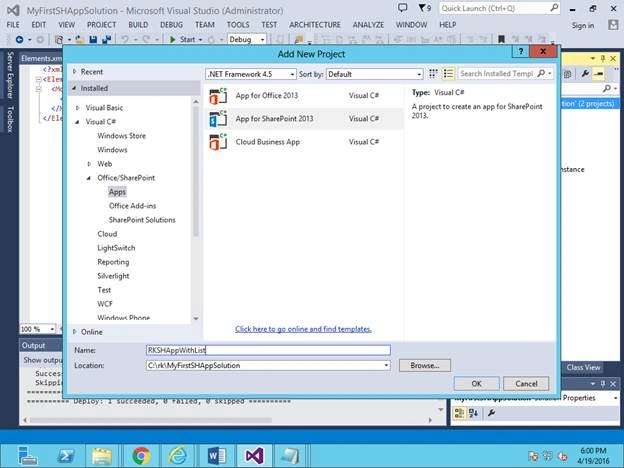
Step: 2
Add new list item in the APP, select the announcement template.
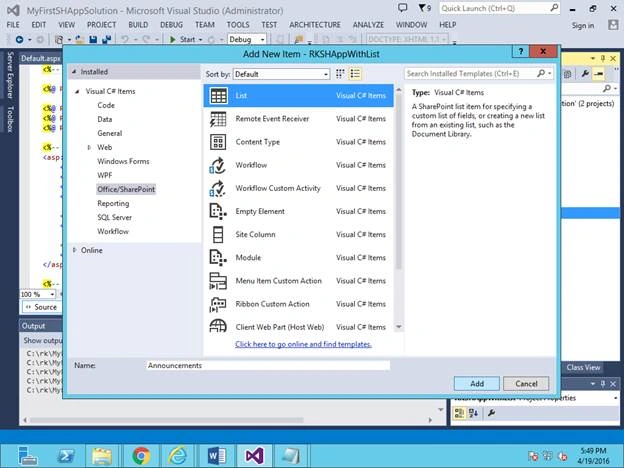
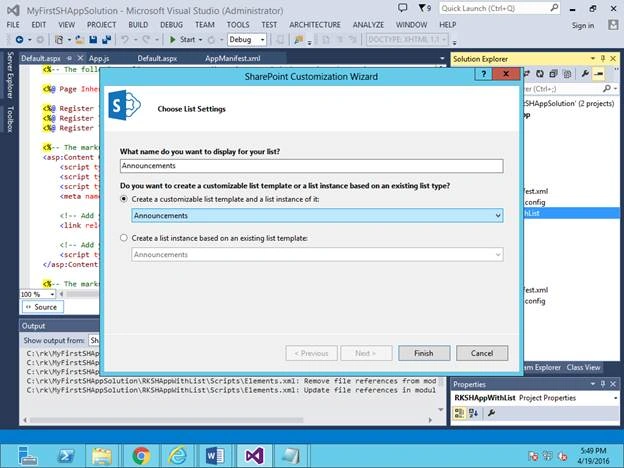
Step: 3
Create WebPart Zone in the default page and add Announcements list to that. Below code will help you to add WebPart Zone and add announcement list.
Code:
- <h1>My App with Announcement List !!!</h1>
- <br />
- <br />
- <!-- Adding webpart zone to add the announcement list -->
- <WebPartPages:WebPartZone runat="server" FrameType="TitleBarOnly"
- ID="full" Title="loc:full">
- <WebPartPages:XsltListViewWebPart ID="XsltListViewWebPart1"
- runat="server" ListUrl="Lists/Announcements" IsIncluded="True"
- NoDefaultStyle="TRUE" Title="Announcements" PageType="PAGE_NORMALVIEW"
- Default="False" ViewContentTypeId="0x">
- </WebPartPages:XsltListViewWebPart>
- </WebPartPages:WebPartZone>
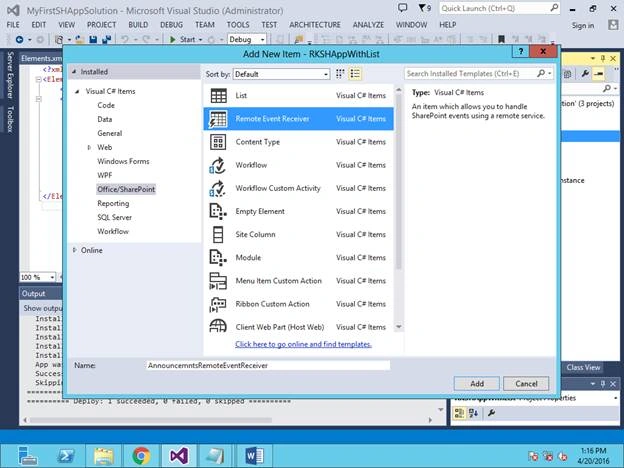
Ramakrishna BasagallaPosted Apr 25, 2016, 11:53 AM
Thank you very much for all your comments
Rahul Kumar SaxenaPosted Apr 24, 2016, 12:21 PM
Good One
Humayun Kabir MamunPosted Apr 24, 2016, 12:39 AM
Nice...
Bhuvanesh MohankumarPosted Apr 23, 2016, 6:23 PM
Good
Debasis SahaPosted Apr 23, 2016, 6:27 AM
Nice One..
NitinPosted Apr 22, 2016, 11:38 PM
Nice
Sr KarthigaPosted Apr 22, 2016, 8:58 PM
good one
Vignesh ManiPosted Apr 22, 2016, 5:34 PM
Good