Introduction
What is CSS3?
CSS3 is still our old traditional CSS, but with some additional cool features added. It is just the latest standard for CSS.
Many of the CSS3 properties might not work in the older browsers. But they all have been implemented in modern browsers.
CSS3 made the designer/developer life so easy by introducing some new properties in the CSS world that will help a developer/designer to interact less with designing tools like Photoshop.
CSS3 Features
- Borders
- Gradient
- rgba
- Background
- Transforms
- Animation
- Transition
- Text effects
- Box effects
- Text Rotation
- Fonts
- @Font Face
- Multi columns
- Flexbox
- Grid
In this article, I will explain the following things.
- How to design a rounded corner box by adding a CSS3 property called "border-radius".
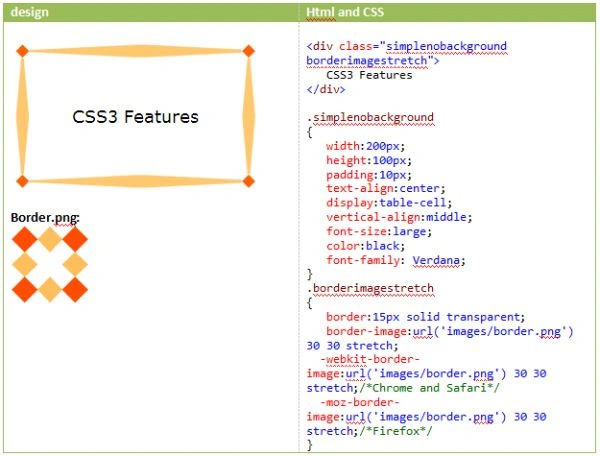
- How to use an image as a border for a box using a CSS3 property called "border-image".
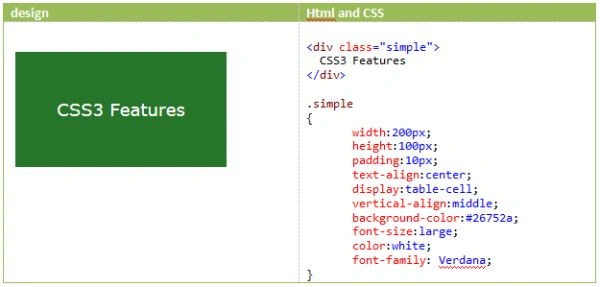
Here I am taking a div with some text inside for a demo of the "border radius" property in CSS3.
Simple div with some background colour and text inside
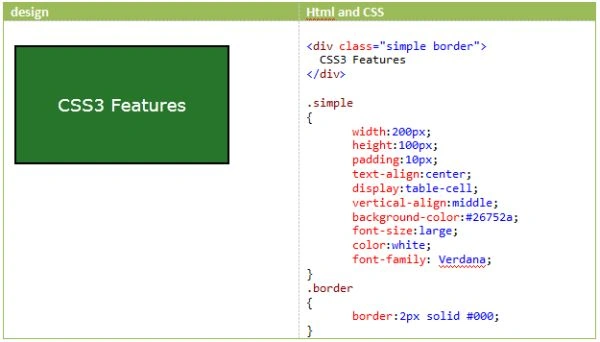
Border
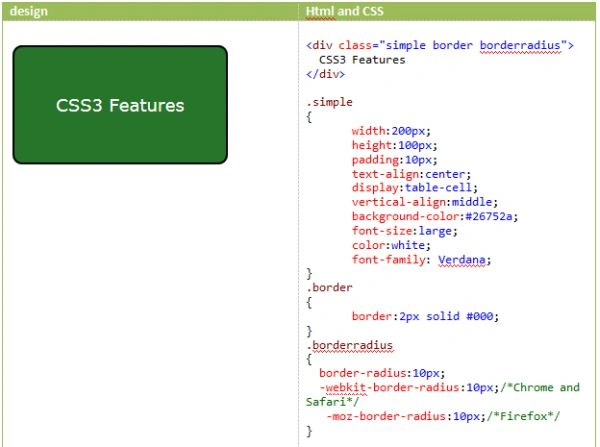
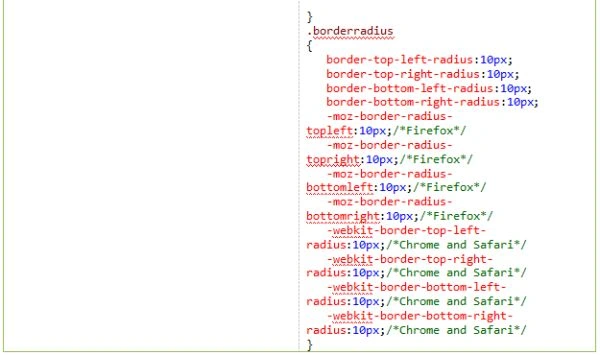
I will use the preceding div to represent the "border-radius" property in CSS3.
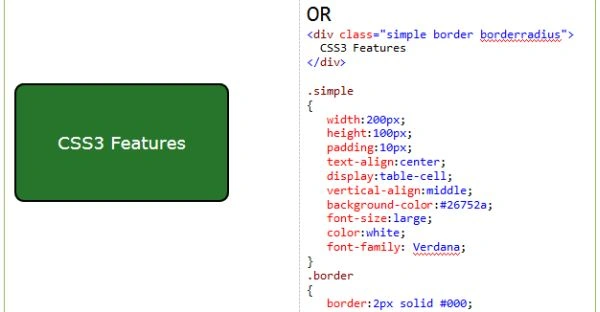
Rounded corners
Before CSS3, if we needed a rounded corner box or a button, the designer needed to design 4 rounded corner buttons and align them along the corners of that box using HTML and CSS.
But with CSS3, it is possible by quickly adding a new CSS property called "border-radius".
What is "–webkit-" and "–moz-"?
Every browser is backed by a rendering engine to draw the HTML/CSS web page.
"–webkit-" is a web browser rendering engine used by Safari and Chrome browsers. "–moz-" is a web browser rendering engine used by the Firefox browser.
The following table gives us more details about browsers, their rendering engines and their prefix.
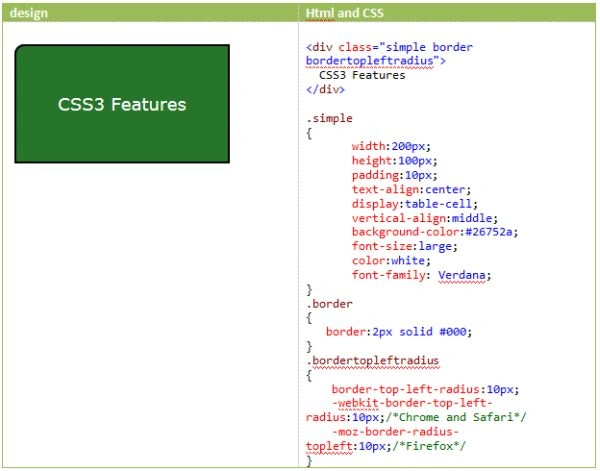
Top left rounded corner
We need to use a new CSS3 property called "border-top-left-radius" to get a rounded corner at the top-left corner.
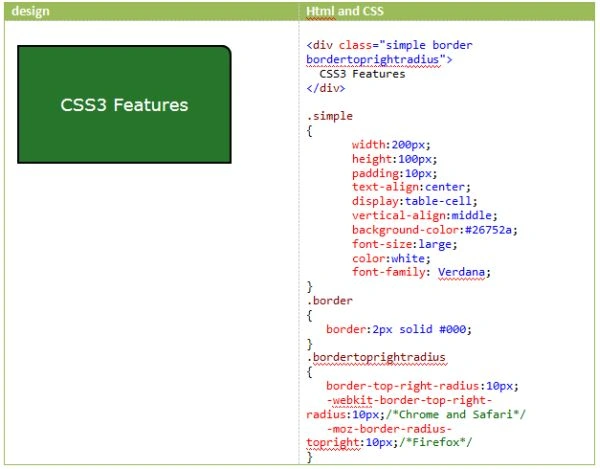
Top right rounded corner
We need to use a new CSS3 property called "border-top-right-radius" to get a rounded corner at the top-right corner.
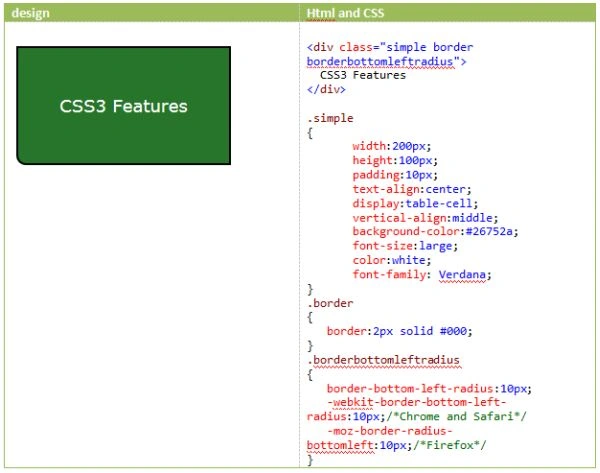
Bottom left rounded corner
We need to use a new CSS3 property called "border-bottom-left-radius" to get a rounded corner at the bottom-left corner.
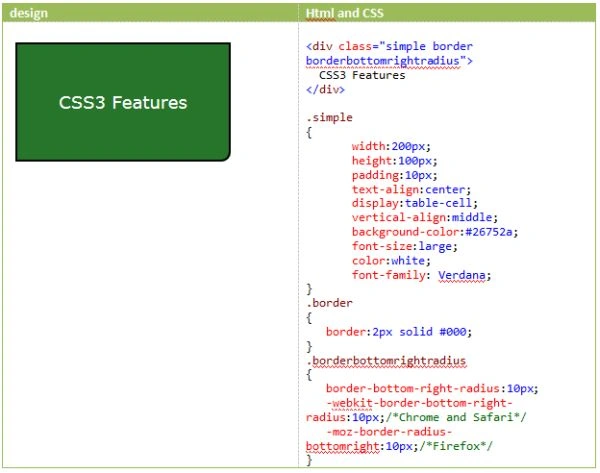
Bottom right rounded corner
We need to use a new CSS3 property called "border-bottom-right-radius" to get a rounded corner at the bottom-right corner.
Border-image
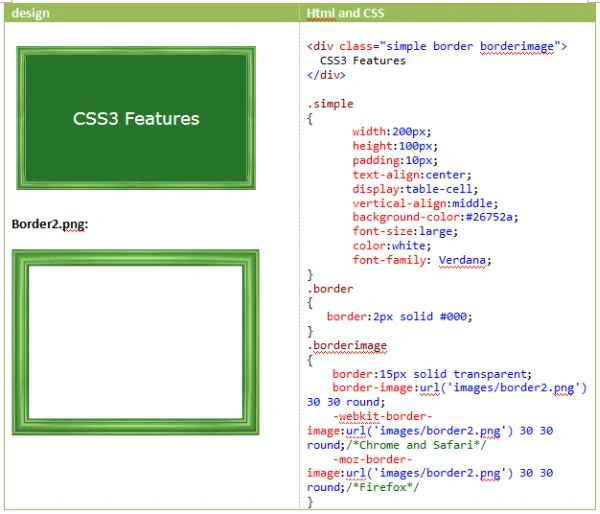
Without using CSS3, if you want to use an image as a border for a box or a button, you need to add a transparent image as a background image for that box. But CSS3 provides a new property called "border-image" to use an image as a border.
Syntax
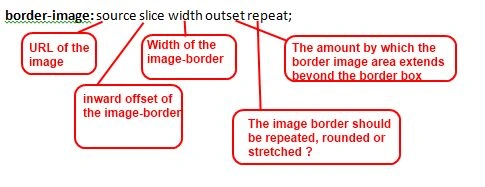
border-image: source slice width outset repeat;
The following image explains each property value of the border-image
As I already said at the beginning of the article, CSS3 only works in modern browsers, the "border-image" property also only works in modern browsers.
Note*
The image that you want to use as a border should always be a transparent image.
Border-image example
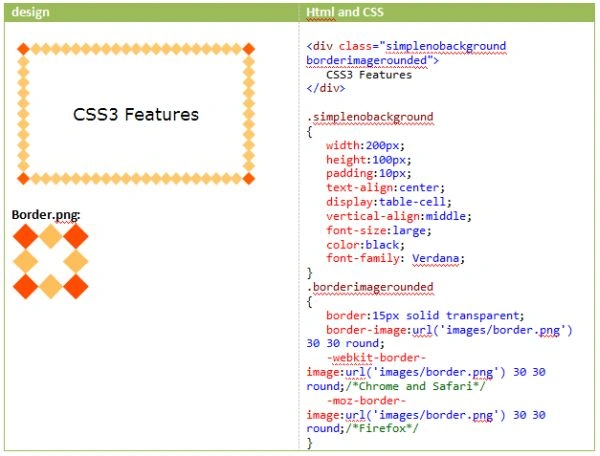
Border-image rounded example
Border-image stretched example
Summary
In this article, I explained how to design a rounded corner box by applying a new CSS property called "border-radius" in CSS3. I have also explained how to design a box with one specific rounded corner by using some border-related properties in CSS3. In the end, I also explained how to use an image as a border for a box by using a CSS3 property called "border-image".



Lakshmanan Sethu SankaranarayanPosted Mar 16, 2014, 11:17 AM
good one