

Introduction
In this article I have explained the cursor class and the properties of the cursor class. We then explain how to create a cursors in a Windows Forms application. Windows provides a set of standard cursors that are available for any application to use at run time.
Cursor
A Cursor is a visual representation on the windows screen that is controlled by a pointing device such as a mouse, pen, trackball. When the user moves the mouse the cursor moves accordingly. A Cursor is used to point to the object, click and drag the items in Windows applications.
Cursors Class
The Cursors class provides a set of cursors that can be used in Windows Forms. Each cursor is represented by a static property. The Cursor class represents the small picture for the mouse pointer to describe the pointing object.
Properties of Cursor Class
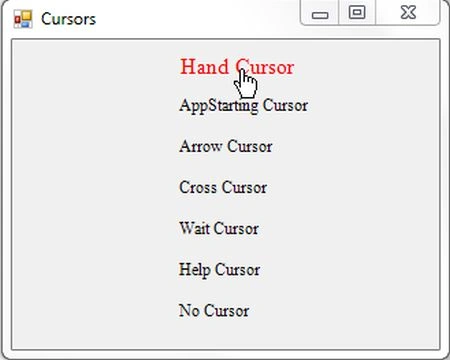
- Hand Cursor: The Hand cursor is used when the mouse is hovering over a web link.
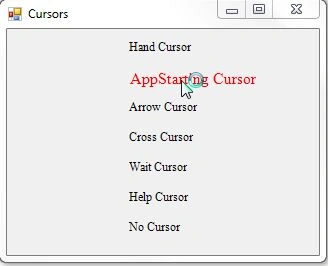
- AppStarting Cursor: Gets the cursor that appears when an application starts.
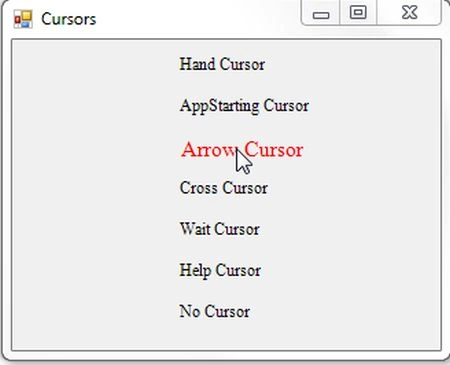
- Arrow Cursor: Gets the arrow cursor.
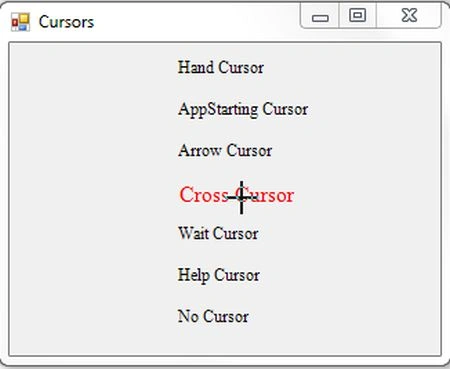
- Cross Cursor: Gets the crosshairs cursor.
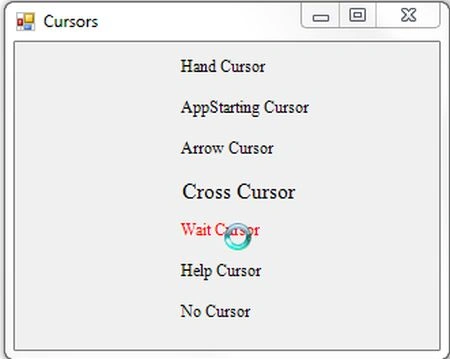
- Wait Cursor: Gets the wait cursor, typically hourglass shapes.
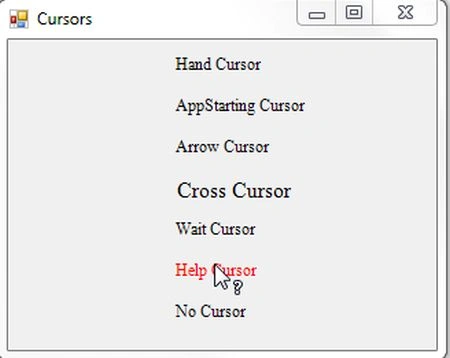
- Help Cursor: Gets the help cursor combination of an arrow and a question mark.
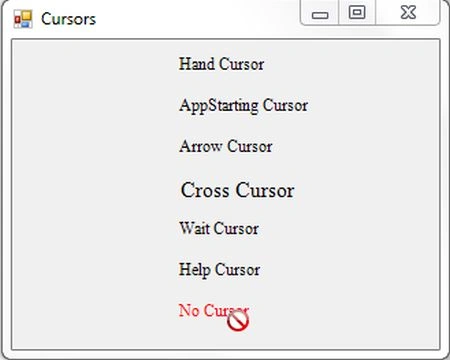
- No Cursor: Gets the cursor that indicates that a specific region is invalid for the current operation.
Now I want to show you the various types of cursors in Windows Forms applications; just use the following procedure.
Step 1:
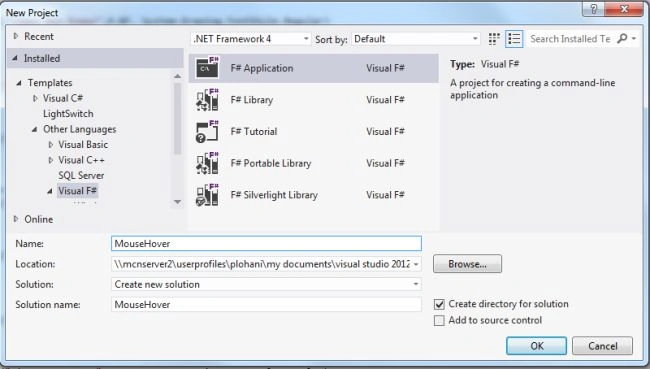
Open Visual Studio then select "Create New Project" --> "F# Console Application".
Step 2:
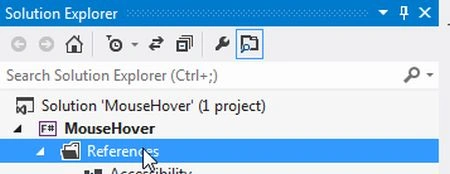
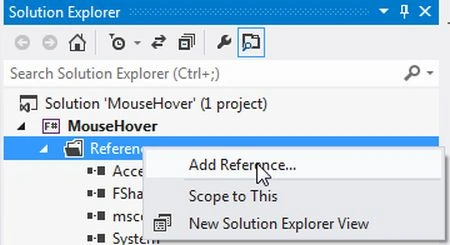
Now go to the Solution Explorer on the right side of the application. Select the references and right-click on it and select "Add references".
Step 3:
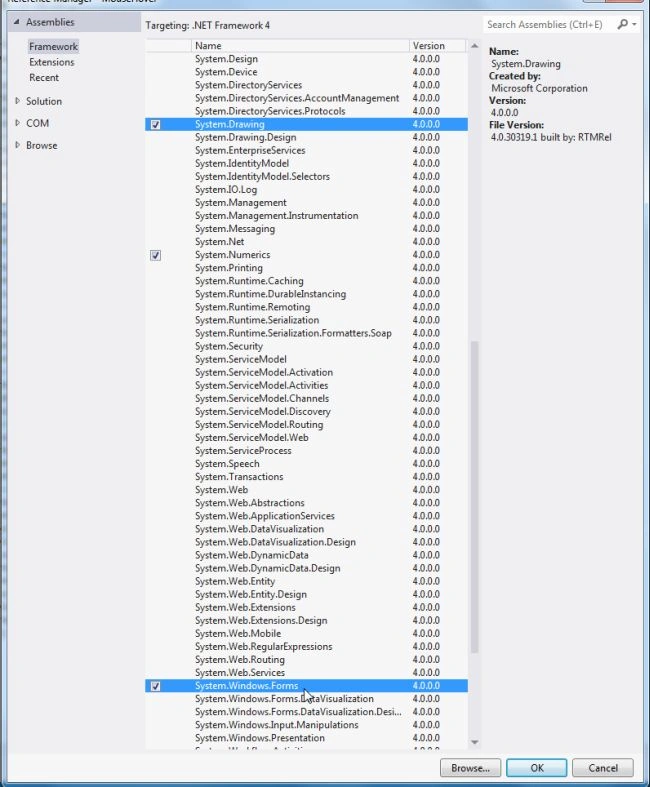
After selecting "Add References", in the framework template you need to select "System.Windows.Forms" and "System.Drawing" while holding down the Ctrl key and Click on "Ok" .
Step 4:
Write the following code in the F# editor:
open System
open System.Drawing
open System.Windows.Forms
let ffont=new System.Drawing.Font("Times New Roman",9.0F)
let mycursorsform=new Form(Text="Cursors")
let handlbl=new Label(Text="Hand Cursor",AutoSize=true,Top=10,Left=120)
let appcursor=new Label(Text="AppStarting Cursor",AutoSize=true,Top=40,Left=120)
let arrwlbl=new Label(Text="Arrow Cursor",AutoSize=true,Top=70,Left=120)
let crsslbl=new Label(Text="Cross Cursor",AutoSize=true,Top=100,Left=120)
let waitlbl=new Label(Text="Wait Cursor",AutoSize=true,Top=130,Left=120)
let helplbl=new Label(Text="Help Cursor",AutoSize=true,Top=160,Left=120)
let nolbl=new Label(Text="No Cursor",AutoSize=true,Top=190,Left=120)
mycursorsform.Controls.Add(handlbl)
mycursorsform.Controls.Add(appcursor)
mycursorsform.Controls.Add(arrwlbl)
mycursorsform.Controls.Add(crsslbl)
mycursorsform.Controls.Add(waitlbl)
mycursorsform.Controls.Add(helplbl)
mycursorsform.Controls.Add(nolbl)
handlbl.MouseHover.Add(fun disphandcursor->
handlbl.ForeColor<-Color.Red
handlbl.Cursor<-Cursors.Hand
let ffont=new System.Drawing.Font("Times New Roman",12.0F)
handlbl.Font<-ffont)
handlbl.MouseLeave.Add(fun changefontsize->
handlbl.ForeColor<-Color.Empty
let ffont=new System.Drawing.Font("Times New Roman",9.0F)
handlbl.Font<-ffont)
appcursor.MouseHover.Add(fun dispappcursor->
appcursor.ForeColor<-Color.Red
appcursor.Cursor<-Cursors.AppStarting
let ffont=new System.Drawing.Font("Times New Roman",12.0F)
appcursor.Font<-ffont)
appcursor.MouseLeave.Add(fun retainsfontsize->
appcursor.ForeColor<-Color.Empty
let ffont=new System.Drawing.Font("Times New Roman",9.0F)
appcursor.Font<-ffont)
arrwlbl.MouseHover.Add(fun disparrowcursor->
arrwlbl.ForeColor<-Color.Red
arrwlbl.Cursor<-Cursors.Arrow
let ffont=new System.Drawing.Font("Times New Roman",12.0F)
arrwlbl.Font<-ffont)
arrwlbl.MouseLeave.Add(fun changefontsize->
arrwlbl.ForeColor<-Color.Empty
let ffont=new System.Drawing.Font("Times New Roman",9.0F)
arrwlbl.Font<-ffont)
crsslbl.MouseHover.Add(fun dispcrosscursor->
crsslbl.ForeColor<-Color.Red
crsslbl.Cursor<-Cursors.Cross
let ffont=new System.Drawing.Font("Times New Roman",12.0F)
crsslbl.Font<-ffont)
crsslbl.MouseLeave.Add(fun changefontsize->
crsslbl.ForeColor<-Color.Empty
let ffont=new System.Drawing.Font("Times New Roman",9.0F)
crsslbl.Font<-ffont)
waitlbl.MouseHover.Add(fun dispwaitcursor->
waitlbl.ForeColor<-Color.Red
waitlbl.Cursor<-Cursors.WaitCursor
let ffont=new System.Drawing.Font("Times New Roman",12.0F)
crsslbl.Font<-ffont)
waitlbl.MouseLeave.Add(fun changefontsize->
waitlbl.ForeColor<-Color.Empty
let ffont=new System.Drawing.Font("Times New Roman",9.0F)
waitlbl.Font<-ffont)
helplbl.MouseHover.Add(fun disphelpcursor->
helplbl.ForeColor<-Color.Red
helplbl.Cursor<-Cursors.Help
let ffont=new System.Drawing.Font("Times New Roman",12.0F)
crsslbl.Font<-ffont)
helplbl.MouseLeave.Add(fun changefontsize->
helplbl.ForeColor<-Color.Empty
let ffont=new System.Drawing.Font("Times New Roman",9.0F)
helplbl.Font<-ffont)
nolbl.MouseHover.Add(fun dispnocursor->
nolbl.ForeColor<-Color.Red
nolbl.Cursor<-Cursors.No
let ffont=new System.Drawing.Font("Times New Roman",12.0F)
crsslbl.Font<-ffont)
nolbl.MouseLeave.Add(fun changefontsize->
nolbl.ForeColor<-Color.Empty
let ffont=new System.Drawing.Font("Times New Roman",9.0F)
nolbl.Font<-ffont)
mycursorsform.Show()
Application.Run(mycursorsform)
Step 5:
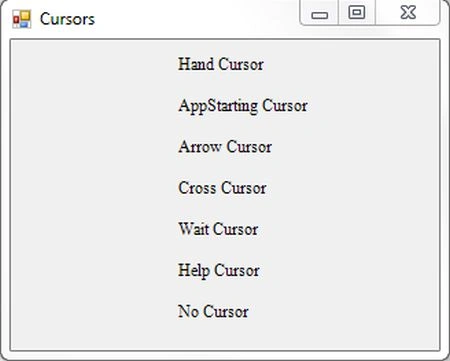
Debug the application by pressing F5 to execute the Windows Forms application. After debugging the application you will get a Windows Forms application as in the figure below.
Step 6:
MouseHover on the HandCursor.
Step 7:
MouseHover on the Appstarting Cursor.
Step 8:
MouseHover on the Arrow Cursror.
Step 9:
MouseHover on the Cross Cursor.
Step 10:
MouseHover on the Wait Cursor.
Step 11:
MouseHover on the Help Cursor.
Step 12:
MouseHover on the No Cursor.
Summary
In this article you saw how to create a user cursors in a Windows Forms application and set the properties of the cursors.
Join the conversation! Your thoughts help the community grow.