

Introduction
Mouse Pointers is interesting in the case of documenting content. This is widely used in the case of IDE like VS, Winword, Notepad, etc.
Step 1
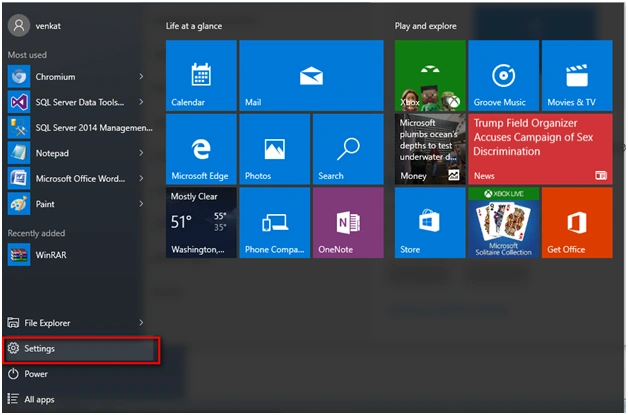
Go to Settings Tab in Windows 10.
Step 2
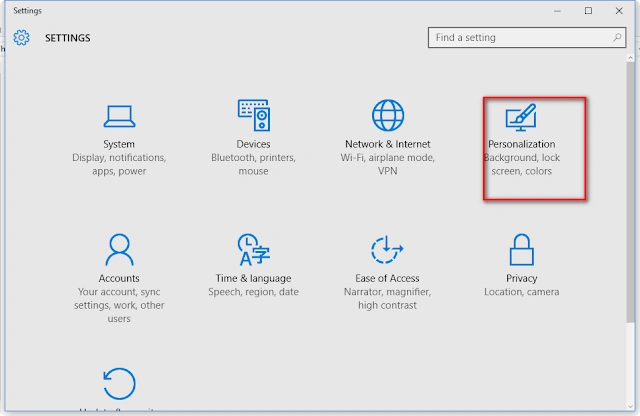
Under the Settings tab - Go to the option of Personalization.
Step 3
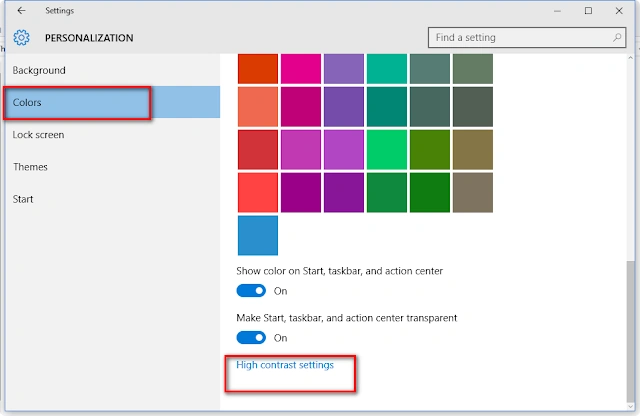
Under Personalization -> Go to Colors and select "High Contrast settings".
Step 4
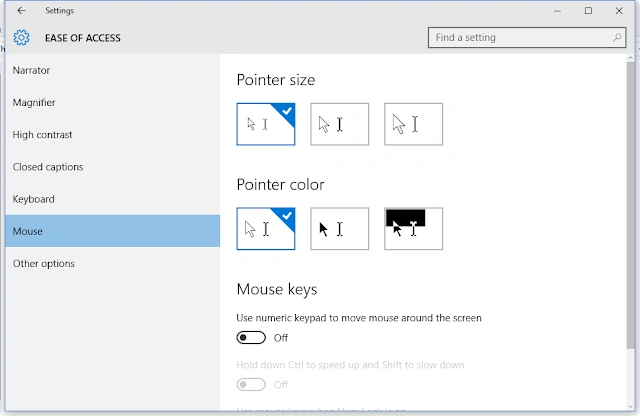
Under "Ease of Access" options, select Mouse option and you can access or modify the pointer size, pointer color, and lots more options. Enjoy using it.
Read more articles on Windows 10
Summary
In this article, we learned about Customizing Mouse Pointer In Windows 10.
Kumaresh RajalingamPosted Feb 14, 2016, 5:09 AM
Nice