
Introduction
A FlowDecision node has a Condition and a
FlowNode associated with each of two possible outcomes: True or False. The
Condition is evaluated and the value of this evaluation determines the next
FlowNode to be processed within the Flowchart.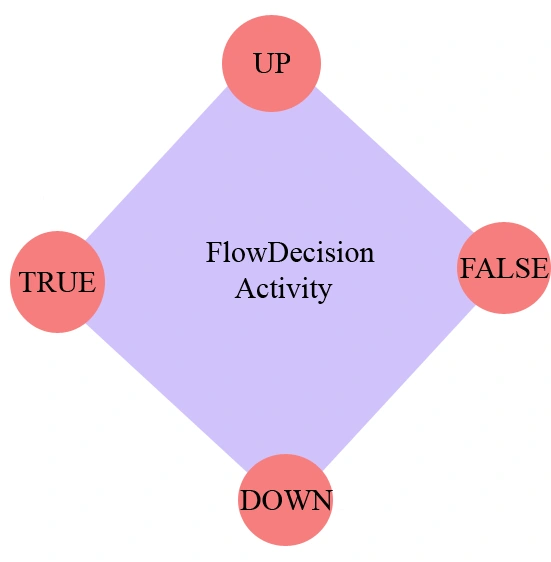
FlowDecision is a simulation system for operational decision support in the context of workflow management. To do this we exploit not only the workflow's design, but also logged data describing the system's observed historic behavior, and information extracted about the current state of the workflow. Making use of actual data capturing the current state and historic information allows our simulations to accurately predict potential near-future behaviors for different scenarios
Methods which is used with FlowDecision activity are:
- GetType
- Equals(Object)
- Finalize
- GetHashCode
- MemberwiseClone
- ToString
Let see how to create FlowDecision activity:
Step 1:
Create
an Workflow Console Application application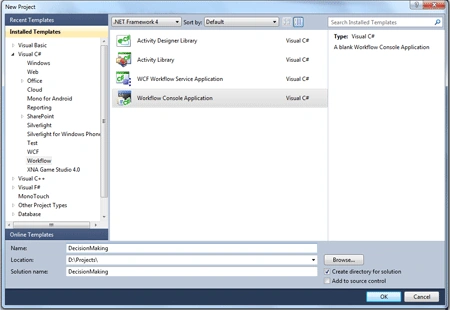
Step 2: Drag a Flowchart activity to the
designer. Why Flowchart, because in the Flowchart activity, you can place the
activities anywhere on the palette. And more importantly, you have to draw the
arrows.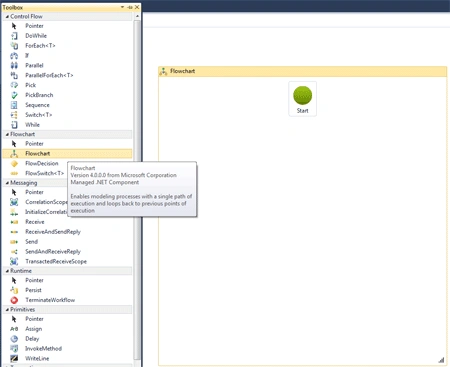
Step 3: Drag a WriteLine activity to
display a standard greeting message and set the DisplayName to Welcome and the
Text property to "Welcome to FlowDecision activity"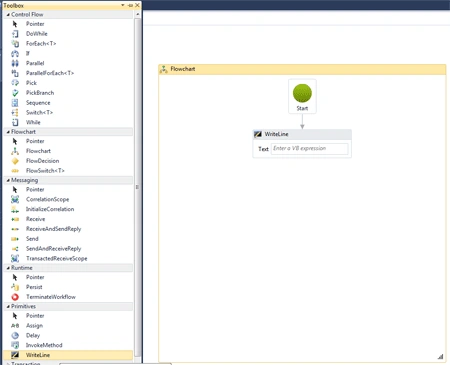
Step 4: Now drag a FlowDecision and go to the Properties window, enter the condition as DateTime.Now.Hour >= 12.
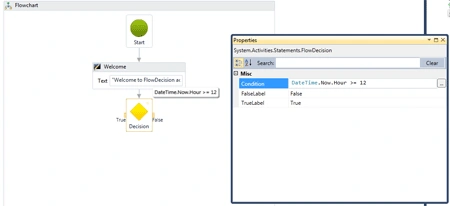
Step 5: Now drag a WriteLine activity to
the right of the FlowDecision. Set the DisplayName to Morning and the Text to
"Good Morning"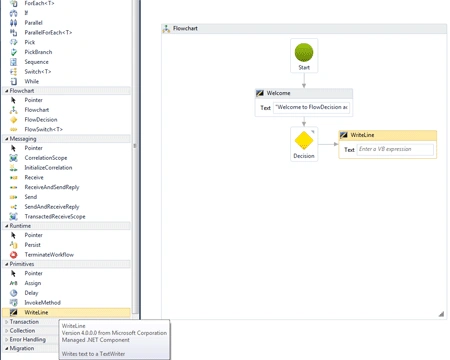

Step 6: Now drag a WriteLine activity to
the left of the FlowDecision. Set the DisplayName to Afternoon and the Text to
"Good Afternoon"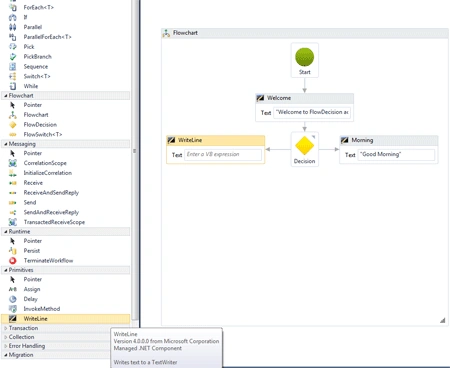
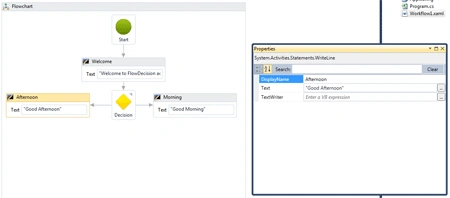
Step 7: Open the Program.cs file and
made changes in code like below
using System;
using
System.Linq;
using
System.Activities;
using
System.Activities.Statements;
namespace
DecisionMaking
{
class Program
{
static void
Main(string[] args)
{
WorkflowInvoker.Invoke(new
Workflow1());
Console.WriteLine("Press
ENTER to exit");
Console.ReadLine();
}
}
}
Step 8: Run the application and
depending on the time of day, your results should be similar to the following:
Thank You....
Join the conversation! Your thoughts help the community grow.