


I recently wrote an article on Dependency Injection using the Microsoft Unity framework. I was trying other open-source tools for Dependency Injection and found Ninject was a good and open-source tool. This article provides a complete view of Dependency Injection with Ninject step-by-step. I like to provide simple code examples so that the user will find it easy to understand the concepts. Ninject is open-source and hosted on GitHub.
Dependency Injection
Dependency Injection is defined as a design pattern that allows for removing hard-coded dependencies from an application.
How to remove Dependency Injection
One way to remove a dependency is to use a framework such as Unity, Ninject, Windsor Castle, and many more that will help to remove the dependency.
Tool required
Visual Studio 2010 SP1 and above. Ninject DLLs. If you have read my article on Microsoft, you then you will find a similar example such that you can easily understand how to use Ninject. If you want to learn the Microsoft Unity framework, refer to this link.
Agenda
- Download Ninject
- Creating a console application.
- Adding Reference of Ninject Framework.
- Adding BL class.
- Adding DL class.
- Adding Interface.
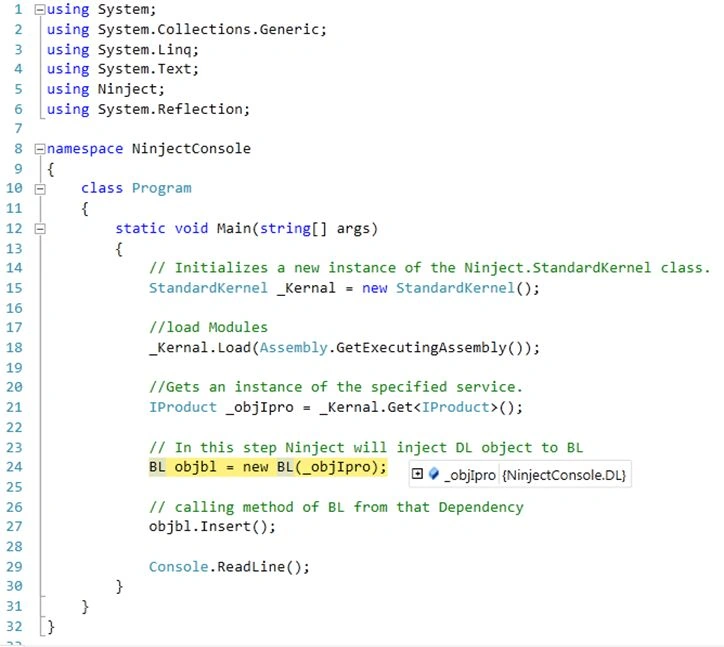
- How to configure the Ninject Framework.
- I am running and debugging the application.
- Final output
Step 1. Download Ninject:: If you want to download Ninject, you can download it from this link. You can also download it from the NuGet packages manager. To download Ninject right-click on the application and select Manage NuGet Packages as you can see in the following snapshot.
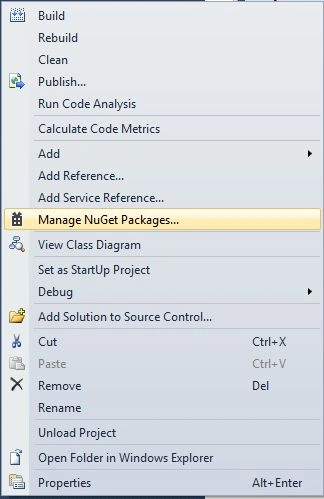
After clicking on Manage NuGet Packages a new dialog will pop up. In the left search text add Ninject and select the first option Ninject (IoC container for . Net) for this sample we need this package. You can see this in the following snapshot.

Now let's start with creating the solution.
Creating a console application
I am creating a Console Application named NinjectConsole. And I am showing Constructor Injection with the Ninject Framework (which is quite widely used). See the following snapshot.
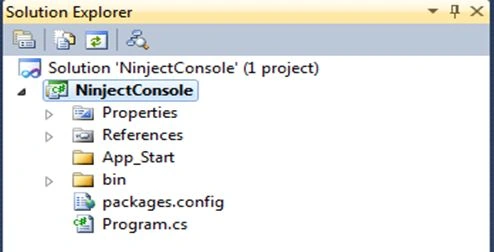
Adding Reference of Ninject Framework. Now I have added a reference for the Ninject Framework to my application. See the following snapshot.

After adding the reference for the Ninject Framework to my application. Now I will add some classes to the application.
Adding BL class
I have added BL.cs (a Business Logic Layer) class to the application. See the following snapshot.

Adding DL class
After adding BL.cs I have added the DL class to the application (Data Access Layer). See the following snapshot.

Adding Interface
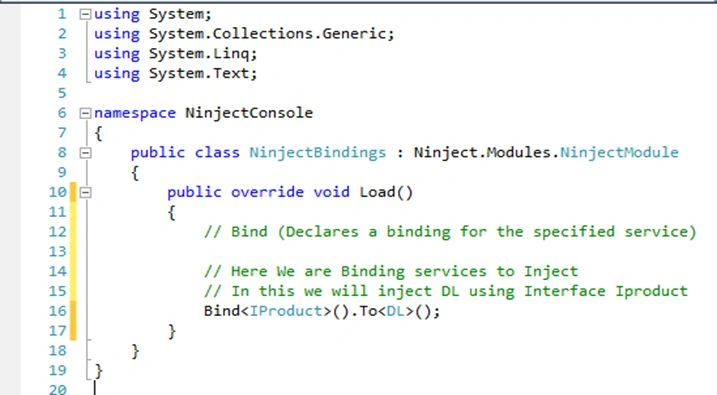
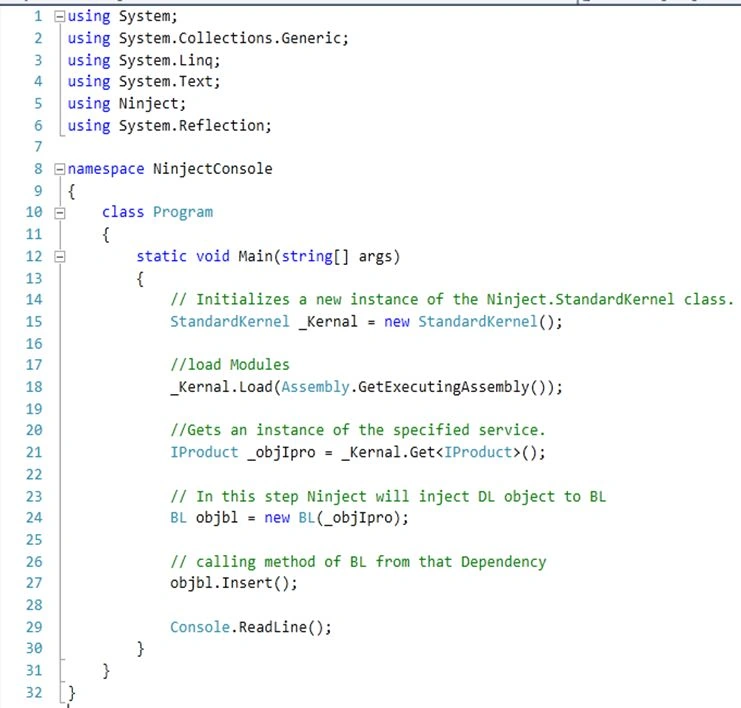
For decoupling both classes I have added an interface with the name IProduct. See the following snapshot.







Sri SatPosted Oct 14, 2024, 12:36 PM
Great article, but it would have been more helpful if you had mentioned why I would use Ninject over the built-in DI that comes with .net. Is Ninject faster, easier to use, or for any other reasons?
Mukesh ChaudharyPosted Jul 27, 2018, 12:23 AM
Superb article
Lawrine NicholosPosted May 19, 2017, 7:31 AM
Www.fourthbottle.com/2017/05/dependency-injection-in-net-with-ninject.html
Yashwanth MuthineniPosted Aug 27, 2015, 3:16 AM
Nice Share
Rahul Kumar SaxenaPosted Feb 23, 2015, 9:08 AM
Gud One bro..
Sandeep Singh ShekhawatPosted Feb 23, 2015, 7:57 AM
It's nice. A detailed article for Ninject is here http://www.c-sharpcorner.com/UploadFile/3d39b4/crud-operations-using-the-generic-repository-pattern-and-dep/
Prasham SabadraPosted Feb 23, 2015, 7:50 AM
Thanks for sharing! Nice Article.
Saineshwar BageriPosted Feb 23, 2015, 6:26 AM
thanks sachin sir sure i will to change it
Sachin KaliaPosted Feb 23, 2015, 5:43 AM
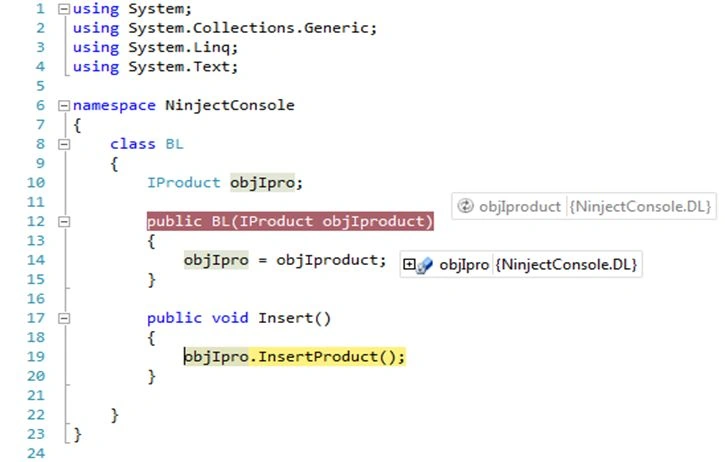
Hi Bageri..At one level you have used InsertData method instead of InsertProduct.Kindly replace that screen shot.Search for this string "After implementing the interface, now in the BL (Business Logic) layer I am injecting a dependency from the Constructor" on page and look at the image just below.