

Introduction
In my previous article, I explained How to Create a Directive to Allow Only Numbers Using AngularJs.
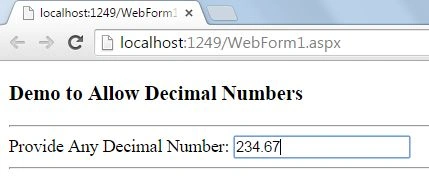
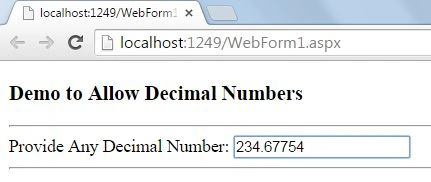
You often need to restrict the user to enter decimal numbers only but when you provide this functionality, a major problem is encountered, the user can enter a decimal point (.) more than once in the TextBox and you encounter a medium bug. This article will provide the complete code to restrict users to decimal numbers with only a single decimal point allowed.
Step 1
First of all you need to add AngularJs and jQuery to your page, just like here:
<head runat="server">
    <title></title>
    <script src="angular.min.js"></script>
    <script src="jquery-1.11.1.min.js"></script>
</head>
You can either download them from my code that is available at the start of this article or you can download from their official websites.
Step 2
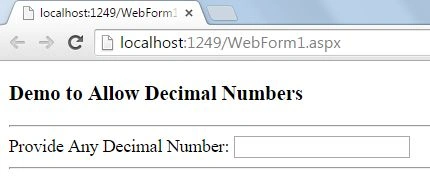
Now I am just adding a TextBox where I need to allow decimal numbers using a directive of AngularJs.
<body>
    <form ng-app="app" id="form1" runat="server">
        <div>
            <h3> Demo to Allow Decimal Numbers </h3>
            <hr />
             Provide Any Decimal Number: <input type="text"
                name="AntiPer"
                class="form-control"
                allow-decimal-numbers />
            <hr />
        </div>
    </form>
</body>
Step 3
Now we need to work on the Angular code, the main part of this article.
<script>
    var app = angular.module('app', []);
    app.directive('allowDecimalNumbers', function () {
        return {
            restrict: 'A',
            link: function (scope, elm, attrs, ctrl) {
                elm.on('keydown', function (event) {
                    var $input = $(this);
                    var value = $input.val();
                    value = value.replace(/[^0-9\.]/g, '')
                    $input.val(value);
                    if (event.which == 64 || event.which == 16) {
                        // numbers
                        return false;
                    } if ([8, 13, 27, 37, 38, 39, 40, 110].indexOf(event.which) > -1) {
                        // backspace, enter, escape, arrows
                        return true;
                    } else if (event.which >= 48 && event.which <= 57) {
                        // numbers
                        return true;
                    } else if (event.which >= 96 && event.which <= 105) {
                        // numpad number
                        return true;
                    } else if ([46, 110, 190].indexOf(event.which) > -1) {
                        // dot and numpad dot
                        return true;
                    } else {
                        event.preventDefault();
                        return false;
                    }
                });
            }
        }
    });
Here first of all I created a module with the name "app", the module creation is a necessary part if you want to use Angular. This module is added to the HTML page using the ng-app directive.
Debasis SahaPosted May 17, 2016, 1:05 AM
good one..
Anubhav ChaudharyPosted Jul 14, 2015, 1:33 AM
Thanks Gaurav Gupta Sir
Gaurav GuptaPosted Jul 14, 2015, 1:13 AM
Good use of custom directives.. Nice.
Santhakumar MunuswamyPosted Jul 13, 2015, 3:11 PM
Nice article! Thanks for sharing
Anubhav ChaudharyPosted Jul 12, 2015, 4:34 PM
Thanks Rakesh Chavda
RakeshPosted Jul 12, 2015, 4:22 PM
Good one