

Introduction
This article of the series “Diving into OOP” will explain the enum datatype in C#. We'll learn by doing a hands-on lab, not just by theory. We'll explore the power of enum and will cover almost every scenario in which we can use an enum. We'll follow a practical approach of learning to understand this concept. We may come across complex examples to understand the concept more deeply.
Enums (The definition)
Let's start with the definition taken from the MSDN
“The enum keyword is used to declare an enumeration, a distinct type that consists of a set of named constants called the enumerator list.
Usually it is best to define an enum directly within a namespace so that all classes in the namespace can access it with equal convenience. However, an enum can also be nested within a class or struct.
By default, the first enumerator has the value 0 and the value of each successive enumerator is increased by 1. For example, in the following enumeration, Sat is 0, Sun is 1, Mon is 2 and so forth.”
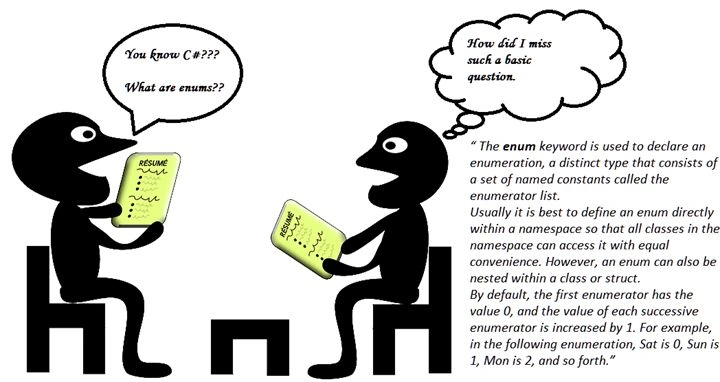
Image credit: http://pixabay.com/en/job-interview-career-conference-156130/
Pre-requisites:
I expect that my readers of this article should have a very basic knowledge of C# and I always wish that my readers should enjoy reading this article. Also keep writing programs by yourself that are given as examples in this article, to get the hands-on and understand the concept more deeply.
Let's recall our road map as in the following:

Image credit: http://borgefagerli.com/at-a-crossroads/cross-roads/
- Diving Into OOP (Day 1) : Polymorphism and Inheritance(Early Binding/Compile Time Polymorphism).
- Diving into OOP (Day 2) : Polymorphism and Inheritance (Inheritance).
- Diving into OOP (Day 3) : Polymorphism and Inheritance (Dynamic Binding/Run Time Polymorphism).
- Diving into OOP (Day 4) : Polymorphism and Inheritance (Abstract Classes).
- Diving into OOP (Day 5): All about access modifiers in C#(Public/Private/Protected/Internal/Sealed/Constants/Readonly Fields).
- Diving into OOP (Day 6) : Understanding Enum in C# (A Practical Approach).
- Diving into OOP (Day 7): Properties in C# (A Practical Approach).
- Diving into OOP (Day 8): Indexers in C# (A Practical Approach)
- Learning C# (Day 9): Delegates in C# (A Practical Approach)
- Learning C# (Day 10): Events in C# (A Practical Approach)
A Practical Approach
Enum plays almost the same responsibility as the class does, in other words creating a new data type and it exists at the same level as class, interfaces or structs.
Just open your Visual Studio and add a console application named Enums. You'll get a Program class.
Note: Each and every code snippet in this article is tried and tested.
Declare an enum at the same level as of the Program class, call it Color.
Program.cs
- namespace Enums
- {
- class Program
- {
- static void Main(string[] args)
- {
- }
- }
- enum Color
- {
- Yellow,
- Blue,
- Brown,
- Green
- }
- }
In the preceding example, we created a new datatype using an enum. The datatype is Color having four distinct values Yellow, Blue, Brown and Green. The text that we write inside the declared enum could be anything of your wish; it just provides a custom enumerated list to you.
Modify your main program as shown below.
- using System;
- namespace Enums
- {
- class Program
- {
- static void Main(string[] args)
- {
- Console.WriteLine(Color.Yellow);
- Console.ReadLine();
- }
- }
- enum Color
- {
- Yellow,
- Blue,
- Brown,
- Green
- }
- }
Run the program.
Output: Yellow
Now if we just typecast Color.Yellow to int, what do we get?
- using System;
- namespace Enums
- {
- class Program
- {
- static void Main(string[] args)
- {
- Console.WriteLine((int)Color.Yellow);
- Console.ReadLine();
- }
- }
- enum Color
- {
- Yellow,
- Blue,
- Brown,
- Green
- }
- }
Output: 0
We see that enums are called static variables, so an enum can be considered here as static objects. Therefore other enums in the preceding example can be declared in the same way as Yellow, like Blue can be declared as Color.Blue. The output in the above two examples we see is 0 when we type cast and Yellow without typecasting, hence we see here that its behaviour is very similar to an array where Yellow has a value 0, similarly Blue has a value 1, Brown: 2, Green:3.
Therefore when we do Color.Yellow, it's like displaying a number 0, so from this we can infer that an enum represents a constant number, therefore an enum type is a distinct type having named constants.
A point to remember: An enum represents a constant number and an enum type is known as a distinct type having named constants.
Underlying data type
Program.cs
- using System;
- namespace Enums
- {
- class Program
- {
- static void Main(string[] args)
- {
- Console.WriteLine((byte)Color.Yellow);
- Console.WriteLine((byte)Color.Blue);
- Console.ReadLine();
- }
- }
- enum Color:byte
- {
- Yellow,
- Blue,
- Brown,
- Green
- }
- }
Output
0
1
Note: Each and every code snippet in this article is tried and tested.
The only change we did here is that we specified the type to the underlying enum that we declared. The default datatype for the enum is int, here we have specified the data type as byte and we get the result.
There are more data types that can be specified for enum like long, ulong, short, ushort, int, uint, byte and sbyte.
Point to remember: We can't declare char as an underlying data type for enum objects because char stores Unicode characters, but enum objects data type can only be a number.
Inheritance in enum
Program.cs
- using System;
- namespace Enums
- {
- class Program
- {
- static void Main(string[] args)
- {
- Console.WriteLine((byte)Color.Yellow);
- Console.WriteLine((byte)Color.Blue);
- Console.ReadLine();
- }
- }
- enum Color:byte
- {
- Yellow,
- Blue,
- Brown,
- Green
- }
- enum Shades:Color
- {
- }
- }
Output:
Compile time error: Type byte, sbyte, short, ushort, int, uint, long, or ulong expected
We clearly see here enums can't be derived from any other type except that specified in the error.
Point to remember: an enum can't be derived from any other type except that of type byte, sbyte, short, ushort, int, uint, long, or ulong
Let's derive a class from an enum, call it class Derived, so our code is as in the following.
Program.cs:
- class Program
- {
- static void Main(string[] args)
- {
- Console.WriteLine((byte)Color.Yellow);
- Console.WriteLine((byte)Color.Blue);
- Console.ReadLine();
- }
- }
Enum:
- enum Color:byte
- {
- Yellow,
- Blue,
- Brown,
- Green
- }
Derived.cs:
- class Derived:Color
- {
- }
Compile the code.
Output:
Compile time error: 'Enums.Derived': cannot derive from sealed type 'Enums.Color'

Image credit: https://www.flickr.com/photos/lwr/931211869/
So, the point to remember is: By default an enum is a sealed class and therefore conforms to all the rules that a sealed class follows, so no class can derive from an enum, in other words a sealed type.
Can System.Enum be a base class to enum?
Program.cs:
- using System;
- namespace Enums
- {
- internal enum Color: System.Enum
- {
- Yellow,
- Blue
- }
- internal class Program
- {
- private static void Main(string[] args)
- {
- }
- }
- }
Output:
Compile time error: Type byte, sbyte, short, ushort, int, uint, long, or ulong expected
Point to remember: The enum type is implicitly derived from System.Enum and so we cannot explicitly derive it from System.Enum.
To add more, an enum is also derived from the three interfaces IComparable, IFormattable and IConvertible.
A. IComparable
Let's check.
Program.cs:
- using System;
- namespace Enums
- {
- internal enum Color
- {
- Yellow,
- Blue,
- Green
- }
- internal class Program
- {
- private static void Main(string[] args)
- {
- Console.WriteLine(Color.Yellow.CompareTo(Color.Blue));
- Console.WriteLine(Color.Blue.CompareTo(Color.Green));
- Console.WriteLine(Color.Blue.CompareTo(Color.Yellow));
- Console.WriteLine(Color.Green.CompareTo(Color.Green));
- Console.ReadLine();
- }
- }
- }
Output:
-1
-1
1
0
Sometimes we may get into situations where we have a large number of enums defined and we want to compare the values of the enum to each other to check if they are smaller, larger or an equal value to one another.
Since all enums implicitly derive from an Enum class that implements the interface IComparable, so they all have a method CompareTo(), that we just use in the above example. The method being non-static must be used through a member. Yellow has the value 0, Blue has 1 and Green has 2. In the first statement, when Color.Yellow is comared to Color.Blue, the value of Yellow is less than Blue hence -1 is returned. The same applies for the second statement when Color.Blue is compared to Color.Green. Green has a larger value, in other words 2 than that of Color.Blue having value 1 only. In the third statement, in other words the revers of the first statement, we get the result of comparison as 1, because Blue is greater than Yellow. In the last statement where Color.Green compares to itself, we undoubtedly get the value 0.
So the value -1 means the value is smaller, 1 means the value is larger and 0 means equal values for both the enum members.
The following is another comparison example.
Program.cs:
- using System;
- namespace Enums
- {
- enum Color
- {
- Yellow,
- Blue,
- Green
- }
- internal class Program
- {
- private static void Main(string[] args)
- {
- int myColor = 2;
- if(myColor== Color.Green)
- {
- Console.WriteLine("my color");
- }
- Console.ReadLine();
- }
- }
- }
Output:
Compile time error : Operator '==' cannot be applied to operands of type 'int' and 'Enums.Color'
In the above example we tried to compare an int type to a Enum type and that resulted in a compile time error. Since an enum acts as an individual data type so it cannot be directly compared to an int, however, we can typecast the enum type to an int to do the comparison, like in the following example.
Program.cs:
- using System;
- namespace Enums
- {
- enum Color
- {
- Yellow,
- Blue,
- Green
- }
- internal class Program
- {
- private static void Main(string[] args)
- {
- int myColor = 2;
- if(myColor== (int)Color.Green)
- {
- Console.WriteLine("my color");
- }
- Console.ReadLine();
- }
- }
- }




Vipin TyagiPosted Feb 29, 2016, 12:14 AM
Finally I completed Enum ,Now move to next.....
Upendra Pratap ShahiPosted Jul 1, 2015, 3:36 AM
nice sir
Gowtham RajamanickamPosted May 20, 2015, 1:16 AM
good
Karen TonoyanPosted Aug 18, 2014, 2:55 PM
And ofcourse you can convert strings to enum constants by this way Colors mycolorValue = (Colors) Enum.Parse(typeof(Colors),"Green");
Nilesh AvhadPosted Aug 18, 2014, 9:10 AM
This is most understandable OOP series I ever read on internet. I request you to keep posting such a article with very basic language with such a real world example. egarly Waiting for your next articles... Thanks again.............:)
Santosh YadavPosted Aug 18, 2014, 7:55 AM
Nice article.. Thanks
udeep kansalPosted Aug 16, 2014, 3:18 AM
Very good article..keep showing your skills to explain technology concepts in much easier way..Thank you !!
Manju lata YadavPosted Aug 16, 2014, 2:42 AM
Nice Arictle... Post more Articles...