

Introduction
In the earlier articles (Article 1 - Article 2 - Article 3), we learned about the usage and installation of Docker in a Windows application. Now let's start learning how to Dockerize NodeJs applications.
What is Docker?
Docker is an internal or integral part of DevOps (a clipped compound of "development" and "operations"). With its amazing architecture design tool, we can achieve major issues or exceptional use of Docker as a virtual machine. It is a platform for service products that create a virtual container that contains a collection of software. A container is a collection of software, libraries, configured files that communicate with each other with well-defined channels. Docker Containers are standalone, executable packages, lightweight collection of software which just need to run for use. The major thing is open-source, which is a software development solution known as containers.
The main purpose of Docker will let you run all the microservices with a distributed architecture.
Getting Started
Before moving forward to dockerize a NodeJs application, we need to configure and set-up the NodeJs application first.
Let's create a sample NodeJs application.
Step 1
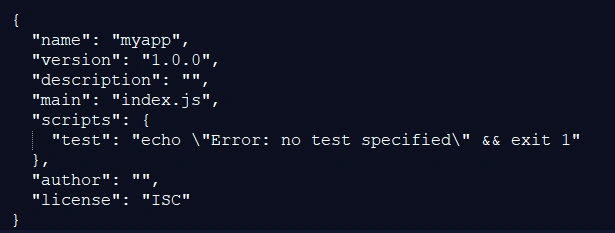
Create a directory named myapp -> change directory -> run npm init command

Basically, it will create a folder name with myapp, in which the default `package.json` file will be created which will looks like below.
Step 2
Now install express as a dependency package.

Step 3
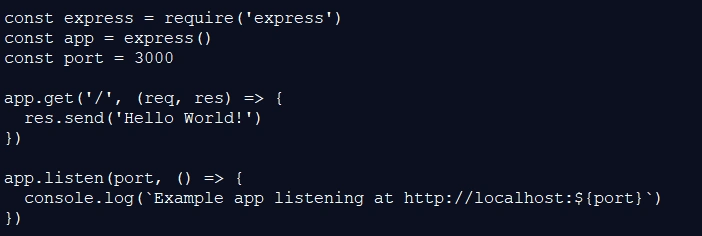
Add a new file named app.js and copy write code as below
Step 4
Run the app with the following command

Step 5
You can see your NodeJs application is running on 3000 port of localhost, Open http://localhost:3000/ in a browser to see the output.
So now our NodeJs application is created successfully, now let's dockerize the same app.
Dockerizing a Node.js web app
Step 1
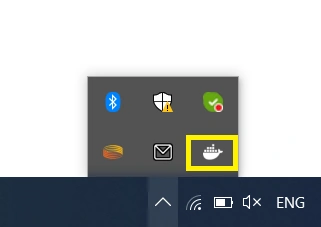
Launch docker-machine or Docker Desktop so that docker services gets run
Dockerfile
- A Dockerfile is a collection of all the commands a user could
initialize and call written in a text document, which later on assembles
into one image.

Step 3
Open the Dockerfile, write executable command lines that handling the
bundling of the app, and automatically runs the application in Docker
container.

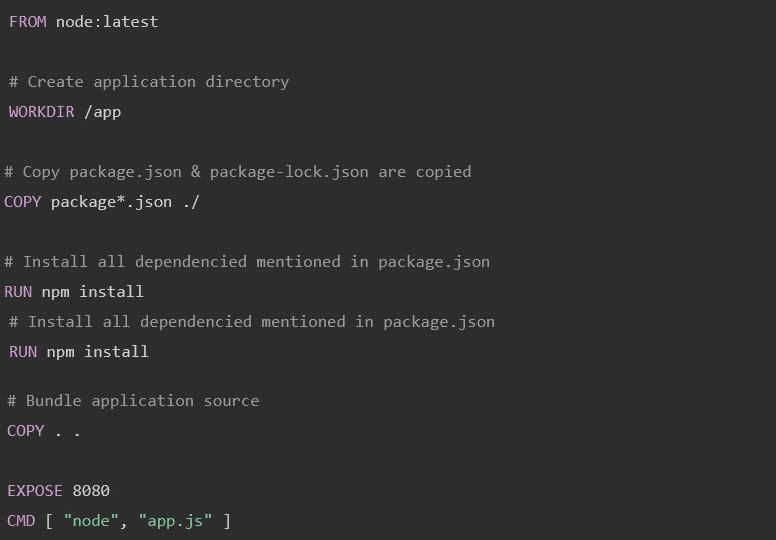
- This command will identify that which build image we need to pull out, here we are using the latest LTS version of Node

- The build files which are generated will move to app folder directory, which is considered as a working directory
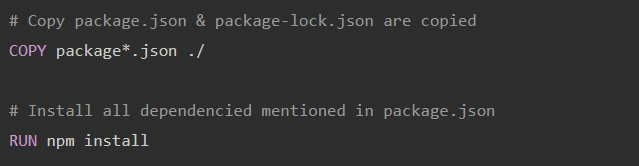
- This will copy the package.json files and install all dependent packages using package.json file, This command will not copy whole files or folder from the project, it will copy only package.json file,

- We must copy our source code or project file to a
working directory. To bundle that application's source code we have to
use COPY command.

- Now after copying app files, we need to define port on which the application will run, for that we have to use EXPOSE command that identifies the port number to run an application that is mapped in docker daemon.

-
At last, we need to provide executable command line that runs the
application, using CMD command you can run the application in a docker.
Your Dockerfile will look like below
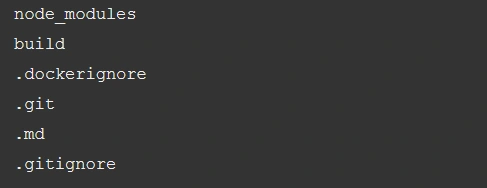
Step 4 - Now add a .dockerignore
This file is not mandatory, but it's a good practice to have this file
which can help to boost the build process and make Docker Image to build unnecessary code and files.
Step 5 - Create a Docker Image / Build Docker Image
Let's run the docker build command which will help us to create Docker Image with NodeJs App.

Your image will now be listed by Docker like below
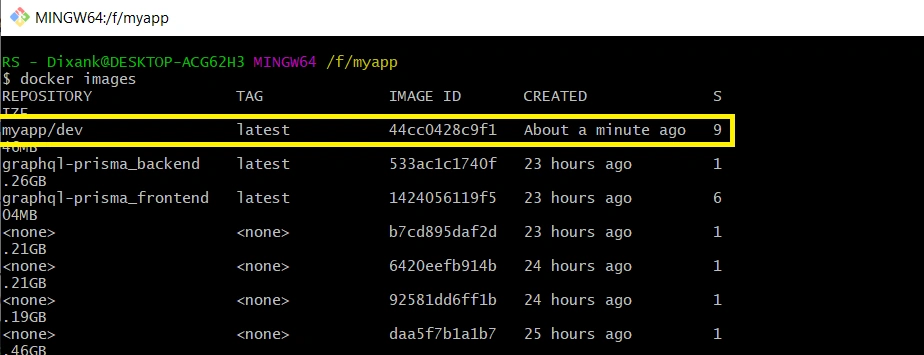
Step 6
In case you're using Docker Desktop, then you can see Docker Image in Docker Desktop. You just need to open Docker Desktop and run your published application by clicking on RUN button.
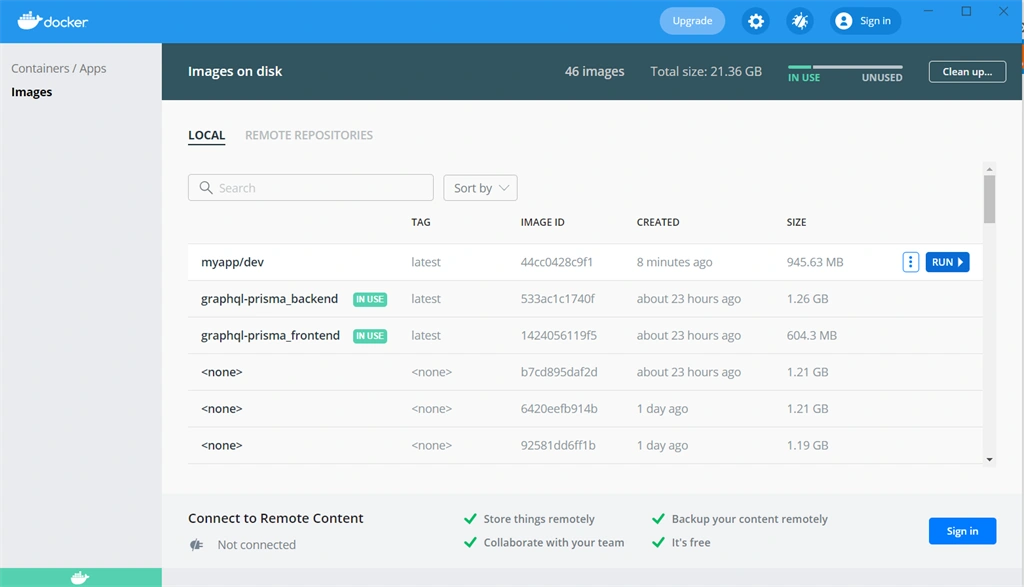
Step 7
After successfully running Docker Container, Docker Desktop will provide the URL which can be run in the browser.
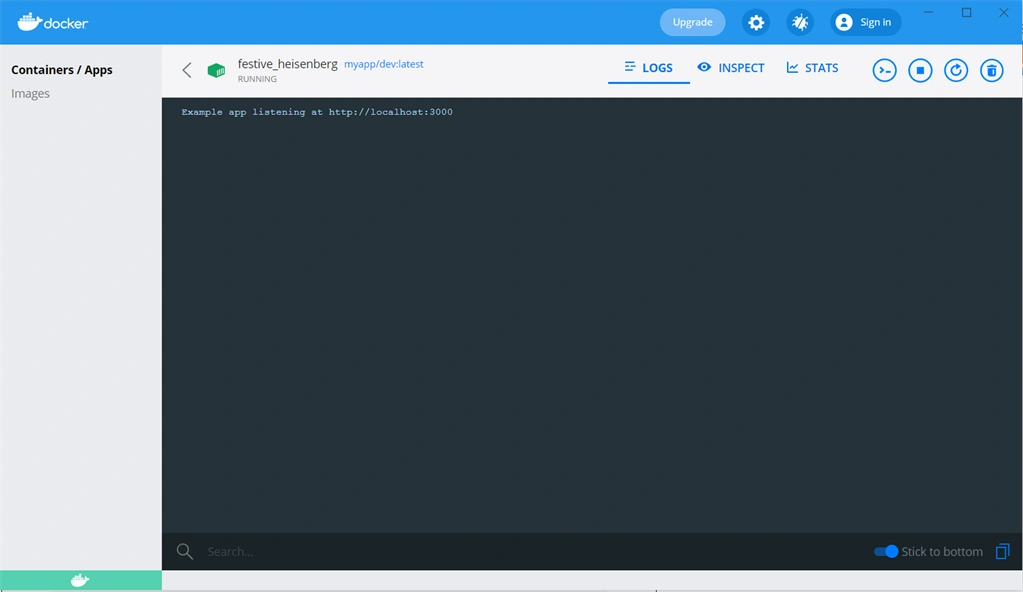
Summary
In this article, we've learned how to Dockerize a NodeJs application,. This approach is on a beginner level - Docker provides large enhancement with its best use, so after learning the beginner
level Dockerizing you should learn more in detail about development and
production environment configuration.
Join the conversation! Your thoughts help the community grow.