

Introduction and Background
A small overview of in-app purchases in Windows Store platform, in this post I will only cover the short summaries of quickly editing the small modules that you have recently created and to enable users to purchase them to support your development environments. Building applications is a tough task, and programmers need to be given what they deserve. Sometimes, respect is just not enough. Sometimes, the module you created is a tough one and you have full rights to ask for some money in a repay. It is your choice to select a price that users have to pay before they can consume the service.
Windows Store allows you to simply create a block of code, around the service, feature or application itself. That code is capable of managing the payment information, client information and other required stuff to make sure the user pays you before they can access the information and the service you are providing them with. Windows Store holds information for users too, it knows if a user has already made the purchase. If so, Windows Store won’t bother the users again to make the purchase and will hold the information for that license, user has acquired.
App monetization methods
On Windows Store you are offered with many methods and ways to earn money and to get support for your development environments and stuff! A few of them are:
- Ads display in your application.
• The ads are of both types, static images and videos. - Providing paid services in your applications.
- Asking for a pre-use purchase of your application. Paid apps.
You can ask for an upfront payment by your users. Many application developers use this method to support their development scenarios. This allows them to have an upfront payment to continue their programming and to support any of the updates to their clients. Not just this, the clients are also able to get free updates to the application later one.
But sometimes you want to allow your users to download and install the applications for free! This allows you to allow your users to try out your application. Users like free stuff, especially the stuff that is not available currently in their device’s marketplace. You can develop an application and start to offer a trial-period to allow users to use your service. If they like it, you can then ask them to purchase the license.
Otherwise, you can add a service separately that needs users to purchase it. You can add the price for it and allow users to purchase it. This method is very simple, helpful and handy! Your users can try out the application that they want to, and you can get the revenue for the features that were difficult to build and deploy. In this post, I will discuss and talk about the monetization methods by “in-app purchases” in Windows Store applications.
In-app purchases in Windows Store apps
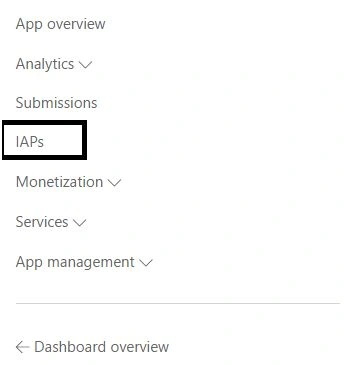
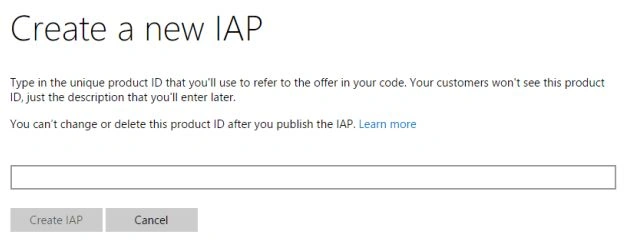
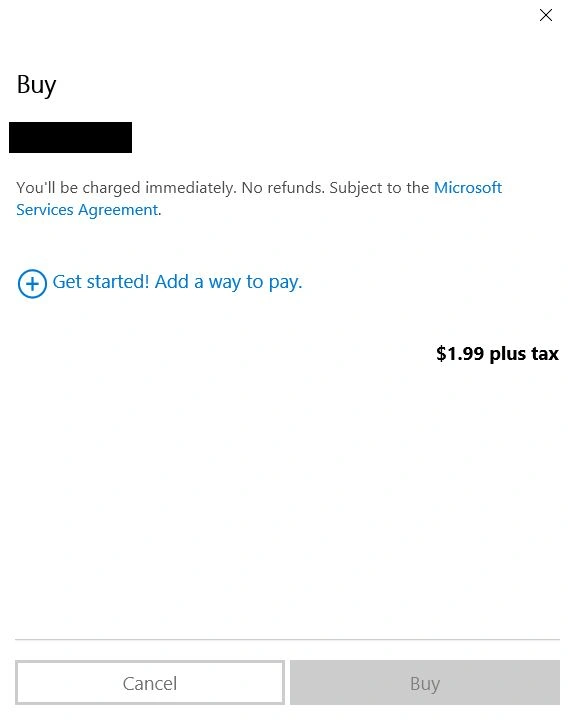
In-app purchases requires you to have a Windows Store developer account and that you have published your application! In-app purchases are edited (and published) from the Windows Store dashboard. You create a new in-app purchase in the dashboard, you edit the details and then update the application’s code to call those in-app purchases and provide the users with a service.
If you do not have a Windows Store developer account, you can still edit the application, you can test the license information but you won’t be able to publish the application, you won’t be able to ask your users (if any!) to purchase the services. So, first step would be to create a new developer account. Register as a developer.
If you are all set up for publishing a new application, continue with the sections and by the end you will be able to include in-app purchases for earning some revenue for your development tasks!
Creating a new app
Although, for development purposes you can test the application for performing the purchases without an online application, or a developer account. For that, you can use CurrentAppSimulator object, instead of CurrentApp object from Windows Store API. CurrentAppSimulator allows you to perform actions
without having to call the active Windows Store APIs, and to just test the code in your application. This
lets you test many things in your application and how user interacts with your application.
However, if you do not like to waste time, you can just head over to the “hard core” stuff. Where you publish an application, create a new in-app and start consuming it and allowing the users to purchase it. First of all, head over to the dashboard (provided: You have a developer account!) and create a new application. Publish it to the store.
Note: Developing application, uploading the source code and getting it to be published after verification takes time. My application took 16+ hours. Yours should have to go through the same procedure so be patient. I assume that you are having an application ready.
Once your application is created, continue to the next section and start creating and developing for an in-app purchase.
Creating the in-app product
The in-app product first needs to be defined in the Windows Store and the team then needs to approve the service. Once the product service has been approved by the team, you can use the product ID of that service to program your application. The product ID is used to check the license information for the application and if user owns the license to use the service or not.
License Information
License Information object of the application holds the information about the license. License can be checked for,
- ExpirationDate
- IsActive
- IsTrial
- ProductLicenses
These properties can be checked to determine the information about license of the application (if your application is a paid application), otherwise you can check for licenses of the in-app products. The in-app products also have a license and they also have properties set up, like active, trial etc. You can check against them!
An example of this license information is something like this,
- var license = CurrentApp.LicenseInformation;
- if (license.IsActive)
- {
- // License is active
- // Allow user to use the service.
- } else
- {
- // Allow the users to purchase the service.
- }
Humayun Kabir MamunPosted Dec 31, 2015, 3:48 AM
Nice...
Sibeesh VenuPosted Dec 31, 2015, 3:22 AM
Nice Share Buddy
Pooja BaraskarPosted Dec 31, 2015, 12:41 AM
Monetization is a vast topic and there are very less resource on this also there are many catches in this like the CurrentApp class won't work while testing and testing this is also done little differently by modifying the manifest file.
Santhakumar MunuswamyPosted Dec 30, 2015, 3:04 PM
Thanks for nice article