

Introduction
In the past, if you created a Web API application, you could directly deploy it to the Azure portal. But nowadays you can’t do that. You must create an API management gateway on the Azure portal and only through API management can you deploy Web API applications. In this post, we will see all the steps to create API management on the Azure portal and deploy one sample Web API application into the Azure portal as well.
Azure API Management is a hybrid, multi-cloud management platform for APIs across all environments.
Azure API Management helps customers meet these challenges.
- Abstract backend architecture diversity and complexity from API consumers
- Securely expose services hosted on and outside of Azure as APIs
- Protect, accelerate, and see APIs
- Enable API discovery and consumption by internal and external users
API management components
Azure API Management is made up of an API gateway, a management plane, and a developer portal. These components are Azure-hosted and fully managed by default. API Management is available in various tiers differing in ability and features.
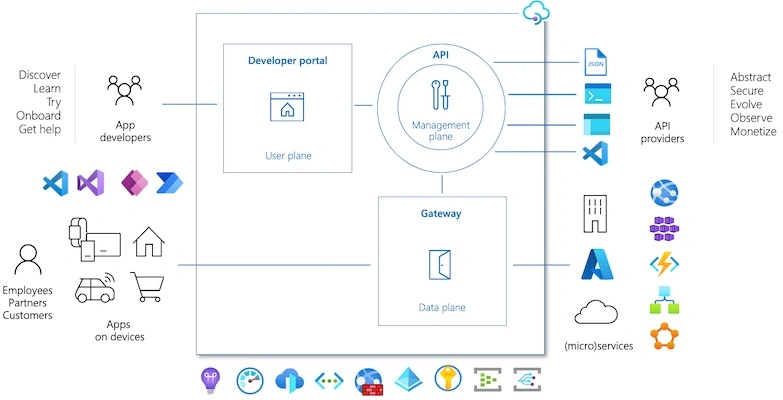
Image courtesy: https://docs.microsoft.com/
We can create an Azure API management now.
Create an API management on the Azure portal
We can go to the Azure portal and choose to create a resource and search for API management.
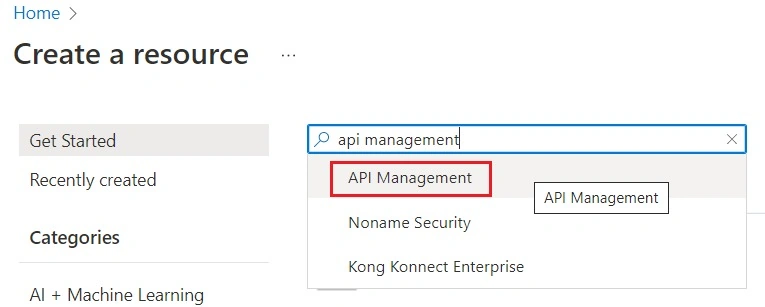
We can choose API management and click the Create button.
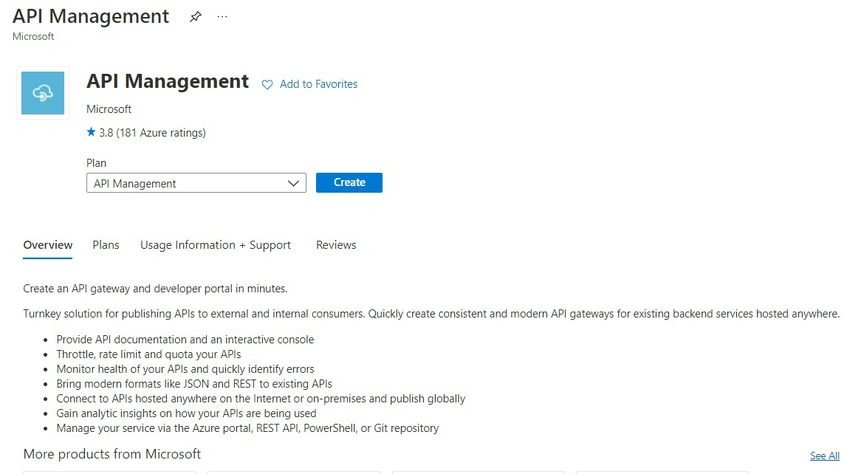
This will ask for the required information.
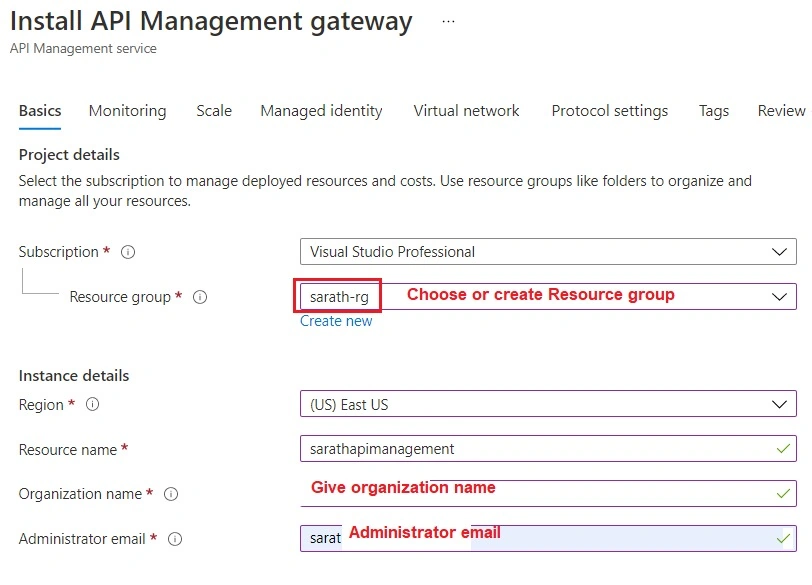
We can choose or create a new resource group and choose a region. Also, we can give a valid resource name, organization name, and administrator email address.
Now we can choose the pricing tier for API management.
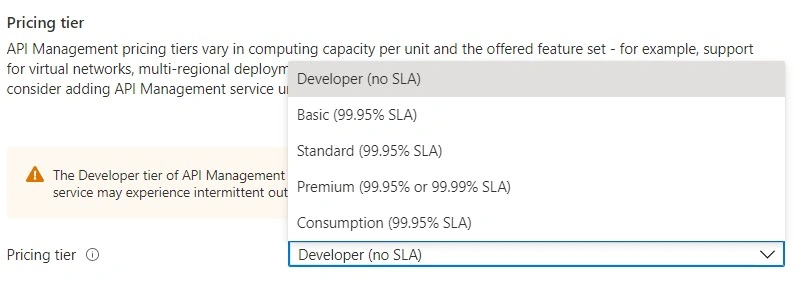
The developer tier has a lower price. You can find all the price details from the link below.
https://azure.microsoft.com/en-us/pricing/details/api-management/
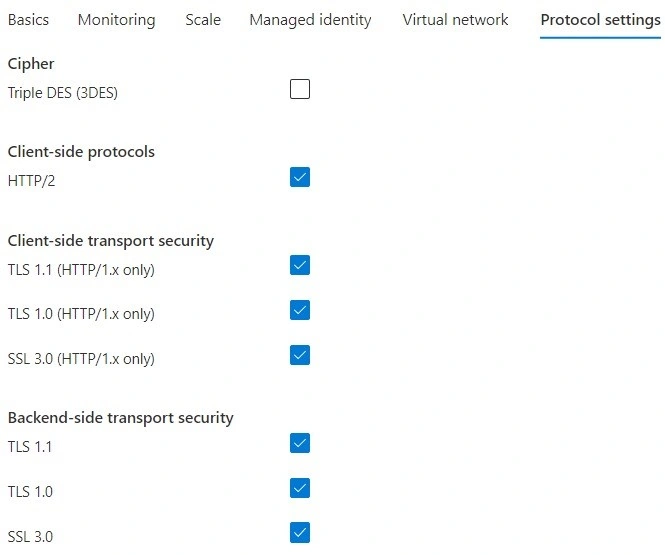
We can choose the required protocol from the list.
Finally, we can review it and create the API management now.
It will take some time to complete the resource creation. (Usually, it takes up to 2 hours to finish the API management deployment.)
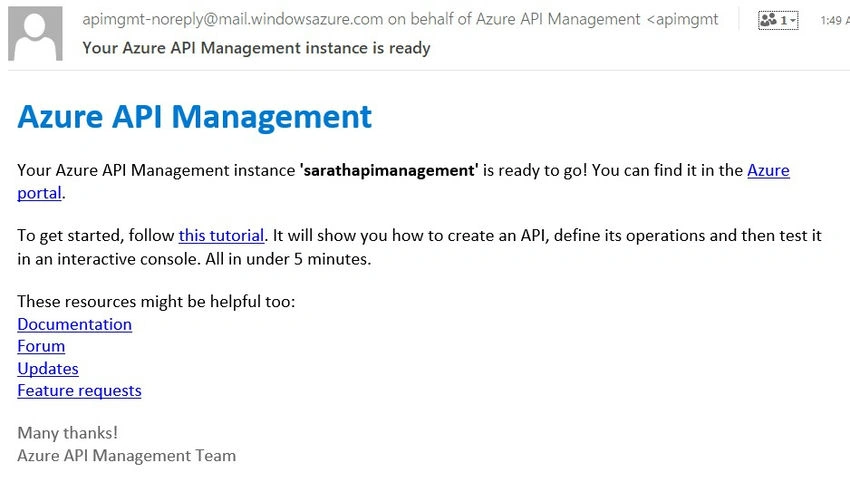
You will get an email from Microsoft after the API management is created.
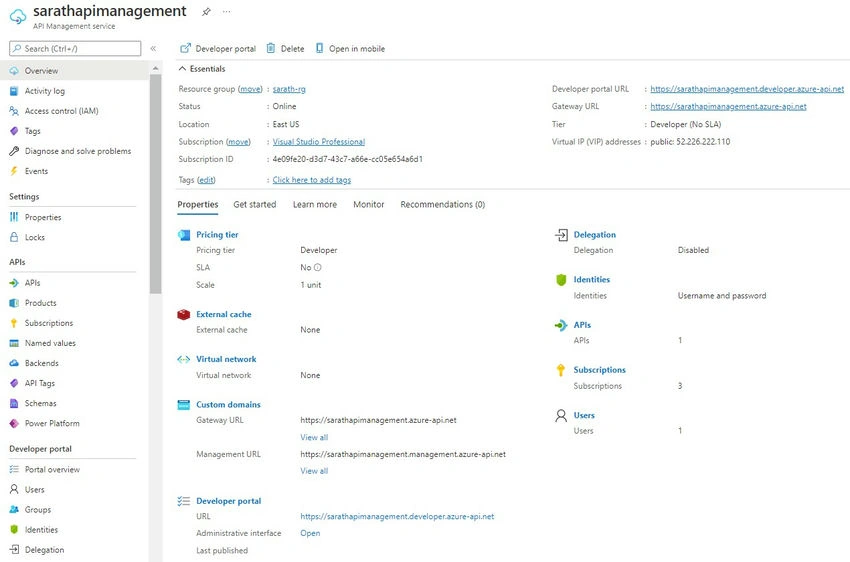
Above is the overview of newly created API management. We can see the developer portal URL and gateway URL in the above overview.
We must create APIs from given templates in API management before deploying our Web API applications to the Azure portal. By default, we can see an Echo API automatically created inside the API management.
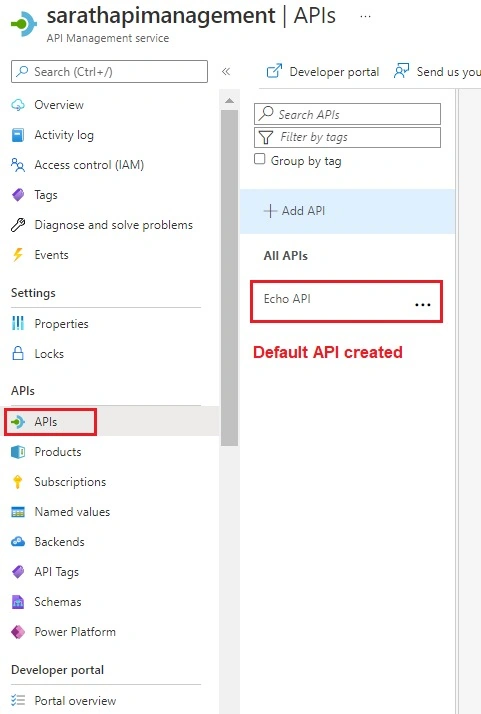
We can remove the default Echo API and create our APIs. There are various templates available in the API management for API creation. We can create any number of APIs under API management.
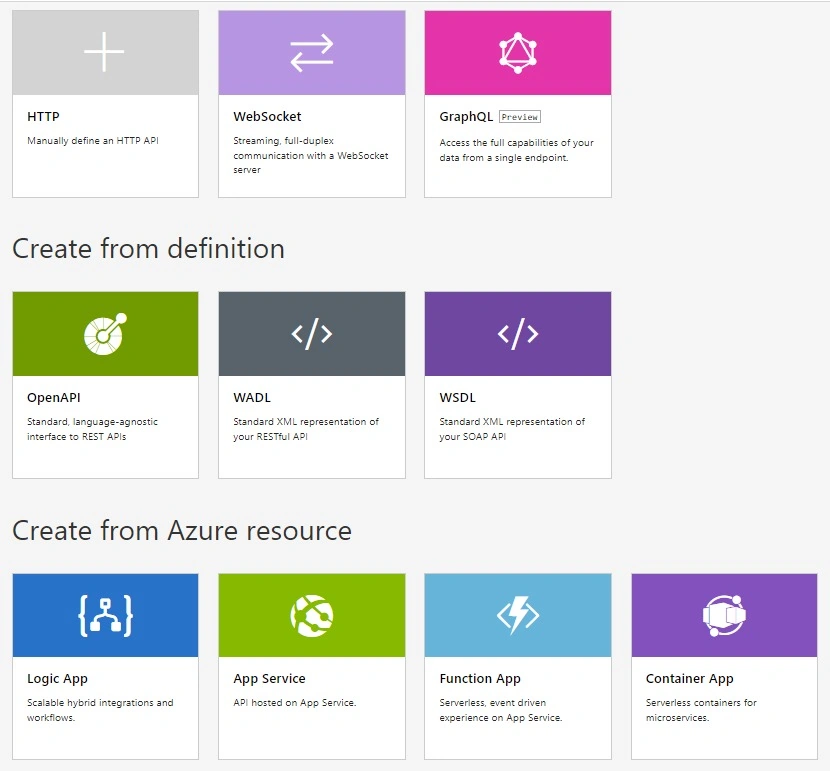
We can click the Add APIs button choose the HTTP template and create an API now.
We can choose Basic or Full options.
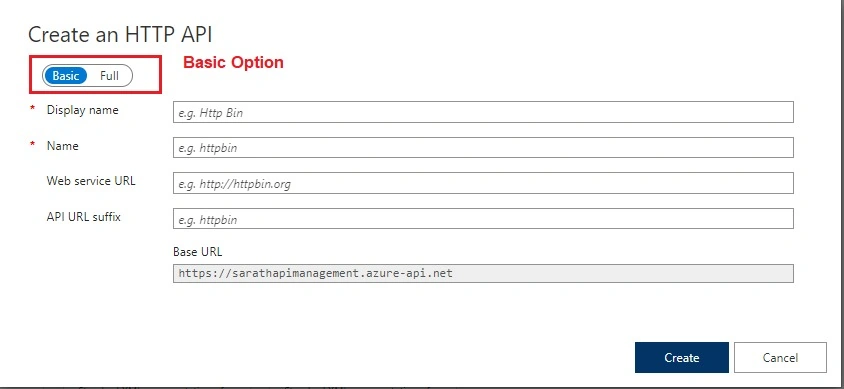
Full choice has more properties.
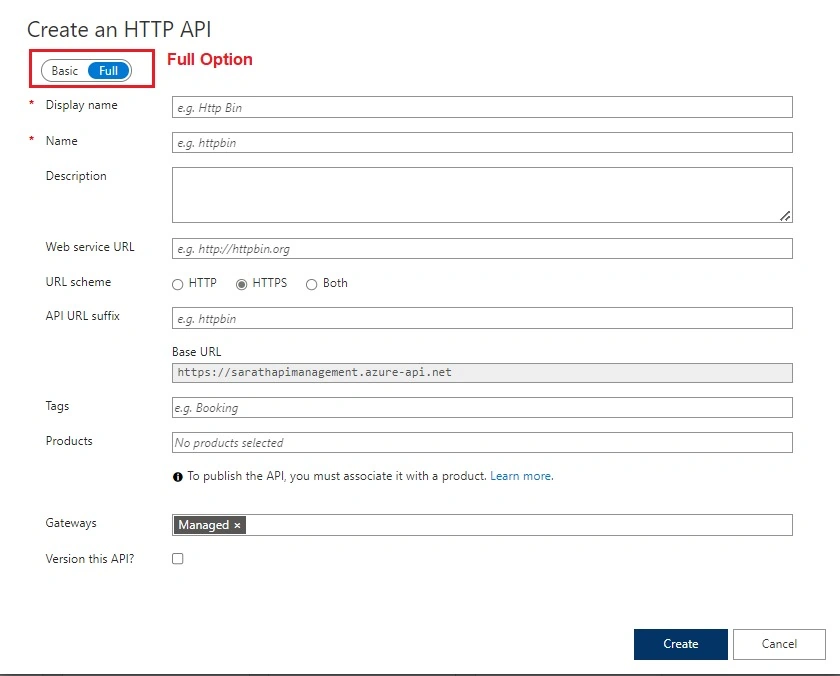
We can choose a Basic option and give display name and name properties.
We can ignore other optional properties for now.
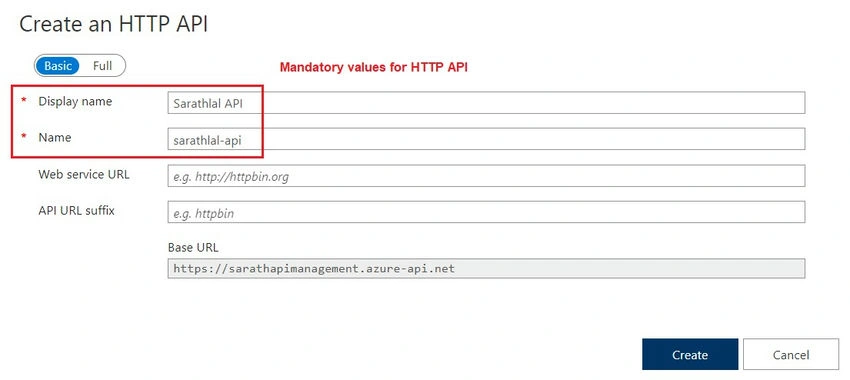
After creating the HTTP API, we can create a Web API in Visual Studio and deploy it to the Azure portal.
Create .NET 6.0 Web API using Visual Studio 2022
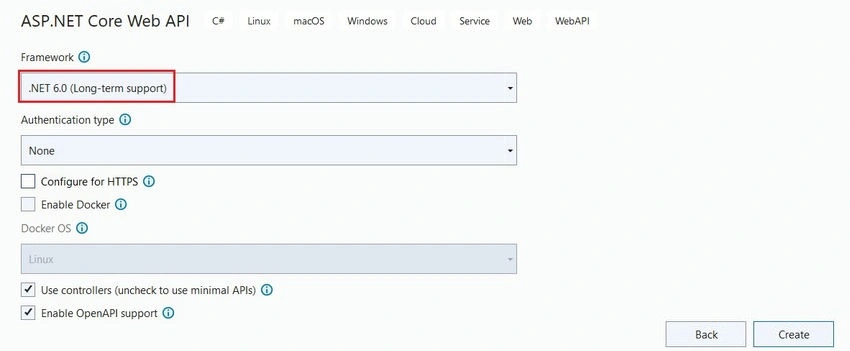
After creating the project, we can create a new API controller using a scaffolding template.

We have now created a new controller with all CRUD actions.

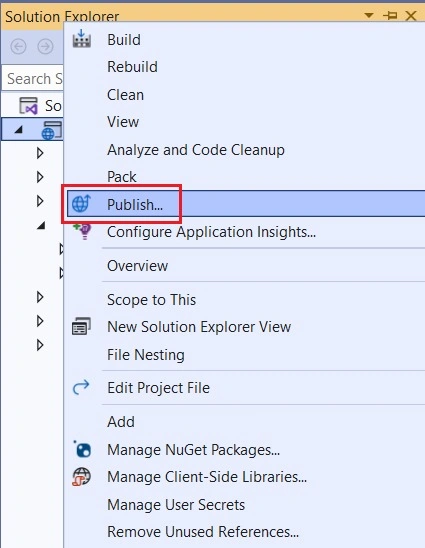
We can publish this API project to the Azure portal.
Right-click the solution explorer and choose the Publish menu.
We can choose Azure as a target. You must log in to the Azure portal before going ahead.
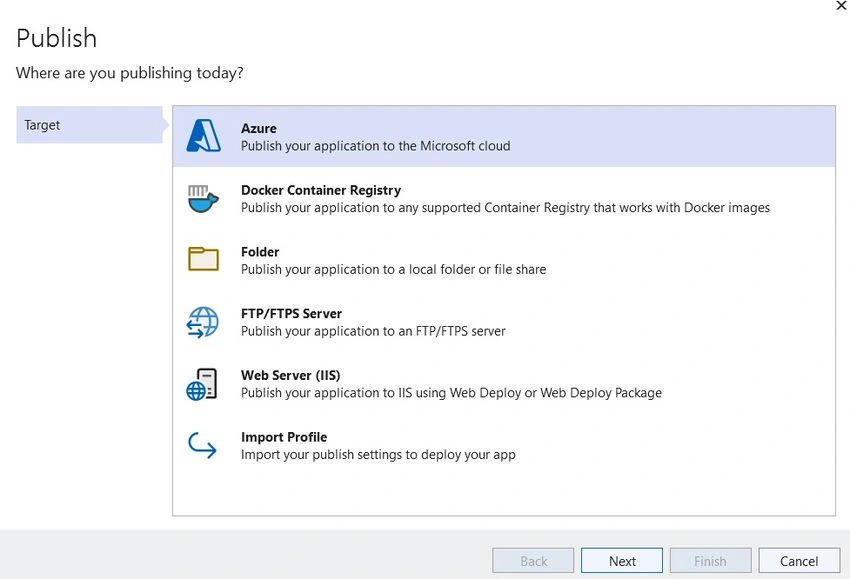
We can choose Azure App service (Windows) and click the next button.
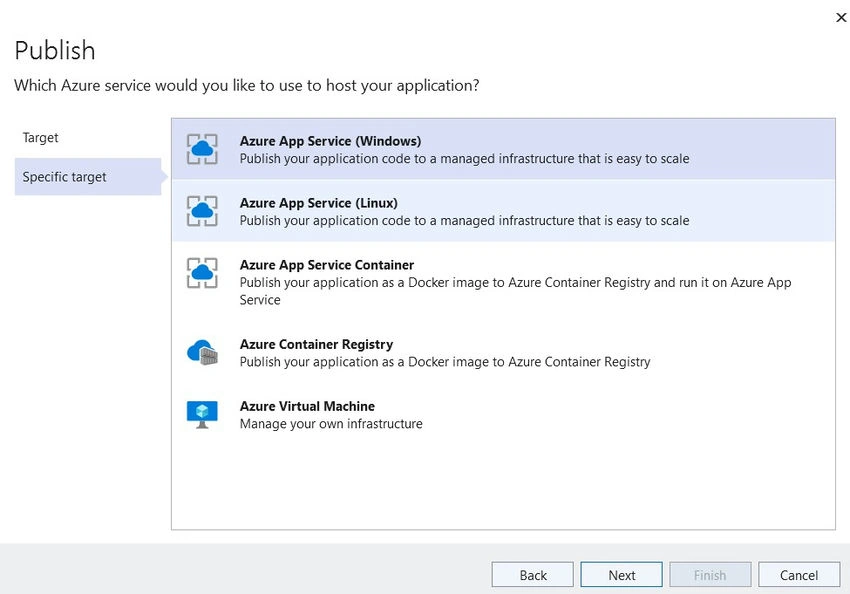
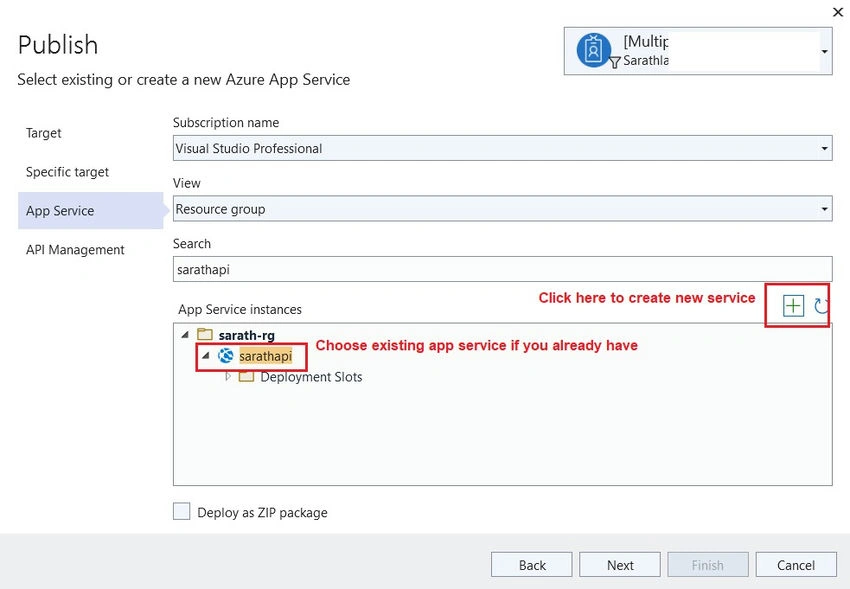
We can add a new App Service now.

If you have already created an App service, you can choose from the given list.
We can choose the API management and HTTP API that we have already created on the Azure portal.
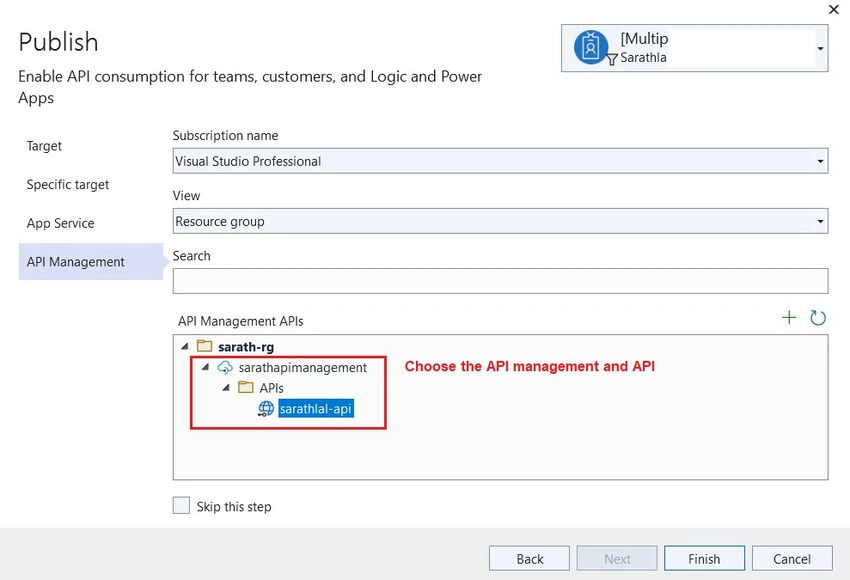
We can click the Finish button to create deployment steps.

We can click the Publish button to deploy our Web API to the Azure portal. Our deployment will be completed in a few minutes.
We can open the swagger documentation of the API application and check whether it is working or not.
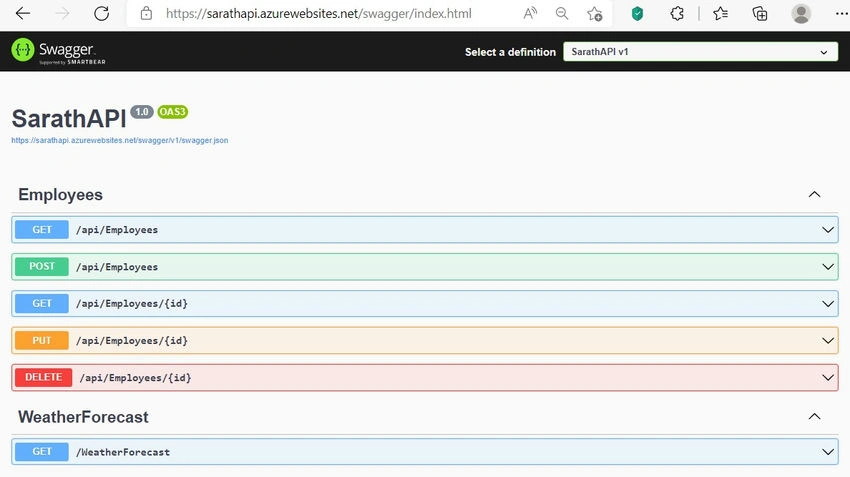
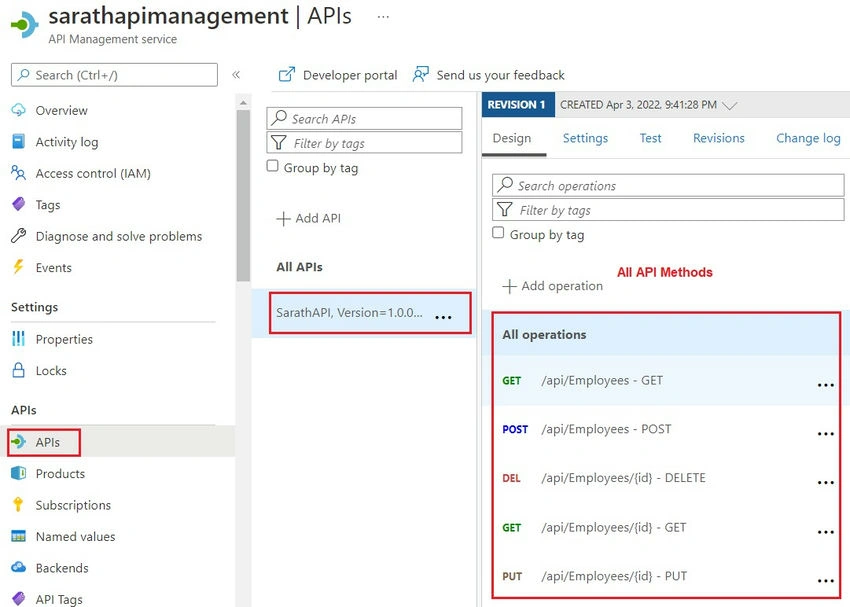
We can open the API management on the Azure portal and see the new methods we have created in the Web API application are available here as well.
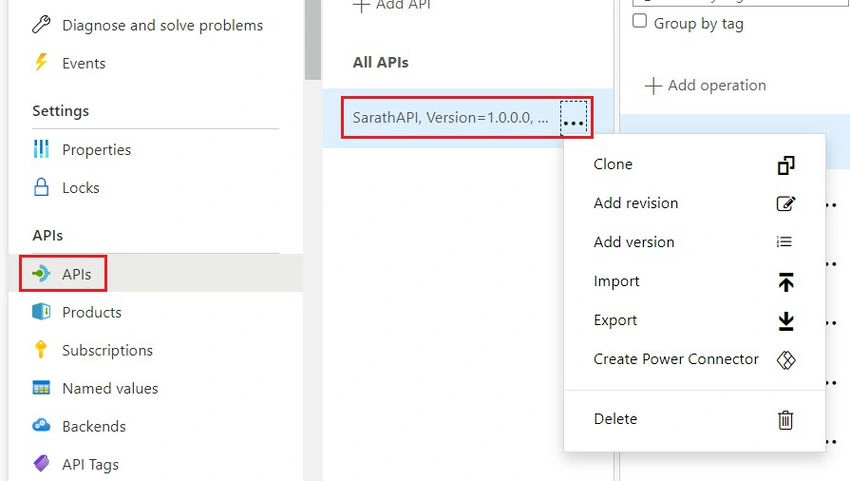
If you click the three dots menu near to the API, we can see that many options like Clone, add revision, add version, import, export, create power connector, and delete are available here.
There are many prominent features available in Azure API management. We can see those features in another post.
Conclusion
In this post, we have seen how to create an Azure API management in the Azure portal, and we have deployed one Web API application to the Azure portal using API management. We will see more features of Azure API management in upcoming articles.
Jaimin ShethiyaPosted May 4, 2022, 5:36 AM
Nice one, Thanks for sharing :)
Manikandan MurugesanPosted Apr 9, 2022, 2:41 AM
Well explained !!! and a great one
Saravanakumar SekaranPosted Apr 6, 2022, 3:53 PM
Awesome article !!!
Gajendra JangidPosted Apr 6, 2022, 5:00 AM
Nice one. Thanks for sharing
Dinesh VPosted Apr 5, 2022, 1:28 AM
Nice one. Thanks for sharing. Waiting for the upcoming articles.
Rajesh MadhavanPosted Apr 4, 2022, 3:02 AM
Good Article. Thanks for sharing.