

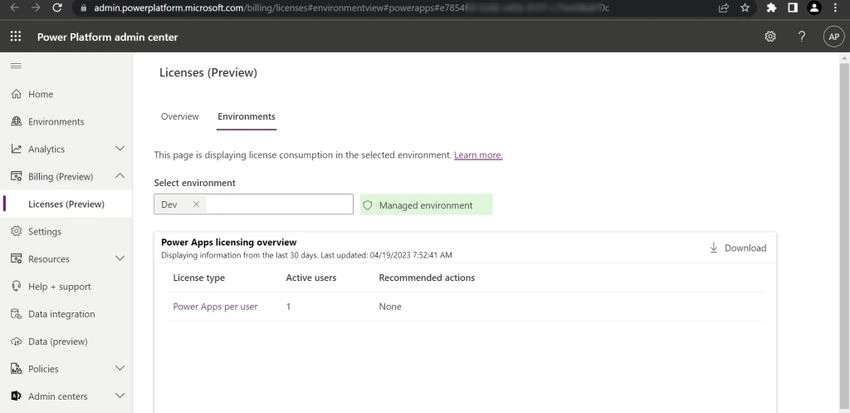
Microsoft has introduced a new preview feature for the admins to provide an overview to see how different licenses are consumed and if there are environments that might require licensing attention.
You can get answers to questions like.
- What types of licenses are being used to launch apps?
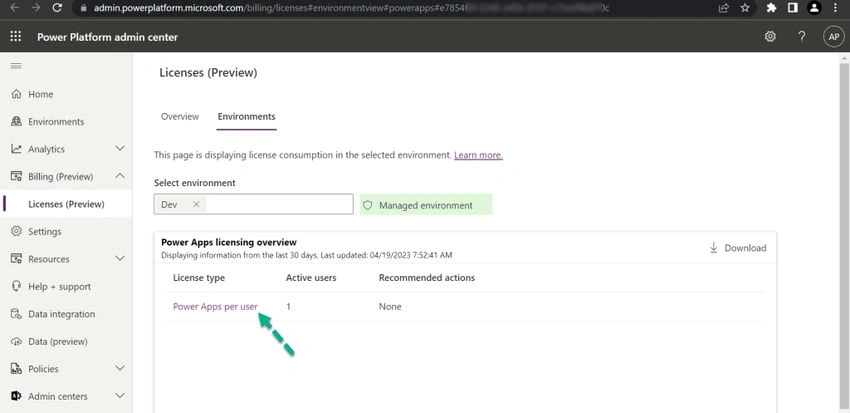
- How many users are actively consuming Power Apps licenses in a specific environment?
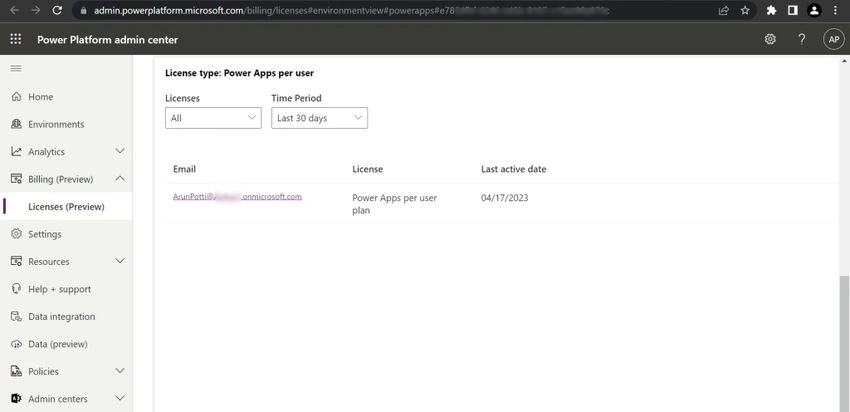
- Who are the users who are actively consuming Power Apps licenses?
- Are there users in my environment who need standalone Power Apps licenses?
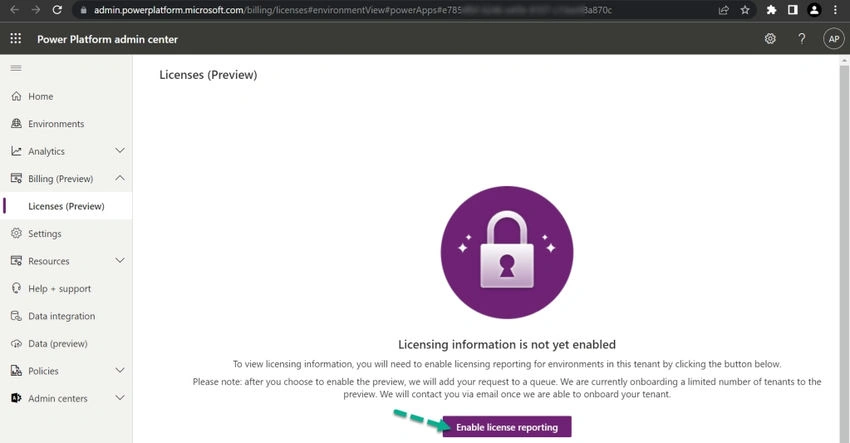
This article will explain the process of enabling the licenses (preview) feature for an Environment in the Power Platform Admin Center.
Note. As this is a preview feature, you cannot use this for any Production environment. Check the below article for more details.
Prerequisite
Click on the below link and Enable Managed Environment
How to Enable Managed Environments for a Dataverse Environment?
Follow the below steps after the Prerequisite.
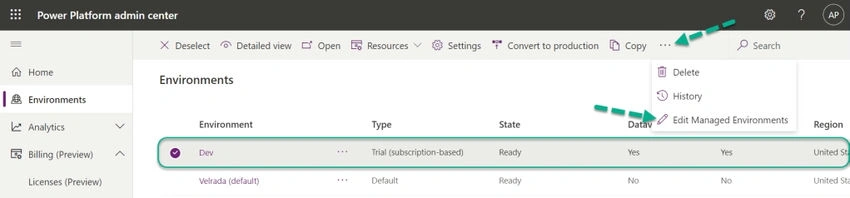
Step 1. Click on the required Environment in the Power Platform Admin Center.
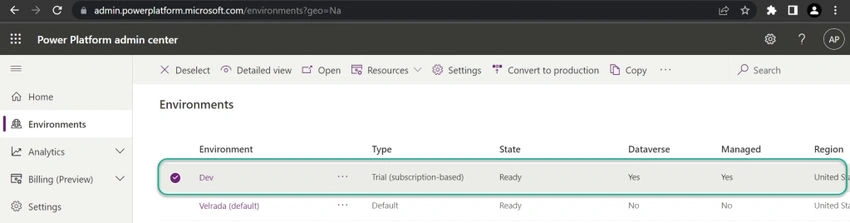
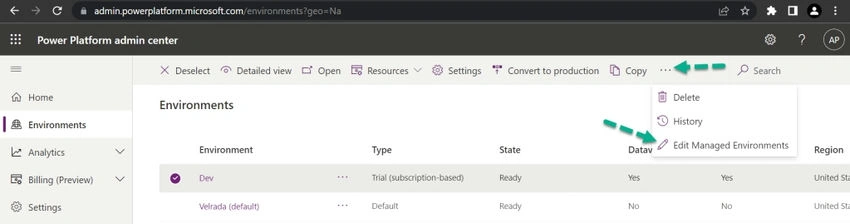
Step 2. Click, and Click on Edit Managed Environments.
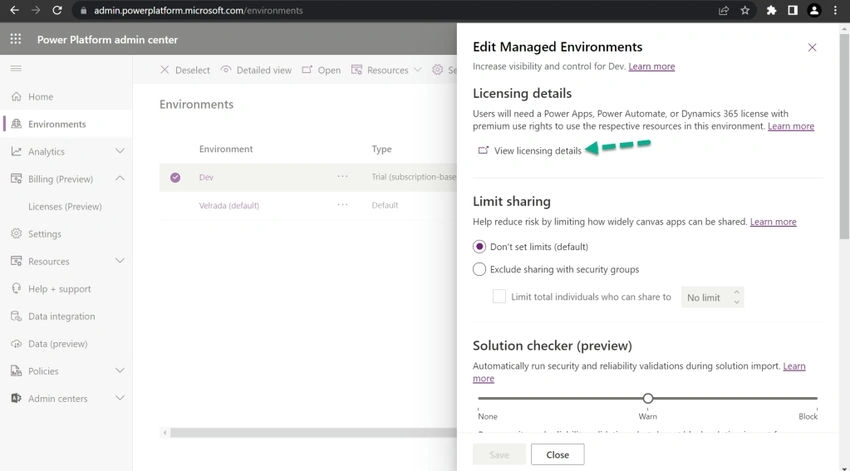
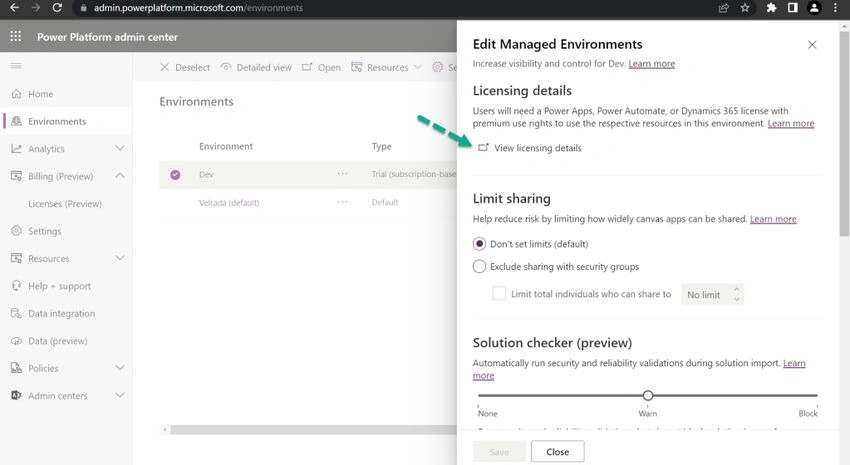
Edit Managed Environments Popup will be shown.
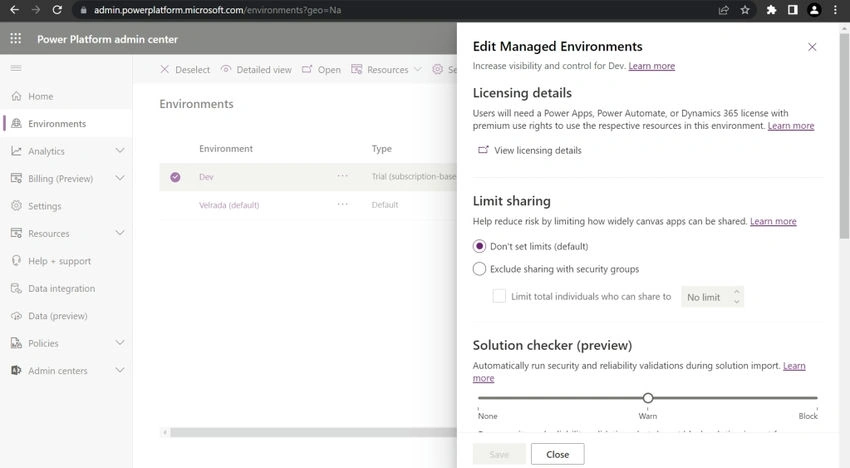
Step 3. Click on View licensing details.


Join the conversation! Your thoughts help the community grow.