

Overview of the Article Series
This article series provides a complete, end‑to‑end journey into Power Pages development, designed to help beginners, intermediates, and working professionals understand the platform from both a technical and practical perspective. It guides readers through every essential stage — starting from the fundamentals of Power Pages, environment setup, Dataverse configuration, permissions, and security — all the way to building advanced features using Liquid, JavaScript, Power Automate, and enterprise-level integrations.
The series also walks through real-world considerations such as authentication, governance, performance optimization, ALM (Application Lifecycle Management), and production‑ready deployment practices. Each topic is arranged in a logical, progressive sequence so learners can follow along smoothly and build a deep understanding of how to design, develop, secure, and scale Power Pages solutions.
By the end of the series, readers will not only know how to create a Power Pages site, but also how to architect it professionally, integrate it with enterprise systems, and maintain it using industry best practices — ultimately enabling them to build full‑fledged, secure, and scalable portals for any organization.
Introduction to Power Pages, its purpose, and when to use it
Designing the site layout, navigation, branding, and responsiveness
Creating lists, views, and record actions for external users
Configuring authentication with Azure AD and external identities
Applying security best practices for safe Power Pages deployment
Testing Power Pages for functionality, security, and performance
Post-launch governance, maintenance, and enhancement strategy
Full case study: building a complete Power Pages site end-to-end
📘 Introduction to Power Pages, Its Purpose, and When to Use It
Power Pages is Microsoft's low-code platform for building secure, data-driven, external-facing websites that directly integrate with Microsoft Dataverse. It enables organizations to rapidly create portals where customers, partners, vendors, and citizens can interact with business data in a controlled and governed environment.
Unlike traditional web development — which requires HTML, CSS, JavaScript frameworks, backend APIs, databases, hosting, and security layers — Power Pages simplifies the entire process with visual designers, templates, and built-in integration with Microsoft Power Platform.
Organizations use Power Pages when they need to:
Provide external access to business data
Allow users to submit forms, track cases, or request services
Automate workflows through Power Automate
Ensure enterprise-level security and compliance
Deploy solutions quickly without heavy coding
Because it is part of the Microsoft ecosystem, Power Pages seamlessly works with Dataverse, Power BI, Power Automate, Azure AD, and other enterprise tools, making it ideal for building modern, scalable, and secure web portals.
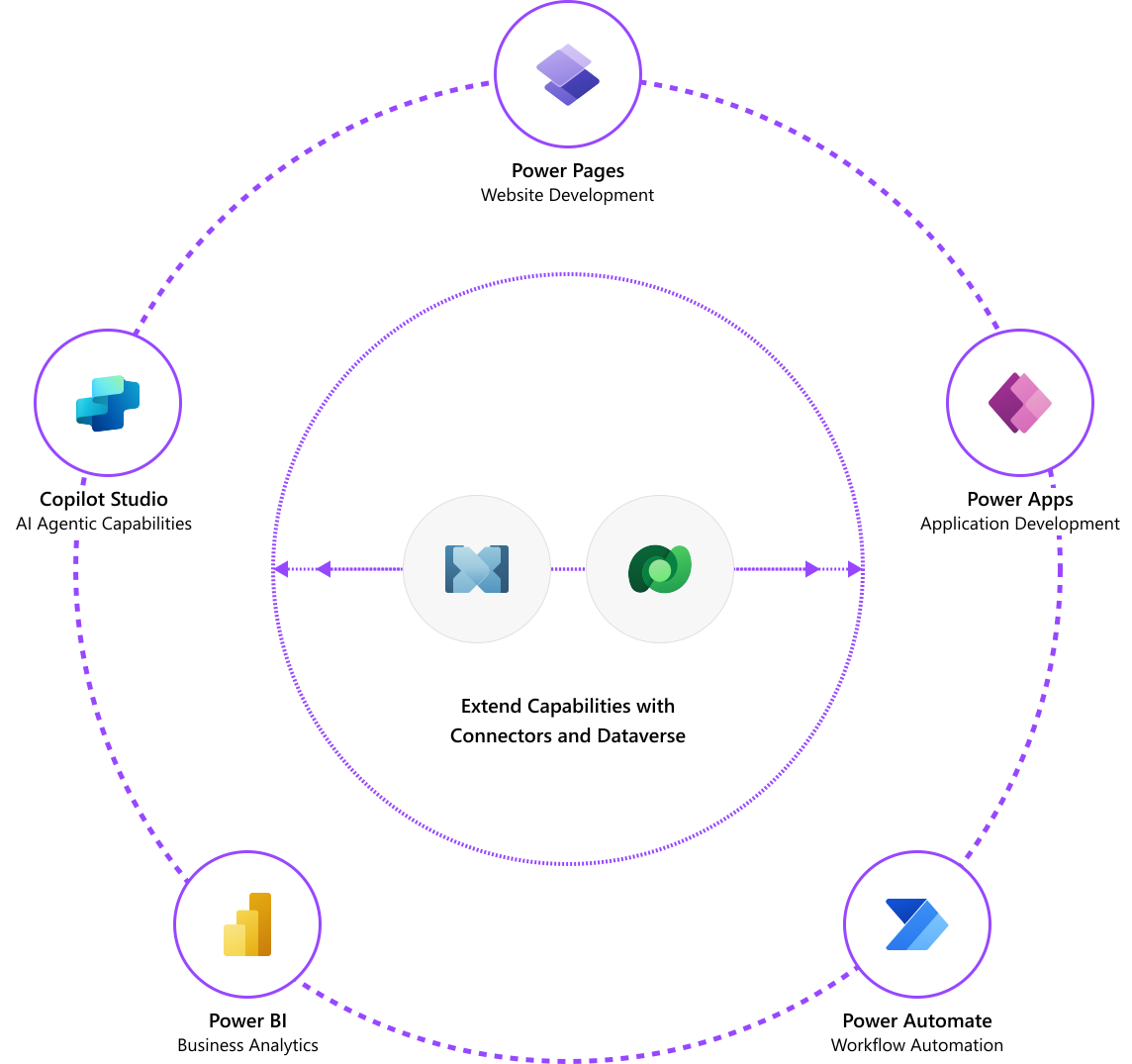
How Power Pages Fits Into the Power Platform
Creating a website is only the first step. Power Pages becomes much more powerful when combined with other Power Platform tools that enhance automation, intelligence, and reporting.
Power Virtual Agents OR Copilot
You can embed a conversational bot into your Power Pages site to assist customers or employees. These bots can help answer routine questions, guide users through processes, or provide essential information. They're easy to build and don't require coding knowledge. However, they should not be used for critical areas like medical or emergency advice.
Microsoft Dataverse
Dataverse acts as the primary data backbone for Power Pages. It not only stores records but also provides robust security, role-based access, and integration capabilities. Your website can interact directly with Dataverse tables, allowing users to create, view, or update information securely.
Microsoft Power Automate
With Power Automate, you can connect your website to automated workflows. These flows can handle tasks such as validating form submissions, sending notifications, updating records, or integrating with external applications. Many templates are available, enabling fast implementation without heavy coding.
Microsoft Power BI
Power BI can be used to display dashboards or reports inside your Power Pages site. This lets you share insights like analytics, KPIs, or operational data with authorized users. Whether they access reports from mobile apps or desktops, Power BI ensures updated and interactive visualizations are available across devices.
Conclusion
Power Pages offers a powerful, unified way to build secure, data‑driven business websites without the complexity of traditional web development. By leveraging the Microsoft ecosystem, organizations gain seamless access to Dataverse, enterprise‑grade security, automation capabilities, and deep integration with tools like Power Automate, Power BI, and Power Virtual Agents. This makes it possible to create professional websites that not only look modern but also support real business processes — from data collection and analysis to automation and user engagement.
As businesses expand, Power Pages scales effortlessly, allowing teams to introduce new features, handle increased traffic, and integrate with additional systems over time. Its low‑code approach reduces development effort, while Microsoft's continuous updates ensure security, stability, and long‑term reliability.
Ultimately, Power Pages empowers developers and business users to create impactful digital experiences quickly and securely, enabling organizations to streamline operations, enhance customer interactions, and build a strong digital presence — all within a trusted Microsoft environment.
Join the conversation! Your thoughts help the community grow.