

Introduction:
We are using MSN Messenger for past so many years. It has been improved a lot in terms of functionality and UI from its first release up to now. But, it is still missing some functionality which might be useful in certain situations. So, I designed this application which will provide certain features which are not available in MSN Messenger. I designed this application in VS.NET 2003 using C# and Windows Forms. I will explain little bit about the application than I will explain design and coding of this application.
Features present in this Application:
-
Allows to see contact list and message history.
-
Allows to browse message history sorted by date.
-
Allows to mail message history of selected user.
-
Allows to Monitor any contact status.
-
Automatically reloads contact's status, when the status changes.
-
Maintains a list of recent users, to whom you messaged.
Steps to create this application:
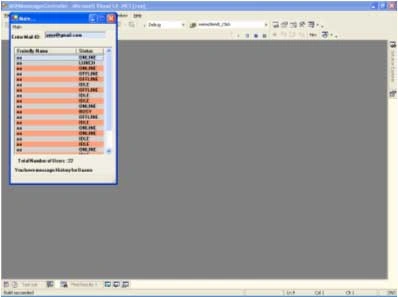
First, create a new windows project in C# and add a COM dll named Interop.MessengerAPI.dll to project's references. This dll is present in code folder in the attachment or you can search for it in Google. Than design the main form as shown below:
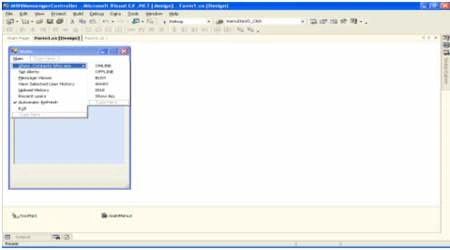
Here, I am using a ListView control to display all contacts. Than, I designed MainMenu for following functionality, to sort users based on their status, to notify any status changes of selected contact, to view message history of a contact sorted by date, to mail selected user's message history, to maintain recent user's list to whom you messaged, automatic update of listview whenever a user changes status, to exit from application. After creating Main form, add new forms and name it each as historywindow, alerts, MessageViewer. Design this forms as shown below:
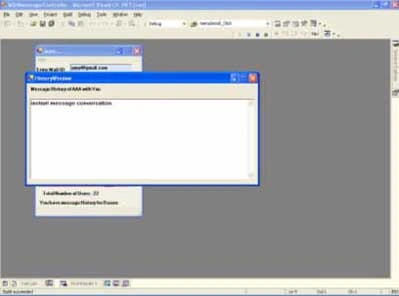
History Window:
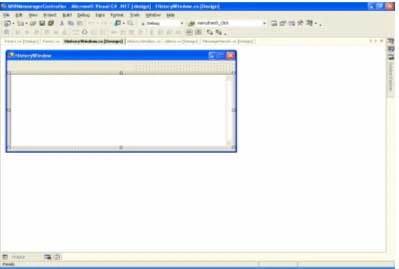
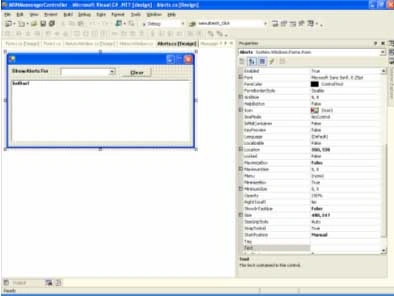
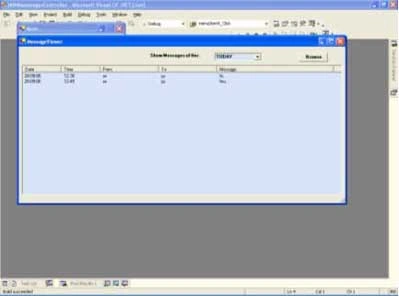
MessageViewer Window:
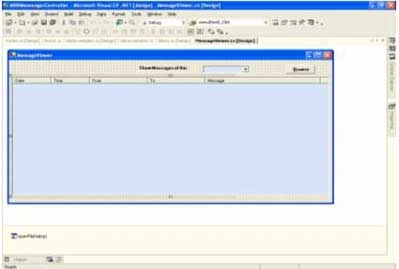
Now, I will explain important steps in coding each form.
Main form (Form1.cs):
In form load, I am creating an instance of msn messenger. Later, I am getting path of message history, which will be stored in registry. This registry entry will be different for each computer. You can get path of message history by searching registry with this key
Later, I am adding a method to be invoked wherever a user changes his status to update ListView Control with updated status of all users. Finally, I am looping through each contact of Messenger and adding it to ListView with some hidden columns with proper Color.
In ShowUserswho menuitem will sort users based on their status. Here also I am just looping through each contact and adding them to ListView based on their status.
ViewSelectedUserHistory menuitem will show selected user's history in a new window.
Upload History menuitem will allows us first to select users whose history to be mailed and later it will mail selected user's history to mail id you specified in the textbox. By using this we can view our message history from any system.
Recentusers menuitem will maintain list of users to whom you messaged recently.
HistoryWindow:
In Form1, we are copying the message history of selected user into a string variable mesghistorydetails and displaying it in historywindow textbox. I am using this code to get selected user's history:
IMessengerContact selectedcontact = msn.GetContact(listView1.SelectedItems[0].SubItems[1].Text,listView1.SelectedItems[0].SubItems[3].Text) as IMessengerContact;
IMessengerConversationWnd cw = msn.InstantMessage(selectedcontact) as IMessengerConversationWnd;
if(cw.History.ToString()!="")
{
string mesghistory=cw.History.ToString();
mesghistory= mesghistory.Replace(msn.MyFriendlyName,"You ");
mesghistory= mesghistory.Replace(selectedcontact.FriendlyName,"He/She ");
IMessengerWindow window=cw as IMessengerWindow ;
mesghistoryContactName =selectedcontact.FriendlyName;
window.Close();
mesghistorydetails=mesghistory;
HistoryWindow objform2 = new HistoryWindow();
objform2.Show();
}
Here, I am getting selected user's signname and serviceid from ListView control, later getting his/her history using IMessengerConversationWnd object.
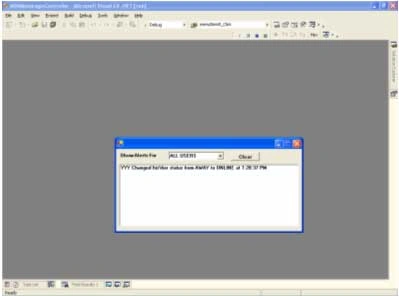
Alerts Window:
Here, I am getting all contact's friendly name and adding it to a combobox. I am adding method to be invoked whenever a contact changes his/her status. In this method, I am adding his previous and current status to listbox. By using this, we can know the exact time of status change of any contact. Normally, I will use this to keep track status of my Lead. Whenever his status changes to AWAY, I will start working more sincerely.
MessageViewer Window:
Normally message history of any contact will be stored in local hard disk in path specified in MessageLogPath registry key in the form of xml file. Here, we have to browse selected user's message history file using filedialog control. Later, we can view message history based on its date with respect to current date.
Final Output will be like this:
We can still enhance this Messenger by adding little bit of code. I hope this code will be useful for all. I am attaching code for further reference.
Sonu ChaudharyPosted Mar 2, 2016, 11:23 PM
nice artical
Sonu ChaudharyPosted Mar 2, 2016, 11:22 PM
nice artical
Sr KarthigaPosted Feb 18, 2016, 7:44 PM
GOOD ONE
yuzheng cuiPosted Jul 22, 2009, 1:08 AM
But,How I to get MessageAPI reference??
heba alyPosted Feb 14, 2008, 6:13 PM
IWANT APPEAR THAT GOING SENT ON THE FORM
heba alyPosted Feb 14, 2008, 6:11 PM
IWANT APPEAR THAT GOING SENT ON THE FORM
Rui LourencoeditedPosted Jan 3, 2008, 12:27 PMEdited Jan 3, 2008, 12:34 PM
I tried to run the MSNMessengerController I got this error Retrieving the COM class factory for component with CLSID {B69003B3-C55E-4B48-836C-BC5946FC3B28} failed due to the following error: 80040154." on the line msn = new MessengerAPI.MessengerClass(); ´ The computer where I' m running has the windows server 2003 and does not have any messenger installed Can anyone help me? Thank you very much
Rui LourencoPosted Jan 3, 2008, 12:20 PM
I tried to run the MSNMessengerController I got this error Retrieving the COM class factory for component with CLSID {B69003B3-C55E-4B48-836C-BC5946FC3B28} failed due to the following error: 80040154." on the line msn = new MessengerAPI.MessengerClass(); Can you help me? Thank you very much
ahmsimsekPosted Jul 22, 2007, 3:24 PM
I cannot see the code attachment, did you remove it ?
zainee abbasPosted Jun 26, 2007, 7:39 AM
Hi! Its a great article and it helped me a lot. Thanks a lot for shring your work. I have one question... You answered above for sending an instant message, its working absolutely fine when i included that piece of code in my application which is doing the conversation in the windows forms, not in the original messanger window. I am sending the messages successfully, can you please let me know the method for getting the instant messages -i.e retriving the replied instant messages? Like conversation in windows forms rather the MSN conversation window. I would be highly thankful to you if you help me in this regard. Thanks in advance! Regards ZA
nigel storyPosted Apr 14, 2007, 6:56 PM
Hi sateesh, great piece of code. I downloaded and compiled and it works great, but when i copy the debug directory to another pc and try and run it from there it errors , i also created a setup package and it still fails with the same error> Unhandled Exception when it executes this line msn = new MessengerAPI.MessengerClass(); Interop.MessengerAPI.dll is present, its an XP machine Any ideas, Thanks :-)
sathis kumarPosted Apr 6, 2007, 5:14 AM
hi, i am sathis kumar i need to send a insatnt message to a conatct from a c# code. i had populted the all contacts ina window. need to send a txt message when user select any contact from the list pls help me out thanks in advance